
Optoma UHD65
Optoma UHD65 True 4K UHD Cinema Projector User Manual
Model: UHD65 | Brand: Optoma
1. Introduction
This manual provides comprehensive instructions for the setup, operation, and maintenance of your Optoma UHD65 True 4K UHD Cinema Projector. The UHD65 is designed to deliver an immersive home cinema experience with its advanced 4K UHD resolution and color technologies. Please read this manual thoroughly before using the projector to ensure proper functionality and longevity.
2. Product Overview and Key Features
The Optoma UHD65 is a high-performance projector engineered for home theater enthusiasts, offering exceptional visual fidelity and flexible installation options.
- True 4K Ultra HD: Delivers 8.3 million distinct on-screen pixels for a premium home cinema experience, powered by the Texas Instruments 4K UHD DLP chipset.
- 6-Segment Color Wheel: Ensures richer colors and enhanced brightness, with an RGBRGB color wheel for accurate cinematic color reproduction (Rec.709).
- PureMotion Technology: Advanced frame-interpolation and motion control processing eliminate motion blurring and image judder in fast-action sequences.
- HDR10 Compatible: Supports HDR10 technology with DCI-P3 wide color gamut, displaying content in REC.2020 colors for brighter whites, deeper blacks, and greater color depth.
- High Contrast Ratio: Dynamic Black technology provides a 1,200,000:1 contrast ratio, enhancing image depth with clear bright scenes and detailed dark scenes.
- Cinematic Brightness: 2,200 lumens of brightness make the UHD65 suitable for various home theater environments, capable of projecting a 120" image from approximately 12 feet.
- Flexible Installation: Features 15% vertical lens shift and 1.6x optical zoom for versatile placement, whether ceiling-mounted or placed on a console.
- Extensive Connectivity: Multiple input options including HDMI (with HDCP 2.2 support), HDMI 4K, USB, and VGA for connecting various devices like FireTV 4K, Chromecast Ultra, Roku 4K, Apple TV 4K, XBox One X, PS4 Pro, PCs, and Macs.
- Long Lamp Life: Enjoy up to 15,000 hours of lamp life, providing years of viewing pleasure.
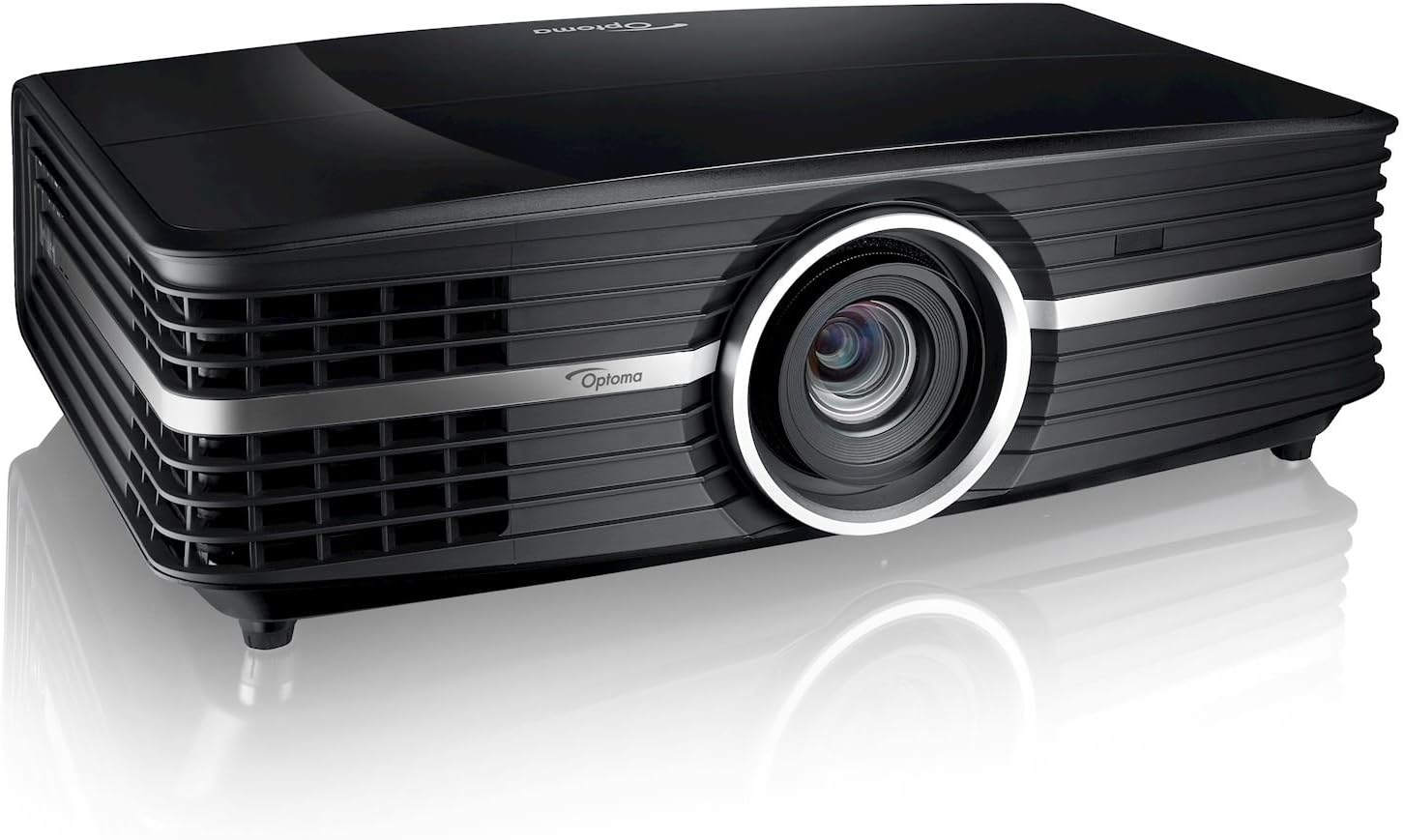
Figure 2.1: Front view of the Optoma UHD65 projector, showcasing its sleek black design and prominent lens.
3. Setup Guide
3.1 Unpacking
Carefully remove all components from the packaging. Ensure the following items are present:
- Optoma UHD65 Projector
- AC Power Cord
- Remote Control
- Batteries for Remote Control
- Quick Start Card
3.2 Placement
Consider the following when choosing a location for your projector:
- Projection Distance: The UHD65 can project an image from 4.2 feet to 30.5 feet away. For a 120-inch image, approximately 12 feet distance is recommended.
- Screen Size: Supports projection screen sizes from 26.45 inches to 302.2 inches.
- Lens Shift: Utilize the 15% vertical lens shift for fine-tuning image position without moving the projector.
- Ventilation: Ensure adequate airflow around the projector to prevent overheating. Do not block ventilation openings.
- Surface: Place the projector on a stable, level surface or securely mount it to the ceiling.
3.3 Connections
Connect your source devices to the appropriate ports on the rear of the projector.

Figure 3.1: Rear panel of the Optoma UHD65, showing available input/output ports including HDMI, VGA, USB, and audio connections.
- HDMI: Connect HDMI 1.4a or HDMI 2.0 (w/ HDCP 2.2, MHL 2.1 and Full 18Gbps) for high-definition video and audio.
- VGA: Use the VGA-In port for connecting older computer systems.
- Audio: Connect external audio devices via Audio-In (3.5mm) and Audio-Out (3.5mm). SPDIF Out (Optical) is also available for digital audio.
- USB: The USB 2.0 Port is for service, and a USB-A Power port is available for powering external devices.
- Network/Control: RJ45 for network control and RS232C for serial control. A 12V trigger output is also present.
- Power: Connect the AC power cord to the projector and a suitable power outlet (100-240V, 50-60Hz).
4. Operation
4.1 Power On/Off
- Ensure the power cord is securely connected.
- Press the power button on the projector or the remote control to turn on the unit. The power LED will illuminate.
- To power off, press the power button again. Confirm shutdown when prompted.
4.2 Input Selection
Use the "Source" button on the remote control or projector panel to cycle through available input sources (HDMI 1, HDMI 2, VGA, etc.).
4.3 Adjusting Settings
Access the On-Screen Display (OSD) menu to adjust various picture and system settings.
- Press the "Menu" button on the remote control.
- Use the arrow keys to navigate through menu options.
- Press "Enter" to select an option or confirm a setting.
- Adjust settings such as Brightness, Contrast, Color, Aspect Ratio, and PureMotion.
- Press "Menu" again to exit the OSD.
5. Maintenance
5.1 Lamp Life and Replacement
The lamp in your Optoma UHD65 projector has an estimated life of up to 15,000 hours in Dynamic mode. When the lamp reaches the end of its life, a warning message will appear on the screen. Refer to the full user manual for detailed lamp replacement procedures.
5.2 Cleaning
- Exterior: Use a soft, lint-free cloth to wipe the projector's exterior. Do not use abrasive cleaners or solvents.
- Lens: Gently clean the projector lens with a lens cleaning cloth and specialized lens cleaning solution. Avoid touching the lens directly with your fingers.
- Air Filters: Regularly check and clean the air filters to maintain optimal performance and prevent overheating.
6. Troubleshooting
This section addresses common issues you might encounter with your Optoma UHD65 projector.
| Problem | Possible Cause | Solution |
|---|---|---|
| No image on screen | Power cable disconnected; incorrect input source selected; source device not powered on. | Check power connections; select correct input source; ensure source device is on. |
| Image is blurry | Lens out of focus; projector too close/far from screen; dirty lens. | Adjust focus ring; reposition projector; clean the lens. |
| No audio | Audio cables not connected; volume too low; incorrect audio output selected on source. | Check audio connections; increase volume; verify audio output settings on source device. |
| Projector overheats | Blocked ventilation; dirty air filters. | Ensure clear space around vents; clean air filters. |
7. Specifications
| Feature | Detail |
|---|---|
| Display Technology | Single 0.66″ TRP S610 4K UHD DMD DLP Technology by Texas Instruments |
| Native Resolution | UHD (3840 x 2160) |
| Maximum Resolution | 4K (4096 x 2160) @ 60Hz with XPR Technology |
| Brightness | 2,200 lumens |
| Contrast Ratio | Up to 1,200,000:1 with Dynamic Black |
| Light Source Type | 240W Lamp |
| Light Source Life | 4,000/10,000/15,000 hours (Bright/ECO/Dynamic) |
| Aspect Ratio | 16:9 (native), 4:3, Auto, LBX (2160p and 1080p) |
| Throw Ratio | 1.39 – 2.22 (distance/width) ± 5% variance |
| Projection Distance | 4.2′ – 30.5′ |
| Projection Screen Size | 26.45″ – 302.2″ |
| Lens Shift | Vertical: +15% |
| Optical Zoom | 1.6x (manual) |
| Audio | 2x 4 Watt Stereo Speakers |
| Noise Level | 28/25dB (Bright/ECO) |
| Dimensions (W x H x D) | 19.6″ x 6″ x 13″ |
| Weight | 16 lbs |
| Inputs | 1xHDMI 1.4a, 1xHDMI 2.0 (w/ HDCP 2.2, MHL 2.1 and Full 18Gbps), VGA-In, Audio-In (3.5mm), USB 2.0 Port (Service), USB-A Power, RJ45, RS232C |
| Outputs | Audio out (3.5mm), SPDIF out (optical), 12V trigger |
8. What's in the Box
The Optoma UHD65 package includes the following items:
- UHD65 Projector
- AC power cord
- Remote control
- Batteries for remote
- Quick start card
9. Warranty and Support
For detailed warranty information and technical support, please refer to the official Optoma website or contact Optoma customer service. Keep your purchase receipt as proof of purchase for warranty claims.
For further assistance, visit the Optoma Store on Amazon.
Ask a question about this manual
Ask about setup, troubleshooting, compatibility, parts, safety, or missing instructions. Manuals+ will review the question and use this page’s manual context to help answer it.