
Klein Tools ET110
Klein Tools ET110 Carbon Monoxide Meter User Manual
Model: ET110 | Brand: Klein Tools
1. Introduction
The Klein Tools ET110 CO Detector is a precision instrument designed to detect and measure concentration levels of carbon monoxide (ppm) and temperature (Fahrenheit/Celsius). This meter is an essential tool for HVAC professionals and homeowners alike, providing critical safety information with its advanced features.

Figure 1: Front view of the Klein Tools ET110 Carbon Monoxide Meter.
2. Important Safety Information
WARNING:
- Read, understand, and follow all instructions, cautions, and warnings attached to and/or packed with all test and measurement devices before each use.
- This meter is NOT intended for use as personal protection equipment.
- Carbon monoxide (CO) is a colorless, odorless gas that is life-threatening, even at low concentrations. Always exercise extreme caution when dealing with potential CO sources.
3. Components and Key Features
The ET110 meter is designed for ease of use and reliability. Key components and features include:
- Electrochemical Sensor: Delivers accurate ppm readings for carbon monoxide.
- Backlit LCD Screen: Easy-to-read display shows CO measurements (0 to 1000 ppm) and temperature (Fahrenheit and Celsius).
- Warning Indicator Light: Flashes green when conditions are safe, and flashes red with an audible alarm when alarm level is reached.
- Audible and Visual Alarms: Dual alarm system with low (35 ppm) and high (200 ppm) level alarms, providing immediate warnings.
- Short-Term Exposure Limit (STEL) Alarm: Built-in alarm for user protection against short-term high exposure.
- Auto-Power Off: Conserves battery life by automatically turning off after 20 minutes of inactivity.
- Included Accessories: Comes with a convenient carrying pouch and 4 x AAA batteries.
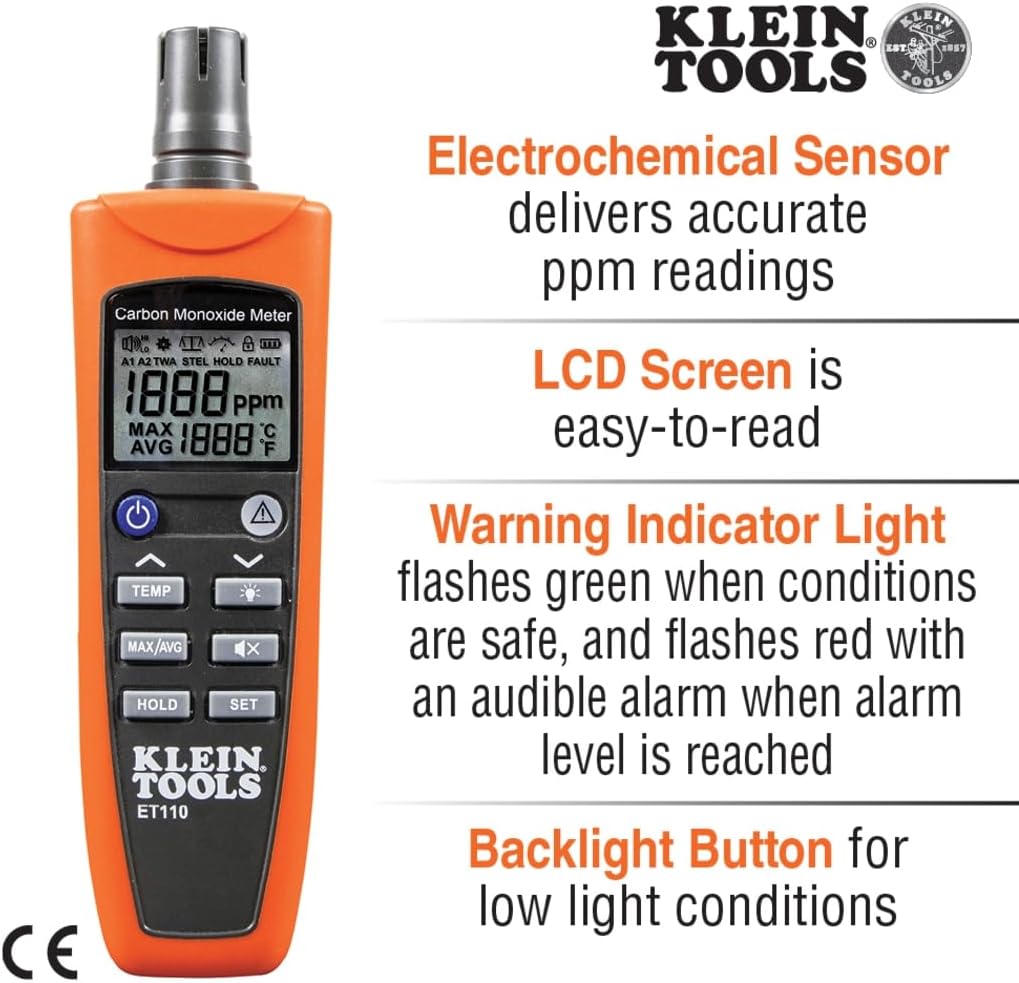
Figure 2: Detailed view highlighting the meter's sensor, LCD screen, warning light, and backlight button.

Figure 3: Overview of the meter's measurement capabilities and alarm functions.
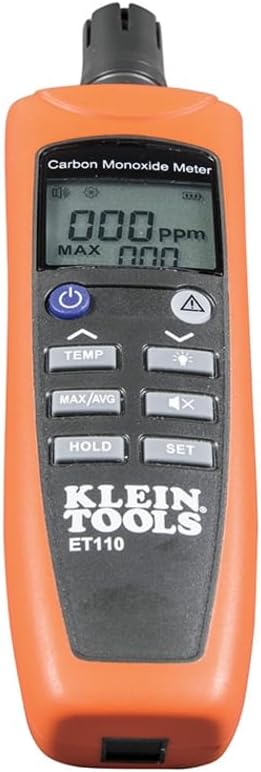
Figure 4: Rear view of the ET110, showing the integrated belt clip for easy portability.
4. Setup
4.1. Battery Installation
The ET110 requires 4 x AAA batteries (included). To install:
- Locate the battery compartment on the back of the meter.
- Open the compartment cover.
- Insert the 4 AAA batteries, ensuring correct polarity (+/-).
- Close the battery compartment cover securely.
4.2. Initial Power-On and Calibration
Upon first use or after battery replacement, the meter performs a self-test and zero-calibration. It is recommended to perform zero-calibration in a fresh air environment.
- Press the power button (ⓘ) to turn on the device.
- The meter will display "110" briefly, then proceed with self-test and calibration.
- Ensure the meter is in a clean, fresh air environment during this process for accurate calibration.
Video 1: Product Overview of the Klein Tools ET110 CO Meter, demonstrating its features and initial power-on sequence.
5. Operating Instructions
5.1. Taking Measurements
Once powered on and calibrated, the ET110 will continuously display the current CO concentration in parts per million (ppm) and the ambient temperature.
- Move the meter to the area where you suspect CO presence.
- Observe the CO readings on the backlit LCD screen. Readings range from 0 to 1000 ppm.
- The temperature can be toggled between Fahrenheit (°F) and Celsius (°C) using the "TEMP" button.
5.2. Understanding Alarms
The ET110 features both audible and visual alarms to alert you to unsafe CO levels:
- Low Level Alarm: Activates at 35 ppm. The warning indicator light will flash red, and an audible alarm will sound.
- High Level Alarm: Activates at 200 ppm. The warning indicator light will flash red more rapidly, and a louder audible alarm will sound.
- STEL Alarm: The Short-Term Exposure Limit alarm provides additional protection.
- In case of an alarm, immediately ventilate the area and investigate the source of CO.
5.3. Additional Functions
- Backlight: Press the light bulb button to activate the screen backlight for low-light conditions.
- MAX/AVG: Press this button to cycle through maximum and average CO readings.
- HOLD: Press to hold the current reading on the display. Press again to release.
- SET: Used for advanced settings and calibration. Refer to the full user guide for detailed instructions on advanced calibration.
Video 2: Demonstration of the Klein Tools ET110 Carbon Monoxide Meter in use, showing its quick response and various display functions.
6. Maintenance
6.1. Cleaning
Wipe the meter with a dry, lint-free cloth. Do not use abrasive cleaners or solvents. Ensure the sensor area is kept clean and free from obstructions.
6.2. Battery Replacement
When the battery indicator on the display shows low power, replace all 4 AAA batteries promptly to ensure accurate readings and proper operation. Follow the battery installation steps in Section 4.1.
6.3. Storage
Store the meter in its included carrying pouch in a cool, dry environment when not in use. Remove batteries if storing for extended periods to prevent leakage.
7. Troubleshooting
| Problem | Possible Cause | Solution |
|---|---|---|
| Meter does not power on. | Dead or incorrectly installed batteries. | Replace batteries, ensuring correct polarity. |
| Inaccurate or fluctuating readings. | Sensor obstruction, dirty sensor, or need for calibration. | Clean sensor area. Perform zero-calibration in fresh air. |
| Alarm sounds continuously without apparent CO. | High background CO, or sensor malfunction. | Ventilate area thoroughly. If problem persists, contact customer support. |
| Display is dim or unreadable. | Low battery or backlight off. | Replace batteries. Press backlight button. |
8. Specifications
| Feature | Detail |
|---|---|
| Brand | Klein Tools |
| Model | ET110 |
| Measurement Range (CO) | 0 to 1000 ppm |
| Temperature Range | 32-122°F (0-50°C) |
| Power Source | 4 x AAA Batteries (included) |
| Display Style | Backlit LCD |
| Alarm Type | Audible, Visual (Low: 35 ppm, High: 200 ppm, STEL) |
| Dimensions (L x W x H) | 7.74"D x 2.16"W x 1.46"H |
| Item Weight | 5.1 Ounces |
| Special Features | Auto-Power Off, Data Hold, Max/Avg Readings |
| Included Components | Meter, Batteries, Carrying Pouch |
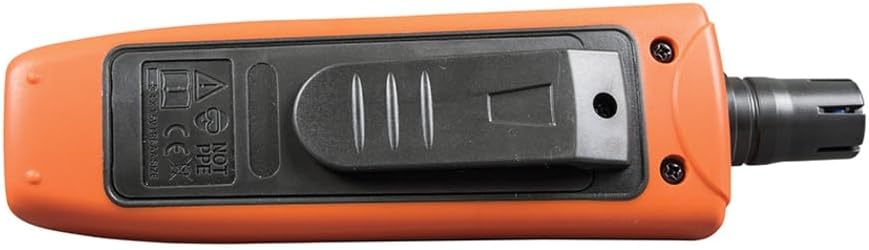
Figure 5: Physical dimensions of the ET110 meter.
9. Warranty and Support
For warranty information, technical support, or to access the full Instructions for Use (IFU) document, please visit the official Klein Tools website or refer to the PDF document provided with your purchase.
You can also find the official Instructions for Use (IFU) PDF here.
For additional product information and support, visit the Klein Tools Store on Amazon.
Related documentsET110


Ask a question about this manual
Ask about setup, troubleshooting, compatibility, parts, safety, or missing instructions. Manuals+ will review the question and use this page’s manual context to help answer it.