1. Introduction
This manual provides essential information for the proper installation, maintenance, and safe use of Buildalot Specialty Carbon Brushes, model 0749_Stayer_SC251. These carbon brushes are designed as replacement components for the Stayer Saw SC251, ensuring optimal electrical contact and motor performance. Please read this manual thoroughly before attempting any installation or maintenance procedures.

Figure 1: A pair of Buildalot Specialty Carbon Brushes 0749_Stayer_SC251, showing the carbon blocks, copper cables, and metal connectors. These brushes are crucial for transferring electrical current to the motor's commutator.
2. Safety Information
WARNING: Always disconnect the power tool from its power source before performing any maintenance, installation, or repair work.
- Ensure the power tool is unplugged or its battery is removed before beginning.
- Wear appropriate personal protective equipment (PPE), such as safety glasses and gloves.
- Handle carbon brushes carefully. Do not bend or damage the attached cables or connectors.
- If you are unsure about any step, consult a qualified technician.
- Keep small parts, including carbon brushes, away from children. Choking hazard.
3. Package Contents
The package contains the following items:
- 2 x Buildalot Specialty Carbon Brushes 0749_Stayer_SC251 (with cable and connector)
4. Installation Instructions
Follow these steps to replace the carbon brushes in your Stayer Saw SC251:
- Disconnect Power: Ensure the Stayer Saw SC251 is completely disconnected from the power supply.
- Locate Brush Holders: Identify the brush holders on the motor housing of your Stayer Saw SC251. These are typically accessible via removable caps or covers.
- Remove Old Brushes: Carefully remove the caps or covers. Extract the old carbon brushes. Note their orientation and how they are connected.
- Clean Brush Holders: Inspect the brush holders for any carbon dust or debris. Clean them thoroughly to ensure proper seating of the new brushes.
- Insert New Brushes: Insert the new Buildalot carbon brushes into the brush holders. Ensure the carbon block slides smoothly and the attached cable and connector are positioned correctly. The connector should match the tool's internal terminal.
- Secure Brushes: Replace the caps or covers, ensuring they are securely fastened. Do not overtighten.
- Initial Run-in: After installation, connect the saw to power. Run the saw at a low speed without load for a few minutes. This allows the new brushes to seat properly against the commutator, which may produce some initial sparking. If excessive sparking or unusual noise persists, disconnect power and re-check the installation.
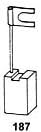
Figure 2: A schematic diagram illustrating the structure of a carbon brush, including the carbon block and its electrical connection. This helps in understanding the component's design for correct installation.
5. Operation
Once the new carbon brushes are correctly installed, the Stayer Saw SC251 should operate as intended. Carbon brushes are consumable parts that facilitate the transfer of electrical current to the motor's rotating armature. Their proper function is critical for the saw's performance. No specific operational steps are required for the brushes themselves beyond their correct installation.
6. Maintenance
Regular inspection of carbon brushes is recommended to ensure the continued optimal performance of your Stayer Saw SC251.
- Inspection: Periodically check the carbon brushes for wear. Worn brushes will appear significantly shorter than new ones.
- Replacement: Replace carbon brushes when they are worn down to approximately one-quarter of their original length, or if they show signs of chipping or damage.
- Commutator Cleaning: While replacing brushes, it is good practice to inspect the motor's commutator for excessive carbon dust buildup or scoring. Clean gently if necessary.
7. Troubleshooting
If your Stayer Saw SC251 exhibits issues after carbon brush replacement, consider the following:
- Excessive Sparking:
- Ensure brushes are fully seated and caps are secure.
- Verify the brushes are the correct type and size for the Stayer Saw SC251.
- Allow for a brief run-in period. Persistent excessive sparking may indicate a commutator issue or incorrect brush installation.
- Reduced Power or Intermittent Operation:
- Check all electrical connections, including the brush connectors, for secure contact.
- Confirm the brushes are not stuck in their holders and can move freely.
- Ensure the power tool is receiving adequate power.
- Motor Not Starting:
- Verify the power tool is plugged in and the power source is active.
- Check if the brushes are making proper contact with the commutator.
- Ensure the brushes are not completely worn out (if old brushes were re-installed for testing).
If problems persist, consult a qualified service technician.
8. Specifications
| Attribute | Value |
|---|---|
| Brand | Buildalot |
| Model Number | 0749_Stayer_SC251 |
| Compatible Tool | Stayer Saw SC251 |
| Item Weight | 0.705 ounces (approx. 20 grams) |
| Product Dimensions | 0.24 x 0.55 x 0.87 inches (approx. 6 x 14 x 22 mm) |
| Material | Carbon Steel |
| Item Package Quantity | 2 |
9. Warranty Information
Specific warranty details for Buildalot Specialty Carbon Brushes are not provided in the product information. Carbon brushes are consumable parts and their lifespan depends on usage conditions. For any warranty-related inquiries, please contact the manufacturer directly.
10. Customer Support
For technical assistance, questions, or to report issues, please contact Buildalot customer support.
Manufacturer & EU Representative:
Buildalot BVFranciscusweg 10-A8
1216 SK HILVERSUM
Netherlands
Email: info@buildalot.nl

Figure 3: Product packaging label displaying manufacturer and EU representative contact details for Buildalot BV, including address and email.