
Introduction
This manual provides instructions for the installation, maintenance, and care of your Nispira Replacement Filter Kit. This kit is designed to be compatible with various Shark Navigator vacuum cleaner models, offering a cost-effective solution for maintaining your vacuum's performance. Regular filter replacement is crucial for optimal suction and air filtration.
Product Overview
The Nispira Replacement Filter Kit includes 8 complete sets of filters, each designed to replace Shark part #XF22. Each set typically contains two foam filters, one round felt filter, and one rectangular felt filter. These filters are washable and reusable, contributing to a longer lifespan and sustained vacuum efficiency.
Compatible Shark Navigator Models:
- NV22, NV22L, NV22C, NV22T, NV22Q
- NV26, NV27, NV36, NV100
- UV400, UV410

Image: Nispira Replacement Filter Kit components shown alongside a Shark Navigator vacuum cleaner, illustrating compatibility with various models.
Setup and Installation
Follow these general steps to replace the filters in your Shark Navigator vacuum. Refer to your specific vacuum model's user manual for exact filter compartment locations and removal procedures.
- Power Off and Unplug: Always ensure your vacuum cleaner is turned off and unplugged from the power outlet before performing any maintenance.
- Locate Filter Compartment: The foam and felt filters are typically located in the motor housing, often accessible by removing the dust cup.
- Remove Old Filters: Carefully remove the old foam and felt filters. Note their orientation for correct installation of the new filters.
- Insert New Filters: Place the new Nispira foam and felt filters into their respective compartments. Ensure they are seated correctly and snugly to prevent air leaks. The kit includes two foam filters, one round felt filter, and one rectangular felt filter per set.
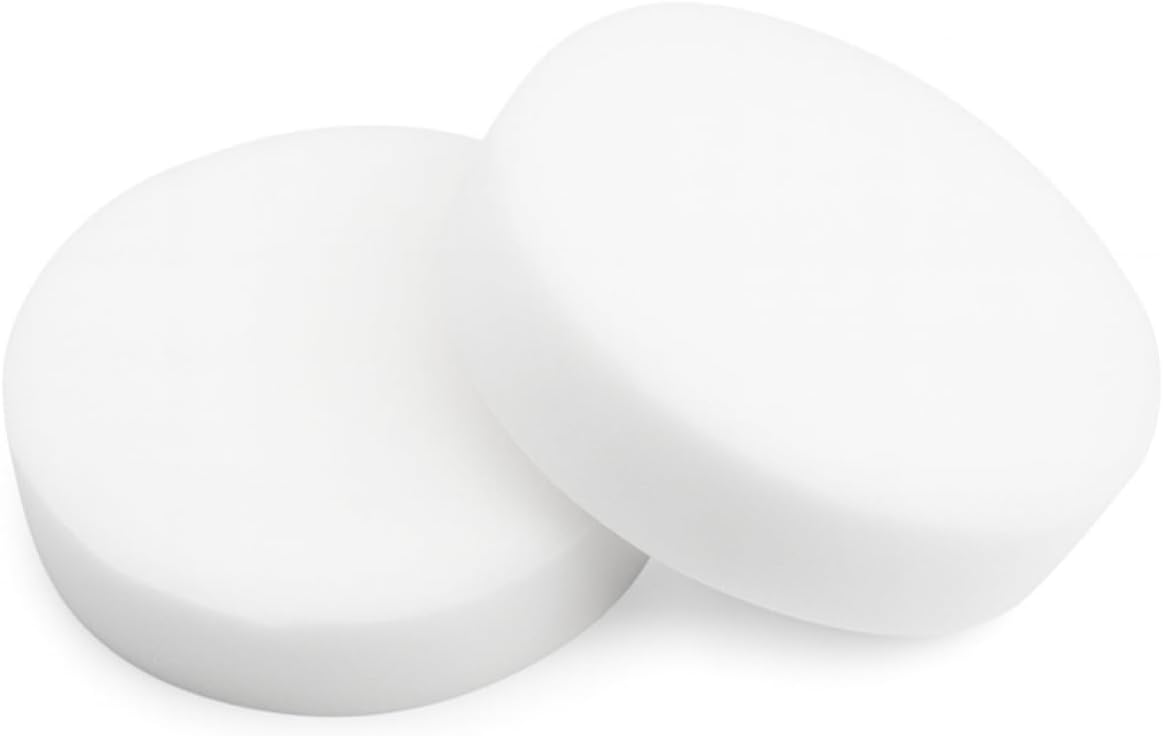
Image: Close-up of two Nispira foam filters, which are part of the replacement kit.

Image: Close-up of one Nispira round felt filter, another component of the kit.

Image: Close-up of one Nispira rectangular felt filter, completing the filter set.
Operating
Once the new filters are installed, reassemble your vacuum cleaner according to its specific instructions. The filters will now work to capture dust and allergens, ensuring clean exhaust air during operation. Monitor your vacuum's suction power and the cleanliness of the filters regularly.
Maintenance
To maintain optimal performance and extend the life of your Nispira filters, regular cleaning is recommended.
- Cleaning Frequency: It is recommended to rinse the foam and felt filters every 3 months, or more frequently depending on usage.
- Washing Instructions: Rinse the filters under running water until the water runs clear. Gently squeeze out excess water. Do not wring.
- Drying: Allow the filters to air dry completely for at least 24 hours before reinstalling them into your vacuum. Do not use a clothes dryer or other heating devices, as this can damage the filter material.
- Replacement: Replace the foam and felt filters every 12 months, or as needed, to maintain peak vacuum performance and filtration efficiency.
Troubleshooting
- Reduced Suction: If you experience reduced suction after installing new filters, ensure all filters are correctly seated and the vacuum is fully reassembled. Check for any blockages in the hose or brush roll. If the issue persists, the filters may be clogged and require cleaning or replacement.
- Unusual Odor: An unusual odor during vacuum operation can indicate that the filters need cleaning or replacement. Ensure filters are completely dry before reinstallation to prevent mildew.
Specifications
- Brand: Nispira
- Material: Foam, Felt
- Reusability: Reusable (Washable)
- Quantity: 8 Sets (each set includes 2 foam filters, 1 round felt filter, 1 rectangular felt filter)
- Replacement Part: Compatible with Shark part #XF22
Warranty and Support
For any questions regarding your Nispira Replacement Filter Kit, or for assistance with installation and maintenance, please contact Nispira customer support. Refer to the product packaging or the Nispira official website for contact information.