
1. Introduction and Overview
The YOOYIST 6-Channel Commercial Kitchen Timer is designed to enhance efficiency and precision in professional kitchen environments. This robust timer allows for simultaneous tracking of up to six different cooking tasks, ensuring optimal time management and consistent results. Its durable stainless steel construction and clear LED display make it an indispensable tool for restaurants, catering services, and busy home kitchens.

Figure 1: Front view of the YOOYIST 6-Channel Commercial Kitchen Timer.

Figure 2: Various commercial kitchen settings where the YOOYIST timer can be effectively used, including restaurant kitchens, bakeries, and food trucks.
2. Product Features
- 6 Independent Channels: Track up to six different cooking activities simultaneously with individual timers.
- Ultra-Loud Alarm: Designed for noisy kitchen environments, the alarm ensures you never miss a timer.
- Durable Construction: Made from premium-grade, easy-to-clean stainless steel for long-lasting use.
- Clear LED Display: Bright and clear digital display for maximum visibility from various angles.
- Memory Function: Retains set times even after power loss, eliminating the need for constant re-programming.
- Multiple Modes: Supports both Hours:Minutes and Minutes:Seconds timing modes.
- User-Friendly Design: Simple plug-and-play operation with responsive buttons.
- Adjustable Stand: Features two adjustable kickstands for versatile placement on countertops or wall mounting.
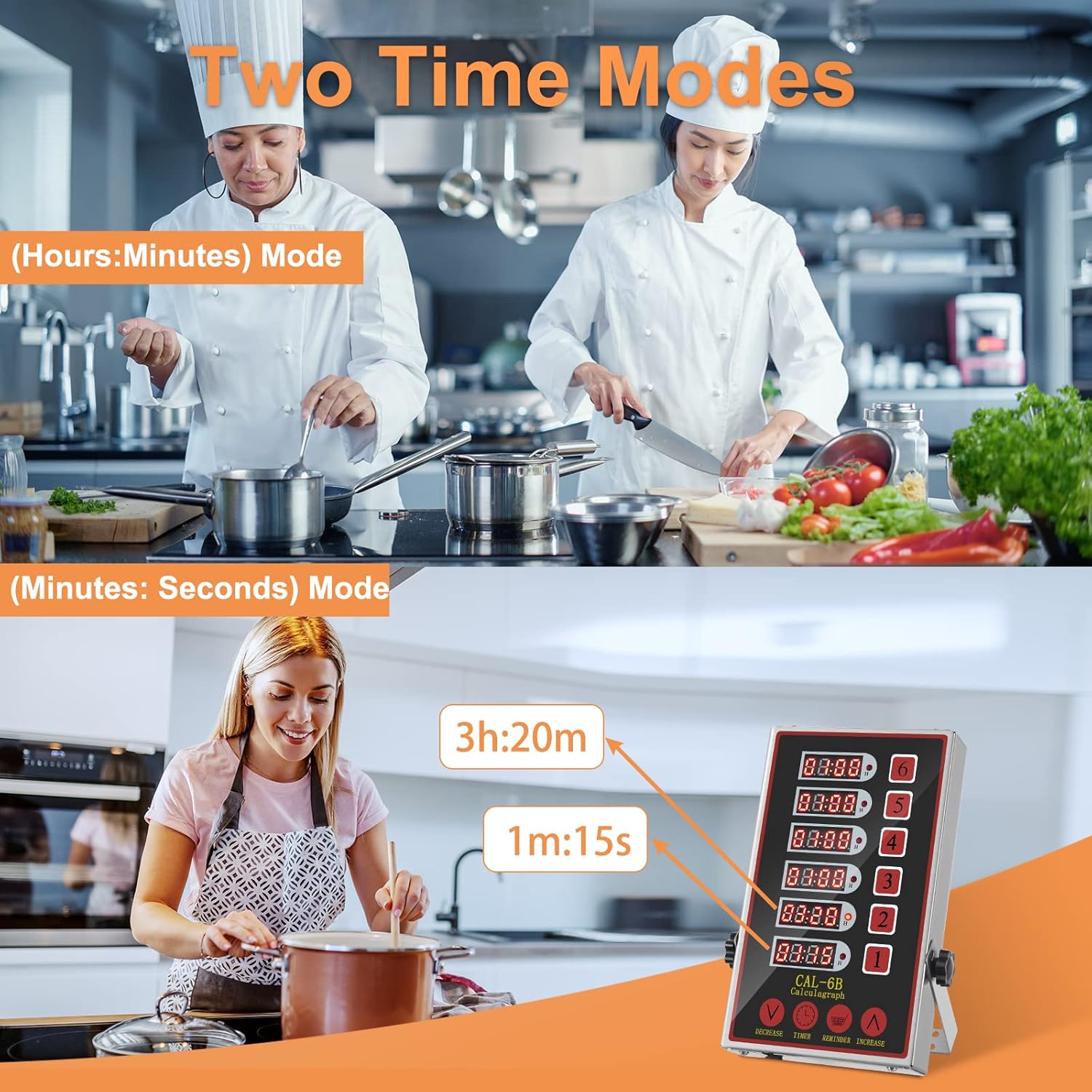
Figure 3: Illustration of the two available time modes: Hours:Minutes and Minutes:Seconds, allowing for flexible timing needs.

Figure 4: Key design elements including waterproof surface, stainless steel casing, LED display, and adjustable stand for optimal usability and durability.
3. Setup
The YOOYIST kitchen timer offers flexible placement options to suit your kitchen layout. It can be placed on a countertop using its adjustable kickstands or securely mounted on a wall.
- Choose Placement: Decide whether to use the timer on a flat surface or mount it on a wall.
- Adjust Kickstands (if applicable): If placing on a countertop, adjust the two side kickstands to your desired angle for optimal viewing.
- Wall Mounting (optional): For wall mounting, use appropriate hardware (not included) with the integrated mounting points on the back of the timer. Ensure the mounting surface is sturdy enough to support the timer's weight.
- Power Connection: Plug the timer into a standard power outlet. The LED displays will light up, indicating the timer is ready for use.

Figure 5: The timer can be mounted on a wall or placed on a table using its adjustable stand, offering versatile installation options.
4. Operating Instructions
This section provides detailed instructions on how to operate your YOOYIST 6-Channel Commercial Kitchen Timer. For a visual guide, please refer to the instructional video below.
Video 1: YOOYIST 6-channel kitchen timer instructions. This video demonstrates the setup, operation, and various features of the timer, including setting alarms, adjusting volume, and switching between time modes.
4.1. Setting an Alarm (Minutes:Seconds Mode)
- Power On: Plug the timer into a power source. All six displays will light up.
- Select Timer: Press the "TIMER" button. The display for Timer 1 will show "00:00" and is ready for input.
- Set Time: Use the "INCREASE" (▲) or "DECREASE" (▼) buttons to set the desired time. For example, to set 10 seconds, press "INCREASE" until "00:10" is displayed.
- Save Setting: Press the "REMINDER" button to save the set time.
- Start Countdown: Press the corresponding number key (e.g., "1" for Timer 1) to start the countdown. The timer will only function as a countdown.
4.2. Adjusting Alarm Volume
The timer features a loud alarm suitable for noisy environments. There are two ways to adjust the volume:
- During Alarm: While the alarm is ringing, press the "INCREASE" (▲) or "DECREASE" (▼) button directly to adjust the volume.
- On Standby: When the timer is on standby (not actively counting down or alarming), press the "INCREASE" (▲) or "DECREASE" (▼) button to adjust the volume. The volume of the button presses will also increase or decrease along with the alarm volume.
4.3. Switching Time Modes (Minutes:Seconds to Hours:Minutes)
The timer supports two modes: Minutes:Seconds (N-S) and Hours:Minutes (H-N). To switch modes:
- Ensure Power: Connect the timer to a power source.
- Enter Mode Change: Long press the "INCREASE" (▲) button. The displays will show "N-S" (Minutes:Seconds mode).
- Switch Mode: Press the corresponding number key (e.g., "1" for Timer 1) to switch to "H-N" (Hours:Minutes) mode. The small light next to the display will light up, indicating the mode change.
- Save Setting: Press the "DECREASE" (▼) button to save your setting. The mode will be saved until your next switch.
You can set 6 alarms simultaneously, and they work individually. By labeling each alarm according to your cooking need, you can manage multiple cooking tasks at the same time.
5. Maintenance
To ensure the longevity and optimal performance of your YOOYIST kitchen timer, follow these maintenance guidelines:
- Cleaning: The timer is made of easy-to-clean stainless steel. Wipe the surface with a soft, damp cloth. Avoid abrasive cleaners or harsh chemicals that could damage the finish or display.
- Water Resistance: The timer has a water-resistant structure, but it is NOT waterproof. Avoid submerging the unit in water or exposing it to excessive moisture.
- Storage: When not in use for extended periods, store the timer in a cool, dry place away from direct sunlight and extreme temperatures.
- Power Cord: Regularly inspect the power cord for any signs of damage. If damaged, discontinue use and contact customer support.
6. Troubleshooting
If you encounter any issues with your YOOYIST kitchen timer, please refer to the following common troubleshooting steps:
- No Power/Display:
- Ensure the power cord is securely plugged into both the timer and a working electrical outlet.
- Check if the power outlet is functional by plugging in another device.
- Alarm Not Sounding:
- Verify that the volume is not set to the lowest level. Adjust the volume using the "INCREASE" (▲) button.
- Ensure the timer has completed its countdown. The alarm only sounds when the set time has elapsed.
- Incorrect Time Display:
- Confirm that the correct time mode (Minutes:Seconds or Hours:Minutes) is selected for your needs. Refer to Section 4.3 for mode switching.
- Re-enter the desired time to ensure accuracy.
- Buttons Unresponsive:
- Unplug the timer from the power source, wait for 10 seconds, and then plug it back in to reset the unit.
- Ensure your hands are clean and dry when operating the buttons.
If the issue persists after attempting these steps, please contact YOOYIST customer support for further assistance.
7. Specifications
| Feature | Detail |
|---|---|
| Brand | YOOYIST |
| Model Number | JSQ06 |
| Color | Black |
| Material | Stainless Steel |
| Product Dimensions | 1.38"D x 5.1"W x 8.7"H |
| Item Weight | 1.96 pounds (0.89 Kilograms) |
| Number of Settings | 6 (Independent Channels) |
| Screen Size | 2 Inches |
| UPC | 709311825400 |
| Country of Origin | China |
| Date First Available | April 6, 2017 |
8. Warranty and Support
YOOYIST is committed to providing high-quality products. For any product-related inquiries, technical support, or warranty claims, please contact YOOYIST customer service through the official YOOYIST store on Amazon or via the contact information provided with your product packaging.
Additional protection plans may be available for purchase separately to extend coverage beyond the standard manufacturer's warranty. Please refer to the product listing or your purchase details for more information on available protection plans.
Visit the official YOOYIST Store for more products and information.