
PHILIPS 243V7QDSB/0
Philips V-line 243V7QDSB 24-inch Full HD LED Computer Monitor User Manual
Model: 243V7QDSB/0
1. Introduction
This user manual provides detailed instructions for the setup, operation, and maintenance of your Philips V-line 243V7QDSB 24-inch Full HD LED Computer Monitor. Please read this manual thoroughly before using your monitor to ensure proper and safe operation.
The Philips 243V7QDSB monitor delivers enhanced Full HD 1920 x 1080 resolution, offering crisp detail, high brightness, incredible contrast, and realistic colors for a true-to-life picture. It features a 24-inch screen size (60.5 cm), LED backlighting, and a fast 5 ms response time.
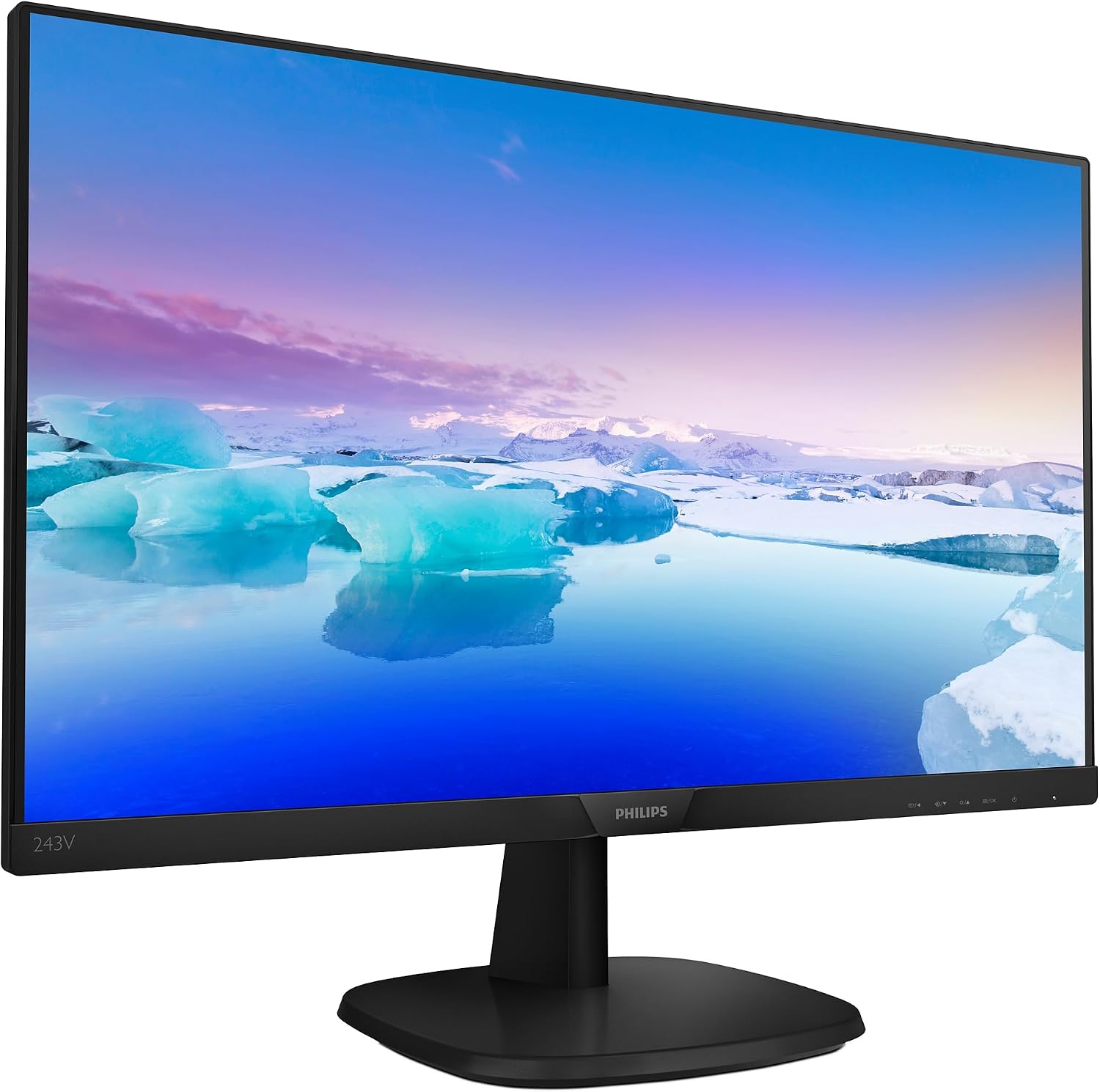
Figure 1: Philips 243V7QDSB Monitor Front View. This image shows the monitor from the front, highlighting its slim bezels and the Philips logo at the bottom center.
2. Important Safety Information
Always follow these basic safety precautions when using your monitor to reduce the risk of fire, electric shock, and injury to persons.
- Do not expose the monitor to rain or moisture.
- Do not open the monitor casing. There are no user-serviceable parts inside. Refer servicing to qualified service personnel.
- Place the monitor on a stable, flat surface.
- Ensure proper ventilation around the monitor. Do not block ventilation openings.
- Use only the power cord and adapter supplied with the monitor.
- Unplug the monitor from the power outlet during lightning storms or when unused for long periods.
3. Package Contents
Verify that all items are present and in good condition upon opening the package. If any items are missing or damaged, contact your retailer.
- Philips 243V7QDSB Monitor
- Monitor Stand (Base and Neck)
- Power Cable (Universal Edition: UK or US power adapter and cable)
- HDMI Cable
- User Manual (this document)
- Quick Start Guide
4. Setup and Installation
4.1 Assembling the Monitor Stand
- Carefully place the monitor face down on a soft, clean surface to prevent scratches.
- Attach the stand neck to the back of the monitor by aligning the tabs and pushing until it clicks into place.
- Attach the base to the stand neck, securing it with the captive screw at the bottom of the base.

Figure 2: Rear View and Stand Attachment. This image illustrates the back of the monitor, showing the VESA mount points and the location where the stand neck connects.
4.2 Connecting to Your Computer
The Philips 243V7QDSB monitor supports both HDMI and VGA connections.
- HDMI Connection: Connect one end of the HDMI cable to the HDMI port on your monitor and the other end to the HDMI output port on your computer.
- VGA Connection: Connect one end of the VGA cable to the VGA port on your monitor and the other end to the VGA output port on your computer. Secure the screws on the VGA connector.
- Power Connection: Connect the power cable to the monitor's power input and then plug the other end into a grounded electrical outlet.
Figure 3: Monitor Input Ports. This image provides a detailed view of the available input ports on the back of the monitor, including HDMI and VGA (D-SUB).
5. Operating the Monitor
5.1 Powering On/Off
Press the power button located on the bottom right bezel of the monitor to turn it on or off.
5.2 On-Screen Display (OSD) Menu
The OSD menu allows you to adjust various monitor settings. Use the control buttons located on the bottom right bezel to navigate the menu.
- Brightness/Contrast: Adjust the overall luminance and contrast of the display.
- Color Settings: Modify color temperature, sRGB, or user-defined color settings.
- Input Select: Manually switch between HDMI and VGA inputs.
- SmartImage: Optimize display settings for different content types (e.g., Office, Photo, Movie, Game, Economy).
- LowBlue Mode: Reduces harmful shortwave blue light for eye comfort, especially during long viewing sessions.
- Flicker-Free Technology: Reduces screen flickering for more comfortable viewing.

Figure 4: Key Features of the Philips 243V7QDSB Monitor. This image visually highlights the monitor's main selling points, including its size, resolution, and eye-care technologies.
6. Maintenance and Care
Proper care ensures the longevity of your monitor.
- Cleaning the Screen: Gently wipe the screen with a soft, lint-free cloth. For stubborn marks, dampen the cloth with a mild, non-abrasive screen cleaner. Do not spray cleaner directly onto the screen.
- Cleaning the Casing: Use a soft, dry cloth to clean the monitor casing. Avoid using strong detergents or abrasive cleaners.
- Storage: If storing the monitor for an extended period, unplug it and store it in a cool, dry place, preferably in its original packaging.
7. Troubleshooting
If you encounter issues with your monitor, refer to the following common problems and solutions.
| Problem | Possible Cause | Solution |
|---|---|---|
| No image on screen | Power cable not connected; Video cable not connected; Incorrect input selected. | Ensure power cable is securely connected; Check video cable connection (HDMI/VGA); Use OSD menu to select correct input. |
| Image is blurry or distorted | Incorrect resolution; Loose video cable. | Set display resolution to 1920 x 1080; Reconnect video cable securely. |
| Screen flickers | Interference; Refresh rate issue. | Ensure monitor is away from other electronic devices; Check display adapter settings for 60Hz refresh rate. |
| Colors are incorrect | Color settings misconfigured. | Adjust color settings in the OSD menu or reset to factory defaults. |
8. Technical Specifications
| Feature | Detail |
|---|---|
| Brand | PHILIPS |
| Model Name | 243V7QDSB |
| Screen Size | 23.8 Inches (60.5 cm) |
| Display Type | LED |
| Resolution | 1920 x 1080 (Full HD) |
| Aspect Ratio | 16:9 |
| Response Time | 5 Milliseconds |
| Refresh Rate | 60 Hz |
| Image Brightness | 250 cd/m² |
| Image Contrast Ratio | 1000:1 |
| Viewing Angle | 178 Degrees (Actual) / 160 Degrees (Stated) |
| Hardware Interface | VGA, HDMI |
| Special Features | Flicker-Free, LowBlue Mode |
| Product Dimensions | 4.5 x 54 x 32.5 cm; 3.1 kg |
| Mounting Type | Wall Mount (VESA compatible) |
| Voltage | 220 Volts |
| Wattage | 13.82 W |

Figure 5: Monitor Dimensions. This image provides a visual representation of the monitor's physical dimensions.
9. Warranty and Support
Philips monitors typically come with a limited warranty. Please refer to the warranty card included in your product packaging or visit the official Philips support website for detailed warranty terms and conditions specific to your region.
For technical support, driver downloads, or frequently asked questions, please visit the Philips support website or contact their customer service. Keep your purchase receipt and product serial number handy when seeking support.
Note: Specific warranty duration and support contact information may vary by region.
Related Documents - 243V7QDSB/0
 |
Philips S Line 242S9JAL Business Monitor - Features and Specifications Explore the features and technical specifications of the Philips S Line 242S9JAL 24-inch Full HD Business Monitor, featuring VA display technology, SmartImage, and ergonomic design. |
 |
Philips 222V8LA 21.5-inch Full HD VA Monitor - Features and Specifications Explore the Philips 222V8LA, a 21.5-inch Full HD monitor featuring a VA panel for vibrant visuals, wide viewing angles, and essential eye-care technologies like Flicker-free and LowBlue Mode. Discover its connectivity options including HDMI and DisplayPort, and detailed specifications. |
 |
Philips 242S9JML/00 Business Monitor - 24-inch Full HD Discover the Philips 242S9JML/00 Business Monitor. Featuring a 24-inch Full HD VA display, ergonomic SmartErgoBase, built-in speakers, and eye-care technologies like Flicker-free and LowBlue mode. |
 |
Monitor LCD Full HD Philips 243V7QDSB - Specificații și Caracteristici Descoperiți monitorul LCD Full HD Philips 243V7QDSB. Echipat cu tehnologie IPS, design cu margini înguste, moduri LowBlue și EasyRead pentru confort vizual optim. |
 |
Philips E Line 272E1GAEZ 27-inch Gaming Monitor Discover the Philips E Line 272E1GAEZ gaming monitor. Features 165Hz refresh rate, 1ms MPRT, VA panel, Full HD resolution, and SmartImage game modes for an immersive experience. |
 |
Philips 32E1N3100LA 31.5" Full HD Monitor Overview Technical overview and specifications for the Philips 32E1N3100LA 31.5-inch Full HD monitor, featuring VA technology, 1ms MPRT, and gaming-optimized settings. |
Ask a question about this manual
Ask about setup, troubleshooting, compatibility, parts, safety, or missing instructions. Manuals+ will review the question and use this page’s manual context to help answer it.