
Introduction
The Blue Satellite headphones are designed to provide a premium wireless listening experience. They integrate active noise-cancelling (ANC) technology with a built-in audiophile amplifier to deliver high-fidelity audio. This manual provides instructions for the proper setup, operation, and maintenance of your Satellite headphones.
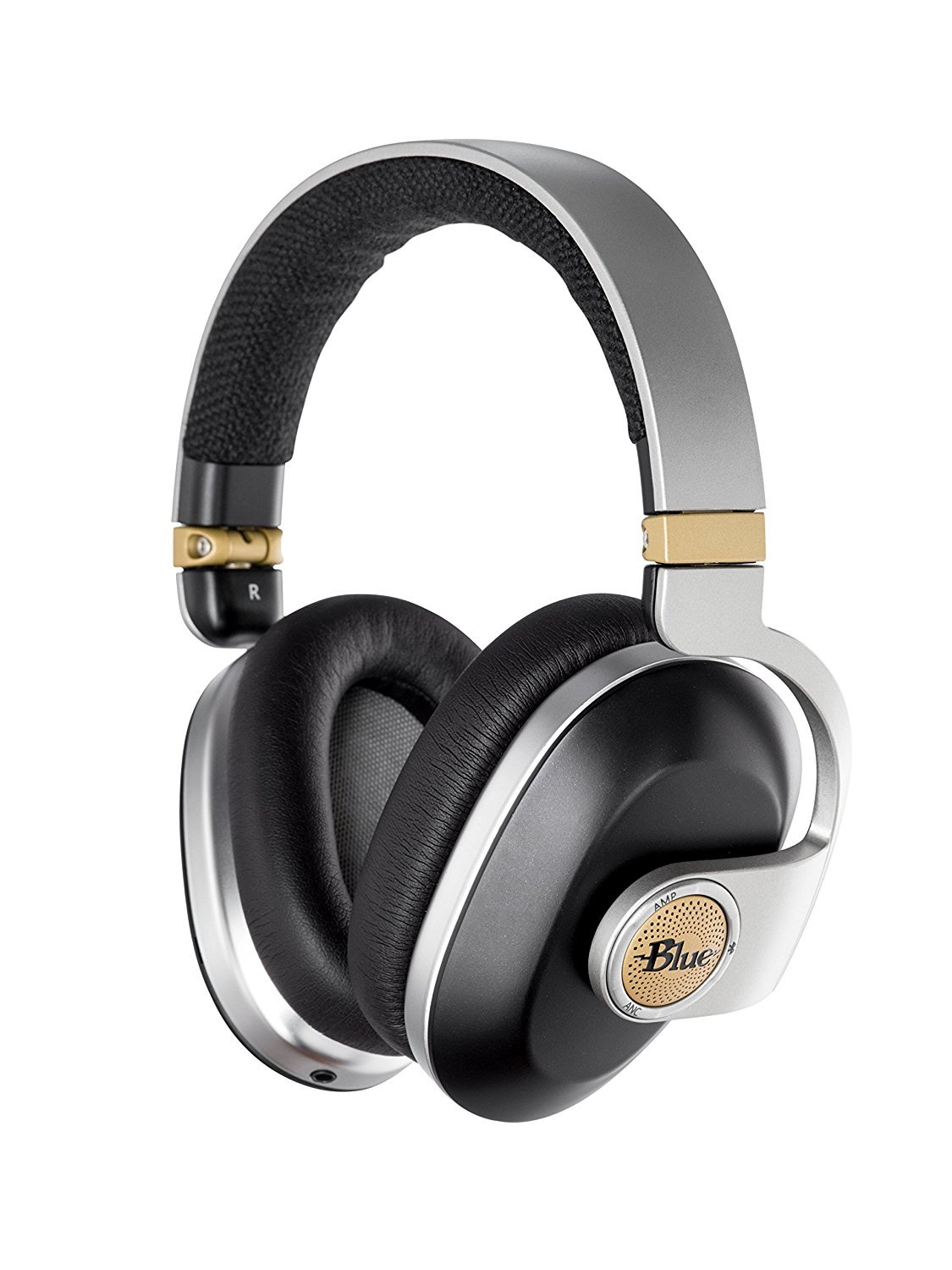
Figure 1: Blue Satellite Wireless Noise-Cancelling Headphones (Black)
What's in the Box
Verify that all items are present in the packaging:
- Blue Satellite Headphones
- Charging Cable (USB)
- Audio Cable (3.5mm)
- Carrying Case
- User Manual (this document)
Product Overview
The Blue Satellite headphones feature a patent-pending 4-driver system, with custom 44mm drivers for audio and dedicated 30mm drivers for Active Noise Cancelling (ANC). A built-in audiophile amplifier enhances sound quality. The headphones are foldable for portability and offer high-quality Bluetooth wireless technology.

Figure 2: Side view illustrating the control layout on the earcups.
Key Features:
- 4-Driver System: Custom 44mm drivers for audio and dedicated 30mm drivers for ANC.
- Built-in Audiophile Amplifier: For rich, dynamic, and detailed sound.
- Bluetooth Wireless Technology: High-quality wireless audio transmission.
- Long Battery Life: Up to 24 hours with Bluetooth only, or 8 hours with Bluetooth, ANC, and Amp enabled.
- Foldable Design: For easy portability and storage.
Setup
1. Charging the Headphones
Before first use, fully charge your Satellite headphones. Connect the supplied USB charging cable to the charging port on the headphones and to a USB power source. The LED indicator will show charging status and turn off when fully charged.
2. Powering On/Off
- To power on: Press and hold the Power button until the LED indicator illuminates.
- To power off: Press and hold the Power button until the LED indicator turns off.
3. Bluetooth Pairing
- Ensure the headphones are powered off.
- Press and hold the Power button for approximately 5 seconds until the LED indicator flashes blue and red, indicating pairing mode.
- On your device (smartphone, tablet, laptop), enable Bluetooth and search for available devices.
- Select "Blue Satellite" from the list of devices.
- Once paired, the LED indicator will show a solid blue light.
Note: The headphones will automatically attempt to reconnect to the last paired device when powered on.
Operating Instructions
Music Playback and Volume Control
- Play/Pause: Press the multi-function button (usually the Blue logo button).
- Next Track: Double-press the multi-function button.
- Previous Track: Triple-press the multi-function button.
- Volume Up: Press the '+' button.
- Volume Down: Press the '-' button.
Active Noise Cancelling (ANC)
- To activate ANC: Press the ANC button. The LED indicator for ANC will illuminate.
- To deactivate ANC: Press the ANC button again. The ANC LED indicator will turn off.
Audiophile Amplifier
- To activate the amplifier: Press the AMP button. The LED indicator for AMP will illuminate.
- To deactivate the amplifier: Press the AMP button again. The AMP LED indicator will turn off.
Wired Connection
For a wired connection, plug the supplied 3.5mm audio cable into the headphone's audio jack and into your audio source. The headphones can be used passively without power, or with the amplifier and/or ANC enabled for enhanced sound (battery required for active features).
Call Handling
- Answer/End Call: Press the multi-function button once.
- Reject Call: Press and hold the multi-function button for 2 seconds.
Video 1: Official product video demonstrating the Blue Satellite headphones in use.
Maintenance
Cleaning
- Wipe the headphones with a soft, dry cloth.
- Do not use harsh chemicals, cleaning solvents, or strong detergents.
- Avoid getting moisture into any openings.
Storage
When not in use, store the headphones in their protective carrying case to prevent damage. Avoid storing in extreme temperatures or high humidity.
Battery Care
- Charge the battery regularly, even if not using the headphones for extended periods, to maintain battery health.
- Avoid fully discharging the battery frequently.
Troubleshooting
| Problem | Solution |
|---|---|
| No power / Headphones won't turn on | Ensure the headphones are fully charged. Connect to a power source using the USB cable. |
| Cannot pair via Bluetooth |
|
| No sound or low volume |
|
| Active Noise Cancelling (ANC) not effective |
|
| Headphones are uncomfortable or too tight | The headband tension may ease with extended use. Adjust the headband for the most comfortable fit. |
Specifications
| Feature | Detail |
|---|---|
| Model Number | 7105 |
| Connectivity Technology | Wireless (Bluetooth) |
| Wireless Communication Technology | Bluetooth |
| Noise Control | Active Noise Cancellation |
| Audio Driver Type | Dynamic Driver (44mm for audio, 30mm for ANC) |
| Battery Life (Bluetooth only) | Up to 24 Hours |
| Battery Life (Bluetooth, ANC, Amp) | Up to 8 Hours |
| Bluetooth Range | 10 Meters |
| Earpiece Shape | Over-ear cup |
| Material | Faux Leather |
| Item Weight | 1.65 Pounds |
| Product Dimensions | 3 x 9 x 9.5 inches |
| Power Source | Battery Powered (1 Lithium Ion battery included) |
Warranty and Support
For warranty information or technical support, please refer to the warranty card included with your product or visit the official Blue website. Keep your proof of purchase for warranty claims.
For further assistance, contact Blue customer support through their official channels.


