
Filius 0524-17
Filius 0524-17 Silent Small Alarm Clock User Manual
Model: 0524-17 | Brand: Filius
Introduction
Thank you for choosing the Filius 0524-17 Silent Small Alarm Clock. This manual provides detailed instructions for the setup, operation, and maintenance of your new alarm clock. Please read this manual carefully before use to ensure proper function and longevity of your device. Keep this manual for future reference.
Safety Information
- Do not expose the alarm clock to extreme temperatures, direct sunlight, or high humidity.
- Avoid dropping the device or subjecting it to strong impacts.
- Keep the device away from water and other liquids.
- Only use the appropriate battery type (not included) and ensure correct polarity during installation.
- Remove batteries if the device will not be used for an extended period to prevent leakage.
- Do not attempt to open or repair the device yourself. Refer to qualified service personnel.
Product Overview
The Filius 0524-17 is a compact, silent analog alarm clock designed for indoor use. It features a clear analog display, an alarm function with snooze, and an illuminated dial for visibility in low light conditions.
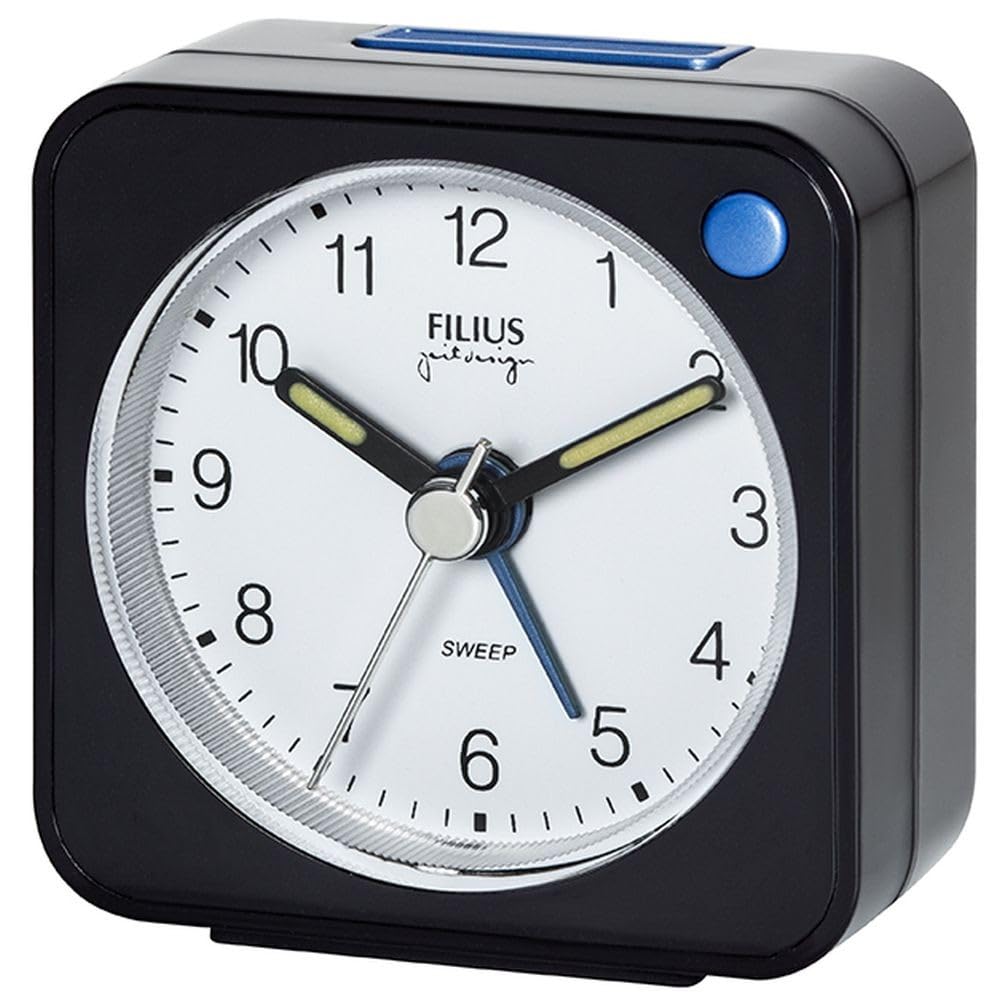
Figure 1: Filius 0524-17 Silent Small Alarm Clock. This image shows the Filius 0524-17 silent small alarm clock. It is black with a white analog face, black numbers, and white hands. A small button is visible on the top for snooze/light function.
Key Features:
- Silent Movement: Non-ticking clock mechanism for a quiet environment.
- Alarm Function: Reliable alarm to wake you up.
- Snooze: Temporarily pauses the alarm for a brief period.
- Illuminated Dial: Backlight for easy time reading in the dark.
- Compact Design: Small footprint, ideal for bedside tables or travel.
Setup
1. Battery Installation
- Locate the battery compartment cover on the back of the alarm clock.
- Remove the cover by sliding or gently prying it open.
- Insert the appropriate battery type (e.g., AA or AAA, not included) into the compartment, ensuring the correct positive (+) and negative (-) polarity as indicated.
- Replace the battery compartment cover securely.
2. Setting the Current Time
- On the back of the clock, locate the time setting knob (usually labeled "TIME" or with a clock icon).
- Rotate this knob in either direction until the hour and minute hands display the correct current time.
Operating Instructions
1. Setting the Alarm Time
- Locate the alarm setting knob on the back of the clock (usually labeled "ALARM" or with a bell icon).
- Rotate this knob to set the desired alarm time. The alarm hand will move independently of the time hands.
2. Activating/Deactivating the Alarm
- On the back or side of the clock, locate the alarm ON/OFF switch (often a small slider).
- Slide the switch to the "ON" position to activate the alarm. A small indicator (e.g., a colored dot or bell icon) may appear.
- Slide the switch to the "OFF" position to deactivate the alarm.
3. Using the Snooze Function
- When the alarm sounds, press the large button located on the top of the alarm clock. This will temporarily silence the alarm.
- The alarm will sound again after a brief snooze interval (typically 5-10 minutes).
- To fully turn off the alarm, slide the alarm ON/OFF switch to the "OFF" position.
4. Activating Illumination (Backlight)
- To illuminate the clock face in the dark, press and hold the large button on the top of the alarm clock.
- The backlight will remain on as long as the button is pressed. Release the button to turn off the backlight.
Maintenance
Cleaning
- Wipe the clock's exterior with a soft, dry cloth.
- Do not use abrasive cleaners, solvents, or chemical sprays, as these can damage the finish.
- Ensure no liquids enter the clock mechanism.
Battery Replacement
- When the clock hands slow down, the alarm weakens, or the backlight dims, it is time to replace the battery.
- Follow the "Battery Installation" steps in the Setup section to replace the old battery with a new one.
- Dispose of used batteries responsibly according to local regulations.
Troubleshooting
| Problem | Possible Cause | Solution |
|---|---|---|
| Clock not working / Hands not moving. | Battery is dead or incorrectly installed. | Check battery polarity or replace with a new battery. |
| Alarm not sounding. | Alarm is not activated or alarm time is incorrectly set. | Ensure the alarm ON/OFF switch is in the "ON" position. Verify the alarm time setting. |
| Backlight is dim or not working. | Low battery power. | Replace the battery with a new one. |
| Clock runs too fast or too slow. | Weak battery or environmental factors. | Replace the battery. Ensure the clock is not exposed to extreme temperatures. |
Specifications
- Model: Filius 0524-17
- Dimensions (L x W x H): 5.5 x 3.81 x 5.5 cm (2.17 x 1.5 x 2.17 inches)
- Weight: 42 g (1.48 oz)
- Material: Plastic
- Display Type: Analog
- Power Source: Battery powered (battery not included)
- Special Features: Alarm, Silent Clock, Illuminated, Snooze
- Usage: Indoor
- Mounting Type: Table mount
Warranty and Support
Specific warranty information for the Filius 0524-17 alarm clock is not available in the provided product details. For any warranty claims or detailed support, please refer to your purchase documentation or contact the retailer where the product was purchased. Information regarding spare parts availability is also not provided.
For further assistance, please visit the official Filius website or contact their customer service department if available.
Ask a question about this manual
Ask about setup, troubleshooting, compatibility, parts, safety, or missing instructions. Manuals+ will review the question and use this page’s manual context to help answer it.