
Introduction
This manual provides essential instructions for the safe and effective use of your Outtag 15W Universal AC Adapter, Model PA-3012-OT. Please read this manual thoroughly before operating the device and retain it for future reference. This adapter is designed to provide a versatile power solution for various household electronic devices requiring DC power.
Product Overview
The Outtag 15W Universal AC Adapter is a multi-voltage power supply designed for broad compatibility with various electronic devices. It features adjustable voltage settings and a selection of interchangeable DC tips to suit different power input requirements.
Key Features:
- Input: 110-240V AC, 50/60Hz
- Output: Selectable DC voltages: 3V, 4.5V, 5V, 6V, 7.5V, 9V, 12V
- Current: Up to 1.25A (15W Max)
- Safety Protections: Over-current protection (OCP), Over-voltage protection (OVP), Short-circuit protection (SCP)
- Polarity: Center Positive (+)
- Included Tips: 8 interchangeable DC tips, including Micro USB and a terminal connector.

Image 1: The Outtag 15W Universal AC Adapter shown with its main unit and a selection of interchangeable DC tips.
Safety Information
- Always verify the correct voltage and polarity required by your device before connecting the adapter. Incorrect settings can damage your device.
- This adapter is designed for devices requiring a Center Positive (+) connection. Do not use with devices requiring Center Negative (-).
- Ensure the adapter is unplugged from the power outlet before changing voltage settings or interchangeable tips.
- Do not expose the adapter to water, moisture, or extreme temperatures.
- Do not attempt to disassemble or repair the adapter. Refer all servicing to qualified personnel.
- Keep out of reach of children.
- If the adapter or cable appears damaged, discontinue use immediately.
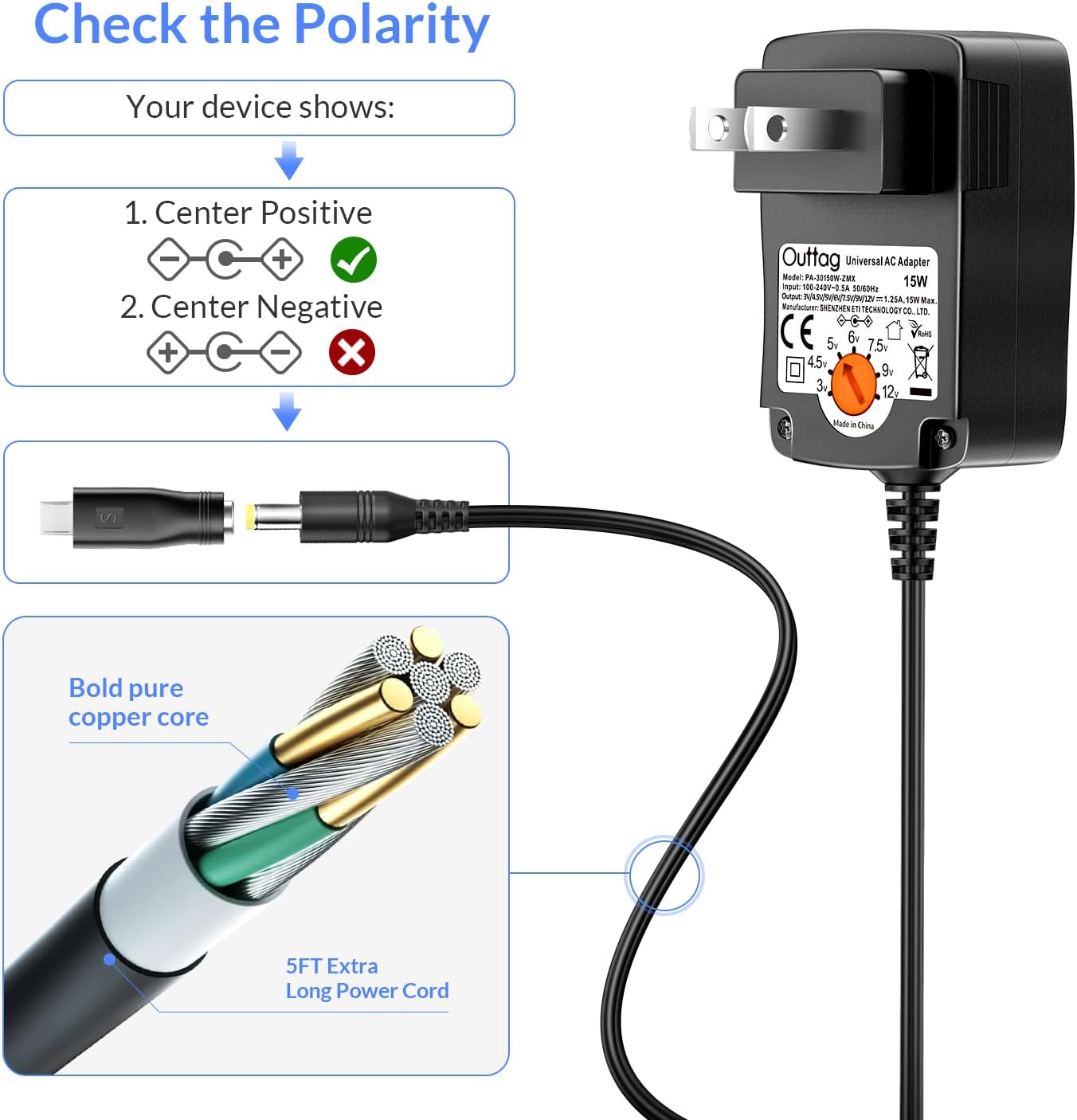
Image 2: Illustration of correct (center positive) and incorrect (center negative) polarity for device compatibility.

Image 3: The adapter includes multiple safety protections: Over-Current Protection (OCP), Over-Voltage Protection (OVP), and Short-Circuit Protection (SCP).
Setup
- Identify Device Requirements: Determine the exact voltage (V), current (A), and polarity (Center Positive or Center Negative) required by your electronic device. This information is usually found on the device itself, its original power adapter, or in its instruction manual. This adapter supports Center Positive (+) only.
- Select the Correct Tip: Choose an interchangeable DC tip that physically fits your device's power input port. Refer to the list of included tips and their dimensions below.

Image 4: Various DC tips included with the adapter, labeled with their dimensions for proper selection.
- 5.5x2.5mm
- 5.5x2.1mm
- 4.8x1.7mm
- 4.0x1.7mm
- 3.5x1.35mm
- 3.0x1.1mm
- 2.5x0.7mm
- Micro USB
- Terminal Connector
- Attach the Tip: Firmly attach the selected tip to the adapter's output cable. Ensure it is fully seated.
- Set the Voltage: Locate the voltage selector dial on the adapter unit. Use the included key or a small flat-head screwdriver to rotate the dial to the correct voltage setting (3V, 4.5V, 5V, 6V, 7.5V, 9V, or 12V) as required by your device. Do not connect the adapter to a power outlet before setting the voltage.

Image 5: The voltage selector dial on the adapter, which can be adjusted using the provided key or a small screwdriver.
Operating Instructions
- After completing the setup steps (selecting the correct tip and setting the voltage), connect the chosen tip to your electronic device's power input port.
- Plug the Outtag 15W Universal AC Adapter into a standard 110-240V AC wall outlet.
- Observe your device to ensure it powers on and functions correctly. If not, immediately unplug the adapter and re-verify the voltage, tip, and polarity settings.
- When finished, unplug the adapter from the wall outlet first, then disconnect it from your device.

Image 6: Examples of the universal adapter in use with different household electronic devices.
Maintenance
- Keep the adapter and its tips clean and dry. Use a soft, dry cloth to wipe off any dust or dirt.
- Store the adapter and its accessories in a cool, dry place when not in use.
- Avoid bending or kinking the power cord excessively, as this can damage the internal wiring.
- Regularly inspect the adapter, cable, and tips for any signs of wear or damage. If damage is observed, discontinue use.
Troubleshooting
| Problem | Possible Cause | Solution |
|---|---|---|
| Device does not power on. |
|
|
| Adapter feels hot during use. |
|
|
| Flickering power or intermittent connection. |
|
|
Specifications
| Model Number | PA-3012-OT |
| Input Voltage | 110-240V AC, 50/60Hz |
| Output Voltage | 3V, 4.5V, 5V, 6V, 7.5V, 9V, 12V DC (Adjustable) |
| Max Output Current | 1.25A |
| Max Output Power | 15W |
| Polarity | Center Positive (+) |
| Cable Length | 5 feet (1.5 meters) |
| Product Dimensions | 2.56 x 1.65 x 10.5 inches (main unit) |
| Item Weight | 4.8 ounces |
| Included Components | 1x AC Adapter, 8x DC Tips, 1x Switch Key |

Image 7: Physical dimensions of the Outtag 15W Universal AC Adapter.
Warranty and Support
Specific warranty details are not provided within this manual. For information regarding warranty coverage, technical support, or customer service, please refer to the official Outtag website or contact the retailer where the product was purchased. Please have your model number (PA-3012-OT) available when seeking support.