Introduction
This manual provides essential instructions for the safe and effective use of your Bontempi Electric Guitar Model 241300. Please read thoroughly before first use and retain for future reference.

Image: Bontempi Electric Guitar Model 241300, showcasing the product and its packaging.
Product Contents
The package contains the following items:
- 1 x Bontempi Electric Guitar
- 1 x Shoulder Strap
Setup
Follow these steps to set up your electric guitar:
- Attach the Shoulder Strap: Securely attach the provided shoulder strap to the designated points on the guitar body.
- Insert Batteries: Locate the battery compartment (usually on the back of the guitar). Insert 3 AA batteries (not included), ensuring correct polarity. Close the compartment securely.
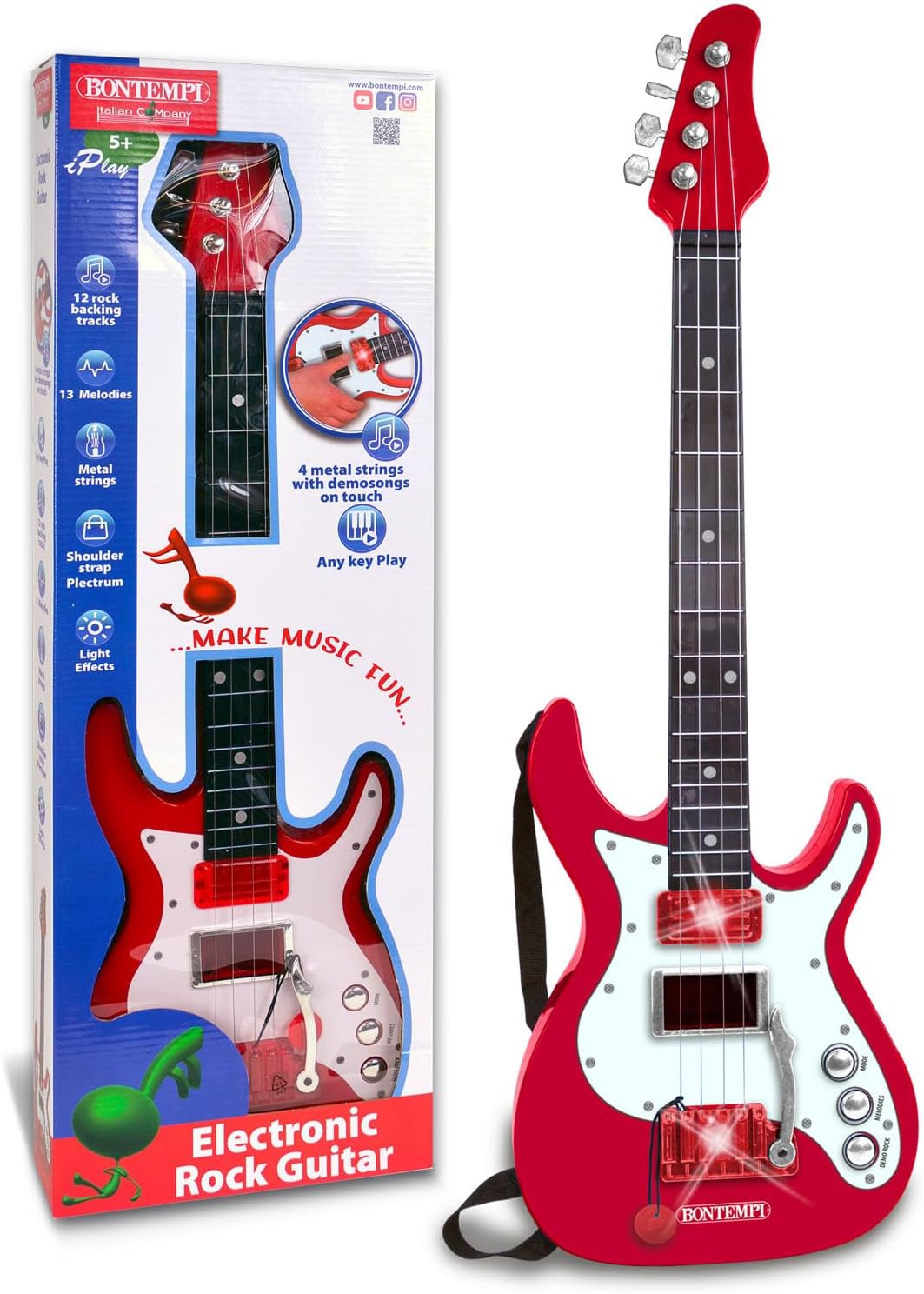
Image: The Bontempi Electric Guitar, ready for use.
Operating Instructions
Once set up, you can begin playing your electric guitar:
- Turn On: Locate the power switch on the guitar and turn it to the 'ON' position.
- Strum the Strings: Strum the 6 metal strings to produce realistic rock sounds.
- Play Along with Demo Songs: The guitar features 8 built-in demo songs. Press the designated buttons to select and play along with them.

Image: A different angle of the Bontempi Electric Guitar, showing its design.
Maintenance
- Cleaning: Wipe the guitar with a soft, dry cloth. Do not use abrasive cleaners or solvents.
- Storage: Store the guitar in a cool, dry place away from direct sunlight and extreme temperatures.
- Battery Care: Remove batteries if the guitar will not be used for an extended period to prevent leakage.
Troubleshooting
| Problem | Possible Cause | Solution |
|---|---|---|
| No sound or distorted sound | Low batteries, incorrect power switch position, loose connections. | Replace batteries, ensure power switch is ON, check all cable connections. |
| Strings feel loose or produce poor sound quality | Normal wear and tear, strings may need adjustment or replacement. | While this is a toy guitar, ensure strings are properly seated. If strings are damaged, they may need replacement. Handle with care to prolong string life. |
Specifications
- Model Number: 241300
- Product Dimensions: 25.2 x 7.87 x 1.38 inches
- Item Weight: 1.04 pounds
- Recommended Age: 5 - 10 years
- Power Source: 3 x AA batteries (not included)
- Features: 6 metal strings, rock sounds on string touch, 8 demo songs
Warranty and Support
For warranty information or product support, please refer to the packaging or contact Bontempi customer service directly. Keep your purchase receipt for any warranty claims.


