
Introduction
The DOSS Traveler Bluetooth Speaker is designed to provide high-quality audio in a durable, portable, and waterproof form factor. This manual provides detailed instructions on setting up, operating, and maintaining your speaker to ensure optimal performance and longevity.
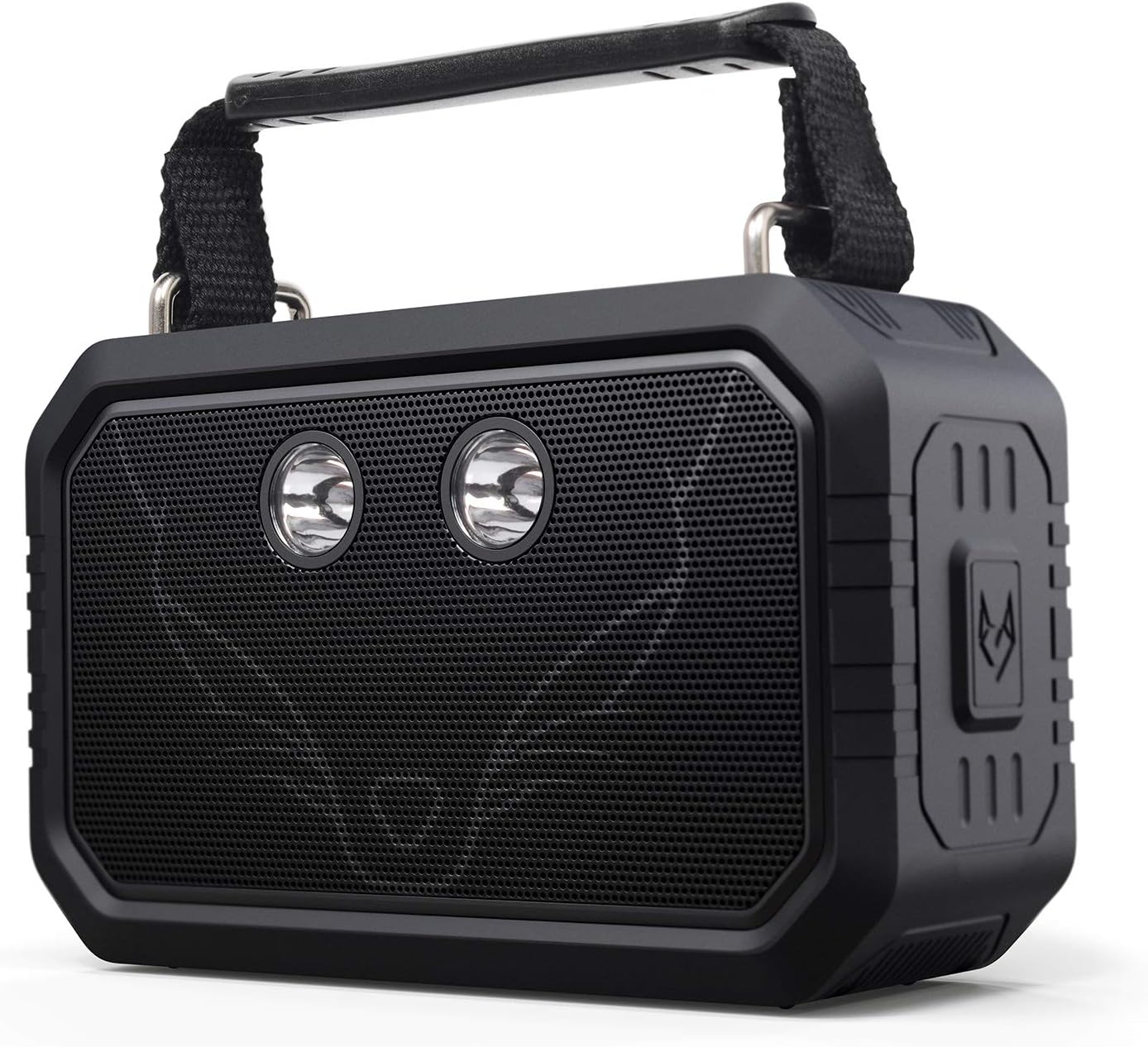
Figure 1: Front view of the DOSS Traveler Bluetooth Speaker. This image displays the speaker's robust design, featuring a black rubberized casing, a metal grille covering the dual drivers, and two integrated LED lights. A sturdy handle is visible at the top.
Package Contents
Please check the package for the following items:
- DOSS Traveler Bluetooth Speaker
- Short handle
- Flashlight (integrated)
- Charging Cable (USB Type-A)
- Aux-in Cable
- User Manual (this document)
Product Overview
Familiarize yourself with the various components and controls of your DOSS Traveler speaker.

Figure 2: Exploded view of the DOSS Traveler speaker, illustrating its internal components including the dual 10W drivers, passive radiators, and the internal circuitry that supports its audio and lighting features.
Buttons and Ports
- Power Button: Press and hold to power on/off.
- Volume Up/Down Buttons: Adjust audio volume.
- Play/Pause Button: Control audio playback.
- Bluetooth Button: Initiate Bluetooth pairing mode.
- Light Mode Button: Cycle through the five integrated LED flashlight modes (low brightness, medium brightness, high brightness, strobe, SOS).
- Micro SD Card Slot: For direct playback from a Micro SD card.
- Charging Port: USB Type-A port for charging the speaker.
- Aux-in Port: 3.5mm audio input for wired connections.
Setup
1. Charging the Speaker
Before first use, fully charge the speaker. Connect the provided USB charging cable to the speaker's charging port and a compatible USB power source. The charging time is approximately 4 hours. A full charge provides up to 12 hours of playtime.
2. Power On/Off
Press and hold the Power button for 2-3 seconds to turn the speaker on or off.
3. Bluetooth Pairing
- Ensure the speaker is powered on and in Bluetooth pairing mode (indicated by a flashing LED indicator).
- On your device (smartphone, tablet, laptop), enable Bluetooth and search for available devices.
- Select "DOSS Traveler" from the list.
- Once connected, the LED indicator will become solid, and you will hear an audible confirmation.
4. Wireless Stereo Pairing (TWS)
To achieve a 40W stereo sound experience, you can pair two DOSS Traveler speakers together:
- Ensure both DOSS Traveler speakers are powered on and not connected to any other Bluetooth devices.
- On one speaker, press and hold the Bluetooth button until you hear a pairing tone. This speaker will become the primary unit.
- The second speaker will automatically connect to the primary unit. You will hear a confirmation tone once paired.
- Connect your device to the primary speaker via Bluetooth as described in step 3.
Operating Instructions
Basic Audio Playback
- Volume Control: Press the Volume Up (+) or Volume Down (-) buttons to adjust the volume.
- Play/Pause: Press the Play/Pause button to start or pause playback.
- Next Track: Press and hold the Volume Up (+) button to skip to the next track.
- Previous Track: Press and hold the Volume Down (-) button to go to the previous track.
Light Modes
The DOSS Traveler features five adjustable LED flashlight modes. Short press the Light Mode button to cycle through them:
- Low Brightness
- Medium Brightness
- High Brightness
- Strobe (intermittent flashing)
- SOS (Morse code signal for emergency)

Figure 3: The DOSS Traveler speaker illuminating a dark outdoor environment with its integrated LED lights, demonstrating its practical light modes for various uses.
Aux-in Mode
Connect an external audio device using the provided 3.5mm Aux-in cable. The speaker will automatically switch to Aux-in mode. Control playback from your connected device.
Micro SD Mode
Insert a Micro SD card with audio files into the Micro SD card slot. The speaker will automatically detect the card and begin playback. Use the playback controls on the speaker to manage your music.
Maintenance
- Cleaning: Wipe the speaker with a soft, damp cloth. Do not use harsh chemicals or abrasive cleaners.
- Storage: Store the speaker in a cool, dry place away from direct sunlight and extreme temperatures.
- Waterproof Care: While IPX6 rated, ensure the rubber flap covering the ports is securely closed before exposing the speaker to water. After exposure to water, especially saltwater, rinse the speaker with fresh water and allow it to dry completely before charging or using the ports.

Figure 4: A hand holding the DOSS Traveler speaker under running water, demonstrating its IPX6 waterproof capability. The speaker is designed to withstand pressurized jets of water.
Troubleshooting
| Problem | Possible Cause | Solution |
|---|---|---|
| Speaker does not turn on. | Low battery. | Charge the speaker fully. |
| Cannot pair via Bluetooth. | Speaker not in pairing mode; device Bluetooth off; too far from speaker. | Ensure speaker is in pairing mode. Turn device Bluetooth on/off. Move device closer to speaker (within 10 meters). |
| No sound. | Volume too low; incorrect mode; device not connected. | Increase volume on speaker and device. Check if speaker is in correct mode (Bluetooth, Aux, Micro SD). Reconnect device. |
| Sound distortion. | Volume too high; low battery. | Reduce volume. Charge the speaker. |
| Lights not working. | Low battery; incorrect mode. | Charge the speaker. Press the Light Mode button to cycle through modes. |
Specifications
| Feature | Detail |
|---|---|
| Brand | DOSS |
| Model Name | DOSS 21565 (Traveler-Black) |
| Speaker Type | Outdoor |
| Connectivity Technology | Bluetooth |
| Wireless Communication Technology | Bluetooth |
| Bluetooth Range | 10 Meters |
| Speaker Maximum Output Power | 20 Watts (2x10W drivers) |
| Audio Output Mode | Stereo |
| Water Resistance Level | IPX6 Waterproof |
| Battery Life | 12 Hours |
| Charging Time | 4 Hours |
| Item Weight | 0.68 Kilograms (1.5 pounds) |
| Product Dimensions | 2.4"D x 6.5"W x 4.4"H |
| Material | Plastic |
| Included Components | Short handle, Flashlight (integrated) |
| Special Feature | Bluetooth, Aux-in, Micro SD, IPX6 Waterproof, 12H Playtime, 5 Mode Flashlights |
Warranty
The DOSS Traveler Bluetooth Speaker is backed by a 12-month warranty, starting from the date of purchase. This warranty covers any quality-related concerns under normal use conditions.
Support
If you encounter any issues with your DOSS Traveler Bluetooth Speaker or require assistance, please feel free to contact our support team. We are committed to providing you with 24-hour prompt assistance and support.
- Phone: 1-833-275-3677
- Email: support@dossav.com

