Introduction
Thank you for purchasing the Kid Galaxy Remote Control Truck, Model 10314. This high-performance RC vehicle is designed for thrilling off-road racing, offering hobby-grade performance at an accessible price. With its powerful 20-volt lithium-ion battery, durable construction, and upgradeable parts, you're set for an exciting experience. This manual provides essential information for setup, operation, maintenance, and troubleshooting to ensure optimal performance and longevity of your RC truck.
Safety Information
- Always operate the RC truck in open areas, away from people, pets, and obstacles.
- Do not operate near roads, water, or in adverse weather conditions.
- Keep fingers, hair, and loose clothing away from moving parts.
- Adult supervision is recommended for users under 14 years of age. Recommended for ages 8 and up.
- Use only the specified batteries and charger. Improper use can lead to fire, injury, or property damage.
- Do not attempt to modify or disassemble the truck or its components.
- Store the truck and batteries in a cool, dry place when not in use.
Package Contents
Please check the package to ensure all items are present:
- Kid Galaxy Remote Control Truck (Ford F150 replica)
- 2.4 GHz Remote Controller
- 20-Volt Lithium-Ion Battery Pack
- Fast Wall Charger for 20V Battery
- 2 x AAA Batteries (for Remote Controller)

Image: The Kid Galaxy Remote Control Truck, a black Ford F150 replica with green accents, is shown alongside its black 2.4 GHz remote controller. This image displays the main components included in the package.
Setup
1. Charging the 20V Lithium-Ion Battery
- Connect the fast wall charger to a standard electrical outlet.
- Connect the 20V Lithium-Ion Battery Pack to the charger.
- Allow the battery to charge fully. Charging typically takes less than 30 minutes. The charger's indicator light will change to show when charging is complete.
- Once charged, disconnect the battery from the charger.
2. Installing Batteries in the Remote Controller
- Locate the battery compartment on the back of the remote controller.
- Open the battery compartment cover.
- Insert the 2 x AAA batteries, ensuring correct polarity (+/-).
- Close the battery compartment cover securely.
3. Installing the 20V Battery in the Truck
- Locate the battery compartment on the underside of the truck.
- Open the battery compartment cover.
- Carefully insert the charged 20V Lithium-Ion Battery Pack into the compartment, ensuring it clicks into place.
- Close the battery compartment cover securely.

Image: An overhead view of the RC truck's chassis with the battery compartment open. An arrow points from a 20-volt power tool battery (like those used in drills) towards the truck's battery slot, illustrating its compatibility with Black & Decker, DeWalt, Porter-Cable, and Stanley 20V batteries.
Operating Instructions
1. Powering On and Pairing
- Turn on the power switch on the RC truck.
- Turn on the power switch on the remote controller.
- The truck and controller will automatically pair using 2.4 GHz technology. An indicator light on the controller will confirm successful pairing. This technology allows multiple vehicles to operate simultaneously without interference.
2. Driving the Truck
- Steering Wheel: Turn the steering wheel on the remote controller left or right to control the truck's direction.
- Trigger: Pull the trigger to move the truck forward. Push the trigger forward to engage reverse.
- Speed: The truck can reach speeds over 30 MPH (scale speed over 100 MPH).
- Range: The operational range is approximately 150 feet.
3. Training Mode vs. Race Mode
For beginners, it is recommended to start in Training Mode to familiarize yourself with the controls and handling of this high-performance vehicle. Once comfortable, you can switch to Race Mode for full speed and power.
- Training Mode: Reduces the maximum speed and responsiveness, making it easier to control.
- Race Mode: Unlocks the full speed and power of the truck for experienced users.
Refer to the remote controller's specific buttons for switching between modes (if applicable, as the input doesn't specify a button, this is a general instruction).

Image: The Kid Galaxy RC Truck is shown driving on a wet surface, with water splashing around its wheels, demonstrating its capability to handle various terrains.
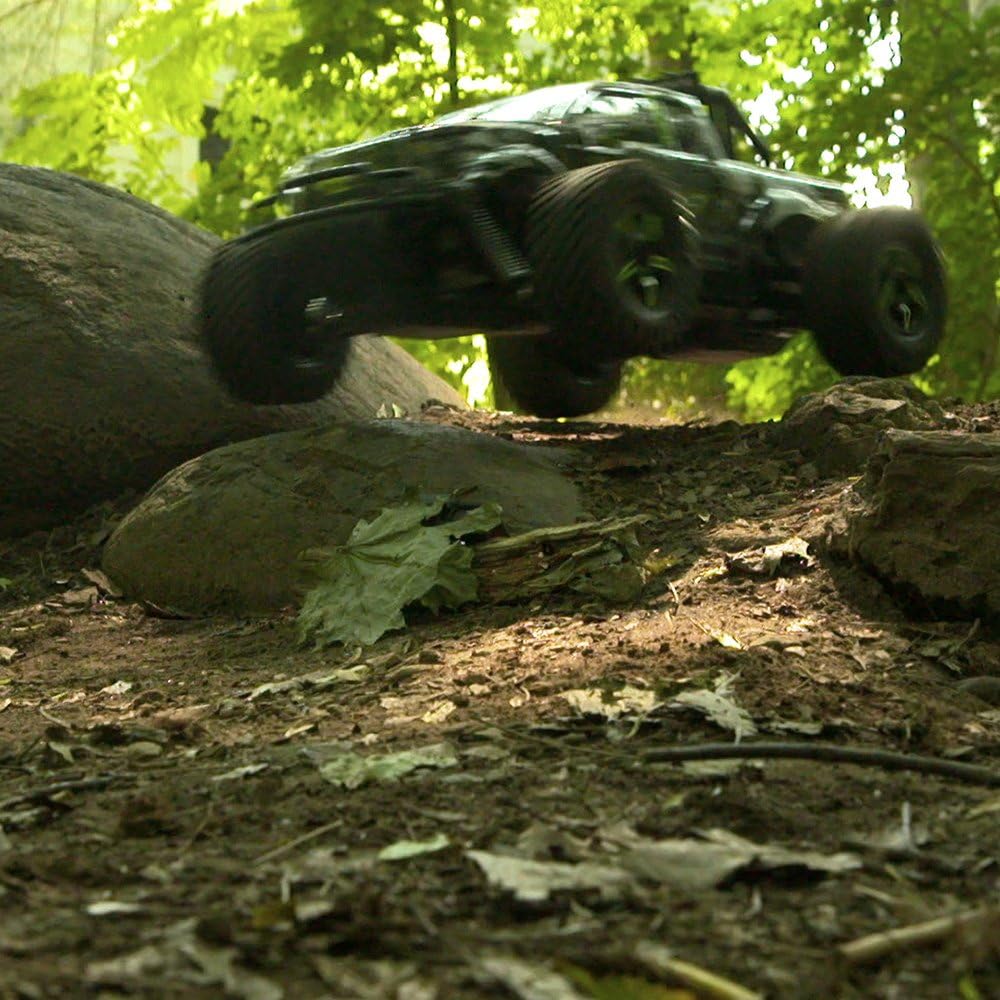
Image: The Kid Galaxy RC Truck is captured mid-air, jumping over a dirt mound in a natural, wooded environment, highlighting its off-road capabilities and robust suspension.

Image: A close-up of a Bushnell radar gun displaying "30 MPH", indicating the actual speed capability of the RC truck.
Maintenance
- Cleaning: After each use, especially after off-road driving, gently clean the truck to remove dirt, dust, and debris. Use a soft, dry cloth or a brush. Avoid using water or harsh chemicals.
- Battery Care: Always fully charge the battery before storage if it will not be used for an extended period. Do not overcharge or completely drain the battery.
- Storage: Store the truck and remote controller in a cool, dry place, away from direct sunlight and extreme temperatures. Remove batteries from the remote controller if storing for long periods.
- Upgradeable Parts: This truck supports hobby-grade upgradeable parts such as the body, wheels, tires, and suspension springs. Consult a local hobby shop for compatible parts and installation guidance.
Troubleshooting
| Problem | Possible Cause | Solution |
|---|---|---|
| Truck does not respond to controller. |
|
|
| Truck runs slowly or inconsistently. |
|
|
| Short run time. |
|
|
Specifications
| Feature | Detail |
|---|---|
| Model Number | 10314 |
| Scale | 1/10 |
| Dimensions (L x W x H) | Approx. 21 x 13 x 12 inches (53.34 x 33.02 x 30.48 cm) |
| Weight | Approx. 7 lbs (3.18 kg) |
| Max Speed | 30+ MPH |
| Battery (Truck) | 20-Volt Lithium-Ion (included) |
| Battery (Controller) | 2 x AAA (included) |
| Run Time | Up to 30 minutes |
| Charging Time | Less than 30 minutes |
| Control Frequency | 2.4 GHz |
| Control Range | Approx. 150 feet |
| Materials | Plastic, Metal |
| Recommended Age | 8 years and up |
Warranty and Support
Kid Galaxy products are manufactured with high-quality standards. For any questions, technical support, or warranty claims, please contact Kid Galaxy customer service. Please retain your proof of purchase for warranty validation.
For the most up-to-date contact information, please visit the official Kid Galaxy website or refer to the packaging.