
GODOX TT350C
Godox TT350C Mini Thinklite TTL Flash for Canon Cameras
Model: TT350C | Brand: GODOX
Introduction
The Godox TT350C Mini Thinklite TTL Flash is a compact and versatile lighting solution designed for Canon cameras. It features 2.4G wireless transmission, a clear LCD panel for easy operation, and supports a range of advanced flash functions including TTL autoflash, High-Speed Sync (HSS), Front & Rear Curtain Sync, Flash Exposure Compensation (FEC), and Multi Flash. Its lightweight design makes it suitable for both on-camera and off-camera use, and it can function as both a master and slave unit within the Godox 2.4G wireless X system.
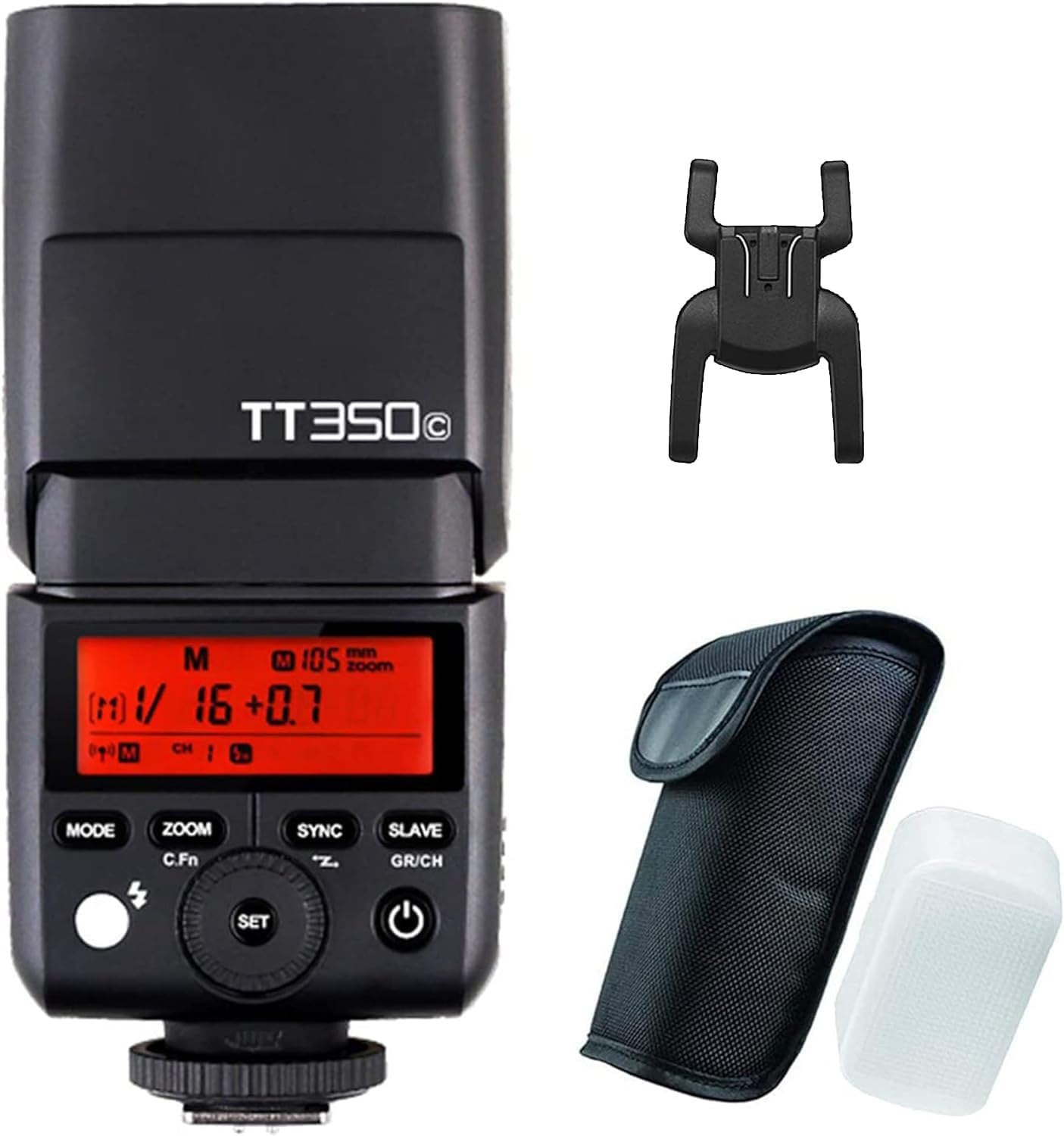
Image: The Godox TT350C flash unit, shown with its hot shoe stand and a protective carrying pouch. The flash features an LCD screen and control buttons.
What's in the Box
- TT350 flash unit
- Mini stand
- Protective bag
- Diffuser
Setup
1. Battery Installation
The TT350C flash requires 2 AA batteries for operation. To install or replace batteries:
- Locate the battery compartment door on the side of the flash unit.
- Slide the door open.
- Insert two AA batteries, ensuring correct polarity (+ and - ends match the indicators inside the compartment).
- Close the battery compartment door securely.
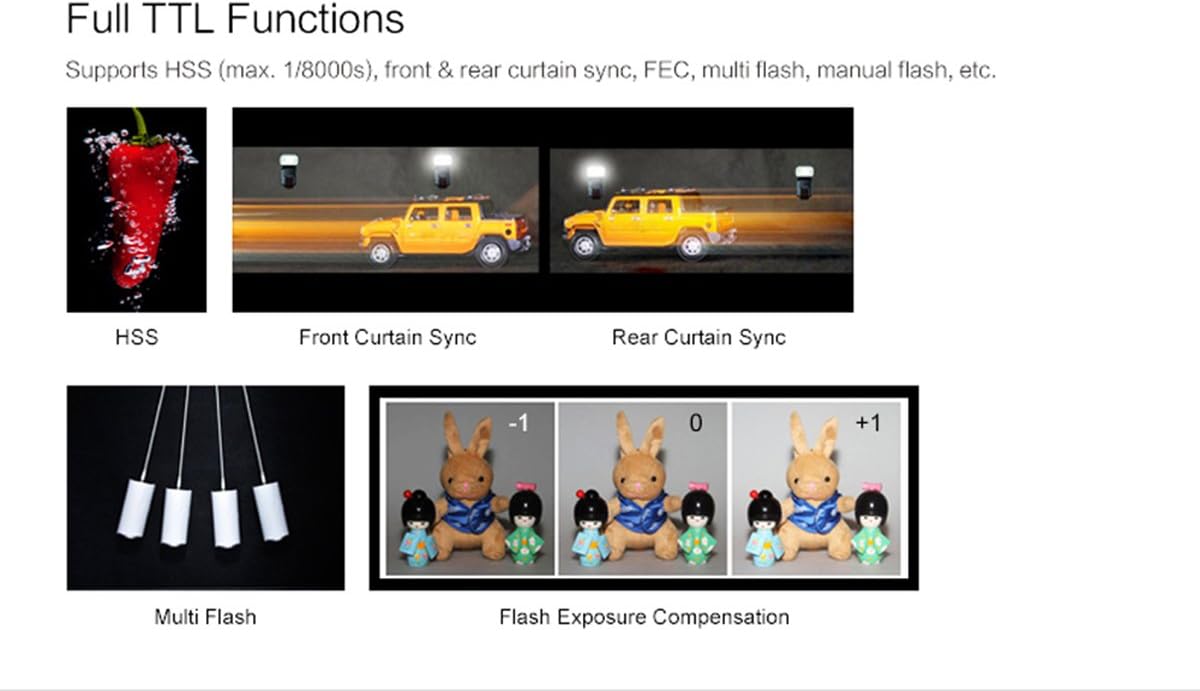
Image: The battery compartment of the Godox TT350C flash, open to show the slots for two AA batteries.
2. Mounting on Camera
To mount the TT350C flash onto your Canon camera's hot shoe:
- Ensure both the flash and camera are powered off.
- Slide the flash's hot shoe mount into your camera's hot shoe slot.
- Tighten the locking ring or lever on the flash unit to secure it in place.
- Power on the flash and then your camera.
Operating the Flash
The Godox TT350C offers various modes and functions for flexible lighting control. The LCD panel provides clear information and allows for easy setting adjustments using the function buttons and select dial.

Image: Close-up of the Godox TT350C's LCD control panel, displaying flash mode, power settings, and wireless channel information.
1. 2.4G Wireless Transmission
The TT350C features a built-in 2.4G wireless X system, enabling reliable wireless communication up to 30 meters. This system allows the flash to be used off-camera, either as a master or slave unit, for creative lighting setups.

Image: The compact body of the Godox TT350C flash, shown held in a hand to illustrate its small size and portability.
2. Master & Slave Flash Modes
The TT350C can operate as both a master and slave unit within the Godox 2.4G wireless X system, providing extensive compatibility with other Godox products.
- As a Master Unit: The TT350C can control slave units such as AD600, AD600M, AD36II-C, AD360II-N, V860II-C, V850II, TT685C, and TT600.
- As a Slave Unit: The TT350C can be controlled by master units including X1T-C, V860II-C, V850II, TT685C, and TT600.

Image: A diagram showing how the Godox TT350C can function as both a master and slave unit, controlling or being controlled by other compatible Godox flash models.
3. Full TTL Functions
The TT350C supports a comprehensive range of TTL functions for automated and precise flash photography:
- E-TTL Autoflash: Automatically sets flash output for optimal exposure.
- High-Speed Sync (HSS): Allows flash synchronization at shutter speeds up to 1/8000s, useful for freezing fast motion or using wide apertures in bright conditions.
- Front & Rear Curtain Sync: Controls when the flash fires relative to the shutter curtains, enabling creative motion blur effects.
- Flash Exposure Compensation (FEC): Adjusts flash output manually in increments of 1/3 stop for fine-tuning exposure.
- Multi Flash (Stroboscopic Flash): Fires a series of rapid flashes to capture multiple movements of a subject in a single exposure.
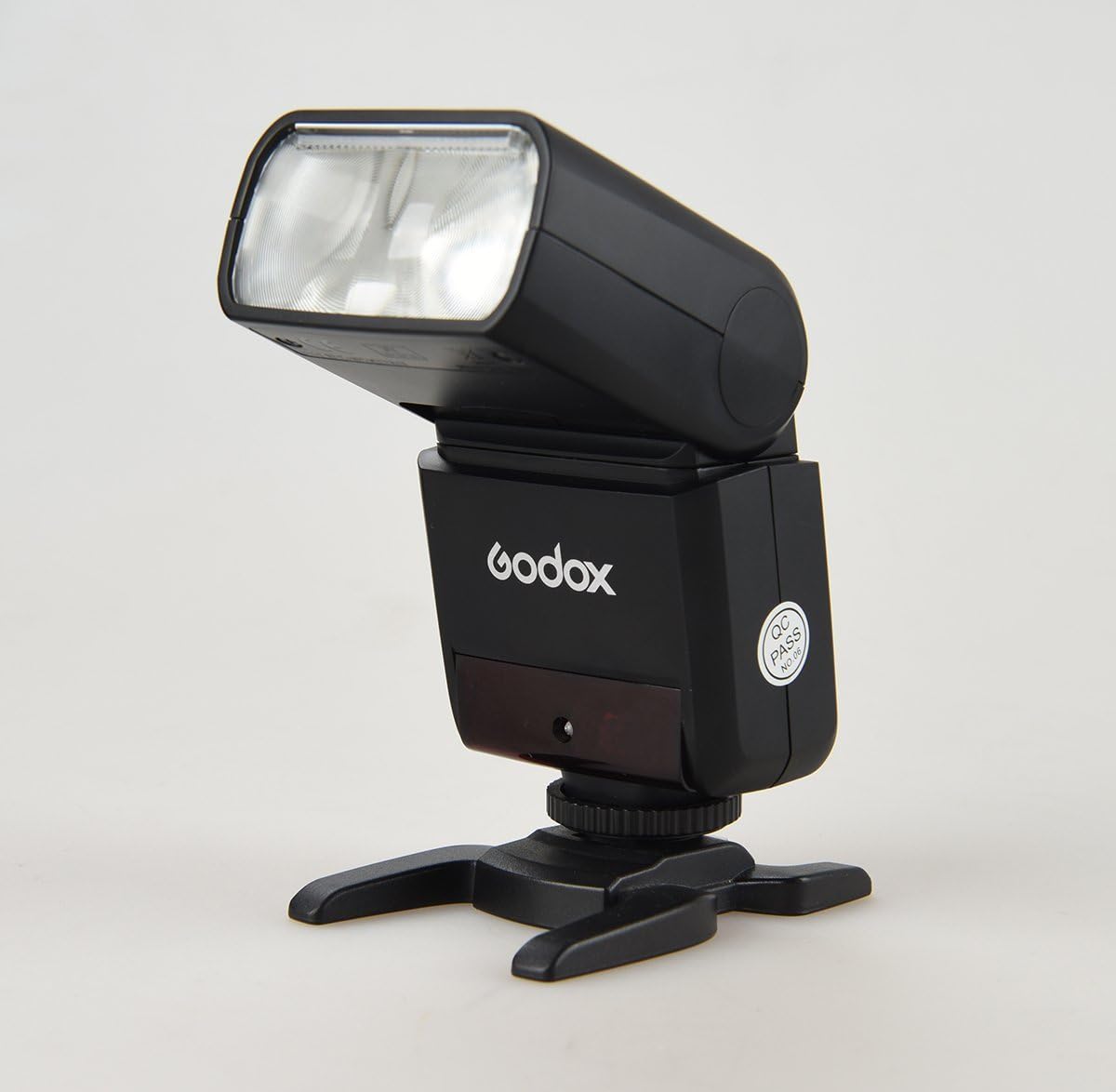
Image: Visual examples demonstrating the effects of various TTL functions, including High-Speed Sync, Front and Rear Curtain Sync, Multi Flash, and Flash Exposure Compensation.
Maintenance
To ensure the longevity and optimal performance of your Godox TT350C flash, follow these maintenance guidelines:
- Cleaning: Use a soft, dry cloth to clean the flash unit. For stubborn dirt, a slightly damp cloth can be used, followed by immediate drying. Avoid using strong detergents or solvents.
- Storage: When not in use for extended periods, remove the batteries to prevent leakage. Store the flash in a cool, dry place, away from direct sunlight and extreme temperatures. Use the provided protective bag for storage and transport.
- Handling: Handle the flash with care. Avoid dropping it or subjecting it to strong impacts, which can damage internal components.
Troubleshooting
If you encounter issues with your Godox TT350C flash, consider the following common solutions:
| Problem | Possible Cause / Solution |
|---|---|
| Flash does not power on | Check battery installation and ensure batteries are charged or replaced. |
| Flash does not fire | Ensure the flash is securely mounted on the camera's hot shoe. Check camera and flash settings (e.g., flash mode, wireless settings). Allow sufficient recycle time. |
| Inconsistent flash output | Verify battery level. Check for obstructions between flash and subject. Ensure correct flash mode (TTL/Manual) is selected. |
| Wireless communication issues | Ensure master and slave units are on the same channel and group. Check distance and line of sight. Reduce interference from other 2.4G devices. |
Specifications
| Feature | Detail |
|---|---|
| Product Dimensions | 5.51 x 2.44 x 1.5 inches |
| Item Weight | 7.1 ounces |
| Item Model Number | TT350C |
| Batteries Required | 2 AA batteries |
| Brand | GODOX |
| Compatible Mountings | Canon |
| Camera Flash Type | Slave |
| Flash Sync Speed | 1/8000s (HSS) |
| Wireless Transmission | 2.4G Wireless X System |
| Guide No. (1/1 output @105mm) | 36 (m ISO 100) |
| Recycle Time | Approx. 0.1-2.2 seconds |
| Full Power Flashes | Approx. 210 (2500mA Ni-MH batteries) |
Warranty and Support
The Godox TT350C Mini Thinklite TTL Flash is covered by a manufacturer's warranty. For detailed warranty information, technical support, or service inquiries, please refer to the official Godox website or contact their customer service directly. Keep your purchase receipt as proof of purchase for warranty claims.
For further assistance, you may visit the official GODOX Store on Amazon.
Ask a question about this manual
Ask about setup, troubleshooting, compatibility, parts, safety, or missing instructions. Manuals+ will review the question and use this page’s manual context to help answer it.