
Introduction
This manual provides essential information for the proper use and care of your PERSANG KARAOKE Songs Card Volume 4. Please read these instructions carefully before using the product to ensure optimal performance and longevity.
Product Overview
The PERSANG KARAOKE Songs Card Volume 4 is a digital storage medium pre-loaded with a collection of Hindi karaoke songs. This specific volume features a total of 248 Hindi songs, primarily by Mohammed Rafi and collaborations with Lata Mangeshkar, Asha Bhonsle, and various artists.
- Mohammed Rafi: 162 songs
- Mohammed Rafi & Lata Mangeshkar: 28 songs
- Mohammed Rafi & Asha Bhonsle: 31 songs
- Mohammed Rafi & Various Artists: 27 songs
The card is designed for use with compatible karaoke systems or devices that support microSD cards, often requiring an SD adapter for standard SD card slots.
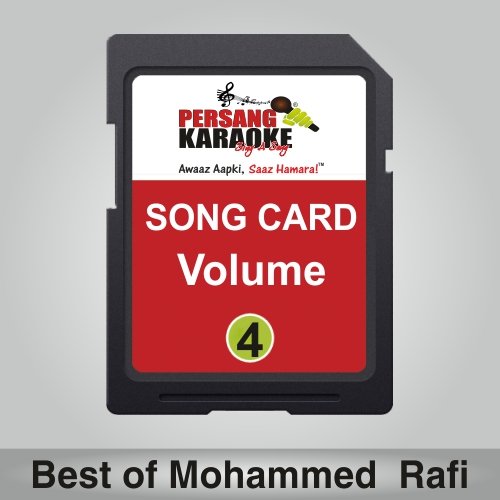
Image 1: Front view of the PERSANG KARAOKE Songs Card, labeled "SONG CARD Volume 4". This is the main product card.
Setup
- Identify Card Type: The product includes a microSD card and typically comes with a standard SD card adapter. Determine which slot your karaoke device or player uses.
- Insert into Adapter (if needed): If your device requires a standard SD card, carefully insert the microSD card into the provided microSD to SD adapter. Ensure it clicks securely into place.
- Unlock Adapter (if applicable): Check the side of the SD adapter for a small "Lock" switch. If it is in the "Lock" position, slide it to the "Unlock" position to allow your device to read and write to the card.
- Insert into Device: With the device powered off, locate the appropriate card slot on your karaoke system or player. Gently insert the card (either microSD directly or with the adapter) until it is fully seated. Do not force the card.
- Power On: Power on your karaoke device. The device should detect the card and its contents. Refer to your karaoke system's manual for specific instructions on accessing external storage or song libraries.
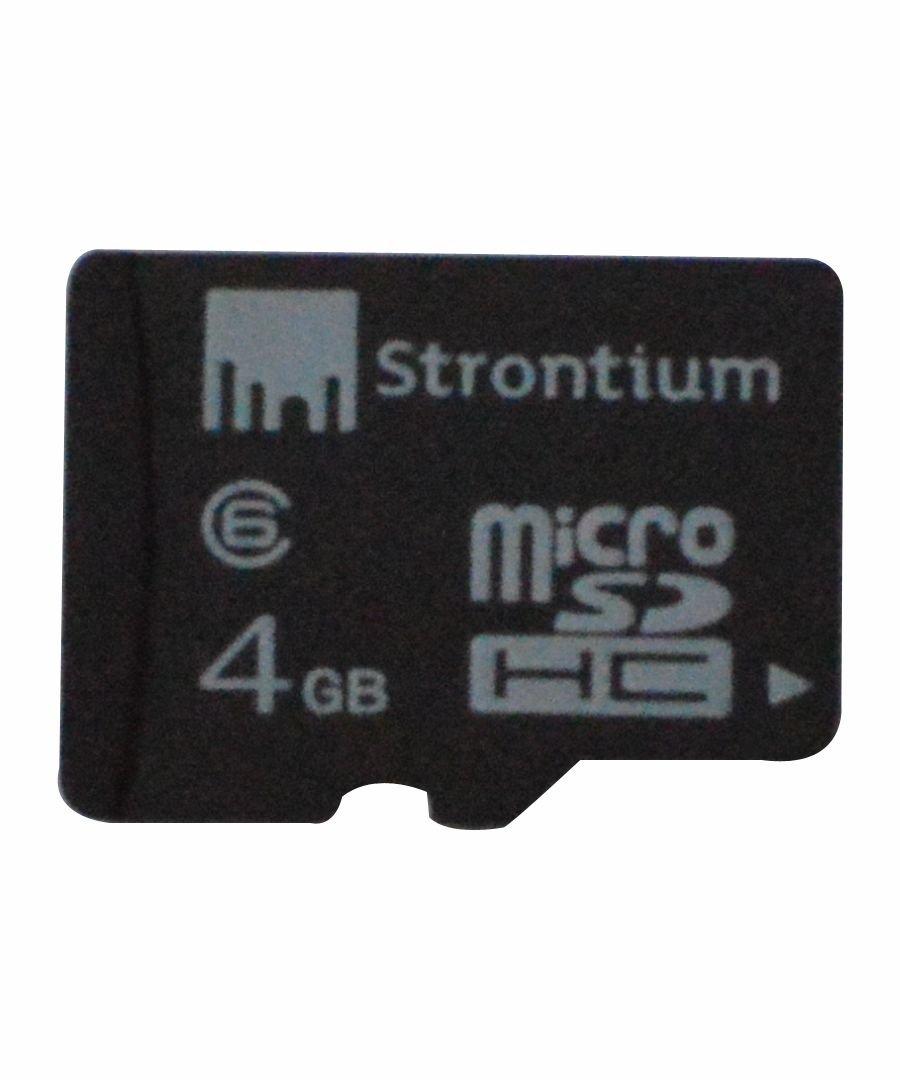
Image 2: Close-up of the microSD card, showing "Strontium" branding and "4GB" capacity. This is the actual storage component.

Image 3: The microSD card housed within its larger SD adapter. Note the "Lock" switch on the side of the adapter.
Operating Instructions
Once the PERSANG KARAOKE Songs Card is successfully inserted and recognized by your device, follow these general steps to access and play the songs:
- Navigate to Media Player: On your karaoke system's interface, navigate to the media player, song library, or external storage section.
- Select Storage Device: Choose the inserted SD card or microSD card as the source for your music files.
- Browse Songs: The songs should be listed, possibly organized by artist or album. Browse through the available tracks.
- Play Song: Select the desired song to begin playback. Your karaoke system will typically display lyrics on screen if supported.
- Adjust Settings: Use your karaoke system's controls to adjust volume, microphone levels, echo, and other audio settings as desired.
Note: Specific menu navigation and playback controls will vary depending on your karaoke system's model. Consult your karaoke system's user manual for detailed operational instructions.
Maintenance
- Handle with Care: Avoid bending, dropping, or applying excessive force to the song card or adapter.
- Keep Clean: Keep the metal contacts on the card clean and free from dust, dirt, or moisture. Use a soft, dry, lint-free cloth if cleaning is necessary.
- Storage: Store the card in a protective case or its original packaging when not in use to prevent damage.
- Temperature: Avoid exposing the card to extreme temperatures, direct sunlight, or high humidity.
- Ejection: Always safely eject the card from your device through the system's software options before physically removing it, if your device supports this feature. This prevents data corruption.
Troubleshooting
If you encounter issues with your PERSANG KARAOKE Songs Card, consider the following troubleshooting steps:
- Card Not Detected:
- Ensure the card is fully and correctly inserted into the slot.
- If using an SD adapter, verify the "Lock" switch is in the "Unlock" position.
- Try inserting the card into another compatible device (e.g., a computer with a card reader) to check if the card itself is functional.
- Restart your karaoke system.
- Songs Not Playing / Corrupted Files:
- Ensure your device supports the file format of the songs on the card.
- The card may be damaged or corrupted. If possible, back up any personal data (though this card is pre-loaded) and consider reformatting the card (this will erase all content, including the songs).
- Verify the card is not write-protected (check the lock switch on the adapter).
- Poor Audio Quality:
- Check your karaoke system's audio output settings and connections.
- Ensure the card is clean and free of debris on its contacts.
If problems persist, contact PERSANG customer support or the retailer for further assistance.
Specifications
| Feature | Detail |
|---|---|
| Brand | PERSANG |
| Model Number | Volume-4 |
| Product Type | KARAOKE Songs Card (MicroSD with SD Adapter) |
| Total Songs | 248 Hindi songs |
| Featured Artists | Mohammed Rafi, Lata Mangeshkar, Asha Bhonsle, Various Artists |
| Product Dimensions | 3 x 3 x 3 cm (approx. for SD adapter) |
| Item Weight | 2 g (approx.) |
| ASIN | B06XGF8Q33 |
Warranty and Support
For warranty information and customer support regarding your PERSANG KARAOKE Songs Card, please refer to the documentation provided at the time of purchase or contact the retailer. As this is a pre-loaded media card, specific warranty terms may apply to the data integrity and physical condition of the card.
For technical assistance or inquiries, please reach out to PERSANG customer service through their official channels.