
1. Introduction
This manual provides essential instructions for the proper setup, usage, and maintenance of your Comp-Bind Technology AP-10CR1SEPS Portable Air Conditioner Dust Cover. Please read this manual thoroughly to ensure optimal protection and longevity for your air conditioner unit.
2. Product Overview
The Comp-Bind Technology AP-10CR1SEPS Dust Cover is designed to protect your portable air conditioner from dust, dirt, and other environmental elements when not in use. It features a grey padded, anti-static material and includes a convenient side pocket for storing your remote control.

Figure 2.1: Front view of the Comp-Bind Technology AP-10CR1SEPS Portable Air Conditioner Dust Cover, showcasing its grey padded material.

Figure 2.2: Side view of the dust cover, highlighting the integrated pocket designed for remote control storage.
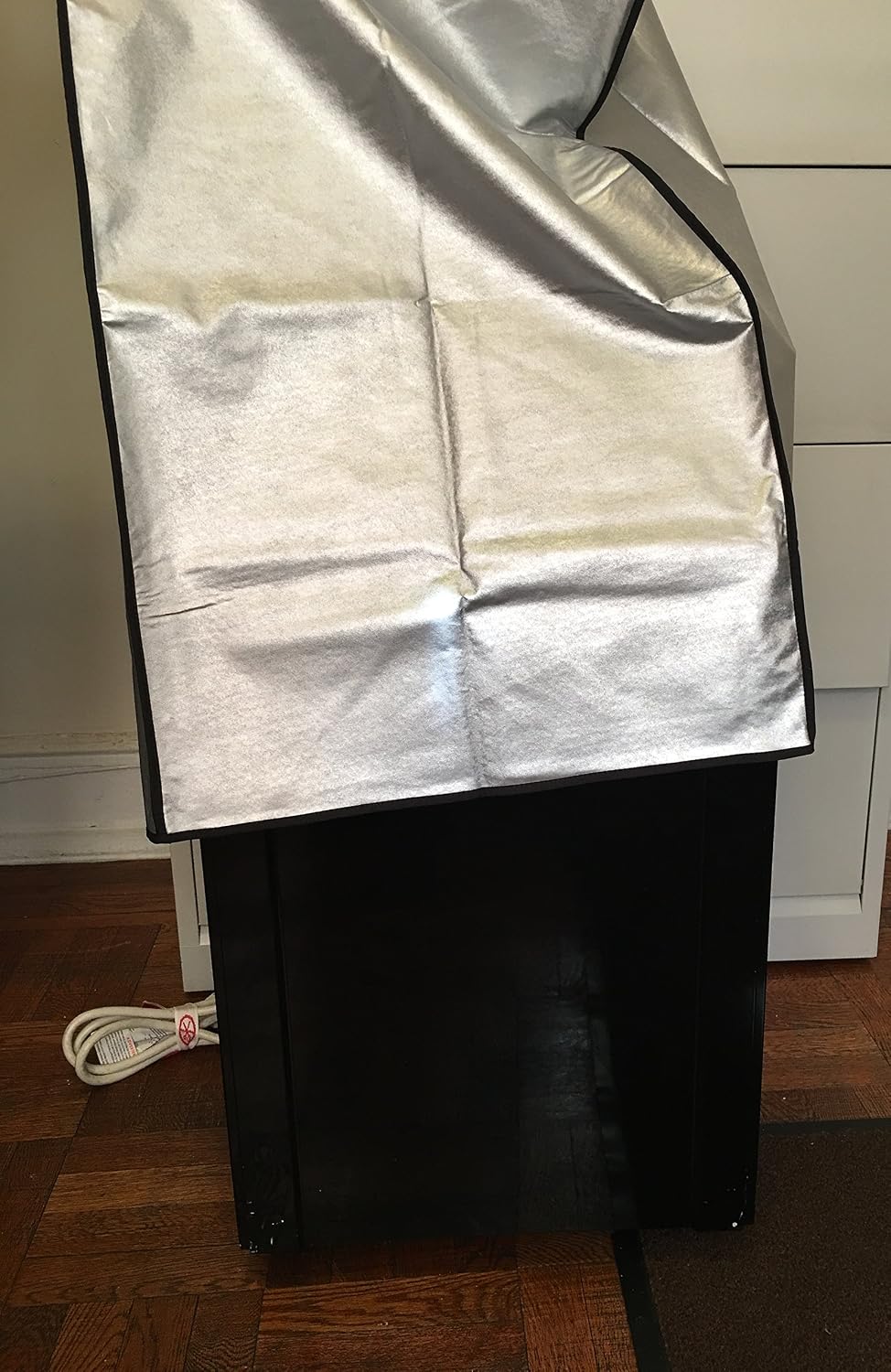
Figure 2.3: The dust cover partially installed on a portable air conditioner unit, demonstrating its fit and coverage.
3. Setup Instructions
To install the dust cover on your portable air conditioner unit:
- Ensure your portable air conditioner unit is turned off and unplugged from the power source.
- Verify that the dimensions of your air conditioner unit are compatible with the cover's dimensions (17''W x 13''D x 28''H).
- Carefully slide the dust cover over the top of your air conditioner unit, guiding it down until it fully covers the unit.
- Adjust the cover to ensure a snug and even fit around all sides of the unit.
4. Usage Instructions
The dust cover is intended for use when your portable air conditioner is not in operation and requires protection from dust and debris.
- Remote Control Storage: Utilize the side pocket to conveniently store your air conditioner's remote control, keeping it safe and easily accessible.
- Seasonal Storage: Ideal for protecting your unit during off-season storage, preventing dust accumulation and maintaining cleanliness.
5. Maintenance
To maintain the cleanliness and effectiveness of your dust cover:
- Cleaning: Wipe the cover with a soft, damp cloth to remove dust and light stains. Avoid using harsh chemicals or abrasive cleaners, as these may damage the material.
- Drying: Allow the cover to air dry completely before placing it back on your air conditioner unit or storing it.
- Storage: When not in use, fold the cover neatly and store it in a dry place away from direct sunlight.
6. Troubleshooting
If you encounter issues with your dust cover, consider the following:
- Cover Does Not Fit: Ensure your air conditioner unit's dimensions match the cover's specified dimensions (17''W x 13''D x 28''H). This cover is specifically designed for units within these measurements.
- Material Damage: Inspect the cover for any tears or damage. While durable, sharp objects can cause punctures.
7. Specifications
| Feature | Detail |
|---|---|
| Brand | Comp Bind Technology |
| Model Number | CB2793 |
| Product Dimensions (W x D x H) | 17"W x 13"D x 28"H |
| Color | Gray |
| Material Feature | Padded, Anti-Static |
| Special Feature | Side pocket for remote control |
| Item Weight | 2.5 Pounds |
| UPC | 622941027931 |
| Date First Available | March 5, 2017 |
8. Warranty Information
Specific warranty details for the Comp-Bind Technology AP-10CR1SEPS Portable Air Conditioner Dust Cover are not provided in the available product information. For any warranty-related inquiries, please contact the manufacturer directly.
9. Customer Support
For further assistance, questions, or concerns regarding your Comp-Bind Technology AP-10CR1SEPS Portable Air Conditioner Dust Cover, please refer to the official Comp Bind Technology website or contact their customer service department. Contact information can typically be found on the product packaging or the manufacturer's official website.
10. Official Product Videos
No official product videos from the seller are available in the provided product data for this item.