
Introduction
Thank you for choosing the Air Dragon 11399 Portable Air Compressor. This manual provides essential information for the safe and efficient operation, maintenance, and troubleshooting of your device. Please read all instructions carefully before use and retain this manual for future reference.
Important Safety Information
- Always read and understand all instructions before operating the compressor.
- Ensure the compressor is connected to a 12-volt power outlet only.
- Do not leave the compressor unattended while in operation.
- Keep out of reach of children.
- This product is designed for intermittent use. Allow the unit to cool down after prolonged operation to prevent overheating.
- Do not use the compressor for commercial vehicles or heavy-duty industrial applications.
- Always ensure the hose connection is secure before inflating.
What's in the Box
Your Air Dragon 11399 Portable Air Compressor package includes the following components:
- 1 x Air Dragon Portable Air Compressor with built-in LED light
- 1 x 14-foot Car Power Cable (integrated)
- 1 x Pressure Hose
- 1 x Ball Adapter Pin
- 1 x Balloon Adapter Pin
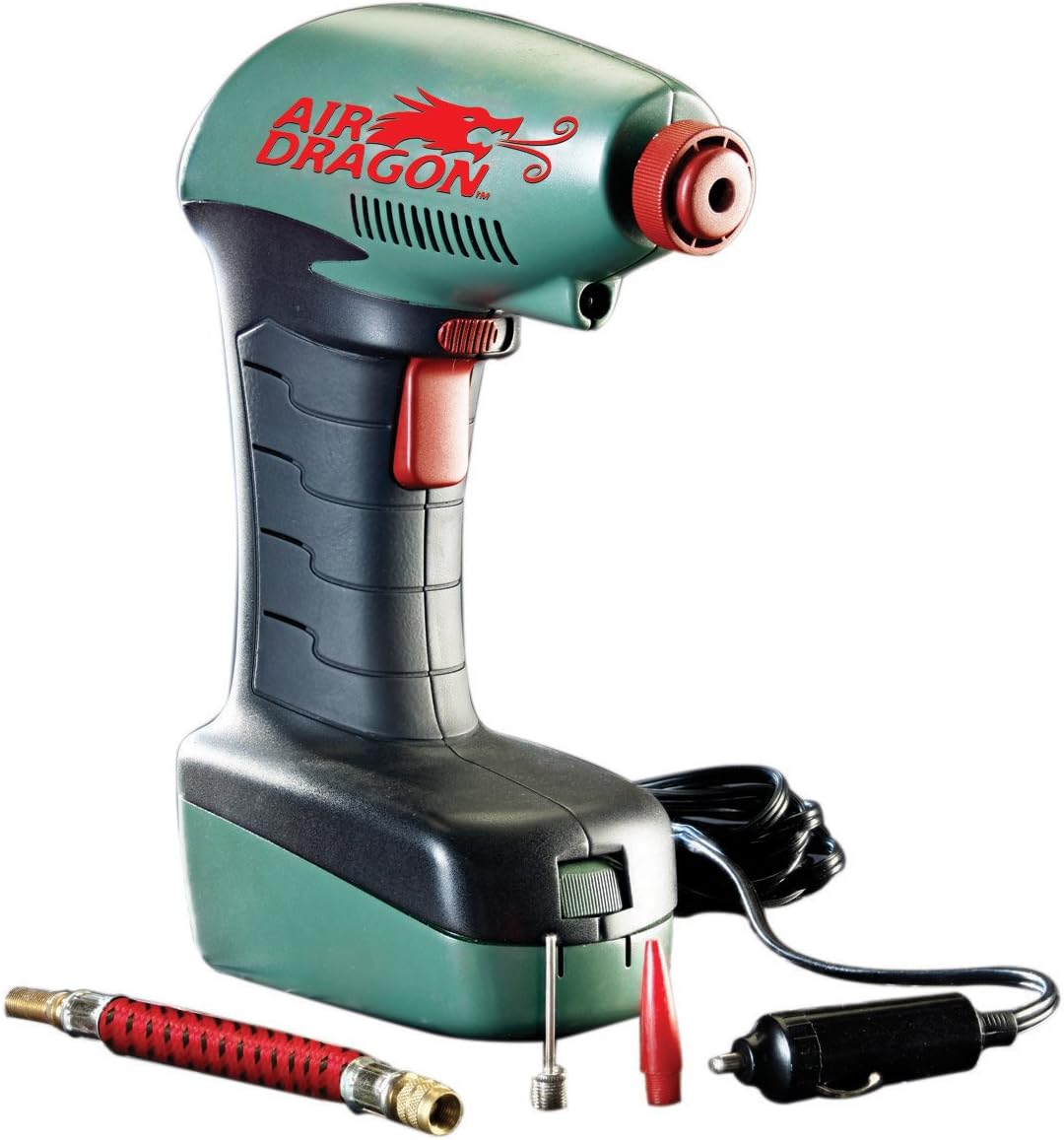
The Air Dragon 11399 Portable Air Compressor shown with its included accessories: the pressure hose, ball adapter pin, and balloon adapter pin.
Setup
Before operating your Air Dragon, follow these simple setup steps:
- Connect to Power: Locate your vehicle's 12-volt accessory outlet (often labeled as a cigarette lighter socket). Plug the Air Dragon's 14-foot power cable firmly into this outlet. Ensure your vehicle's engine is running to provide adequate power.
- Attach Pressure Hose: Screw the pressure hose securely onto the compressor's air outlet.

Step 1: Plug the Air Dragon's 14-foot power cable into your vehicle's 12-volt accessory outlet.
Operating Instructions
The Air Dragon is designed for quick and easy inflation. Follow these steps for optimal performance:
- Prepare for Inflation: Ensure the compressor is powered on (plugged into the 12V outlet with the vehicle engine running). The digital display should illuminate.
- Check Current Pressure: Attach the pressure hose to the item you wish to inflate (e.g., tire valve stem). The digital display will show the current pressure.
- Set Desired Pressure: Use the '+' and '-' buttons on the digital display to set your desired PSI (Pounds per Square Inch). Refer to your vehicle's owner's manual or the tire's sidewall for recommended pressure.
- Begin Inflation: Pull the trigger to start the compressor. The unit will begin inflating the item.
- Automatic Shut-off: The Air Dragon features an auto-stop function. Once the set PSI is reached, the compressor will automatically shut off, preventing over-inflation.
- Disconnect: Release the trigger, then carefully disconnect the pressure hose from the item.

The Air Dragon connected to a car tire valve, demonstrating the inflation process. The digital display shows the pressure reading.
Using Adapters for Other Inflatables
The Air Dragon comes with a ball adapter pin and a balloon adapter pin, allowing you to inflate a variety of items beyond vehicle tires. Simply screw the appropriate adapter onto the pressure hose before attaching it to the item.
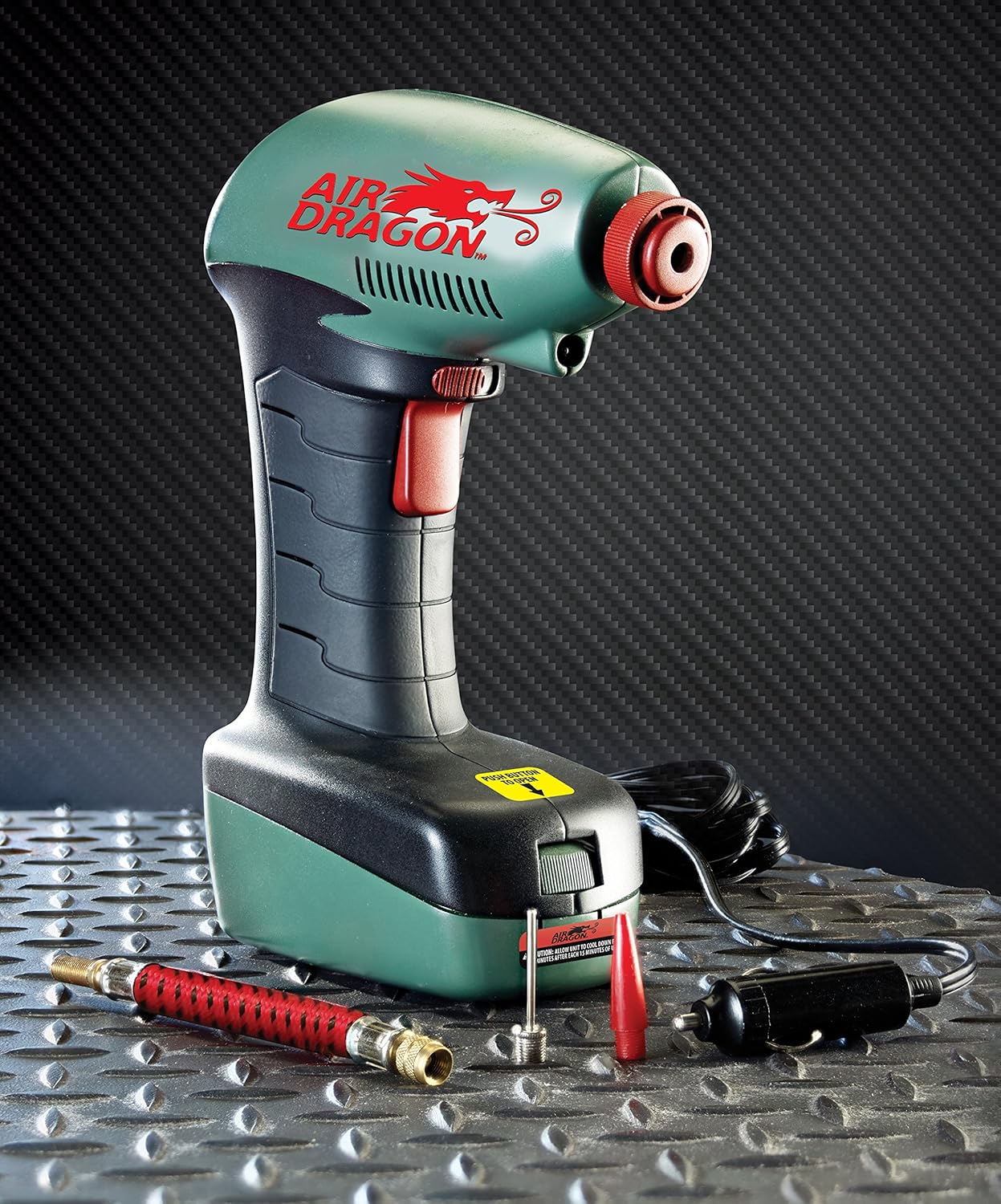
The Air Dragon with various adapters, illustrating its versatility for inflating sports balls, air mattresses, and bicycle tires.
Product Demonstration Video
Official product video demonstrating the features and ease of use of the Air Dragon Portable Air Compressor, including tire inflation and use with various accessories.
Maintenance and Storage
Proper care and storage will extend the life of your Air Dragon:
- Cleaning: Wipe the exterior of the compressor with a damp cloth. Do not use harsh chemicals or abrasive cleaners.
- Adapter Storage: The Air Dragon features a built-in storage compartment for the adapter pins and pressure hose. Ensure all accessories are stored neatly to prevent loss.
- Cord Management: Carefully coil the 14-foot power cable after each use to prevent tangling and damage.
- Storage Location: Store the compressor in a cool, dry place, away from direct sunlight and extreme temperatures.

The built-in storage compartment of the Air Dragon, designed to neatly hold the included adapter pins and pressure hose.
Troubleshooting
If you encounter issues with your Air Dragon, refer to the following common problems and solutions:
- Compressor Not Turning On:
- Ensure the 12-volt power cable is securely plugged into the vehicle's accessory outlet.
- Verify that the vehicle's engine is running.
- Check the vehicle's fuse for the 12-volt outlet.
- Not Inflating / Slow Inflation:
- Ensure the pressure hose is tightly screwed onto the compressor and securely attached to the item's valve.
- Check the item's valve for any obstructions or damage.
- Confirm the desired PSI is set correctly on the digital display.
- Inaccurate Pressure Reading:
- Ensure the pressure hose is fully and correctly connected to the item's valve. A loose connection can cause incorrect readings.
- Compressor Overheating:
- If the unit feels hot, turn it off and allow it to cool down for at least 10-15 minutes before resuming operation. Prolonged continuous use can lead to overheating.
Specifications
| Brand | Air Dragon |
| Model Name | 11399 |
| Voltage | 12 Volts |
| Power Source | Corded Electric (12V Car Outlet) |
| Recommended Use | Tire Inflation |
| Special Features | Portable, LED Light, Auto-Stop Function |
| Item Weight | 1.08 Pounds |
| Product Dimensions | 11.12 x 4 x 9.5 inches |
| Hose Length | 14 Feet |
Warranty and Support
For warranty information, product support, or to inquire about replacement parts, please contact the manufacturer directly. Refer to the product packaging or the official Air Dragon website for contact details.


