
Product Overview
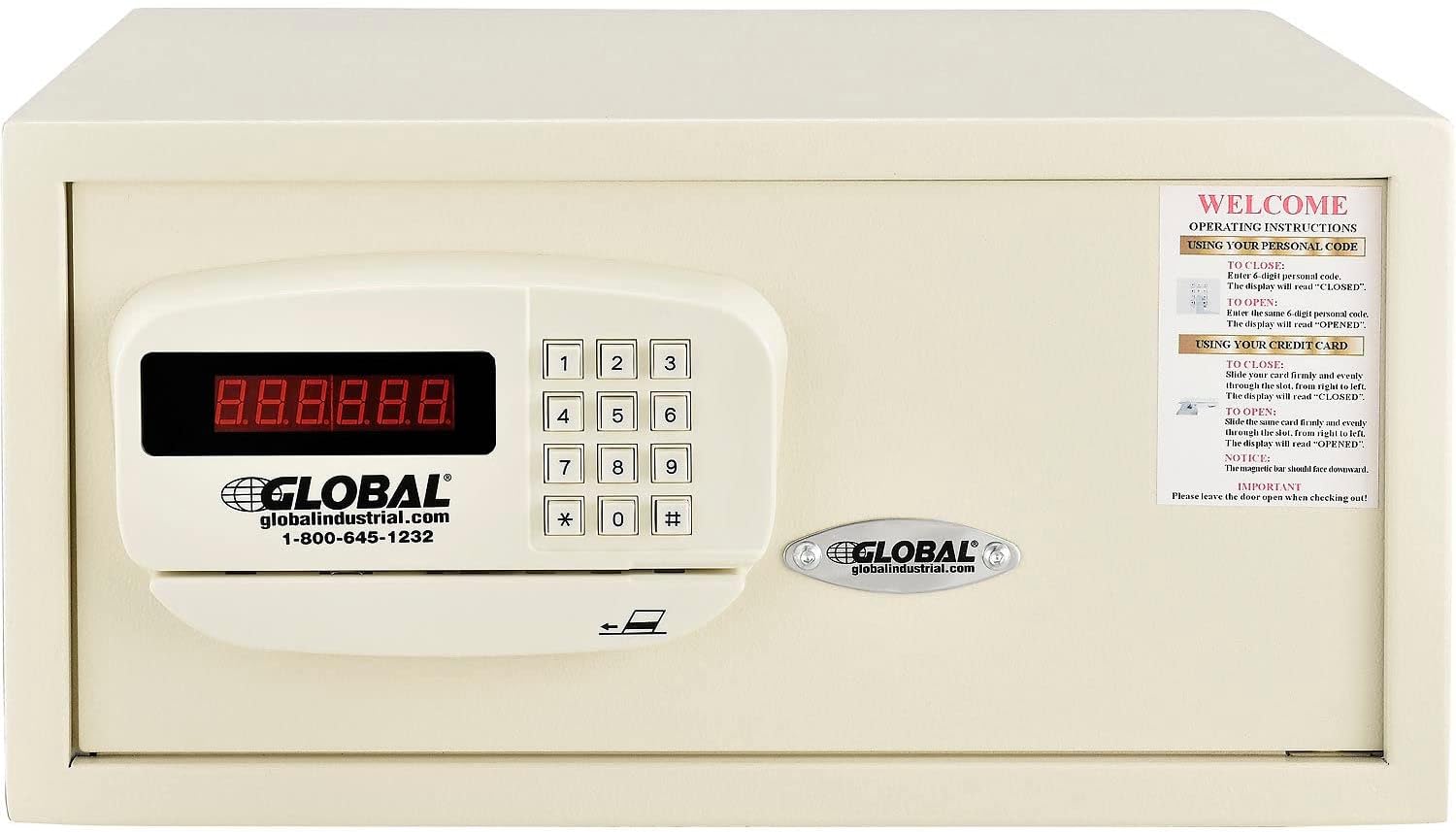
The Global Industrial Personal Hotel Safe is constructed from durable alloy steel, designed for securing personal valuables in various settings such as hotels, dormitories, or patient rooms. It features a pry-resistant recessed door and concealed hinges for enhanced anti-theft protection. The interior includes a removable carpet to protect contents like laptops and other valuable belongings. This safe offers versatile access options including an advanced battery-operated electronic card-swipe lock, a keypad, and mechanical override keys.
Setup Instructions
1. Battery Installation
- The electronic lock requires four (4) AA batteries (not included).
- Locate the battery compartment, typically on the inside of the safe door or on the back of the keypad unit.
- Insert the batteries, ensuring correct polarity (+/-).
- Close the battery compartment cover securely.
2. Mounting the Safe
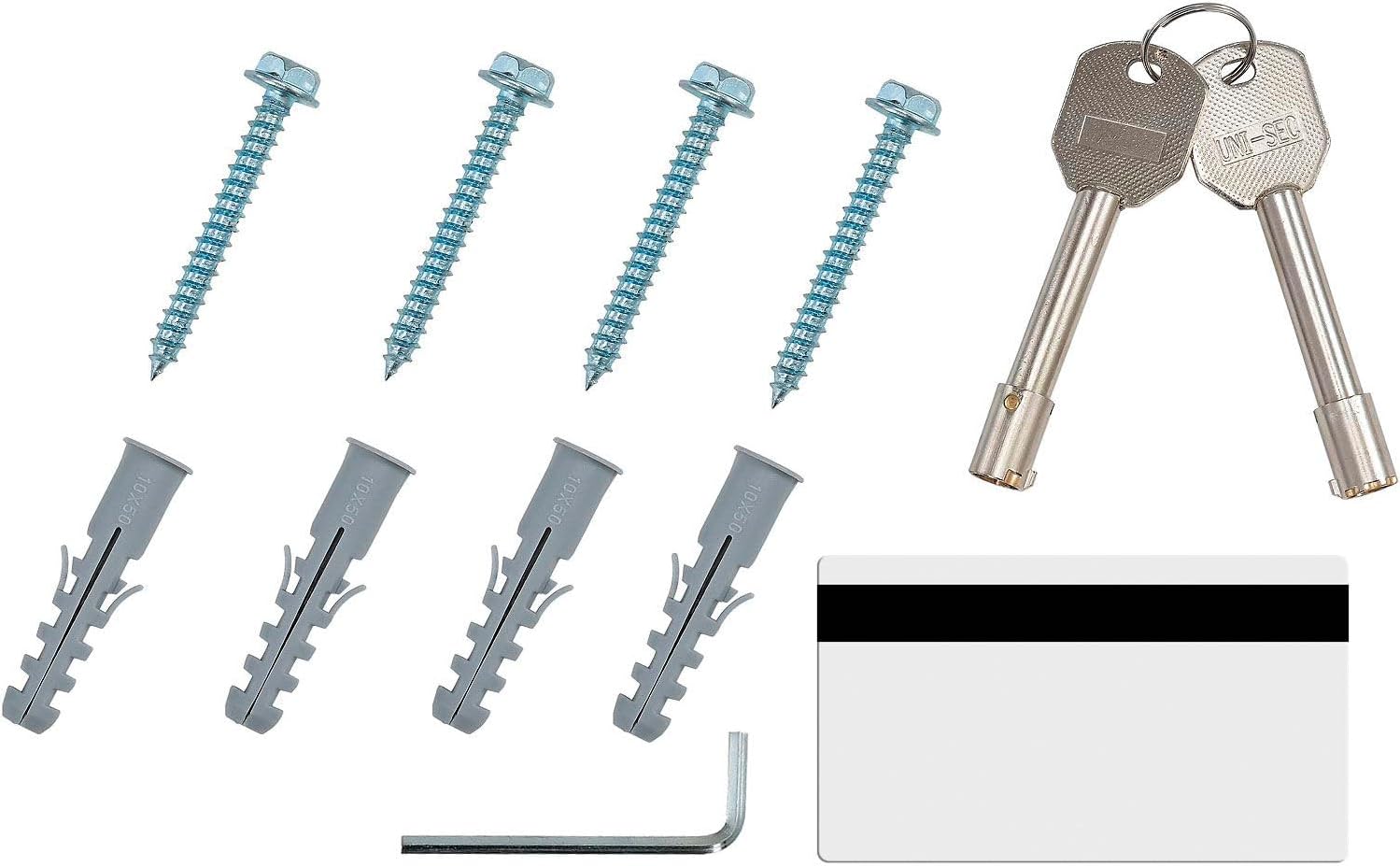
For enhanced security, the safe can be mounted to a wall or floor using the pre-drilled anchor holes. Mounting hardware is included.
- Choose a suitable location for mounting, ensuring it is a stable surface.
- Mark the positions for drilling through the pre-drilled holes on the back or bottom of the safe.
- Drill pilot holes into the wall or floor at the marked positions.
- Align the safe with the drilled holes and secure it using the provided mounting hardware.
- Ensure the safe is firmly attached and does not wobble.

Operating Instructions
1. Setting Your Personal Code
The safe allows you to set a personal 4-digit code for access.
- With the safe door open, press the internal reset button (usually a small button on the inside of the door or near the battery compartment). The display will show "SET" or similar.
- Enter your desired 4-digit code on the keypad.
- Press the "LOCK" or "#" button to confirm. The display will show "GOOD" or similar, indicating the code is set.
2. Locking the Safe with Personal Code
- Close the safe door.
- Enter your 4-digit personal code.
- Press the "LOCK" or "#" button. The display will show "CLOSED" and the safe will lock.
3. Opening the Safe with Personal Code
- Enter your 4-digit personal code.
- Press the "LOCK" or "#" button. The display will show "OPENED" and the safe will unlock. Turn the handle to open the door.
4. Using the Card-Swipe Lock
The safe accepts almost any card with a magnetic strip for locking and unlocking.
- To Lock: Close the safe door. Swipe a card with a magnetic strip firmly and evenly through the card slot. The display will show "CLOSED".
- To Open: Swipe the same card firmly and evenly through the card slot. The display will show "OPENED". Turn the handle to open the door.

5. Mechanical Override Keys
Two mechanical override keys are included to bypass the electronic lock in case of battery failure or forgotten codes.
- Locate the keyhole, usually concealed behind a small cover on the keypad panel.
- Insert the override key and turn it to unlock the safe.
- Turn the handle to open the door.

6. Lockout Penalty
If incorrect combinations are entered multiple times, the keypad will enter a lockout penalty period, during which it will not respond to input. Wait for the lockout period to expire before attempting to enter the code again.
Maintenance
- Battery Replacement: Replace batteries promptly when the low battery indicator appears on the display to ensure continuous operation.
- Cleaning: Clean the exterior of the safe with a soft, damp cloth. Avoid abrasive cleaners or solvents.
- Keypad Care: Keep the keypad dry and free from dust or debris.
- Internal Carpet: The removable carpet can be cleaned as needed to maintain the interior.
Troubleshooting
- Safe does not open with code/card:
- Check if batteries need replacement.
- Ensure the correct code is entered or the card is swiped correctly.
- If in lockout mode, wait for the timer to expire.
- Use the mechanical override key as a backup.
- Keypad is unresponsive:
- Replace batteries.
- Check for any debris obstructing the buttons.
- Door is stiff or difficult to close:
- Ensure no items are obstructing the door or locking bolts.
- Check for any physical damage to the door or frame.
Specifications
| Feature | Detail |
|---|---|
| Brand | Global Industrial |
| Model Number | 493384 |
| Product Dimensions (External) | 18"W x 15"D x 9"H |
| Capacity | 1.2 Cubic Feet |
| Lock Type | Electronic, Key, Card Swipe |
| Material | Alloy Steel |
| Color | Off White |
| Mounting Type | Floor Mount, Wall Mount |
| Item Weight | 33.1 Pounds |
| Batteries Required | 4 AA (not included) |
| Included Components | Assembly Guide, 2 Mechanical Override Keys, Mounting Hardware |

Warranty and Support
This product comes with a 1-year limited warranty. For specific warranty claims or technical support, please refer to the contact information provided with your purchase or visit the Global Industrial website.
Return Policy: This product is eligible for a refund or replacement within 30 days of purchase, subject to the seller's return policy.