
Introduction
This manual provides instructions for the ZdalaMit RM-YD102 Replacement Remote Control. This remote is designed as a direct replacement for various Sony Bravia TV models, offering immediate functionality without the need for programming.
Compatible Sony TV Models:
- KDL-50W790B, KDL-50W800B
- KDL-55W790B, KDL-55W800B, KDL-55W950B, KDL-55X830B
- KDL-60W840B, KDL-60W850B
- KDL-65W950B, KDL-65X830B
- KDL-70W830B, KDL-70W840B, KDL-70W850B, KDL-70X830B
- XBR-49X850B, XBR-55X850B, XBR-55X900B
- XBR-65X850B, XBR-65X900B, XBR-65X950B
- XBR-70X850B, XBR-79X900B, XBR-85X950B
Setup
The ZdalaMit RM-YD102 remote control requires no programming. Simply insert two AAA alkaline batteries, and it will be ready for use with your compatible Sony Bravia TV.
Inserting Batteries
- Locate the battery compartment on the back of the remote control.
- Slide the battery compartment cover downwards and remove it.
- Insert two 1.5V AAA alkaline batteries, ensuring the positive (+) and negative (-) terminals align correctly with the markings inside the compartment.
- Replace the battery compartment cover by sliding it back into place until it clicks securely.
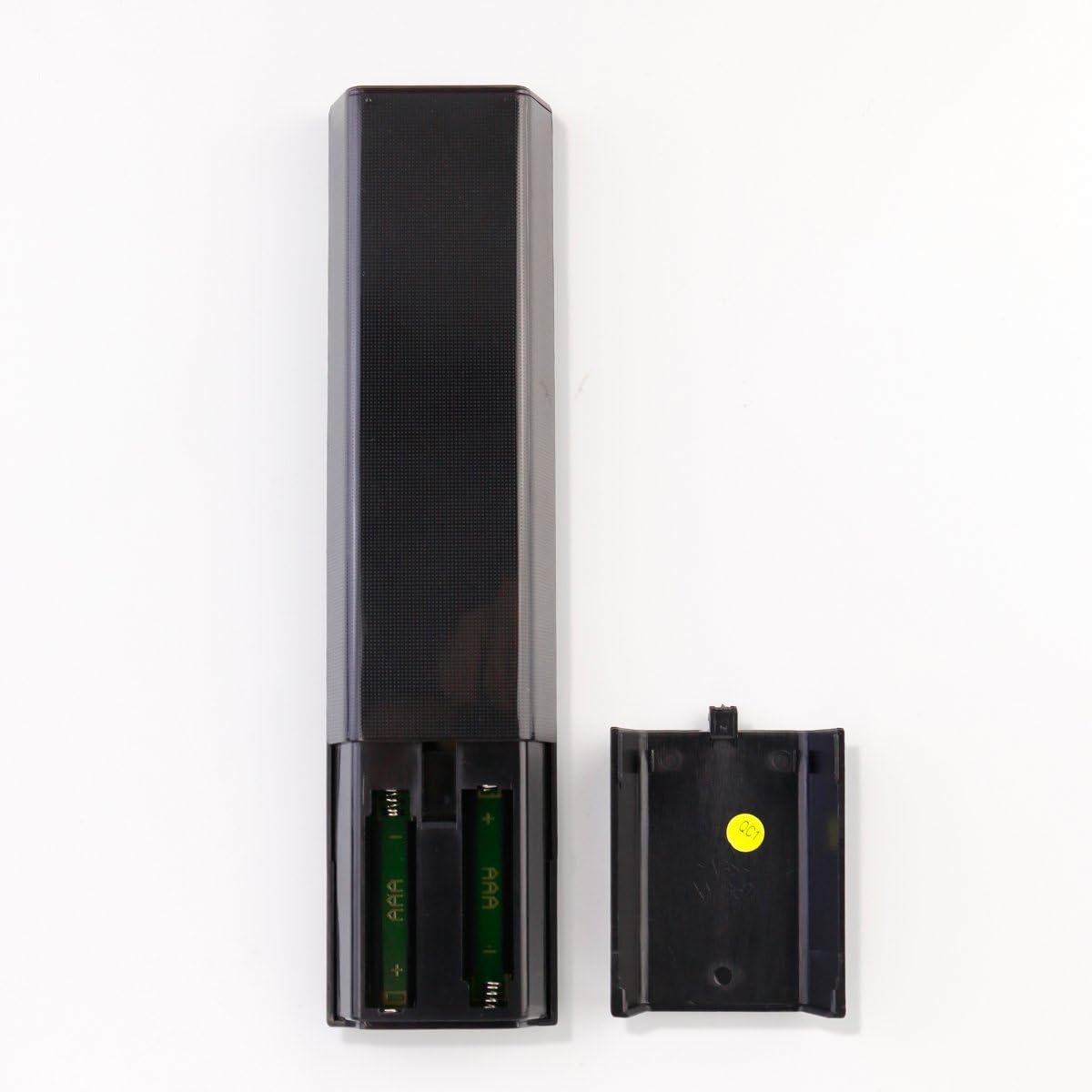
Image: Back of the remote control with the battery compartment open, illustrating the correct orientation for inserting two AAA batteries.
Once batteries are inserted, the remote is ready to operate your TV.
Operating Instructions
The ZdalaMit RM-YD102 remote control provides full functionality for your compatible Sony Bravia TV. Point the remote directly at your TV's infrared receiver for optimal performance.

Image: Front view of the remote control, displaying the layout of all buttons for various TV functions.
Key Functions:
- POWER: Turns the TV on or off.
- INPUT: Selects the input source (e.g., HDMI 1, HDMI 2, AV).
- VOL +/-: Adjusts the volume level.
- CH +/-: Changes TV channels.
- Muting: Mutes or unmutes the TV sound.
- Number Buttons (0-9): Directly select channels.
- Navigation Pad (Up/Down/Left/Right/Enter): Navigates menus and confirms selections.
- HOME: Accesses the TV's main menu or smart TV interface.
- RETURN: Goes back to the previous screen or menu.
- OPTIONS: Displays context-sensitive options.
- Netflix, Discover, Apps, Football, Social View: Direct access buttons for specific features or applications (functionality depends on TV model and internet connection).
- Play/Pause/Stop/Rewind/Fast Forward: Controls media playback.
- GUIDE: Opens the electronic program guide.
- DISPLAY: Shows on-screen information.
- SUBTITLE/CC: Toggles subtitles or closed captions.
For detailed information on specific TV functions, please refer to your Sony Bravia TV's original user manual.
Maintenance
- Cleaning: Wipe the remote control with a soft, dry cloth. Do not use liquid cleaners or abrasive materials.
- Battery Replacement: Replace batteries when the remote's response becomes sluggish or stops working. Always replace both batteries at the same time with new 1.5V AAA alkaline batteries.
- Storage: If the remote will not be used for an extended period, remove the batteries to prevent leakage and potential damage.
- Environment: Keep the remote control away from extreme temperatures, direct sunlight, and moisture.
Troubleshooting
| Problem | Solution |
|---|---|
| Remote is not working. |
|
| Some buttons do not function. |
|
| Remote response is slow or intermittent. |
|
Specifications
| Brand | ZdalaMit |
| Model Name | RM-YD102-ZDLMT |
| Compatible Devices | Sony Bravia Televisions (specific models listed in Introduction) |
| Connectivity Technology | Infrared |
| Power Supply | 2 x 1.5V AAA Alkaline Batteries |
| Button Quantity | 18 |
| Maximum Range | 33 Feet (approx. 10 meters) |
| Color | Black |
| Item Weight | 40 Grams |
| Item Dimensions (L x W x H) | 7.94" x 1.99" x 0.55" (approx. 20.17cm x 5.05cm x 1.40cm) |
Warranty Information
This ZdalaMit RM-YD102 Replacement Remote Control comes with a 1-year warranty from the date of purchase. This warranty covers manufacturing defects under normal use. It does not cover damage caused by misuse, accidents, unauthorized modifications, or battery leakage.
Please retain your proof of purchase for warranty claims.
Customer Support
If you encounter any issues or have questions regarding your ZdalaMit RM-YD102 Replacement Remote Control that are not addressed in this manual, please contact the seller or manufacturer for assistance.
For the fastest support, please provide your product model number (RM-YD102) and details of the issue you are experiencing.