
Introduction
This manual provides instructions for the safe and effective use of your Bissell PowerGlide Lift-Off Pet Plus Upright Bagless Vacuum, Model 20431. Please read all instructions before using your vacuum cleaner to ensure proper assembly, operation, and maintenance.
Setup and Assembly
Your Bissell PowerGlide Lift-Off Pet Plus vacuum comes with several components that require assembly before first use. Ensure all parts are present before beginning.
Included Components:
- Upright Vacuum Base
- Lift-Off Pod
- Pet Tools (various)
- User Guide (this document)
Assembly Steps:
- Attach Handle: Insert the handle into the top of the vacuum body until it clicks securely into place.
- Connect Hose: Securely attach the flexible hose to the vacuum's hose inlet.
- Attach Lift-Off Pod: Ensure the Lift-Off Pod is correctly seated and locked onto the upright vacuum base.
- Store Tools: Place the specialized pet tools onto the designated storage areas on the vacuum.
Operation
The Bissell PowerGlide Lift-Off Pet Plus is designed for versatile cleaning. Follow these steps for optimal performance.
Standard Upright Vacuuming:
- Power On: Plug the vacuum into a suitable electrical outlet (120 Volts). Press the power button to turn on the vacuum.
- Brush Roll Activation: Use the on/off brush switch to activate the triple action brush roll for carpets or turn it off for delicate surfaces and bare floors.
- Swivel Steering: Utilize the swivel steering feature for easy maneuverability around furniture and obstacles.

Image: The triple action brush roll effectively cleans various surfaces. Use the on/off switch to control its operation.
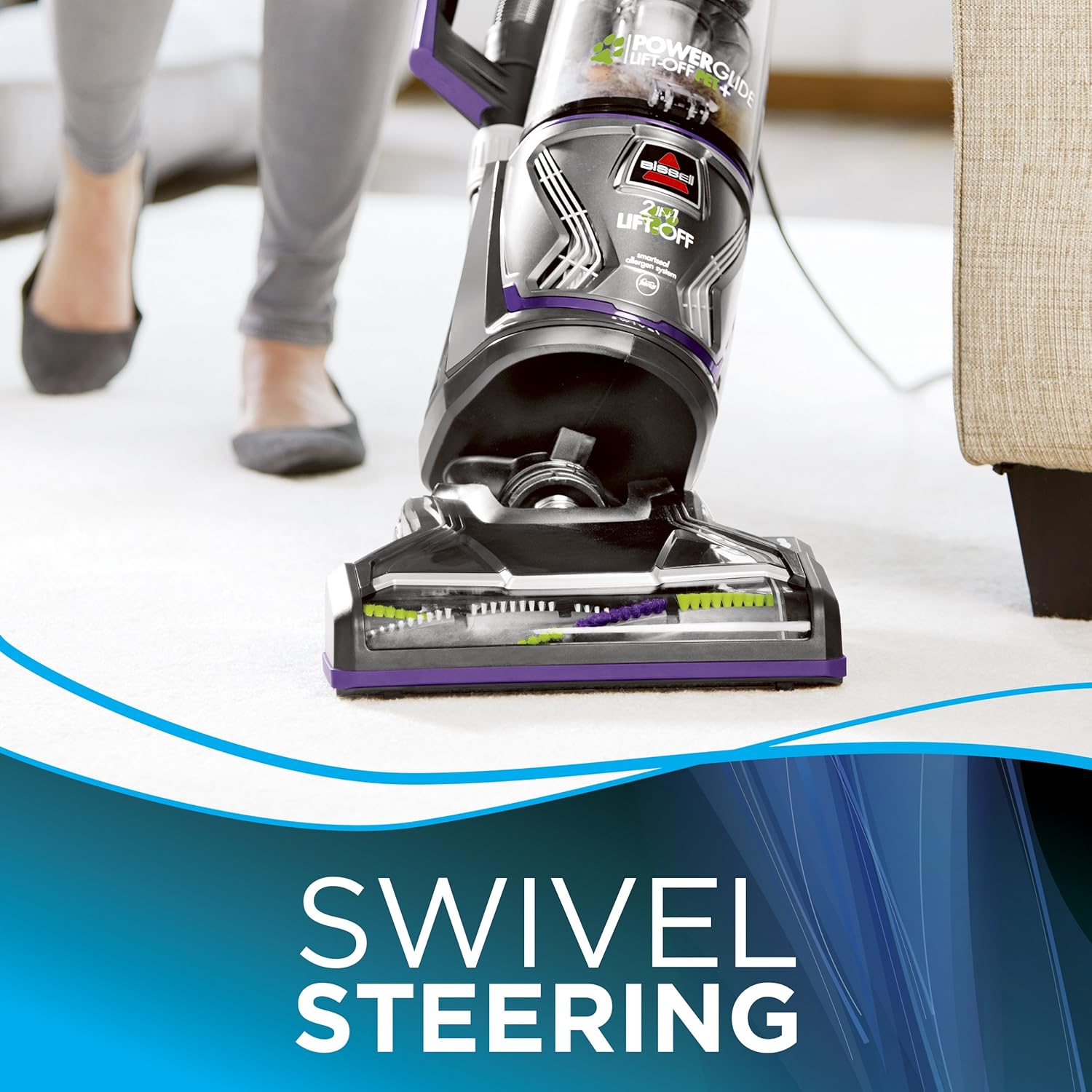
Image: Swivel steering allows for easy navigation and cleaning around obstacles.
Lift-Off Mode for Specialized Cleaning:
The unique Lift-Off technology allows you to detach the canister for portable cleaning of stairs, upholstery, and other hard-to-reach areas.
- Detach Canister: Press the Lift-Off button to release the portable canister from the upright base.
- Attach Tools: Connect the desired specialized pet tool to the end of the hose for targeted cleaning.
- Clean Surfaces: Use the portable canister and tools to clean stairs, upholstery, pet beds, and other areas where pet hair collects.
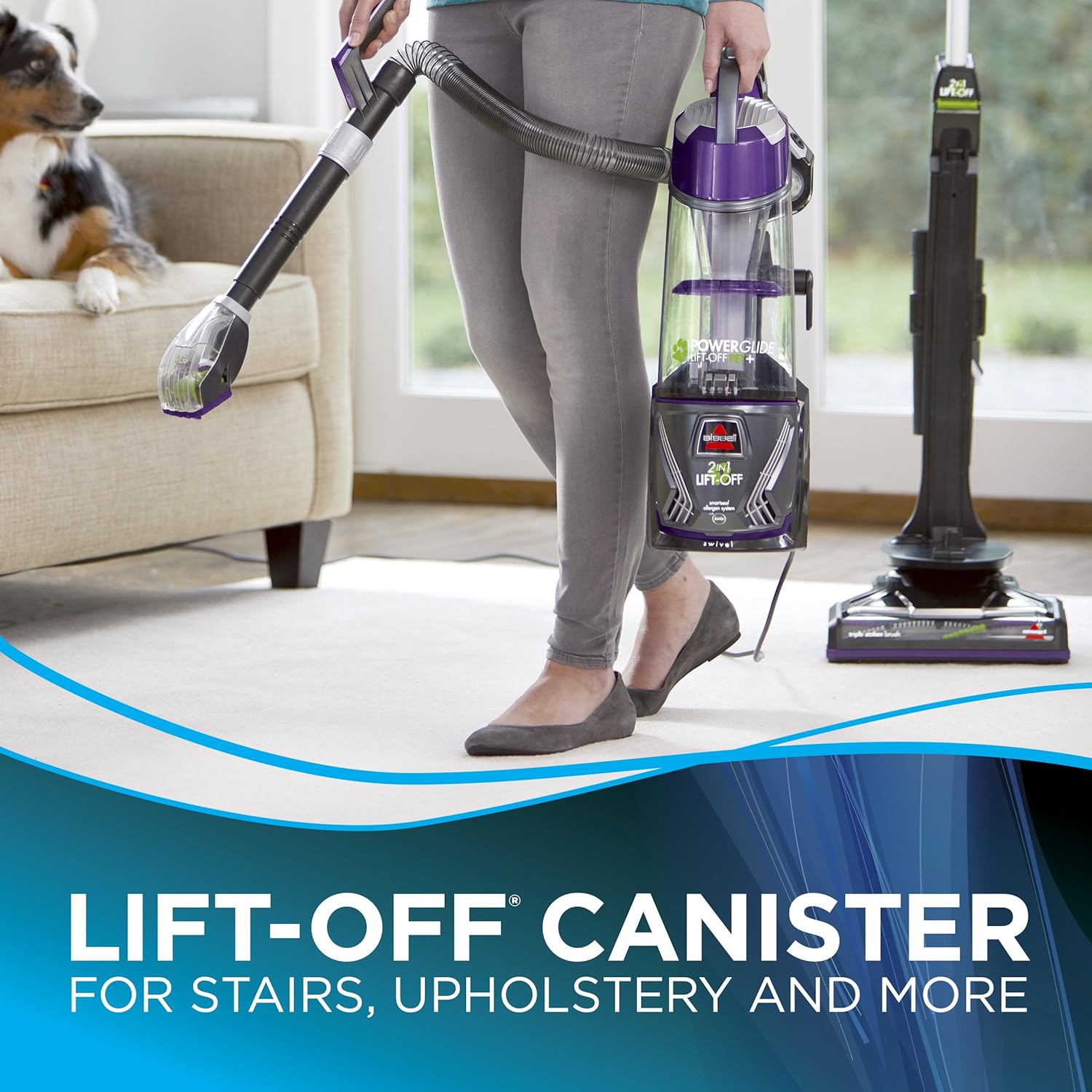
Image: The Lift-Off canister provides portable cleaning for stairs and other elevated surfaces.

Image: The Pet TurboEraser tool is effective for removing pet hair from soft surfaces like pet beds.

Image: Specialized pet tools are designed to tackle pet messes in hard-to-reach areas.
Allergen System and Odor Elimination:
The SmartSeal Allergen System helps to trap dust, dander, and allergens within the vacuum. The Febreze Pet Odor Eliminator filter freshens the air during cleaning.

Image: The SmartSeal Allergen System, optionally enhanced with a Febreze filter, helps contain allergens.

Image: The Febreze Pet Odor Eliminator filter works to freshen the air while vacuuming.
Official Product Video:
Video: This official product video demonstrates the key features and operation of the Bissell PowerGlide Lift-Off Pet Plus vacuum, including its Lift-Off technology and specialized pet tools.
Maintenance
Regular maintenance ensures your vacuum operates efficiently and extends its lifespan.
Emptying the Dirt Cup:
- The dirt cup has a capacity of 0.75 liters. Empty the dirt cup when debris reaches the "Full" line or after each use.
- To empty, detach the dirt cup, position it over a waste bin, and press the release button to open the bottom flap.
Cleaning Filters:
- The vacuum uses foam filters. Regularly check and clean the filters to maintain suction power.
- Washable filters should be rinsed with water and allowed to air dry completely before reinstallation.
- Replace the Febreze Pet Odor Eliminator filter as needed to ensure effective odor control.
Brush Roll Inspection:
- Periodically inspect the triple action brush roll for tangled hair or debris.
- Turn off and unplug the vacuum before attempting to clean the brush roll.
- Carefully cut away any hair or strings wrapped around the brush roll using scissors.
Troubleshooting
If you encounter issues with your vacuum, refer to the following common problems and solutions.
| Problem | Possible Cause | Solution |
|---|---|---|
| Vacuum not turning on | Not plugged in; Blown fuse/tripped breaker | Ensure power cord is securely plugged into a working outlet. Check household fuse/breaker. |
| Loss of suction | Dirt cup full; Clogged filter; Blocked hose/foot | Empty dirt cup. Clean or replace filters. Check hose and foot for blockages and remove. |
| Brush roll not spinning | Brush roll switch off; Obstruction in brush roll; Belt broken | Ensure brush roll switch is on. Clear any debris from brush roll. Contact customer support if belt is broken. |
| Vacuum not picking up debris | Incorrect height setting; Worn brush roll; Clog | Adjust height setting for surface type. Inspect brush roll for wear. Check for clogs in hose or nozzle. |
If the problem persists after attempting these solutions, please contact Bissell Customer Support.
Specifications
| Feature | Detail |
|---|---|
| Brand | Bissell |
| Model Name | PowerGlide Lift Off Pet Plus |
| Model Number | 20431 |
| Form Factor | Upright, Lift-Off Canister |
| Power Source | Corded Electric |
| Voltage | 120 Volts |
| Wattage | 800 watts |
| Amperage | 10 Amps |
| Special Feature | Bagless, Lift-Off Technology, SmartSeal Allergen System, Febreze Pet Odor Eliminator Filter |
| Filter Type | Foam (Washable) |
| Dirt Cup Capacity | 0.75 Liters |
| Surface Recommendation | Upholstery, Carpets, Hard Floors |
| Recommended Uses | Pet Hair Removal, General Cleaning |
| Color | Grey, Violet, Clear |
| Noise Level | 78 Decibels |
| Item Weight | 18 Pounds |
| Hose Length | 6 Feet |
| Included Components | Upright Vacuum, Lift-Off Pod, Pet Tools, User Guide |
Warranty & Support
Manufacturer's Warranty:
This Bissell PowerGlide Lift-Off Pet Plus vacuum comes with a Limited 5-year warranty from the date of purchase. This warranty covers defects in materials and workmanship under normal household use. Please refer to the full warranty statement provided with your product for complete terms and conditions.
Customer Support:
For further assistance, troubleshooting, or to inquire about replacement parts, please contact Bissell Customer Support. Contact information can typically be found on the official Bissell website or on the product packaging.


