
1. Product Overview
The Orient Neo70's Horizon WV0091TY is a solar-powered chronograph watch featuring a Japanese Quartz movement. This timepiece includes functions such as a chronograph, alarm, and small second hand. It is designed for reliable timekeeping and durability.
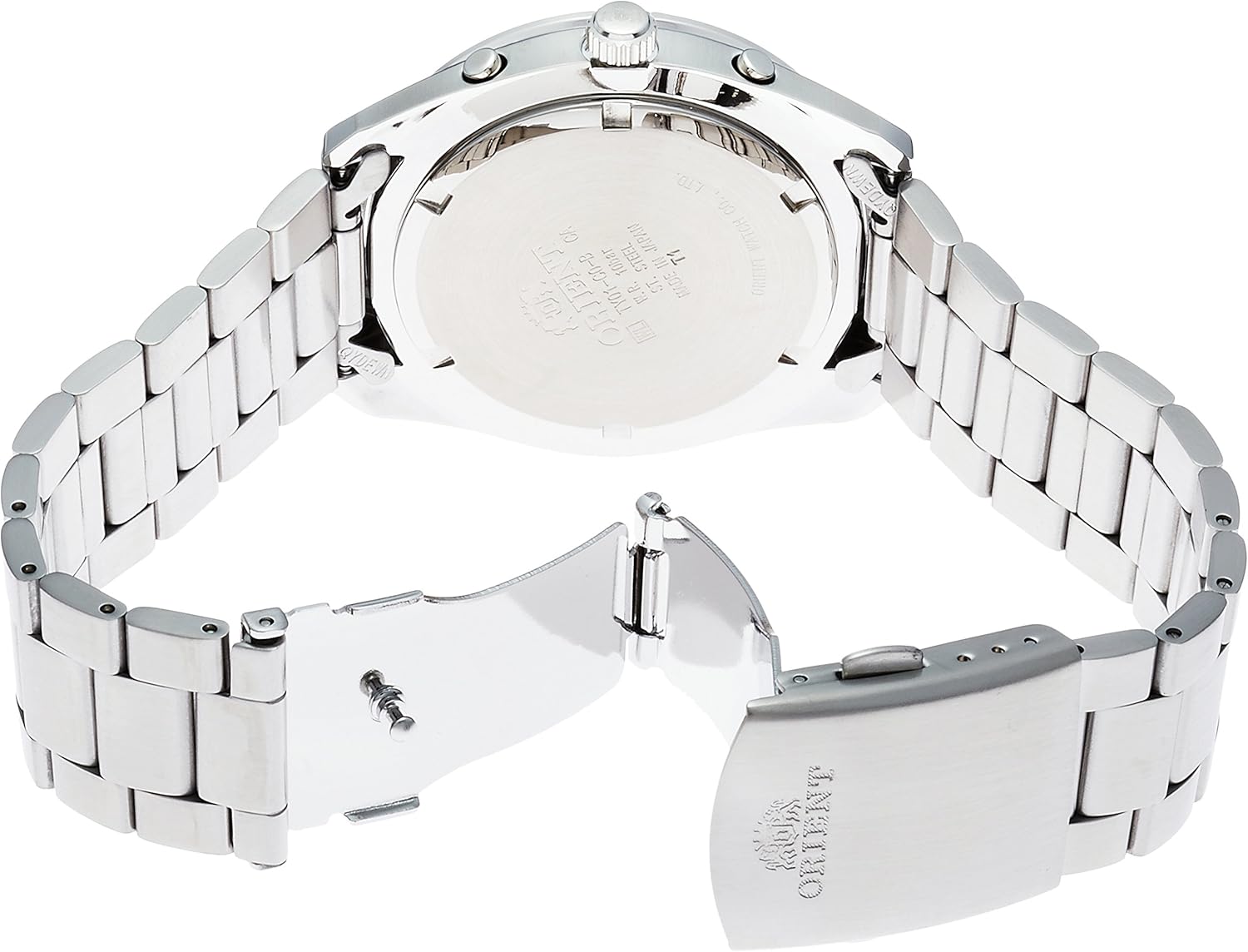
Figure 1: Front view of the Orient Neo70's Horizon WV0091TY watch, showcasing the dial, hands, and chronograph subdials.
2. Initial Setup
2.1. Initial Charge
As a solar-powered watch, the WV0091TY requires an initial charge before use. Expose the watch dial to direct sunlight or strong artificial light for several hours. Avoid covering the dial during charging. A full charge ensures optimal performance and power reserve.
2.2. Setting the Time and Date
- Pull the crown (located on the right side of the watch case) out to the second click position. The second hand will stop.
- Rotate the crown to set the hour and minute hands. Ensure the AM/PM is correctly set if the watch has a 24-hour indicator or date changes at midnight.
- Push the crown back in to the first click position.
- Rotate the crown to set the date. Avoid setting the date between 9 PM and 3 AM to prevent damage to the movement.
- Push the crown fully back into the normal position to start the watch.

Figure 2: Side view of the watch, highlighting the crown and pushers used for setting time, date, and operating chronograph functions.
2.3. Adjusting the Metal Bracelet
The stainless steel bracelet can be adjusted by adding or removing links. This procedure typically requires specialized tools and is best performed by a qualified watch technician to avoid damage to the bracelet or clasp.
3. Operating the Watch
3.1. Basic Timekeeping
Once set, the watch will continuously display the current time. Ensure the watch receives regular exposure to light to maintain its solar charge.
3.2. Using the Chronograph Function
The chronograph allows for measuring elapsed time. Refer to the specific markings on your watch for subdial functions (e.g., 60-minute counter, 24-hour indicator).
- Press the upper pusher (button A) to start the chronograph.
- Press the upper pusher (button A) again to stop the chronograph.
- Press the lower pusher (button B) to reset the chronograph hands to zero.
3.3. Setting and Using the Alarm
The watch features an alarm function. Consult the detailed instructions provided in the full manufacturer's manual for precise alarm setting procedures, as this can vary by movement.
4. Maintenance and Care
4.1. Cleaning
Wipe the watch case and bracelet regularly with a soft, dry cloth to remove dust and perspiration. For stubborn dirt, a slightly damp cloth can be used, followed by immediate drying. Avoid using chemical cleaners or solvents.
4.2. Water Resistance
While the watch may offer some level of water resistance, it is crucial to ensure the crown is fully pushed in before any contact with water. Avoid operating pushers or the crown while the watch is wet. Refer to the watch's case back for specific water resistance ratings (e.g., "WATER RESISTANT").
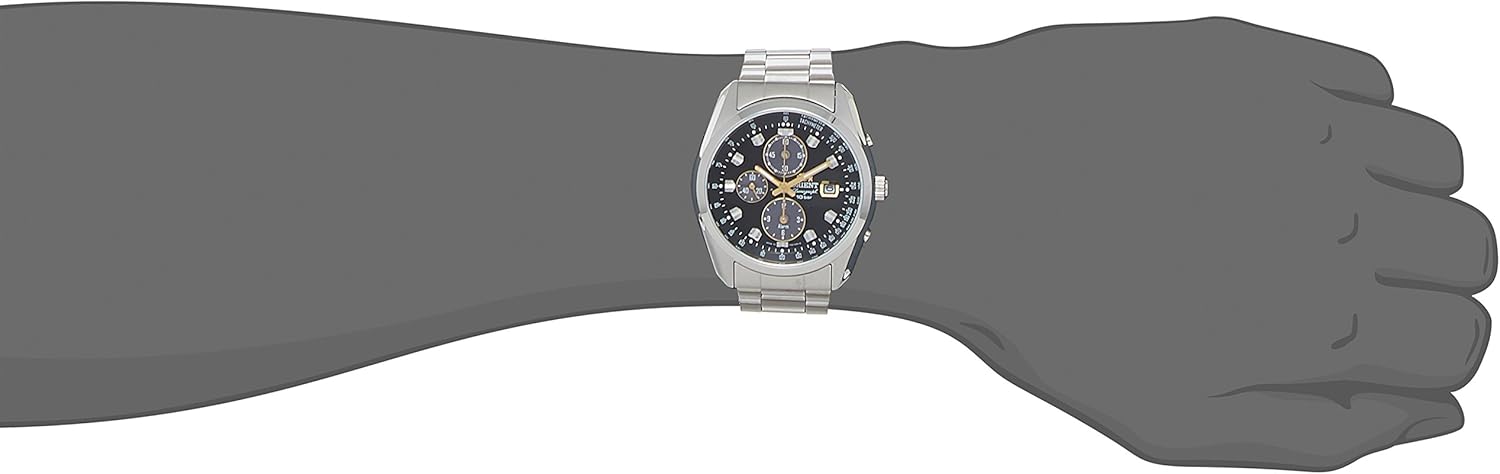
Figure 3: Rear view of the watch, displaying the stainless steel case back with engravings and the deployment clasp of the bracelet.
4.3. Solar Cell Care
To maintain the longevity and efficiency of the solar cell, avoid prolonged exposure to extreme temperatures (hot or cold). Store the watch in an area where it can receive ambient light, even when not in use, to prevent complete discharge.
5. Troubleshooting
- Watch Not Running: If the watch stops or runs intermittently, it may be due to insufficient charge. Expose the watch to strong light for several hours.
- Incorrect Time/Date: Refer to Section 2.2 for instructions on how to correctly set the time and date. Ensure the crown is fully pushed in after setting.
- Chronograph Hands Not Resetting to Zero: If the chronograph hands do not return to the 12 o'clock position when reset, a calibration may be required. Consult the full manufacturer's manual for specific calibration steps, or contact customer support.
6. Specifications
| Feature | Detail |
|---|---|
| Model Number | WV0091TY |
| Movement Type | Japanese Quartz (Solar Powered) |
| Display Type | Analog |
| Case Material | Stainless Steel |
| Band Material | Stainless Steel |
| Crystal Type | Mineral Glass |
| Case Diameter | 42 Millimeters |
| Case Thickness | 11.7 Millimeters |
| Band Width | 200 Millimeters |
| Functions | Solar, Alarm, Small Second, Chronograph |
| Origin | Made in Japan |
Note: "Band Width: 200 Millimeters" from product data likely refers to band length. Actual lug width for this model is typically 20-22mm.
7. Warranty and Support
7.1. Warranty Information
This Orient watch is covered by a manufacturer's warranty against defects in materials and workmanship. The duration and terms of the warranty may vary by region. Please retain your proof of purchase for warranty claims.
7.2. Customer Support
For further assistance, service, or detailed information not covered in this manual, please contact Orient customer support or visit the official Orient website. Contact details can typically be found on the warranty card included with your purchase or on the brand's official online presence.