
Introduction
This manual provides detailed instructions for the safe and effective use of your Movo RBS1 V-Mount Battery Plate. Please read this manual thoroughly before operation and retain it for future reference.
Safety Information
- Ensure the V-Mount battery (not included) is securely attached before use.
- Verify correct voltage output for each connected device to prevent damage.
- Do not expose the unit to moisture or extreme temperatures.
- Avoid disassembling the unit; refer servicing to qualified personnel.
- Keep out of reach of children.
Package Contents
- Movo RBS1 V-Mount Battery Plate with 15mm Rod Mount
- 7 Output Cables: 5V (for Microphones), 5V (for Audio Adapters/Dividers), 7.2V (for Canon 5D), 8.4V (for Cameras), 9V (for LED Lights), 12V (for LCD Monitors), and Dummy LP-E6 Output Adapter.
Product Features
- 15mm Rod Mount for V-Mount Batteries.
- Multiple Voltage Outputs: 5V, 7.2V, 8.4V, 9V, 12V, 14.8V.
- Includes LP-E6 Dummy Battery Adapter.
- Six simultaneous voltage outputs with voltage protection.
- Designed to power various accessories on a camera rig.
Setup
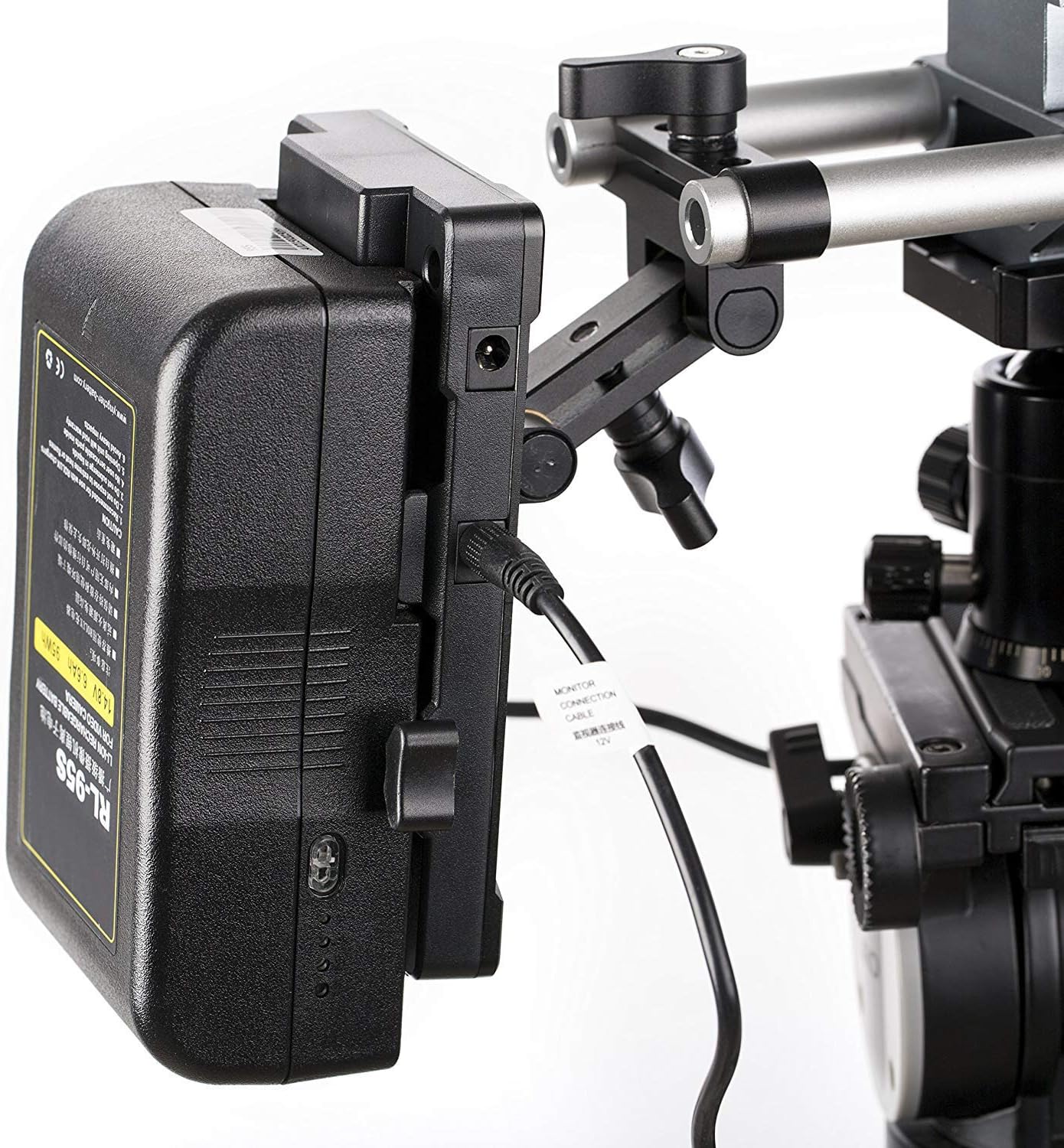
- Attach to Rod System: Secure the Movo RBS1 V-Mount Battery Plate to your camera rig's 15mm rod system using the integrated rod mount. Tighten the knobs to ensure stability.

Image shows the Movo RBS1 V-Mount Battery Plate attached to a 15mm rod system on a camera rig.
- Mount V-Mount Battery: Slide a compatible V-Mount battery (not included) onto the V-Mount plate until it clicks securely into place.

Image displays the Movo RBS1 V-Mount Battery Plate, ready for a V-Mount battery to be attached.
- Connect Power Cables: Identify the appropriate output cable for each accessory (e.g., 5V for microphones, 12V for LCD monitors, 8.4V for cameras, LP-E6 for compatible cameras).

Image illustrates a V-Mount battery connected to the plate, with various power cables plugged into the output ports.
- Connect Accessories: Plug the other end of each power cable into its respective accessory.

Image shows the Movo RBS1 V-Mount Battery Plate powering multiple camera accessories via its various output ports.
Operating Instructions
Once the V-Mount battery is attached and accessories are connected, the Movo RBS1 will automatically provide power to your devices. No additional power switch is typically required for basic operation.
Voltage Outputs
- 5V Output: For microphones and audio adapters/dividers.
- 7.2V Output: Specifically for Canon 5D cameras.
- 8.4V Output: For general cameras.
- 9V Output: For LED lights.
- 12V Output: For LCD monitors.
- 14.8V Output: Main V-Mount battery output.
- LP-E6 Dummy Battery: For cameras compatible with LP-E6 batteries.
Close-up image of the Movo RBS1 V-Mount Battery Plate highlighting the various DC output ports and their corresponding voltage labels.
Maintenance
- Regularly inspect all cables and connections for wear or damage.
- Keep the unit clean and free from dust and debris. Use a soft, dry cloth for cleaning.
- Store the unit in a cool, dry place when not in use.
Troubleshooting
No Power Output
- Ensure the V-Mount battery is fully charged and securely attached to the plate.
- Check all cable connections for proper seating.
- Verify that the connected device is compatible with the selected voltage output.
Loose Rod Mount
- Tighten the rod mount knobs firmly to secure the plate to the 15mm rods.
Specifications
| Feature | Detail |
|---|---|
| Model | RBS1 |
| Mount Type | V-Mount (Battery Not Included) |
| Rod Compatibility | 15mm Rod Mount |
| Output Voltages | 5V, 7.2V, 8.4V, 9V, 12V, 14.8V |
| Simultaneous Outputs | 6 (with voltage protection) |
| Included Cables | 7 (various voltages, including LP-E6 Dummy Adapter) |
| Color | Black |
| Manufacturer | Movo |
Warranty and Support
The Movo RBS1 V-Mount Battery Plate comes with a 1-YEAR WARRANTY. For technical assistance or warranty claims, please contact Movo's US-Based support team. Refer to the official Movo website for contact details.