
Introduction
Thank you for purchasing the Yupiteru DRY-ST3000c dash camera. This device is designed to record your driving footage in Full HD, providing valuable evidence in case of incidents and allowing you to review your journeys. It features a compact design, GPS for location and time data, a G-sensor for impact detection, and HDR for clear images in various lighting conditions. Please read this manual thoroughly before use to ensure proper operation and to maximize the benefits of your dash camera.
Safety Information
- Ensure the dash camera is installed in a location that does not obstruct the driver's view or interfere with airbag deployment.
- Do not operate the device or adjust settings while driving. Always pull over to a safe location before making any adjustments.
- Use only the provided power cable and accessories. Using incompatible accessories may cause damage or malfunction.
- Avoid exposing the device to extreme temperatures, direct sunlight for prolonged periods, or excessive moisture.
- Regularly check that the device is securely mounted and functioning correctly.
Package Contents
Verify that all the following items are included in your package:
- Yupiteru DRY-ST3000c Dash Camera Unit
- 5V Converter Cigarette Plug Cord (approx. 4m)
- Mounting Bracket
- microSD Card (8GB)
- Instruction Manual (this document)
- Warranty Card
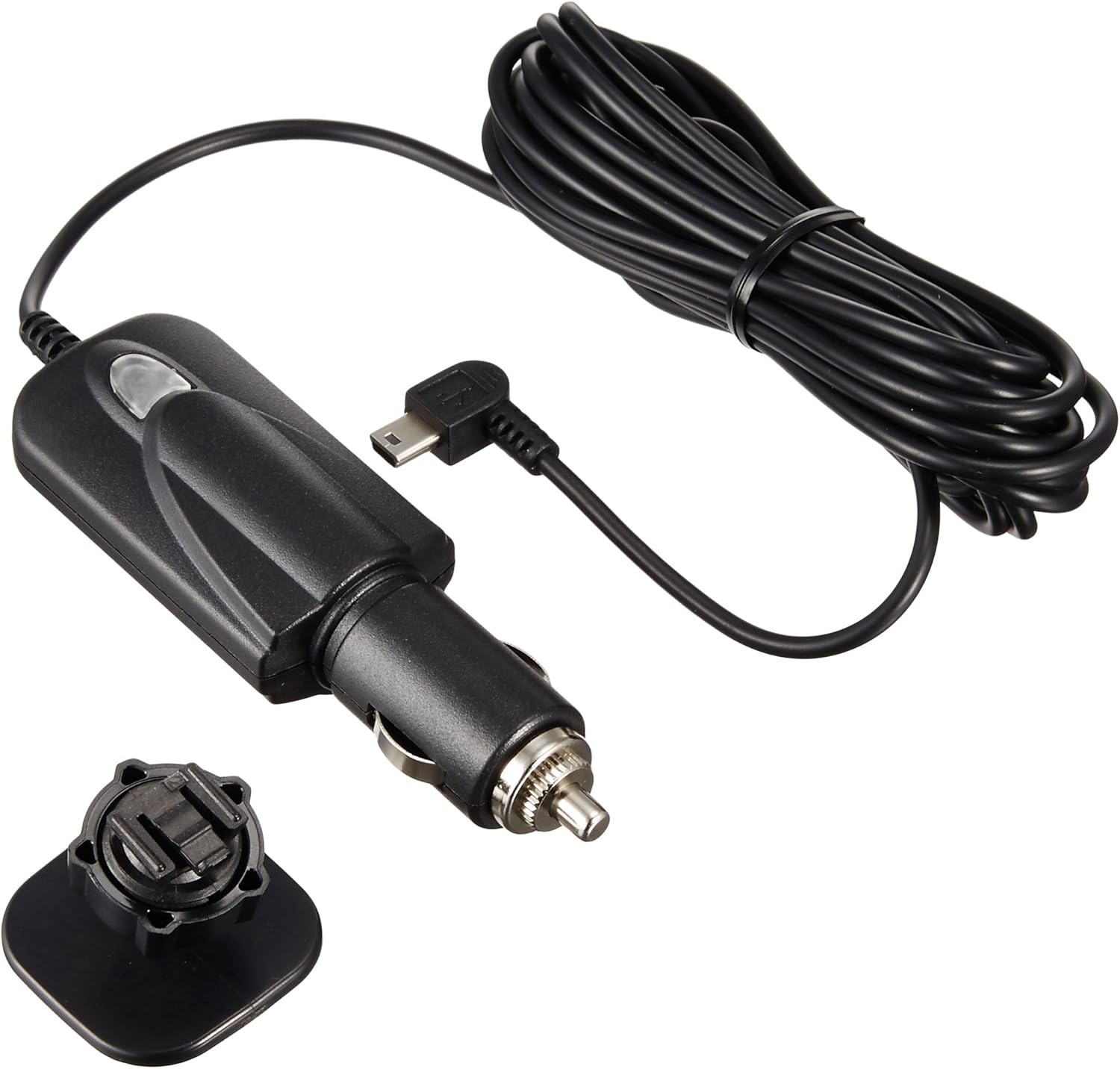
Image: The included 5V converter cigarette plug cord and mounting bracket.
Setup
1. Inserting the microSD Card
- Locate the microSD card slot on the dash camera.
- Insert the provided 8GB microSD card into the slot until it clicks into place. Ensure the card is inserted in the correct orientation.
2. Mounting the Dash Camera
- Clean the area on your windshield where you intend to mount the camera. Ensure it does not obstruct your view.
- Attach the mounting bracket to the dash camera.
- Peel off the protective film from the adhesive pad on the mounting bracket.
- Firmly press the bracket onto the chosen spot on your windshield for at least 30 seconds.
- Adjust the camera angle to ensure it captures the road ahead clearly.

Image: The dash camera mounted on the inside of a car windshield, positioned to record the road.
3. Power Connection
- Connect the 5V converter cigarette plug cord to the dash camera's power input.
- Plug the cigarette lighter adapter into your vehicle's 12V power socket.
- Route the cable neatly to avoid interference with driving controls.
4. Initial Settings (Date/Time)
The DRY-ST3000c features a built-in GPS module that automatically corrects the date and time, eliminating the need for manual setting. Once powered on and a GPS signal is acquired, the time will be synchronized.
Operating Instructions
Recording Modes
- Continuous Recording: The device automatically starts recording when the engine is turned ON and stops when the engine is turned OFF. Older files are overwritten when the microSD card is full.
- G-sensor Recording (Impact Detection): When an impact is detected by the G-sensor, the current recording segment is automatically saved to a dedicated folder to prevent it from being overwritten.
- One-Touch Recording (Manual): Press the designated button to manually save the current recording segment to a dedicated folder, protecting it from being overwritten.

Image: The dash camera's display showing recording in progress, current time, 1080p resolution, and GPS signal strength.
HDR (High Dynamic Range) Function
The HDR function helps suppress "blackout" and "whiteout" in challenging lighting conditions, such as backlighting during the day or night recording, ensuring clearer and more vivid video footage.
GPS Functionality
In addition to automatic time synchronization, the built-in GPS module allows you to view your driving route on a map using the dedicated PC viewer software (available for free download). This software displays your vehicle's trajectory, speed, and location data.
Parking Surveillance Function (Optional)
With optional accessories (Voltage Monitoring Function Power Unit OP-VMU01 + Power Direct Connection Cord OP-E755), the dash camera can record for up to approximately 12 hours after the engine is turned OFF. This function supports:
- Motion Detection Recording: Starts recording when motion (e.g., people or vehicles) is detected. Recording stops automatically if no motion is detected for one minute. (Note: Event recording and Active Safety functions are not active when motion detection is enabled. Initial setting is OFF and resets to OFF when power is turned off.)
- Continuous Recording: Continuously records, overwriting older images.
- Event Recording: Records when an impact is detected while parked.

Image: A comprehensive diagram illustrating the various features of the DRY-ST3000c, including recording modes, GPS, HDR, and optional parking surveillance capabilities.
Automatic Screen OFF Function
You can set the screen to turn off automatically after 30 seconds, 3 minutes, 5 minutes, or remain always ON. This helps reduce distraction while driving.
Audio Recording
The device supports audio recording, which can be toggled ON or OFF via the settings menu.
Maintenance
- microSD Card Formatting: To ensure stable recording performance and prevent data corruption, it is recommended to format the microSD card regularly, approximately every 1 to 2 weeks. This can typically be done through the device's menu settings.
- Cleaning: Use a soft, dry cloth to clean the camera lens and the device body. Do not use abrasive cleaners or solvents.
- Firmware Updates: Check the Yupiteru official website periodically for any available firmware updates to ensure optimal performance and access to new features.
Troubleshooting
If you encounter issues with your DRY-ST3000c dash camera, please refer to the following common solutions. For more detailed troubleshooting, consult the full instruction manual or contact Yupiteru customer support.
| Problem | Possible Cause / Solution |
|---|---|
| Device does not power on. | Check the power cable connection to the camera and the vehicle's cigarette lighter socket. Ensure the vehicle's ignition is ON. Test the cigarette lighter socket with another device. |
| No recording. | Ensure a microSD card is inserted correctly. Check if the card is full; format it if necessary (back up important files first). Verify recording settings in the menu. |
| Poor video quality. | Clean the camera lens. Ensure the windshield is clean. Check video resolution settings. HDR function helps in challenging light. |
| GPS not acquiring signal. | Ensure the vehicle is in an open area with a clear view of the sky. Metalized windshields or other electronic devices may interfere with the GPS signal. Allow a few minutes for signal acquisition after startup. |
| MicroSD card error. | Format the microSD card. If the problem persists, try a new, high-quality microSD card (Class 10 or higher recommended). |
Specifications
| Feature | Description |
|---|---|
| Model Name | DRY-ST3000c |
| Camera Sensor | 3 Million Pixel Color CMOS |
| Lens Angle | Diagonal 148° |
| Recording Resolution | 2 Million Pixels (Full HD 1080p) |
| Display | 2.0-inch Full Color TFT LCD |
| Recording Methods | Continuous Recording, Manual Recording, G-sensor Recording, Parking Surveillance Recording (optional) |
| Special Features | Built-in GPS, HDR (High Dynamic Range), G-sensor (Impact Sensor), LED Traffic Signal Compatible (East/West Japan frequencies), Ground Digital Noise Countermeasures |
| Power Supply | DC12V (for vehicles only) |
| Dimensions (W×H×D) | 60mm × 45mm × 28mm (excluding protrusions) |
| Weight | Approx. 372g |
| Included Accessories | 5V Converter Cigarette Plug Cord, Mounting Bracket, 8GB microSD Card, Instruction Manual, Warranty Card |

Image: Diagram showing the compact dimensions of the DRY-ST3000c dash camera, with a width of 60mm and height of 45mm.
Warranty
The Yupiteru DRY-ST3000c dash camera comes with a 1-year manufacturer's warranty from the date of purchase. Please retain your proof of purchase and the warranty card for any warranty claims. The warranty covers defects in materials and workmanship under normal use. It does not cover damage caused by misuse, accidents, unauthorized modifications, or natural disasters.
Support
For technical assistance, product inquiries, or warranty service, please contact Yupiteru customer support. Refer to the contact information provided on the warranty card or the official Yupiteru website. When contacting support, please have your product model number (DRY-ST3000c) and proof of purchase readily available.