
1. Introduction
The Sevenoak SK-GH04 is a specialized gimbal adapter crafted from lightweight carbon fiber, designed to enhance the handling of large telephoto lenses. This adapter transforms a standard Arca-Swiss compatible ball head into a fluid gimbal system, allowing for effortless tracking of moving subjects both horizontally and vertically. It eliminates the difficulties associated with balancing heavy lenses on conventional tripod heads, providing a smooth and stable platform for your camera and lens setup.
For optimal performance, ensure that the ball head used with the SK-GH04 has a minimum carrying capacity sufficient for the combined weight of your camera and telephoto lens.
2. Key Features
- Ideal for Long Telephoto Lenses: Specifically designed to support lenses up to 300mm in length.
- Fluid Panning and Tilting: Enables smooth, unrestricted movement across all angles.
- Arca-Swiss Compatibility: Requires an Arca-Swiss center ball-style ball head for mounting.
- High-Strength, Lightweight Construction: Built with durable carbon fiber for reduced weight without compromising stability.
- Includes Arca-Swiss Quick Release Plate: Comes with a compatible quick-release plate for secure camera attachment.
3. Setup Instructions
- Attach to Ball Head: Secure the base of the Sevenoak SK-GH04 gimbal adapter onto your Arca-Swiss compatible ball head. Ensure the clamp is tightened firmly to prevent any movement.
- Mount Camera and Lens: Attach your camera and telephoto lens to the included Arca-Swiss quick-release plate. Ensure the plate is securely fastened to the lens collar foot or camera body, depending on your setup.
- Insert Quick Release Plate: Slide the quick-release plate with your camera and lens into the clamp on the SK-GH04 gimbal head. Tighten the clamp knob until the assembly is secure.
- Balance the Setup: Adjust the position of the quick-release plate within the clamp and the vertical arm of the gimbal until your camera and lens are perfectly balanced. The lens should remain stationary when released, without tilting up or down. This ensures smooth operation and reduces strain on the gimbal.
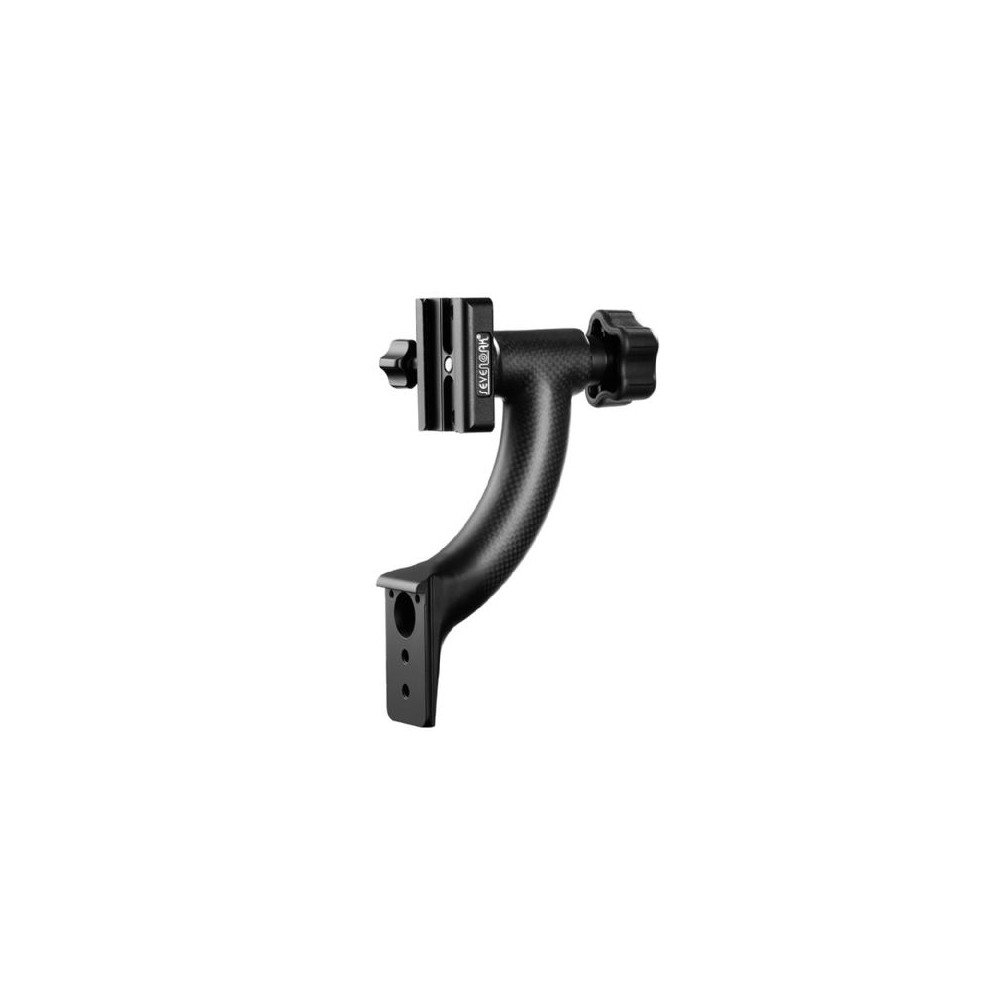
Figure 3.1: The Sevenoak SK-GH04 gimbal head supporting a camera and telephoto lens, demonstrating the side-mounted configuration on a tripod ball head.
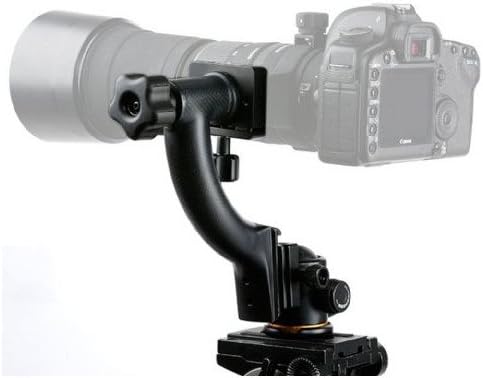
Figure 3.2: A front view of the Sevenoak SK-GH04 gimbal head with a camera and telephoto lens attached, illustrating the lens collar mounting point and the gimbal's arm structure.
4. Operating Instructions
Once your camera and lens are properly balanced on the SK-GH04 gimbal head, operating it is intuitive:
- Panning: To pan horizontally, ensure the pan lock on your ball head (if available) is disengaged. The gimbal itself provides vertical tilt.
- Tilting: The gimbal arm allows for smooth vertical tilting. Gently move your camera and lens up or down to track subjects.
- Tension Adjustment: The large knobs on the gimbal allow you to adjust the friction for both vertical tilt and the quick-release plate. Turn clockwise to increase tension (make movement stiffer) and counter-clockwise to decrease tension (make movement freer). Adjust to your preferred level for smooth, controlled movements.
- Locking Position: For static shots, tighten the tension knobs to lock the camera and lens in position.
5. Maintenance
To ensure the longevity and optimal performance of your Sevenoak SK-GH04 gimbal head, follow these maintenance guidelines:
- Cleaning: Wipe the gimbal head with a soft, dry cloth after each use to remove dust and dirt. For stubborn grime, a slightly damp cloth can be used, followed by immediate drying. Avoid harsh chemicals or abrasive materials.
- Check Connections: Regularly inspect all screws and knobs to ensure they are tight and secure. Loose connections can affect stability and performance.
- Storage: Store the gimbal head in a clean, dry environment, away from extreme temperatures and humidity.
- Avoid Over-tightening: Do not over-tighten the tension knobs or mounting screws, as this can cause damage to the threads or components.
6. Troubleshooting
- Gimbal Movement is Stiff: Check the tension knobs. Loosen them slightly to reduce friction. Ensure no debris is obstructing the moving parts.
- Gimbal is Unstable or Wobbly: Verify that the SK-GH04 is securely mounted to your ball head and that the ball head itself is firmly attached to the tripod. Ensure the quick-release plate is tightly clamped to the gimbal and that your camera/lens setup is properly balanced.
- Camera/Lens Tilts Unexpectedly: This indicates improper balancing. Re-adjust the position of the quick-release plate until the camera and lens remain level when the tension is loosened. Ensure the lens collar foot is securely tightened.
- Difficulty Achieving Smooth Panning: Ensure the pan lock on your underlying ball head is fully disengaged. The SK-GH04 provides vertical movement, while horizontal panning relies on the ball head's pan base.
7. Specifications
| Feature | Detail |
|---|---|
| Brand | Sevenoak |
| Model Name | SK-GH04 |
| Compatible Devices | Camera |
| Item Weight | 0.6 Kilograms |
| Color | Black |
| Manufacturer | SEVENOAK |
| Exposure Control Type | Manual (M) |
| Water Resistance Level | Not Water Resistant |
| Viewfinder Type | LCD screen |
| Audio Recording | No |
8. Warranty and Support
For information regarding warranty coverage, technical support, or service inquiries for your Sevenoak SK-GH04 Carbon Fiber Hybrid Gimbal Tripod Head, please refer to the official Sevenoak website or contact their customer service directly. Keep your purchase receipt as proof of purchase for any warranty claims.
Official Sevenoak Website: Visit the Sevenoak Store on Amazon