
1. Introduction
This manual provides instructions for the installation, operation, and maintenance of the Isoled ISO One SYS LED Universal 4-Channel Wireless Sequence Controller. This device is designed to manage LED lighting systems with 4 channels, offering wireless control capabilities for various LED types including Single Color, RGB, and RGB+W/Dynamic White.
2. Safety Instructions
- Always disconnect power before installation or maintenance to prevent electric shock.
- Installation should be performed by a qualified electrician in accordance with local electrical codes.
- Ensure the input voltage (12-36V DC) matches the power supply specifications.
- Do not exceed the maximum load capacity of 4 x 5A per channel. Overloading can damage the device and connected LEDs.
- Avoid exposing the controller to moisture, water, or extreme temperatures. Operate within specified environmental conditions.
- Do not attempt to open or modify the controller. This will void the warranty and may cause damage or injury.
3. Product Features
- Universal 4-channel wireless sequence controller for LED systems.
- Supports Single Color, RGB, and RGB+W/Dynamic White LED configurations.
- Operating frequency: 434 MHz / 868 MHz for reliable wireless communication.
- Wide input voltage range: 12-36V DC.
- High output capacity: Maximum load of 4 x 5A per channel.
- Memory function: Programming settings are retained even after power disconnection.
- Multi-controller compatibility: Can be controlled by up to 5 different SYS/Sequence controllers per zone.
4. Package Contents
Please check the package contents upon receipt. It should include:
- 1x ISO One SYS LED Universal 4-Channel Wireless Sequence Controller (Model 112477)
- 1x User Manual (This document)
Note: Power supply, LED strips, and wireless remote/wall panel are sold separately.
5. Setup
5.1. Wiring Diagram
Connect the power supply (12-36V DC) to the controller's input terminals (V+ and V-). Connect the LED strips to the corresponding output channels (CH1, CH2, CH3, CH4) and the common positive terminal (V+). Ensure correct polarity for all connections.
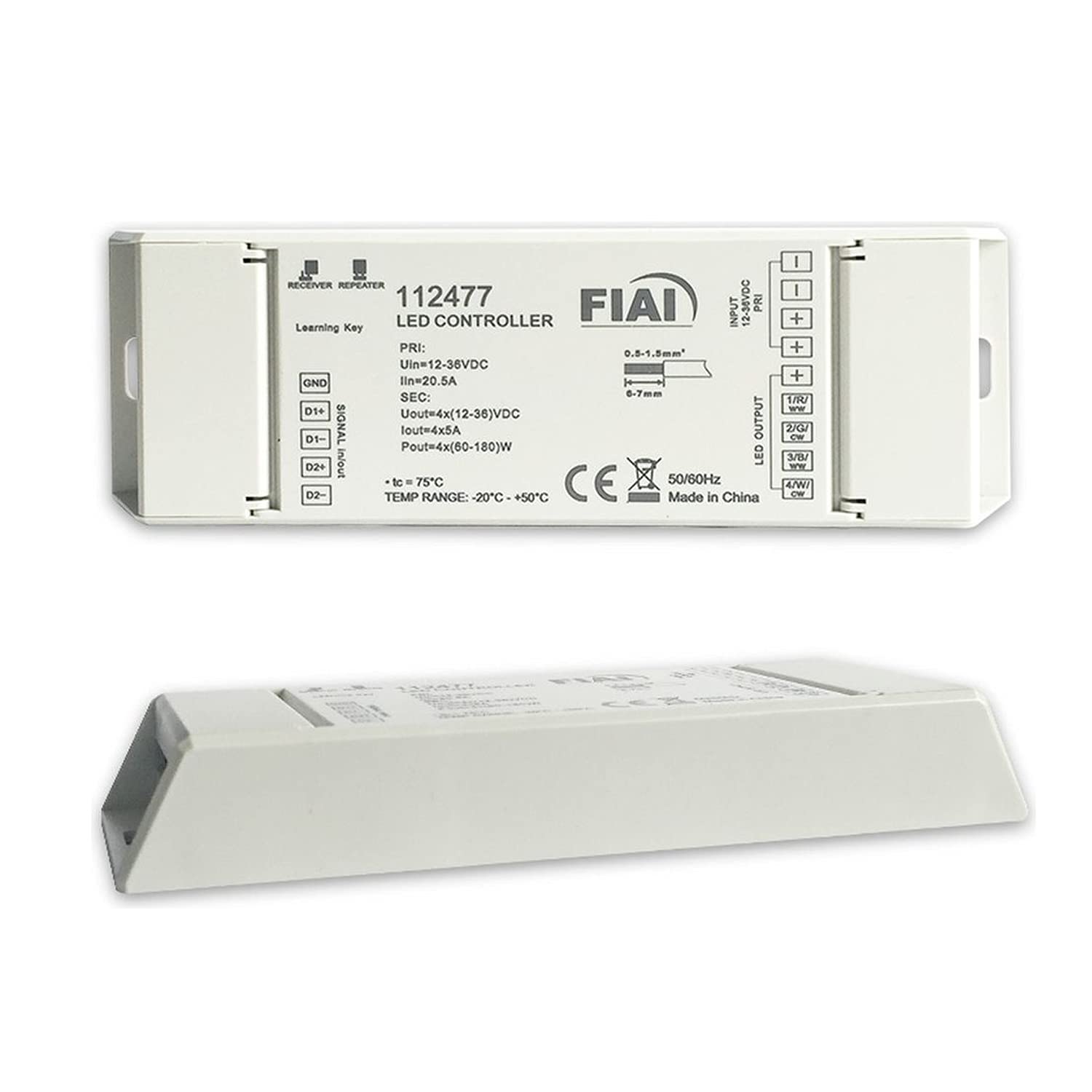
Image Description: A diagram illustrating the connection points on the ISO One SYS LED controller. It shows input terminals for 12-36V DC power (V+ and V-) and four output channels (CH1, CH2, CH3, CH4) with a shared V+ terminal for connecting LED strips. The diagram emphasizes correct polarity for all connections.
5.2. Pairing with a Wireless Controller
To pair the SYS LED controller with a compatible wireless remote or wall panel (sold separately), follow these steps:
- Ensure the SYS LED controller is powered on and connected to LED lights.
- On your wireless remote or wall panel, initiate the pairing mode. This usually involves pressing a specific button (e.g., 'Match' or 'Learn') or a combination of buttons. Refer to your remote's specific instructions.
- Within 5 seconds of initiating pairing mode on the remote, briefly press the small 'Match' button located on the SYS LED controller.
- The connected LED lights will flash several times to confirm successful pairing.
Note: Up to 5 different SYS/Sequence controllers can be paired to one zone on a single remote.
6. Operating Instructions
Once successfully paired, the SYS LED controller can be operated using the linked wireless remote or wall panel. The specific functions will depend on the capabilities of your chosen remote.
- Power On/Off: Use the designated power button on your remote to turn the connected LEDs on or off.
- Brightness Adjustment: Use the brightness up/down buttons or a dimmer wheel to adjust the light intensity.
- Color Selection (for RGB/RGB+W): Select desired colors using a color wheel, preset color buttons, or color temperature controls (for Dynamic White).
- Mode Selection: Cycle through various dynamic lighting modes, such as fading, jumping, or sequencing patterns.
- Speed Adjustment: Adjust the speed of dynamic modes to your preference.
Refer to your specific wireless remote or wall panel manual for detailed operation instructions and advanced features.
7. Maintenance
The ISO One SYS LED controller is designed for long-term reliability and requires minimal maintenance.
- Cleaning: Gently wipe the device with a dry, soft cloth. Do not use abrasive cleaners, solvents, or harsh chemicals, as these can damage the housing.
- Inspection: Periodically check all wiring connections to ensure they remain secure and free from corrosion.
- Environment: Ensure the controller is kept in a dry environment, away from direct sunlight, high humidity, and extreme temperatures to prolong its lifespan.
8. Troubleshooting
If you encounter issues with your ISO One SYS LED controller, please refer to the table below for common problems and solutions.
| Problem | Possible Cause | Solution |
|---|---|---|
| LEDs do not light up | No power to controller | Check power supply connection and ensure it is active. |
| Incorrect wiring | Verify LED strip and power supply polarity. Ensure all wires are securely connected. | |
| Controller not paired | Follow pairing instructions in Section 5.2. | |
| LEDs flicker or behave erratically | Loose connection | Secure all wiring connections, especially at the controller and LED strip. |
| Overload | Ensure total load does not exceed 4x5A per channel. Reduce connected LED length if necessary. | |
| Wireless remote not responding | Remote battery low or dead | Replace the remote control battery. |
| Remote out of range | Move closer to the controller. Ensure no major obstructions are blocking the signal. |
If problems persist after attempting these solutions, please contact customer support for further assistance.
9. Specifications
Technical specifications for the ISO One SYS LED Universal 4-Channel Wireless Sequence Controller:
| Feature | Detail |
|---|---|
| Model Number | 112477 |
| Brand | Isoled |
| Input Voltage | 12-36V DC |
| Output Channels | 4 |
| Max Output Current | 4 x 5A per channel |
| Max Output Power (at 12V) | 24W per channel |
| Max Output Power (at 24V) | 48W per channel |
| Wireless Frequency | 434 MHz / 868 MHz |
| Material | Plastic |
| Memory Function | Yes (retains settings after power loss) |
Note: Specifications are subject to change without prior notice.
10. Warranty and Support
This Isoled product comes with a standard manufacturer's warranty. For detailed warranty terms and conditions, please refer to the warranty card included with your purchase or visit the official Isoled website.
For technical support, troubleshooting assistance, or inquiries regarding spare parts, please contact your authorized retailer or Isoled customer service. Please have your model number (112477) and purchase information ready when contacting support.
