
LG LT0816CER
LG Through-the-Wall Air Conditioner User Manual
Model: LT0816CER
1. Introduction
This manual provides detailed instructions for the safe and efficient operation, installation, and maintenance of your LG 7,800 BTU Through-the-Wall Air Conditioner. Please read this manual thoroughly before using your air conditioner and retain it for future reference.
The LG LT0816CER model is designed for cooling rooms up to 330 square feet, making it ideal for bedrooms, offices, or small to medium-sized apartments. It features multiple cooling and fan speeds, 4-way air deflection, a 24-hour timer, and an energy saver option for optimized comfort and efficiency.
2. Important Safety Information
Always follow basic safety precautions when using electrical appliances to reduce the risk of fire, electric shock, or injury to persons.
- Read all instructions before using the appliance.
- This appliance must be properly grounded.
- Do not operate the air conditioner with a damaged power cord or plug.
- Do not insert fingers or foreign objects into the air inlet or outlet.
- Ensure the unit is installed securely in a through-the-wall sleeve.
- Unplug the unit before cleaning or performing any maintenance.
WARNING: This product can expose you to chemicals including Lead and Lead Compounds, which are known to the State of California to cause cancer and birth defects or other reproductive harm. For more information go to www.P65Warnings.ca.gov.
3. Package Contents
Verify that all components are present in the package:
- LG Through-the-Wall Air Conditioner Unit
- Remote Control
- Washable, Reusable Air Filter (pre-installed)
- Plastic, Snap-Together Trim Kit
- Plastic Mesh Grille (for outdoor protection)
- Insulation Foam
- User Manual / Installation Instructions (this document)
- Warranty Information
4. Setup and Installation
This unit is designed for through-the-wall installation and is not properly vented for standard window installation. Professional installation is recommended.
4.1 Site Preparation
Ensure the wall opening is suitable for the unit's dimensions: 24" W x 20.1" D x 14.4" H. The unit requires a 115V electrical outlet.
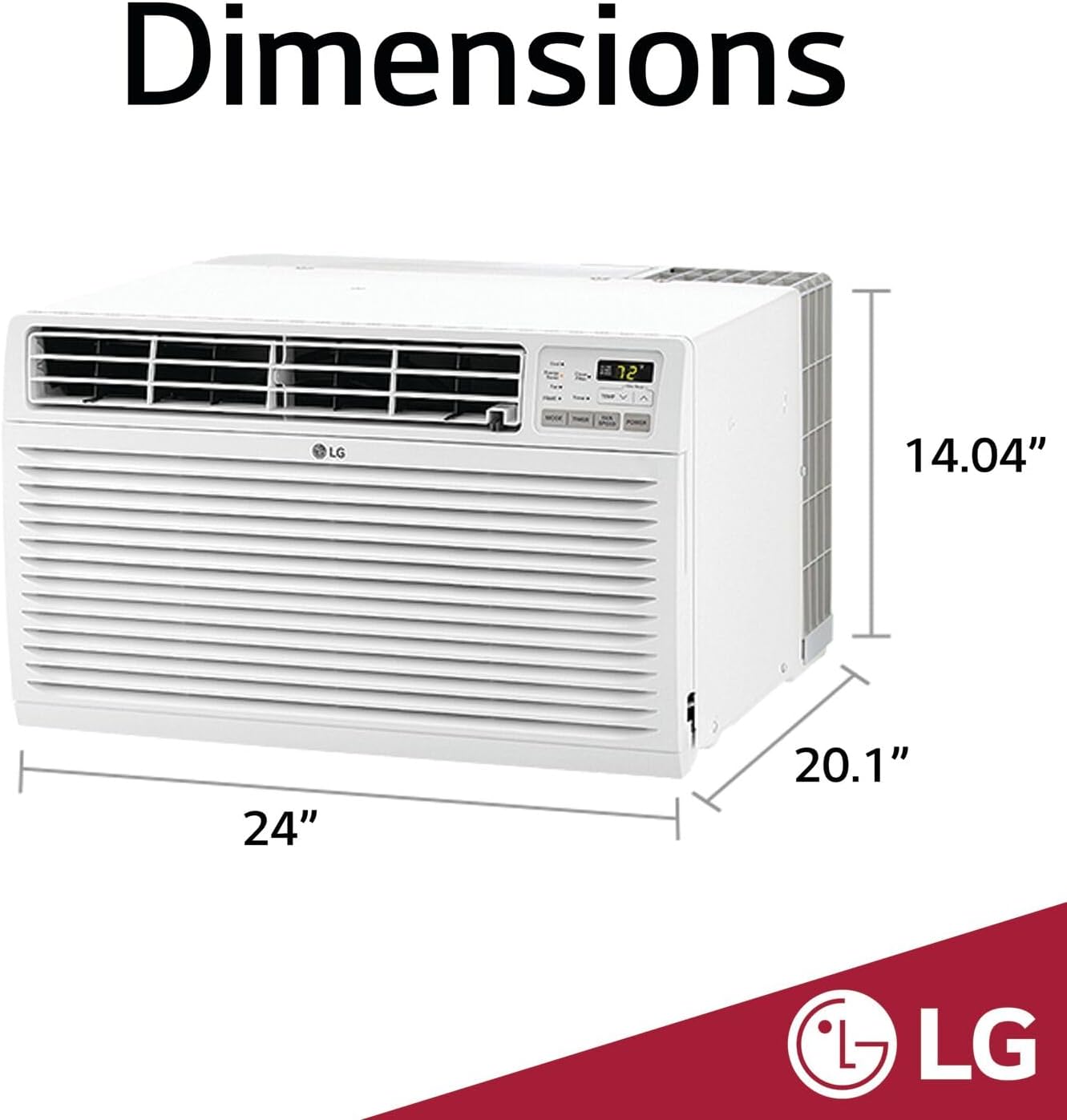
Figure 4.1: Unit Dimensions (24" W x 20.1" D x 14.4" H)
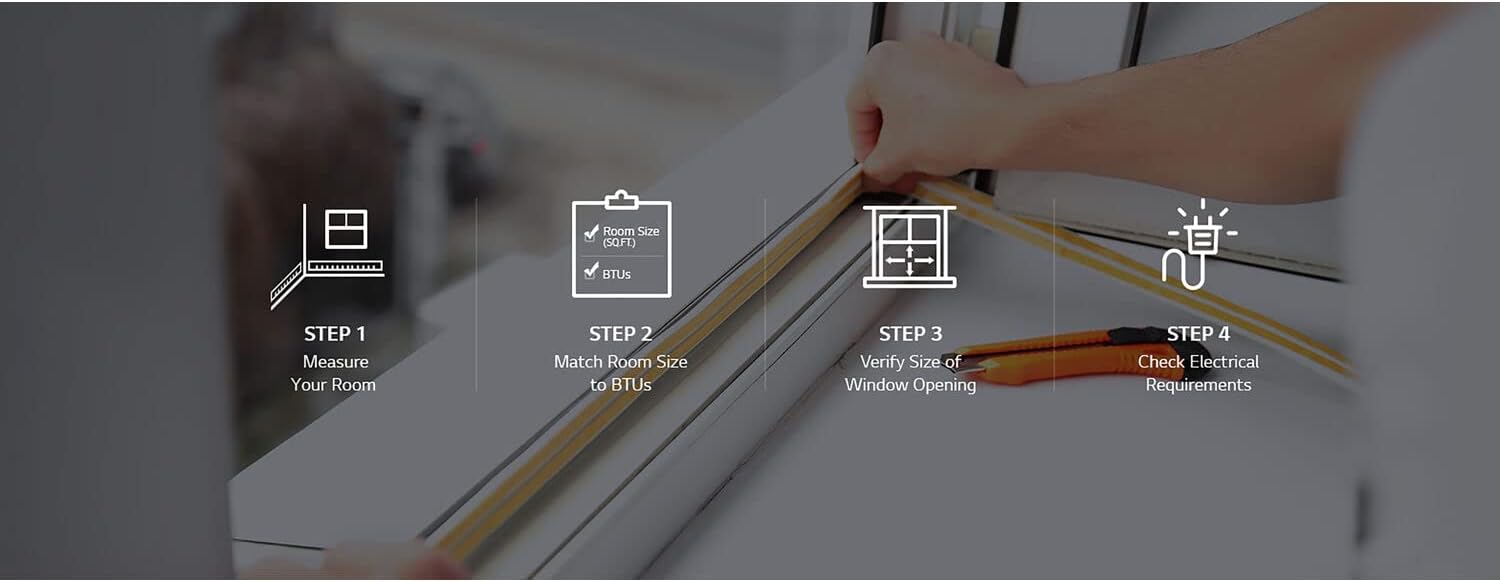
Figure 4.2: Key Installation Steps
4.2 Installation Steps
- Measure Your Room: Determine the square footage of the room to ensure the 8,000 BTU capacity is appropriate (up to 330 sq. ft.).
- Match Room Size to BTUs: Confirm the unit's BTU rating is suitable for your room size.
- Verify Size of Wall Opening: Ensure the existing or new wall sleeve accommodates the unit's dimensions.
- Check Electrical Requirements: Confirm a dedicated 115V, 750W circuit is available.
- Carefully slide the unit into the prepared wall sleeve.
- Install the plastic, snap-together trim kit around the unit for a finished look.
- Attach the plastic mesh grille to the outdoor side of the unit for protection.
- Plug the unit into a grounded 115V outlet.
5. Operating Instructions
Your LG air conditioner offers various modes and settings for optimal comfort.

Figure 5.1: LG AC Unit Control Panel

Figure 5.2: Remote Control
5.1 Control Panel and Remote
The unit can be operated using the control panel on the front of the unit or the included remote control. The remote allows you to adjust settings from across the room.
5.2 Modes of Operation
- Cool Mode: Provides cooling. Adjust temperature between 60°F and 86°F.
- Fan Mode: Circulates air without cooling. Choose from 3 fan speeds.
- Energy Saver Mode: The fan runs continuously to circulate air, but the compressor cycles on and off to maintain the set temperature, helping to save energy.
- Dehumidifier: Removes moisture from the air.
5.3 Fan Speeds
Select from 3 cooling speeds and 3 fan speeds to customize airflow and comfort.
5.4 24-Hour Timer
Program the unit to turn on or off automatically within a 24-hour period. This feature helps manage energy consumption and ensures comfort when needed.
5.5 Auto Restart
In case of a power outage, the unit will automatically restart with its previous settings once power is restored.

Figure 5.3: Key Features Overview

Figure 5.4: Airflow Distribution
6. Maintenance
Regular maintenance ensures optimal performance and longevity of your air conditioner.
6.1 Cleaning the Air Filter
The unit features a removable, washable filter. A filter light reminder will illuminate when it's time to clean the filter. Cleaning the filter regularly helps remove dust and debris, ensuring efficient operation and clean air.
- Unplug the air conditioner from the power outlet.
- Open the front panel and carefully remove the air filter.
- Wash the filter with warm, soapy water. Rinse thoroughly.
- Allow the filter to air dry completely before reinserting it.
- Once the filter is reinserted, press the "Filter Reset" button (if available) or power cycle the unit to reset the reminder.
6.2 General Cleaning
- Wipe the exterior of the unit with a soft, damp cloth. Do not use harsh cleaners or abrasives.
- Ensure the outdoor grille is free from obstructions like leaves or debris.
7. Troubleshooting
Before contacting service, check the following common issues and solutions:
| Problem | Possible Cause | Solution |
|---|---|---|
| Unit does not turn on. | No power, tripped circuit breaker, unit unplugged. | Check power cord connection, reset circuit breaker, ensure outlet is functional. |
| Insufficient cooling. | Dirty air filter, blocked air intake/outlet, room too large, temperature setting too high. | Clean air filter, remove obstructions, ensure unit capacity matches room size, lower temperature setting. |
| Unit is noisy. | Loose parts, unit not level, normal operating sounds. | Check for loose components, ensure unit is level. Some operational noise is normal. |
| Water dripping outside. | Normal condensation during high humidity. | This is normal. Ensure proper drainage. |
| Error Code CH34. | Coils dirty or unit needs shade from the sun (as per LG's website). | Clean coils thoroughly. Ensure unit is not exposed to direct sunlight for prolonged periods, especially if overheating occurs. |
8. Specifications
| Feature | Detail |
|---|---|
| Brand | LG |
| Model Number | LT0816CER |
| Cooling Capacity | 7,800 BTU (8,000 BTU nominal) |
| Coverage Area | Up to 330 Sq. Ft. |
| Power Source | Corded Electric |
| Voltage | 115 Volts |
| Wattage | 750 watts |
| Energy Efficiency Ratio (EER) | 10.7 |
| Refrigerant | R-32 |
| Dimensions (W x D x H) | 24 x 20.1 x 14.4 inches |
| Item Weight | 66 pounds |
| Sound Level | 56 dB |
| Special Features | Dehumidifier, Filter Light Reminder, Remote Controlled |
9. Warranty and Support
9.1 Manufacturer's Warranty
This LG air conditioner comes with a 1 year parts and labor warranty from the date of purchase. Please retain your proof of purchase for warranty claims.
9.2 Protection Plans
Additional protection plans may be available for purchase:
- 3-Year Protection Plan
- 4-Year Protection Plan
- Complete Protect (monthly billing option)
9.3 Returns Policy
This product is eligible for 30-day easy returns.
9.4 Further Resources
For a downloadable PDF version of the user manual, please visit: LG LT0816CER User Manual (PDF)
For customer support or service inquiries, please visit the official LG website or contact their customer service line.
Ask a question about this manual
Ask about setup, troubleshooting, compatibility, parts, safety, or missing instructions. Manuals+ will review the question and use this page’s manual context to help answer it.