
Introduction
The Orium 11094 Digital RC Austin is a radio-controlled digital clock designed for clear time display and additional features. It automatically adjusts time and date, including summer/winter time changes, via the DCF signal from Frankfurt, Germany, covering central and western Europe. This manual provides instructions for setting up, operating, and maintaining your clock.
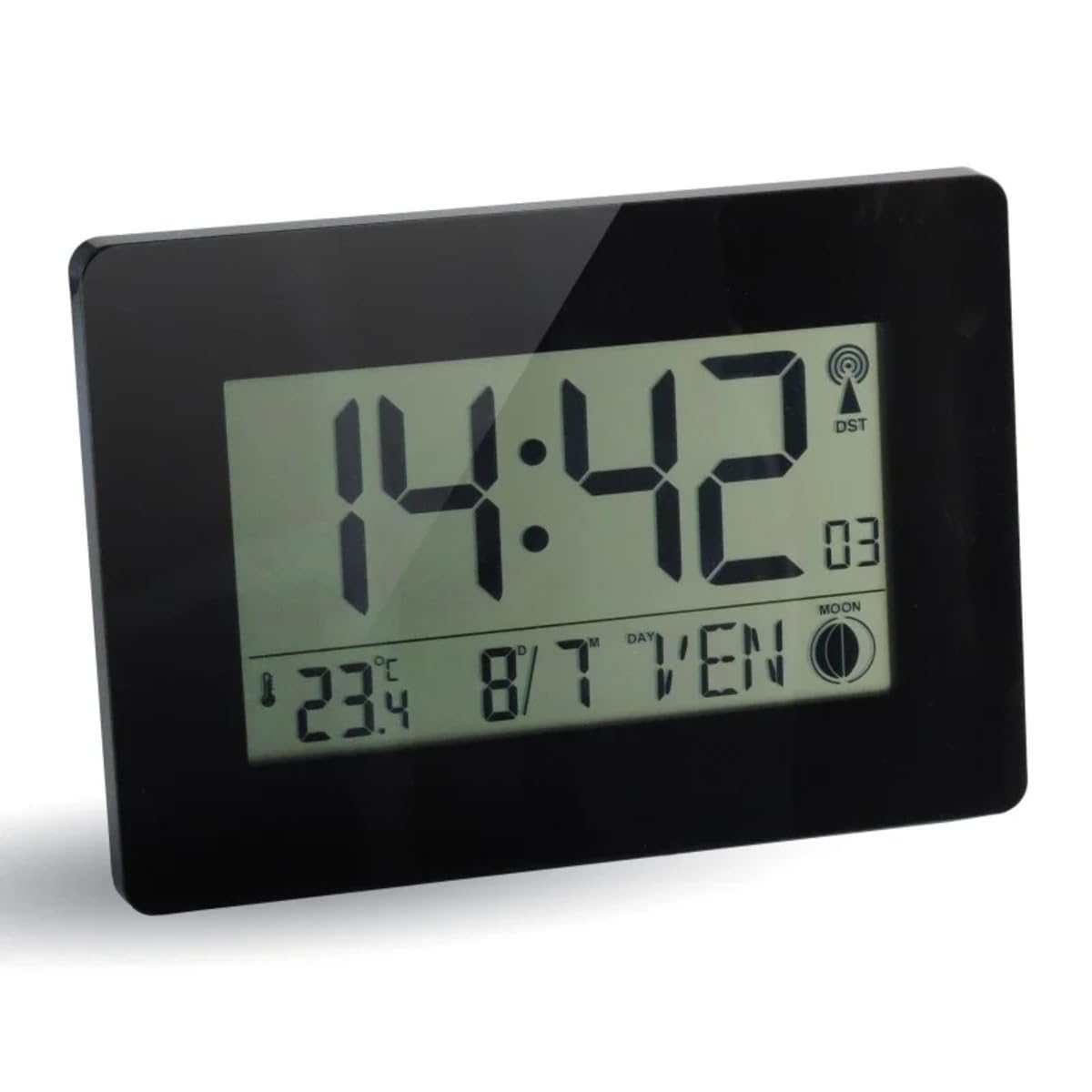
Image: The Orium 11094 Digital RC Austin clock, black plastic, showing the time 14:42, positioned on a white shelf next to decorative items in a contemporary room.
Setup
1. Battery Installation
The Orium 11094 clock requires two AA batteries (not included). Follow these steps to install them:
- Locate the battery compartment on the back of the clock.
- Open the battery compartment cover.
- Insert two AA batteries, ensuring correct polarity (+ and -).
- Close the battery compartment cover securely.

Image: The back of the Orium 11094 clock, featuring the battery compartment and a foldable stand for tabletop placement. Wall mounting holes are also visible.
2. Initial Time and Date Setting
After battery installation, the clock will automatically attempt to receive the DCF radio signal to set the time and date. This process may take a few minutes. Ensure the clock is placed in an area with good signal reception, away from large metal objects or electronic interference.
3. Placement
The clock can be placed on a flat surface using its integrated stand or mounted on a wall. Choose a location where the display is easily visible and signal reception is optimal.
Operating Instructions
The Orium 11094 clock features a large LCD display with various informational readouts. The main display shows the time, while additional information includes date, day of the week, indoor temperature, and moon phase.

Image: A detailed view of the clock's LCD screen, displaying 18:30, 25.0°C, December 30, Monday, and a moon phase icon. Icons for radio control, calendar, thermometer, and alarm are shown below the clock.
1. Time Display
- 12/24 Hour Format: The clock supports both 12-hour and 24-hour time formats. Refer to the buttons on the back of the clock for switching between formats.
- Time Zone Adjustment: If you are outside the standard DCF signal reception area but still wish to use the radio-controlled feature, you may need to adjust the time zone manually. Consult the buttons on the back for time zone settings.
2. Calendar Display
- The clock displays the month, day, and date.
- The day of the week can be displayed in seven languages: English, German, Italian, French, Danish, Dutch, and Spanish. Use the appropriate button on the back to cycle through language options.
3. Indoor Temperature
The clock continuously displays the indoor temperature. The unit of temperature (Celsius or Fahrenheit) can typically be switched using a dedicated button on the back.
4. Moon Phase Display
A moon phase indicator is present on the display, showing the current phase of the moon.
5. Alarm Function
The clock includes an alarm function with a snooze feature. Refer to the buttons on the back of the clock for setting and activating the alarm. Typically, there are dedicated buttons for "ALARM SET" and "SNOOZE/LIGHT".
Maintenance
1. Cleaning
To clean the clock, use a soft, dry cloth. For stubborn marks, a slightly damp cloth can be used, followed by a dry cloth. Avoid using abrasive cleaners, solvents, or chemical sprays, as these can damage the plastic finish and LCD screen.
2. Battery Replacement
When the display becomes dim or the clock stops functioning correctly, it is time to replace the batteries. Follow the battery installation steps outlined in the "Setup" section. Always replace both batteries at the same time with new ones of the same type (AA).
Troubleshooting
| Problem | Possible Cause | Solution |
|---|---|---|
| Clock does not display anything or display is dim. | Batteries are dead or incorrectly installed. | Replace batteries with new AA batteries, ensuring correct polarity. |
| Time is incorrect or does not set automatically. | Poor DCF signal reception or clock is outside reception range. |
|
| Clock shows incorrect time after initial setup (e.g., off by several hours). | Incorrect time zone setting or temporary signal interference. |
|
| Alarm does not sound. | Alarm is not activated or set incorrectly. | Verify that the alarm is set and activated according to the operating instructions. Check battery level. |
Specifications
| Brand | Orium |
| Model Number | 11094 |
| Display Type | Digital |
| Color | Black |
| Material | Plastic |
| Dimensions (L x W x H) | 22.9 x 2.7 x 16.2 cm |
| Item Weight | 0.46 Kilograms |
| Power Source | Battery Powered (2 x AA batteries, not included) |
| Mounting Type | Wall Mount, Tabletop |
| Radio Control | DCF (Frankfurt, Germany) |
| Features | Digital Time Display, Indoor Temperature, Calendar (Month/Day/Date), Day of Week (7 languages), Moon Phase Display, 12/24 Hour Format, Time Zone, Alarm Function |
Warranty Information
Specific warranty details for the Orium 11094 Digital RC Austin Clock are not provided in this manual. Please refer to the product packaging or contact your retailer or the manufacturer, Orium, for information regarding warranty coverage and terms.
Customer Support
For further assistance, technical support, or inquiries regarding your Orium 11094 Digital RC Austin Clock, please contact the manufacturer or your point of purchase. Keep your purchase receipt and model number (11094) handy when contacting support.