1. Product Overview
The BENFEI USB-C to HDMI 4K UHD Cable provides a direct connection from your USB-C enabled device to an HDMI display. This cable supports high-definition video and audio transmission, making it ideal for extending your desktop, mirroring your screen, or enjoying multimedia content on a larger display. It is compatible with devices featuring a USB-C port that supports DisplayPort Alternate Mode (DP Alt Mode) or Thunderbolt 3/4.

Image 1.1: BENFEI USB-C to HDMI 4K UHD Cable. This image shows the full length of the black cable with a USB-C connector on one end and an HDMI connector on the other.
2. Setup Instructions
Setting up your BENFEI USB-C to HDMI cable is a simple plug-and-play process. No additional drivers or software are required for most operating systems.
- Identify Ports: Locate the USB-C port on your source device (laptop, tablet, smartphone) and the HDMI input port on your display (monitor, TV, projector). Ensure your USB-C port supports DisplayPort Alternate Mode (DP Alt Mode).
- Connect USB-C: Insert the USB-C connector of the cable into the USB-C port on your source device.
- Connect HDMI: Insert the HDMI connector of the cable into an available HDMI input port on your display.
- Select Input: On your display, use the remote control or on-screen menu to select the correct HDMI input source.

Image 2.1: Connection Diagram. This image illustrates connecting the USB-C end of the cable to a laptop and the HDMI end to a monitor.
3. Operating Instructions
Once connected, your display should automatically detect the signal. You can configure your display settings on your source device for optimal viewing.
Display Modes:
- Mirror Mode: Duplicates your source device's screen onto the external display. This is useful for presentations or sharing content.
- Extended Mode: Extends your desktop across multiple screens, allowing you to have different applications open on each display. This enhances productivity.
To switch between display modes, access your operating system's display settings. For Windows, press Windows Key + P. For macOS, go to System Settings > Displays.
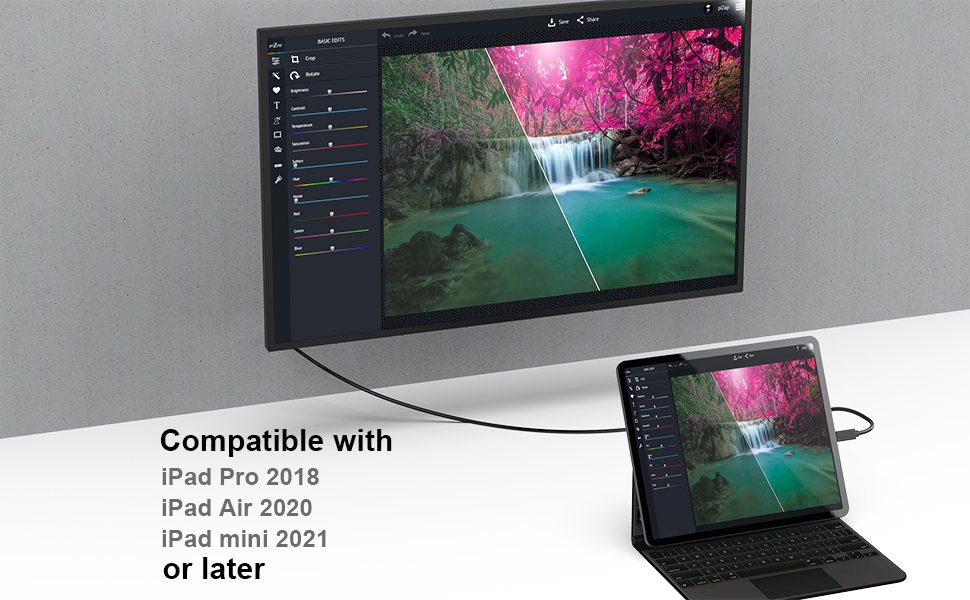
Image 3.1: Extended and Mirror Mode. This image demonstrates a laptop connected to an external monitor, showing both extended desktop and mirrored display configurations.
Audio Output:
The cable transmits both video and audio. If no sound is heard from your HDMI display, check your source device's sound settings to ensure the HDMI output is selected as the default audio device.
4. Compatibility
This cable requires your USB-C source device to support DisplayPort Alternate Mode (DP Alt Mode) for video output. Not all USB-C ports support this function.
Compatible Devices (USB-C with DP Alt Mode / Thunderbolt 3/4):
- Laptops: MacBook Pro (2016-2023), MacBook Air (2018-2022), MacBook (2015-2017), Surface Book 2/3, Surface Laptop 3 or later, Dell XPS Series, HP Pavilion x2, DELL Venue Pro, Lenovo YOGA 900S, Chromebook Pixel, Gigabyte PC.
- Phones: iPhone 15 Series, Galaxy S8 or later, Galaxy Note 8 or later, Galaxy Fold Series, LG V20 or later, HTC 10 / U11 / U11+ / U12+ / U19e, OnePlus 8 / 8Pro / 7 / 7 Pro, Lumia 950/950 XL, Razer Phone / Razer Phone 2.
- Tablets: All USB-C iPads (iPad Pro 2018, iPad Air 2020, iPad mini 2021 or later), Surface Go Series, Surface Pro 7 or later, Galaxy Tab S4 or later.
Incompatible Devices/Ports:
- Devices: Nintendo Switch, Samsung Galaxy A Series, Samsung S6 / S7 / J6 / J7 / M20 / M30, Galaxy Tab A / 10.1 / 10.5 / S3, Huawei P30 lite/P20 lite/P10 lite, LG Google Nexus 5X/6P, LG Stylist/LG G6, LG V30, LG K10/K20, Asus Zenpad tablets, HP Probook 455 G4, Acer Predator Helios 300, Xiaomi phones (e.g., 12/12 Ultra/12X/Mi 11 Pro/11T/11T Pro/Redmi Note 11/Redmi Note 10 Pro/Poco F4/Redmi 10/Mi 9T), iPhone (Lightning port), Motorola Z Force, Moto G 5 plus, Google Pixel, Pixel2, Pixel 3, OnePlus 2/3/3T/5/6/6T, ZTE/ZTE max pro Phone, GoPro, Amazon Fire Tablet, MacBook Air 7.2, Surface Dock 2.
- Ports: USB Type-A ports, USB-C ports for data transfer only (without DP Alt Mode), USB-C for Power Delivery only.
Important Note:
Please verify that the USB-C port on your device supports video output functions (DisplayPort Alternate Mode). For iPad Pro 2018, image output may be 4:3, and only some applications support full-screen display. Samsung Dex mode and Huawei PC mode only support 1920 x 1080p @ 60 Hz.

Image 4.1: Device Compatibility. This chart lists various compatible laptops, phones, and tablets, as well as incompatible devices and port types.


Image 4.2: Compatible USB-C Port Types. This series of images shows examples of USB-C ports that support video output, including those with Power Delivery, Display Alt Mode, Thunderbolt 3, and Thunderbolt 4 capabilities.

Image 4.3: Nintendo Switch Incompatibility. This image explicitly states that the product is not compatible with Nintendo Switch, showing a crossed-out image of the console.
5. Troubleshooting
If you encounter issues, please refer to the following troubleshooting steps:
- No Display/Signal:
- Ensure both the USB-C and HDMI connectors are securely plugged into their respective ports.
- Verify that your source device's USB-C port supports DisplayPort Alternate Mode (DP Alt Mode). Refer to your device's manual or manufacturer's website.
- Check if your display is set to the correct HDMI input source.
- Try connecting the cable to a different HDMI port on your display or a different display altogether.
- Restart your source device.
- No Audio:
- Confirm that the HDMI output is selected as the default audio device in your source device's sound settings.
- Ensure the volume on both your source device and display is turned up and not muted.
- Flickering or Unstable Display:
- Ensure the cable is not excessively bent or damaged.
- Try a different resolution or refresh rate setting on your source device.
- Ensure your display supports the selected resolution and refresh rate.
- Incompatibility with Specific Devices:
- As noted in the compatibility section, some devices like Nintendo Switch, certain Samsung Galaxy A series phones, and USB-C ports without DP Alt Mode are not supported. This is a hardware limitation of the source device, not a defect of the cable.
6. Specifications
| Model Number | 000120black |
| Brand | BENFEI |
| Connector Type | USB-C Male to HDMI Male |
| Cable Length | 1.8 meters |
| Max Resolution | 3840 x 2160 @ 30 Hz (4K Ultra HD) |
| Audio Support | 7.1, 5.1, or 2-channel uncompressed digital audio |
| Special Features | Plug & Play, Gold-plated connectors, Superior stability, Advanced chip solution |
| Compatible Devices | Personal Computer, Projector, Smartphone, Tablet, Television (with USB-C DP Alt Mode) |

Image 6.1: Cable Features. This image highlights the 24K gold-plated HDMI and USB-C connectors, the integrated smart chip, and the durable 32 AWG cable construction.
7. Maintenance
To ensure the longevity and optimal performance of your BENFEI USB-C to HDMI cable, follow these simple maintenance guidelines:
- Storage: Store the cable in a cool, dry place away from direct sunlight and extreme temperatures.
- Handling: Avoid sharp bends or kinks in the cable, as this can damage the internal wires. Always grasp the connector housing when plugging or unplugging, rather than pulling on the cable itself.
- Cleaning: If necessary, gently wipe the cable and connectors with a soft, dry cloth. Do not use liquid cleaners or abrasive materials.
- Protection: Keep the connectors free from dust and debris. Consider using dust caps if the cable is stored for extended periods.
8. Warranty and Support
BENFEI stands behind the quality of its products.
- Warranty: This product is covered by an exclusive 18-month (1.5 years) unconditional warranty. This warranty ensures long-term satisfaction with your purchase.
- Customer Support: For any questions, concerns, or warranty claims, please contact BENFEI customer service. Our friendly and easy-to-reach support team is available to assist you promptly.
For further assistance, please refer to the contact information provided with your product packaging or visit the official BENFEI website.