
1. Introduction
The S.M.S.L IVY is a compact and portable Digital-to-Analog Converter (DAC) and headphone amplifier designed to enhance the audio quality from your Android mobile device. It features a MICRO USB input for direct connection to compatible Android cellphones and a 3.5mm headphone jack output. The IVY is an all-in-one solution for improved portable audio.
2. Safety Information
- Do not expose the device to water, moisture, or extreme temperatures.
- Avoid dropping or subjecting the device to strong impacts.
- Do not attempt to disassemble or modify the device. This will void the warranty.
- Use only with compatible Android devices (version 4.0 and above) that support OTG functionality.
- Prolonged listening at high volume levels may cause hearing damage. Adjust volume responsibly.
3. Package Contents
Please check the package for the following items:
- 1 x S.M.S.L IVY Headphones Amplifier
- 1 x Small Carrying Bag
- 1 x User Manual (this document)
4. Product Overview
The S.M.S.L IVY features a durable aluminum alloy casing and intuitive controls. It integrates a high-quality DAC for superior audio conversion and a headphone amplifier for driving various headphones.

Figure 1: Top view of the S.M.S.L IVY, showing the MICRO USB connector on the left, the volume control buttons in the center, and the 3.5mm headphone jack on the right.
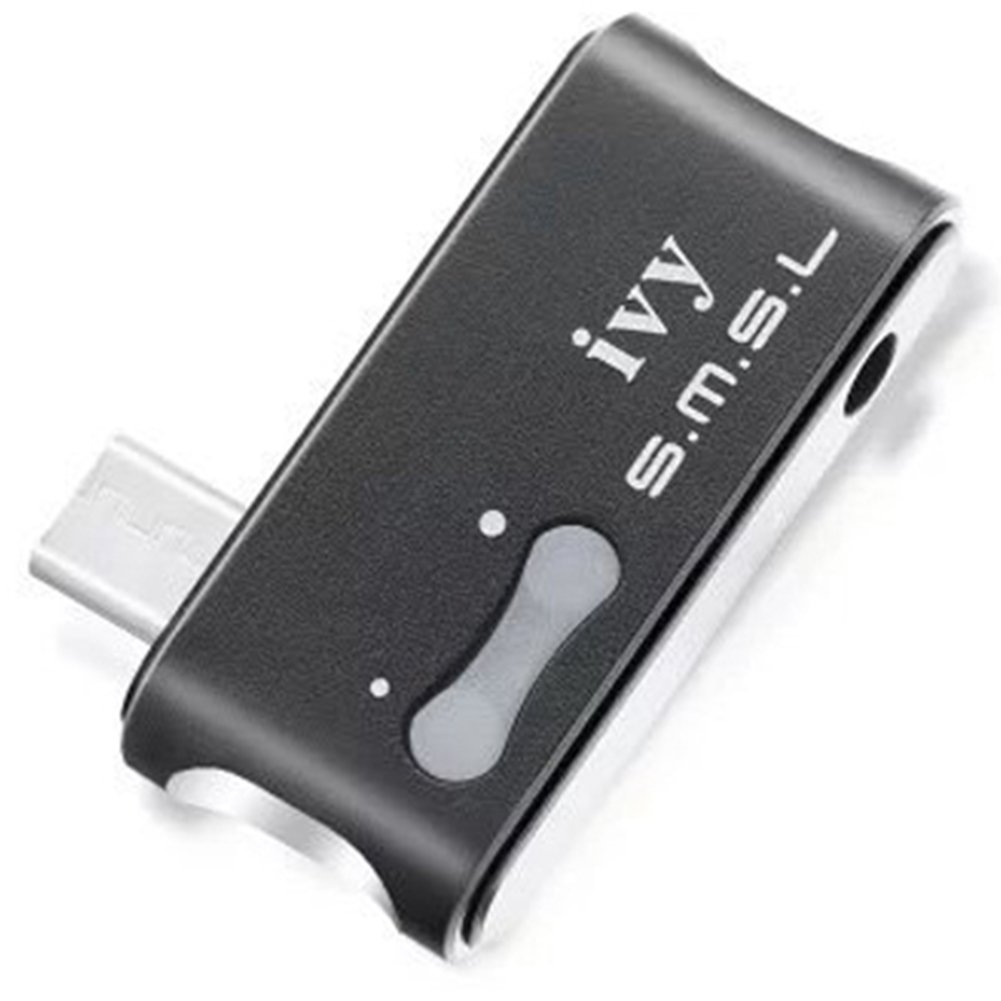
Figure 2: Angled view of the S.M.S.L IVY, highlighting the MICRO USB input and the 3.5mm audio output port.
5. Setup
The S.M.S.L IVY is designed for plug-and-play operation with compatible Android devices.
- Compatibility Check: Ensure your Android cellphone is running Android 4.0 or above and supports USB On-The-Go (OTG) functionality.
- Connect Headphones: Plug your headphones into the 3.5mm headphone jack on the S.M.S.L IVY.
- Connect to Android Device: Connect the MICRO USB connector of the S.M.S.L IVY directly into the MICRO USB port of your Android cellphone.
- Automatic Recognition: Your Android device should automatically recognize the S.M.S.L IVY as an external audio output device. No additional drivers are typically required.

Figure 3: The S.M.S.L IVY connected to a mobile device (represented by a finger for scale), demonstrating its compact size and direct connection method.
6. Operation
Once connected, the S.M.S.L IVY will function as your Android device's primary audio output.
- Audio Playback: Play any audio content (music, videos, calls) on your Android device. The sound will be routed through the S.M.S.L IVY to your connected headphones.
- Volume Control: The S.M.S.L IVY features integrated volume control buttons. Use these buttons to adjust the output volume directly from the device.
- Power: The device draws power directly from your Android cellphone via the USB connection. No external power source is required.
7. Maintenance
- Cleaning: Use a soft, dry cloth to clean the exterior of the device. Do not use liquid cleaners or solvents.
- Storage: When not in use, store the S.M.S.L IVY in the provided small bag to protect it from dust and scratches.
- Connector Care: Handle the MICRO USB connector carefully to prevent damage. Avoid bending or twisting it excessively.
8. Troubleshooting
| Problem | Possible Cause | Solution |
|---|---|---|
| No sound output. |
|
|
| Sound is distorted or low quality. |
|
|
| IVY gets warm during use. | Normal operation. | This is normal for electronic devices, especially when processing audio. If it becomes excessively hot, discontinue use and contact support. |
9. Specifications
| Model | IVY |
| Type | USB DAC / Headphone Amplifier |
| USB Input | MICRO USB (Synchronous transmission) |
| USB Audio Support | 32/44.1/48kHz/16bit |
| Output Connector | 3.5mm Headphone Jack |
| THD+N | 0.009% |
| Dynamic Range | 95dB |
| SNR | 95dB |
| Power Consumption | 0.5W |
| Dimensions (excluding USB bulge) | 1.5 x 0.7 x 0.3 inches (38 x 18 x 8 mm approx.) |
| Weight | 0.3 oz (8.5 g approx.) |
| Supported OS | Native Android (4.0 and above) with OTG support |

Figure 4: Dimensional drawing of the S.M.S.L IVY, indicating its compact size.
10. Warranty and Support
The S.M.S.L IVY comes with a 30-Day money back guarantee and a 1-year replacement warranty.
For any questions, technical support, or warranty claims, please contact your retailer or S.M.S.L customer service. We are committed to ensuring your satisfaction.