1. Introduction
1.1 Product Overview
The Panasonic SA-PM700MD-K is a versatile MD Stereo System designed for high-quality audio playback and recording. It features a 5-disc CD changer, MD player/recorder, auto-reverse cassette deck, and an FM/AM tuner. This system is equipped with a hybrid bi-amp for clear and powerful sound.
1.2 Safety Precautions
- Power Supply: Use only the specified AC 100V (50Hz/60Hz) power supply.
- Ventilation: Ensure adequate ventilation around the unit. Do not block ventilation openings.
- Moisture: Keep the unit away from water or excessive moisture. Do not expose it to rain or splashes.
- Heat: Avoid placing the unit near heat sources or in direct sunlight.
- Servicing: Do not attempt to service the unit yourself. Refer all servicing to qualified personnel.
2. Setup Guide
2.1 Unpacking
Carefully remove all components from the packaging. Verify that all accessories, including the remote control and necessary cables, are present.
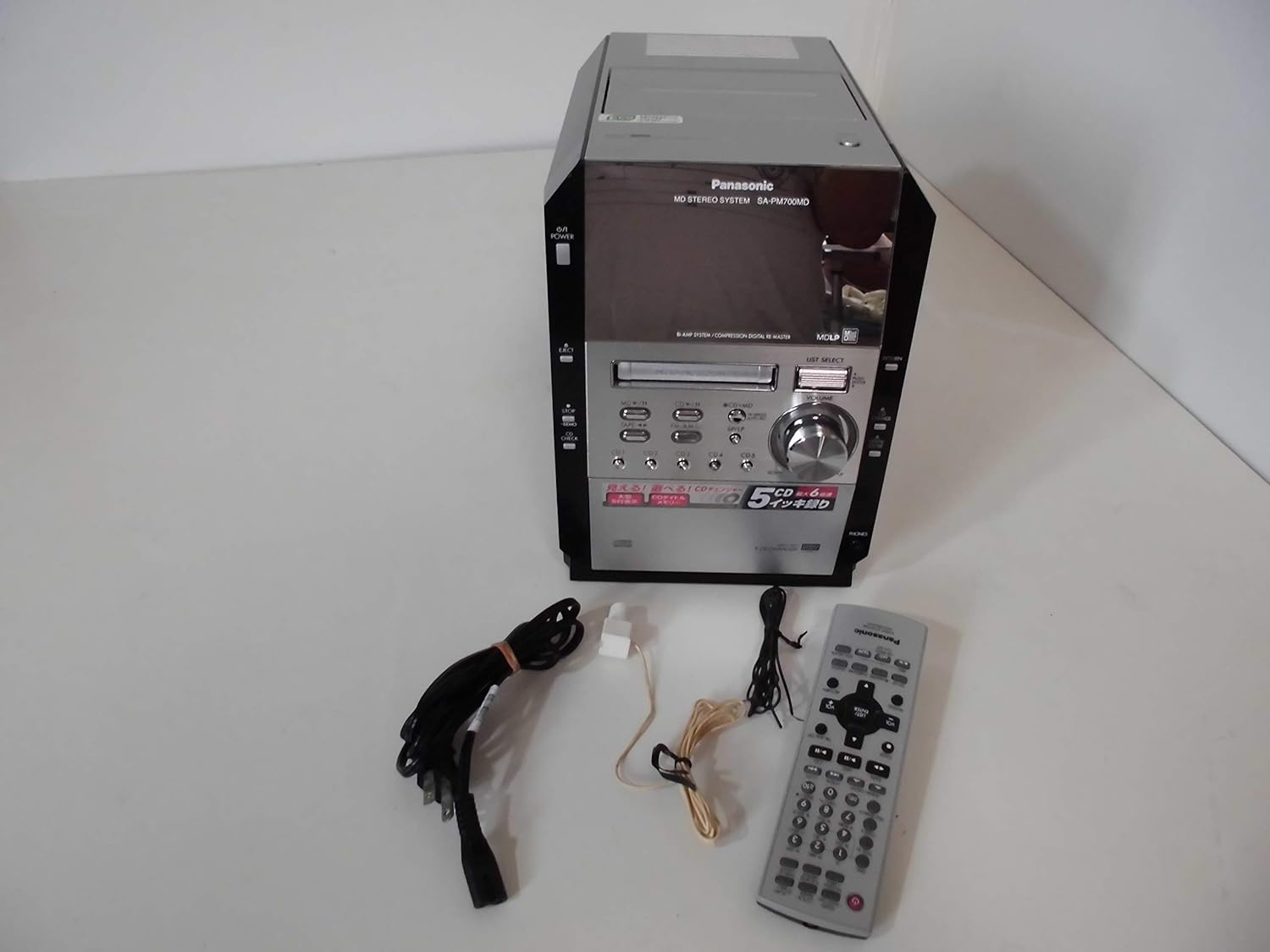
Image: The Panasonic SA-PM700MD-K MD Stereo System shown with its remote control and connecting cables.
2.2 Connecting Speakers
Connect your speakers to the speaker terminals on the rear of the main unit. Ensure correct polarity (positive to positive, negative to negative) for optimal sound quality. This model does not include speakers (SB-PM910).
2.3 Antenna Connection
Connect the supplied FM and AM antennas to their respective jacks on the rear panel for radio reception. Position the antennas for best reception.
2.4 Power Connection
Plug the power cord into the AC inlet on the rear of the unit, then into a standard AC 100V wall outlet.

Image: Rear panel of the stereo system, illustrating speaker terminals, antenna inputs, and power inlet.
3. Operation
3.1 Basic Controls
The front panel and remote control provide access to all functions. The main unit features a power button, eject button, volume knob, and source selection buttons for MD, CD, Tape, and Tuner.

Image: Front view of the stereo system, highlighting the display and primary control buttons.
3.2 CD Playback
- Press the CD button to select the CD source.
- Press the EJECT button to open the CD tray.
- Place up to five CDs into the changer trays. The system supports CD-DA, WMA, and MP3 formats on CD-R/RW discs.
- Press EJECT again to close the tray.
- Use the CD1-CD5 buttons to select a disc, then press PLAY.

Image: The 5-CD changer mechanism extended, ready for disc loading.

Image: The system's display during CD playback, showing disc and track information.
3.3 MD Playback and Recording
- Press the MD button to select the MD source.
- Insert an MD into the slot.
- Press PLAY to begin playback. The system supports MDLP (MiniDisc Long Play).
- To record from CD to MD, select the CD source, then press the CD→MD button. High-speed recording up to 6x is available.

Image: The system's display during MD playback, showing track details.
3.4 Cassette Operation
- Press the TAPE button to select the cassette source.
- Insert a normal type cassette tape into the deck.
- Press PLAY for playback or REC for recording. The deck features auto-reverse functionality.
3.5 Tuner Operation
- Press the FM/AM button to select the radio source.
- Use the tuning buttons to find your desired station.
- The FM reception band is 76.0-90.0MHz, and the AM reception band is 522-1629kHz.
3.6 Sound Adjustment (Equalizer)
The system includes a 2-way equalizer for sound customization:
- Preset Equalizer: Choose from predefined settings like Heavy, Clear, Soft, or Vocal.
- Manual Equalizer: Adjust bass and treble levels manually to suit your preference.
4. Maintenance
4.1 Cleaning the Unit
Wipe the exterior of the unit with a soft, dry cloth. For stubborn dirt, use a cloth lightly dampened with water, then wipe dry. Avoid using abrasive cleaners or solvents.
4.2 Cleaning Disc and Tape Heads
Regularly clean the CD lens with a commercially available CD lens cleaner. For the cassette deck, use a head cleaning cassette to maintain optimal sound quality and prevent tape damage.
5. Troubleshooting
If you encounter issues with your system, refer to the following common problems and solutions:
| Problem | Possible Cause / Solution |
|---|---|
| No power | Ensure the power cord is securely plugged into the unit and the wall outlet. |
| No sound | Check speaker connections. Verify volume level is not at minimum or muted. Ensure correct source is selected. |
| CD/MD disc not playing | Disc may be dirty or scratched. Clean the disc. Ensure disc is inserted correctly. For MD, check if it's a blank or unfinalized disc. |
| Radio reception is poor | Adjust the position of the FM/AM antennas. Check for local interference. Note that FM/AM frequencies may vary by region. |
| Cassette tape not playing/recording | Ensure the tape is inserted correctly. Only normal type tapes are supported. Clean the tape heads. |
| Remote control not working | Check the batteries in the remote control. Ensure there are no obstructions between the remote and the unit. |
6. Specifications
| Feature | Detail |
|---|---|
| Product Model Number | SA-PM700MD-K |
| CD Changer | 5 discs |
| CD Playback | CD-DA, WMA, MP3 (from CD-R/RW) |
| CD to MD Recording | Max 6x speed |
| MDLP Support | Yes |
| Cassette Deck | Auto-reverse, Record/Playback (Normal tape only) |
| FM Reception Band | 76.0 – 90.0 MHz |
| AM Reception Band | 522 – 1629 kHz |
| Practical Max Output (JEITA) | 25W + 25W (Low: 13W+13W, High: 12W+12W) Hybrid Bi-amp |
| Power Supply | AC 100V (50Hz/60Hz) |
| Power Consumption | 54W (Standby: approx. 0.2W) |
| External Dimensions (W×H×D) | 179 × 250 × 348 mm |
| Weight | Approx. 5.6 kg |
| Color | Black |
| Speaker Type | Stereo (Speakers not included) |
7. Warranty and Support
For warranty information and customer support, please refer to the documentation provided at the time of purchase or visit the official Panasonic website for your region. Keep your proof of purchase for any warranty claims.
If you require technical assistance or have questions not covered in this manual, please contact Panasonic customer service.


