
Introduction
This manual provides instructions for the safe and efficient operation of your Polaroid PBT-618 Wireless Bluetooth Speaker. This device features wireless Bluetooth connectivity, sound-responsive LED lights with four distinct settings, and a rechargeable battery for portable use. Please read this manual thoroughly before using the speaker and retain it for future reference.
Product Features
- Dazzling Light Modes: Four distinct LED light settings that respond to music.
- Rechargeable Battery: Integrated rechargeable battery provides hours of playback.
- Wireless Connection: Easy-to-use Bluetooth technology for wireless audio streaming.
- Charge & Connect: A 2-in-1 USB cable facilitates both charging and wired audio connection.
- High Quality Sound: Delivers clear audio output suitable for various environments.
Package Contents
Please check the package for the following items:
- Polaroid PBT-618 Wireless Bluetooth Speaker
- USB Charging/Audio Cable
- User Manual (this document)
Product Overview
Familiarize yourself with the components of your Polaroid PBT-618 speaker.
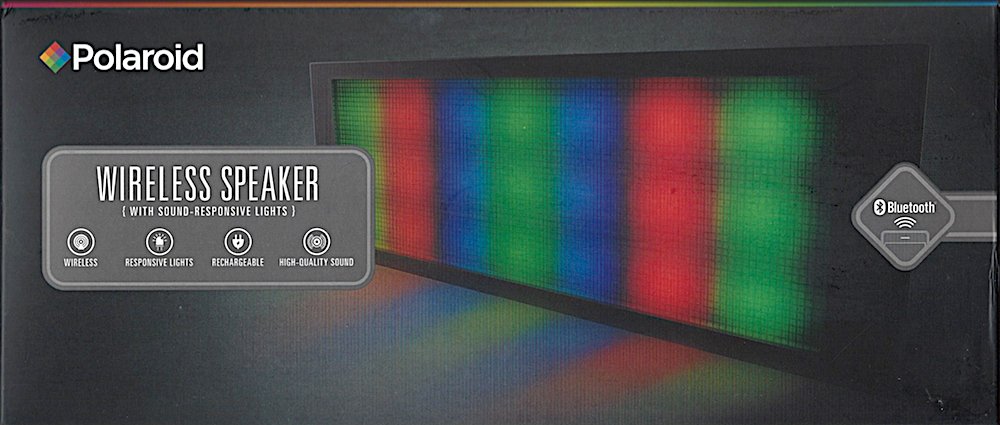
Image: Diagram illustrating the main features of the Polaroid PBT-618 speaker, including LED lights, battery, Bluetooth, and connectivity options.

Image: Front view of the Polaroid PBT-618 speaker, highlighting its design and LED light panel.

Image: Side view of the Polaroid PBT-618 speaker, illustrating its profile and the location of control buttons.

Image: Rear view of the Polaroid PBT-618 speaker, detailing the charging port and auxiliary audio input.
Setup
1. Charging the Speaker
Before initial use, fully charge the speaker. Use the provided USB charging cable.
- Connect the small end of the USB cable to the charging port on the speaker.
- Connect the large end of the USB cable to a USB power adapter (not included) or a computer's USB port.
- The charging indicator light will illuminate. Once fully charged, the light may change color or turn off.
A full charge typically takes approximately 2-3 hours.
2. Powering On/Off
- To power on, press and hold the Power button for a few seconds until you hear an audible indication or see the LED lights activate.
- To power off, press and hold the Power button again for a few seconds until the speaker powers down.
3. Bluetooth Pairing
Pair your speaker with a Bluetooth-enabled device to stream audio wirelessly.
- Ensure the speaker is powered on and within pairing mode (usually indicated by a flashing LED light).
- On your mobile device (smartphone, tablet, computer), enable Bluetooth.
- Search for available Bluetooth devices. The speaker will appear as "PBT-618" or "Polaroid PBT-618".
- Select "PBT-618" from the list to initiate pairing.
- Once paired, the speaker will provide an audible confirmation, and the LED indicator will stop flashing and remain solid.
Note: The speaker will automatically attempt to reconnect to the last paired device when powered on.
Operating the Speaker
1. Playing Audio
- After successful Bluetooth pairing, open your preferred music application on your device and begin playback.
- Adjust the volume using the controls on your connected device or the volume buttons on the speaker (if available).
- For wired connection, use the 2-in-1 USB cable to connect your audio source to the speaker's auxiliary input.
2. LED Light Modes
The speaker features four sound-responsive LED light modes. Press the Light Mode button (refer to product overview for button location) to cycle through the available modes.
Image: The Polaroid PBT-618 speaker displaying its dynamic LED light patterns.
The four distinct LED animation modes are:
- Preset All Directions: Lights animate across the panel in various directions.
- Responsive Center-Outward: Lights expand from the center outwards in response to sound.
- Preset Waves: Lights create a wave-like motion across the panel.
- Responsive Bottom to Top: Lights move upwards from the bottom in sync with audio.
Maintenance
- Cleaning: Use a soft, dry cloth to clean the speaker's exterior. Do not use liquid cleaners or abrasive materials.
- Storage: Store the speaker in a cool, dry place away from direct sunlight and extreme temperatures when not in use for extended periods.
- Battery Care: To prolong battery life, avoid fully discharging the battery frequently. Charge the speaker regularly, even if not in active use.
Troubleshooting
| Problem | Possible Cause | Solution |
|---|---|---|
| Speaker does not power on. | Battery is depleted. | Charge the speaker using the provided USB cable. |
| Cannot pair via Bluetooth. | Speaker is not in pairing mode; device Bluetooth is off; speaker is too far from device. | Ensure speaker is in pairing mode. Turn Bluetooth on your device. Move speaker closer to device (within 10 meters). Forget previous pairings on your device and try again. |
| No sound during playback. | Volume is too low; device is not connected; incorrect audio source. | Increase volume on both speaker and connected device. Verify Bluetooth connection. Ensure correct audio source is selected on your device. |
| LED lights are not working. | Light mode is off; speaker malfunction. | Press the Light Mode button to activate or cycle through modes. If problem persists, contact support. |
Specifications
| Feature | Detail |
|---|---|
| Model Name | PBT-618 |
| Brand | Polaroid |
| Connectivity Technology | Bluetooth |
| Speaker Maximum Output Power | 8 Watts |
| Power Source | Battery Powered |
| Mounting Type | Tabletop |
| Additional Features | Bluetooth, Wireless, Sound-Responsive LED Lights |
| Control Method | App, Button |
| Compatible Devices | Smartphone |
| Parcel Dimensions | 26.67 x 13.97 x 10.16 cm |
| UPC | 790753438259 |
Safety Information
- Do not expose the speaker to water, moisture, or extreme temperatures.
- Avoid dropping or subjecting the speaker to strong impacts.
- Do not attempt to disassemble or repair the speaker yourself. This will void the warranty.
- Keep the speaker away from heat sources such as radiators, heat registers, stoves, or other apparatus (including amplifiers) that produce heat.
- Use only the provided charging cable or a certified equivalent.
- Dispose of the battery according to local regulations. Do not dispose of in household waste.
Warranty and Support
For warranty information or technical support, please refer to the warranty card included with your product or visit the official Polaroid website. Keep your proof of purchase for warranty claims.
For further assistance, you may contact Polaroid customer service through their official channels.


