
1. Introduction
Thank you for choosing the SAMTIAN TL-5 LED Video Light Kit. This kit is designed to provide versatile and portable lighting solutions for photography, video shooting, product portraits, and live streaming. Featuring dimmable LED panels, adjustable light stands, and rechargeable batteries, this kit offers flexibility for both indoor and outdoor use. Please read this manual thoroughly before operating the product to ensure proper use and to maximize its lifespan.
2. What's in the Box
Carefully unpack the box and ensure all items are present and in good condition. If any items are missing or damaged, please contact customer support.
- 2 x SAMTIAN TL-5 LED Video Light Panels
- 2 x 79-inch (200cm) Adjustable Light Stands
- 2 x NP-F550 Rechargeable Batteries
- 2 x Battery Chargers
- 2 x White Diffuser Filters
- 2 x Orange/Warm Color Filters
- 2 x Mini Ball Head Mounts
- 1 x Carrying Bag (77cm/30inch)
- 1 x User Manual

Image: All components of the SAMTIAN TL-5 LED Video Light Kit, including two LED panels, two light stands, two batteries, two chargers, white and orange filters, and a carrying bag.
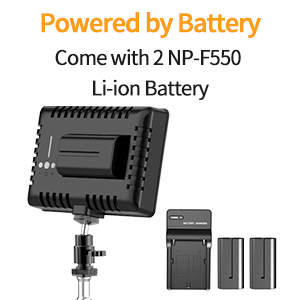
Image: The included 77cm carrying bag, designed to store all components of the light kit for easy transport.
3. Safety Information
- Do not look directly into the LED lights when they are on, as this may cause eye strain or damage.
- Keep the product away from water, moisture, and flammable gases or liquids.
- Do not disassemble or modify the product. Repairs should only be performed by qualified technicians.
- Ensure the light stands are stable on a flat surface to prevent tipping.
- Use only the provided batteries and chargers. Improper use can lead to fire or explosion.
- Keep out of reach of children.
4. Setup
4.1 Assembling the Light Stand
- Extend the legs of the light stand to form a stable base. Tighten the locking knob at the base.
- Extend the telescopic sections of the stand to the desired height. Secure each section by tightening its respective locking knob.
4.2 Attaching the LED Panel
- Attach the mini ball head mount to the top of the light stand. Tighten securely.
- Mount the LED video light panel onto the mini ball head. Ensure it is firmly attached.
- Adjust the angle of the LED panel using the ball head's locking mechanism.
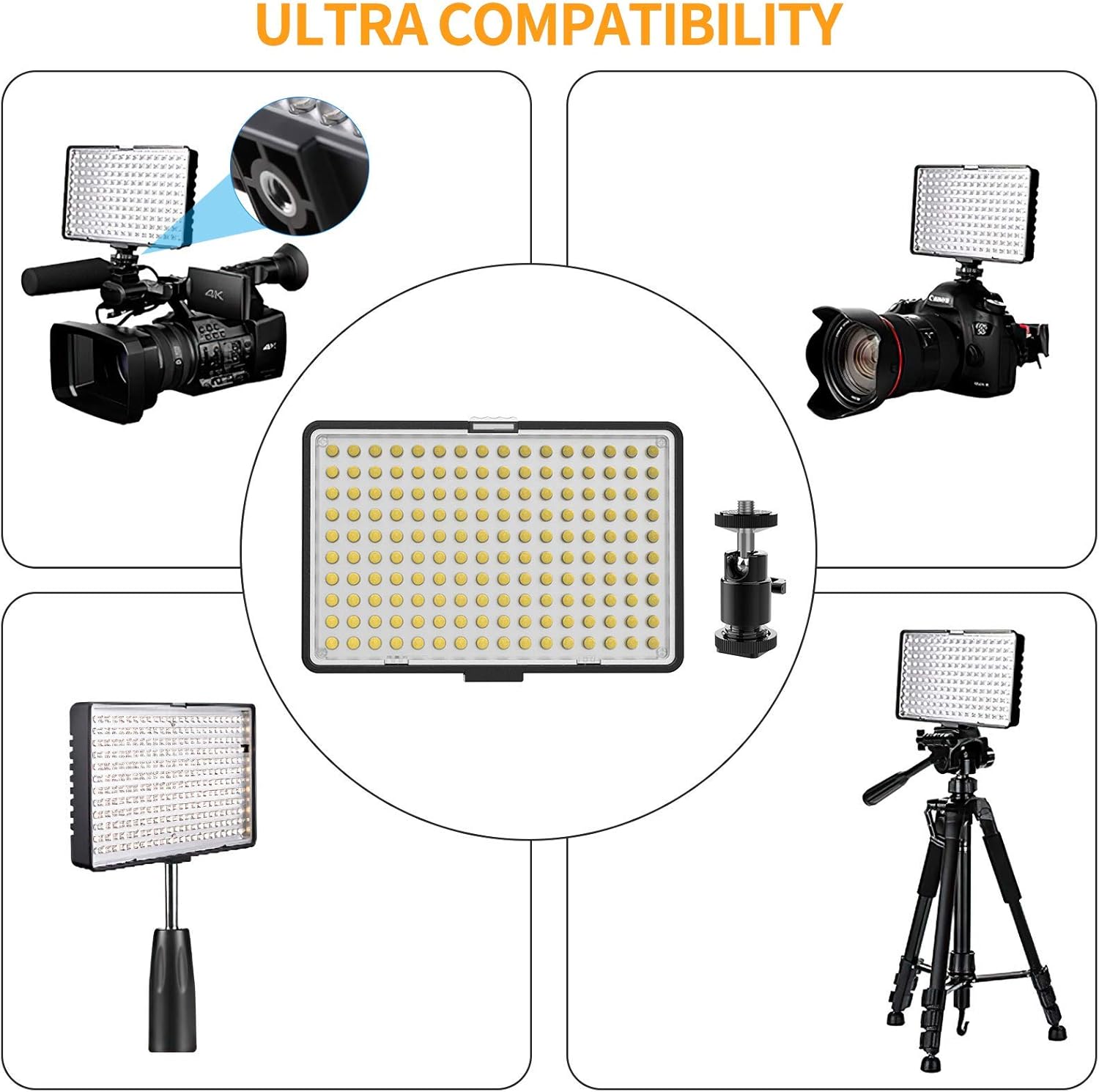
Image: A visual representation of the light stand's adjustable height (up to 79 inches) and the LED panel's 180-degree tilt and 360-degree rotation capabilities.
4.3 Inserting the Battery
- Ensure the LED light is turned off.
- Align the NP-F550 battery with the battery slot on the back of the LED panel.
- Gently slide the battery into place until it clicks securely.
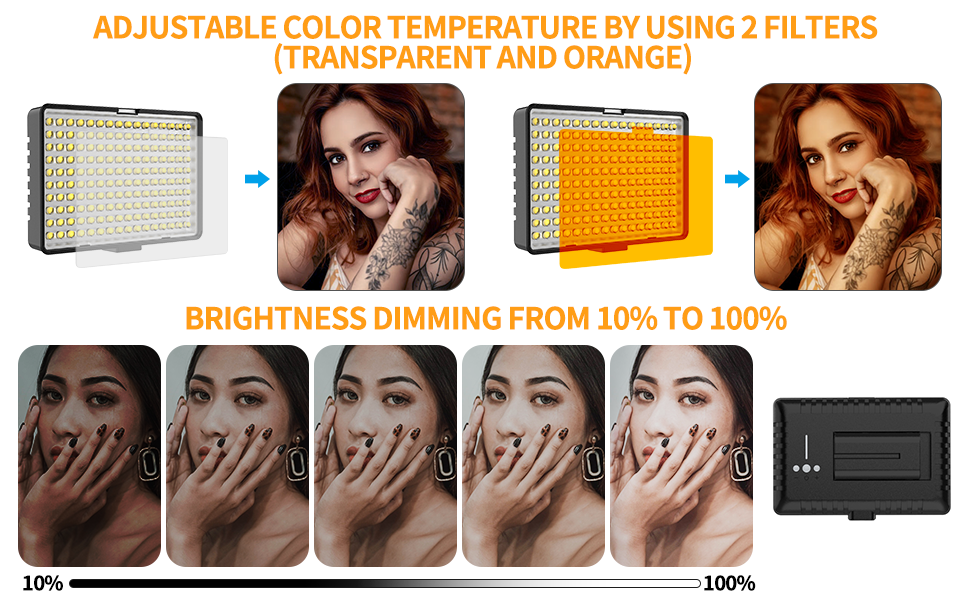
Image: The NP-F550 rechargeable batteries are shown next to the LED light panel, illustrating their placement for power.
4.4 Attaching Color Filters
- Select either the white diffuser filter for softer light or the orange/warm filter for a warmer color temperature.
- Slide the chosen filter into the designated slots on the front of the LED panel until it is securely in place.
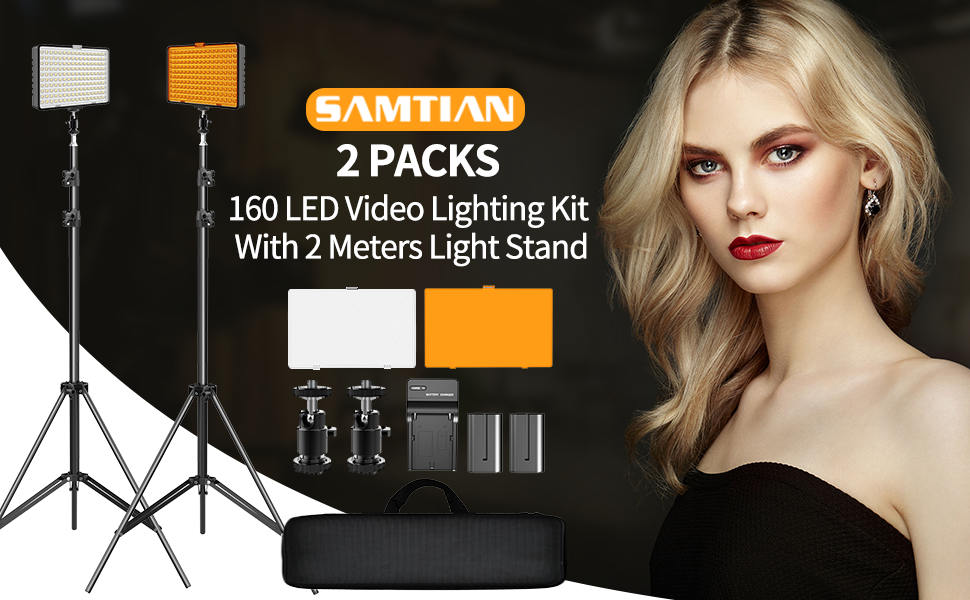
Image: The LED light panel with interchangeable white and orange color filters, showing how they can be easily swapped to adjust the light's color temperature.
4.5 Video Guide: Setup and Overview
Video: An official SAMTIAN video demonstrating the setup and features of the TL-160S 2 KIT LED Video Light. This video provides a visual guide to assembling the lights and stands.
Video: An official SAMTIAN video showcasing the 160s two-pack LED video light. This video offers additional insights into the product's components and initial assembly.
5. Operating Instructions
5.1 Powering On/Off
Locate the power switch on the back of the LED panel. Flip the switch to the 'ON' position to turn on the light. Flip it to 'OFF' to power down.
5.2 Adjusting Brightness
The LED video light features adjustable brightness levels from 10% to 100%. Use the dimmer control knob or buttons on the back of the panel to increase or decrease the light intensity to your desired level.
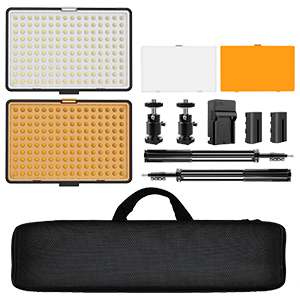
Image: The LED light panel demonstrating various brightness levels, from 10% to 100%, for precise lighting control.
5.3 Changing Color Temperature
To change the color temperature, attach the appropriate filter as described in Section 4.4. The white diffuser provides a neutral, daylight-balanced light, while the orange filter creates a warmer, incandescent-like effect.

Image: An LED light panel with an orange filter applied, casting a warm, ambient light on a floral arrangement.

Image: An LED light panel with a white filter applied, providing bright, neutral illumination for a floral arrangement.
5.4 Usage Scenarios
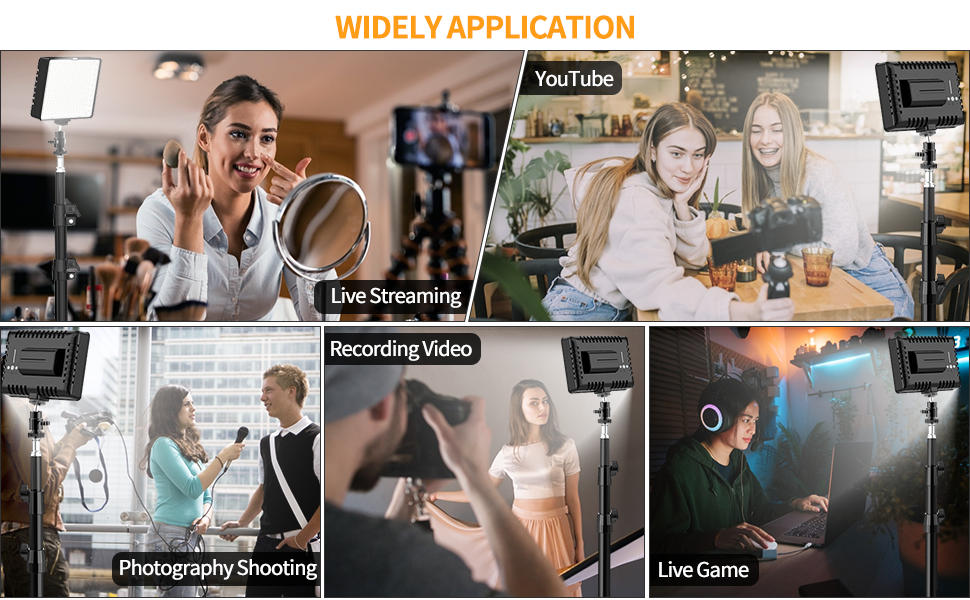
Image: Multiple examples of the LED light kit in use, such as for video conferencing, beauty tutorials, and general content creation, highlighting its versatility.
6. Maintenance
6.1 Cleaning
Wipe the LED panels and stands with a soft, dry cloth. Do not use abrasive cleaners or solvents, as these can damage the surface or electronic components.
6.2 Battery Care
- Charge batteries fully before first use.
- Recharge batteries when the power indicator shows low charge.
- Store batteries in a cool, dry place when not in use.
- If storing for extended periods, charge batteries every 3-6 months to maintain their health.
6.3 Storage
When not in use, disassemble the kit and store all components in the provided carrying bag to protect them from dust and damage.
7. Troubleshooting
| Problem | Possible Cause | Solution |
|---|---|---|
| Light does not turn on. | Battery is not inserted correctly or is depleted. | Ensure battery is fully charged and correctly inserted. |
| Light is dim or flickers. | Low battery charge. | Recharge or replace the battery. |
| Light stand is unstable. | Legs not fully extended or locking knobs not tightened. | Ensure stand legs are fully spread and all locking knobs are tightened. |
| Color temperature is incorrect. | Wrong color filter attached. | Verify the correct filter (white for neutral, orange for warm) is installed. |
8. Specifications
- Brand: SAMTIAN
- Model Number: TL-5
- Product Dimensions: 6"L x 1"W x 4"H (LED Panel)
- Light Stand Height: Up to 79 inches (200cm)
- Battery Type: NP-F550 Rechargeable Battery
- Battery Life (Average): 1.76 hours (continuous use)
- Brightness: Dimmable from 10% to 100%
- Color Temperature: Adjustable with included filters (e.g., 5500K with white filter)
- Hardware Interface: USB (for charger)
- Compatible Devices: DSLR cameras, digital video cameras, tripods, light stands
- UPC: 611188965946
9. Warranty and Support
For warranty information and customer support, please refer to the warranty card included in your product packaging or visit the official SAMTIAN website. Keep your purchase receipt as proof of purchase for any warranty claims.