
JBL JBL E55BT
JBL E55BT Over-Ear Wireless Headphones User Manual
Model: JBL E55BT
Introduction
The JBL E55BT are over-ear wireless headphones designed for comfortable listening and convenient portability. These headphones connect wirelessly via Bluetooth, offering freedom from tangled cables. They feature a durable design with faux leather earcups and a fabric headband, providing a comfortable fit for extended use. The JBL E55BT headphones are engineered to deliver the signature JBL sound experience.
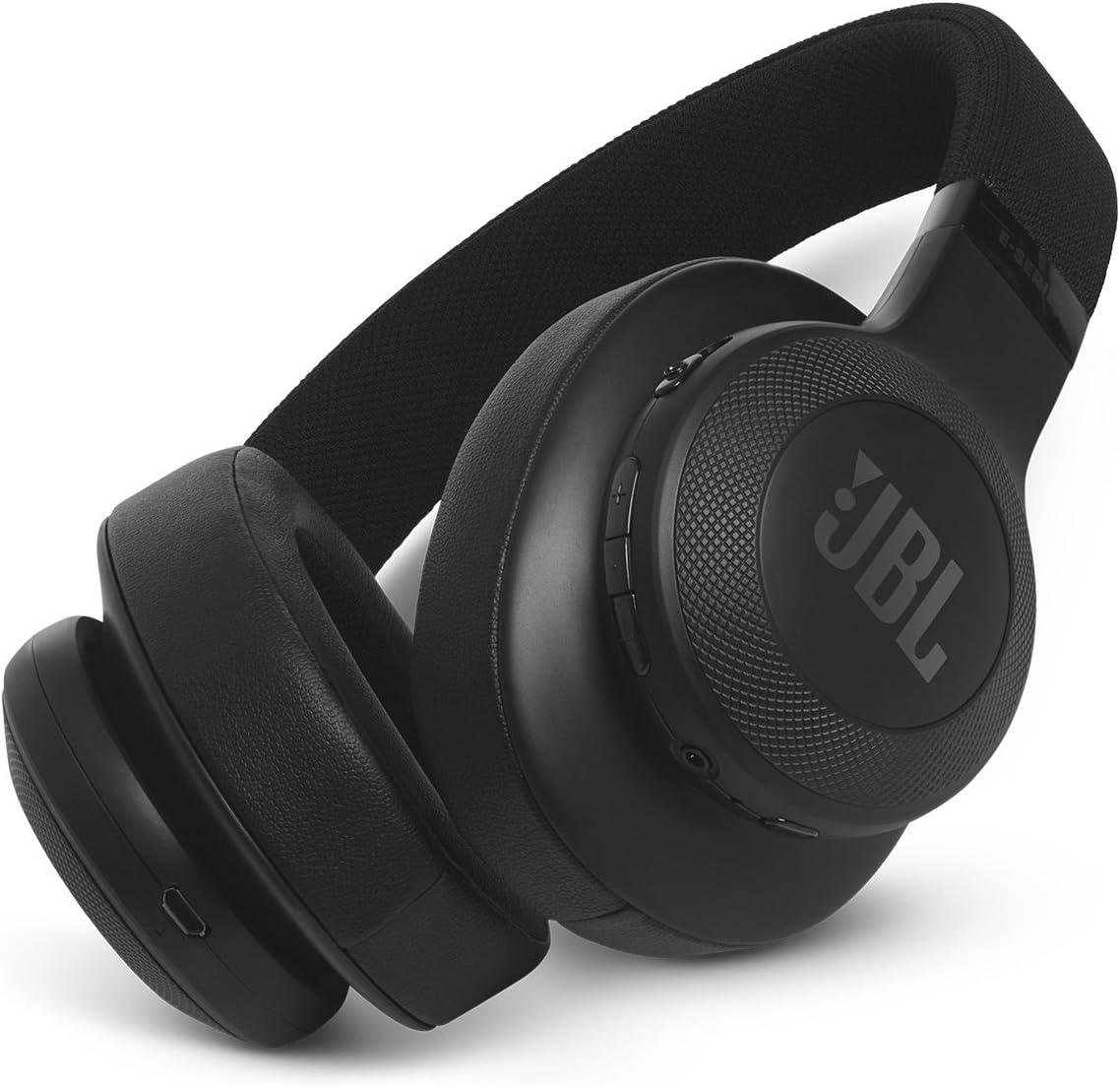
Figure 1: JBL E55BT Over-Ear Wireless Headphones, black, showcasing the overall design and earcups.
Setup
1. Charging the Headphones
Before initial use, fully charge your JBL E55BT headphones. A full charge provides approximately 20 hours of playback time.
- Locate the micro-USB charging port on the headphone earcup.
- Connect the provided USB charging cable to the headphone's charging port and the other end to a USB power source (e.g., computer USB port, USB wall adapter).
- The LED indicator on the headphone will show charging status. It typically turns off or changes color when fully charged.

Figure 2: The JBL E55BT headphones shown with their included USB charging cable and detachable audio cable.
2. Powering On/Off
- To power on, press and hold the Power button located on the earcup until the LED indicator lights up.
- To power off, press and hold the Power button again until the LED indicator turns off.
3. Bluetooth Pairing
To connect your headphones to a Bluetooth-enabled device:
- Ensure the headphones are powered off.
- Press and hold the Power button for approximately 5 seconds until the LED indicator flashes blue rapidly, indicating pairing mode.
- On your device (smartphone, tablet, computer), enable Bluetooth and search for available devices.
- Select "JBL E55BT" from the list of found devices.
- Once connected, the LED indicator on the headphones will turn solid blue or flash slowly.
Operating the Headphones
Controls Overview
The main controls are located on the right earcup:
- Power Button: Powers the headphones on/off, enters pairing mode.
- Volume Up/Down Buttons (+/-): Adjusts the listening volume.
- Multi-function Button (Center):
- Single press: Play/Pause music, Answer/End call.
- Double press: Skip to next track (music).
- Triple press: Skip to previous track (music).
- Press and hold: Activate voice assistant (Siri, Google Assistant).

Figure 3: Close-up view of the right earcup, highlighting the control buttons for power, volume, and multi-function.
Making and Receiving Calls
- Answering a Call: Press the Multi-function button once.
- Ending a Call: Press the Multi-function button once during a call.
- Rejecting a Call: Press and hold the Multi-function button for 2 seconds.
- Switching Between Calls: During a call, if another call comes in, press the Multi-function button once to answer the new call and put the current call on hold. Press again to switch back.
Listening to Music
- Play/Pause: Press the Multi-function button once.
- Next Track: Double press the Multi-function button.
- Previous Track: Triple press the Multi-function button.
- Adjust Volume: Use the Volume Up (+) or Volume Down (-) buttons.
Maintenance
Cleaning
To maintain the condition and longevity of your JBL E55BT headphones:
- Wipe the earcups and headband with a soft, damp cloth. Avoid using harsh chemicals or abrasive cleaners, especially on the faux leather material.
- Do not submerge the headphones in water or expose them to excessive moisture.
- Clean the charging port and audio jack regularly to prevent dust buildup.
Storage
When not in use, store the headphones in a cool, dry place, away from direct sunlight and extreme temperatures. The headphones can be folded for compact storage.

Figure 4: The JBL E55BT headphones shown in their folded position, demonstrating their portability and ease of storage.
Troubleshooting
| Problem | Possible Cause | Solution |
|---|---|---|
| Headphones do not power on. | Low battery. | Charge the headphones fully. |
| Cannot pair with device. | Headphones not in pairing mode; device Bluetooth off; too far from device. | Ensure headphones are in pairing mode (rapid blue flashing LED). Turn device Bluetooth off and on. Move headphones closer to device. |
| No sound or low volume. | Volume too low on headphones or device; headphones not connected; incorrect audio output selected on device. | Increase volume on both headphones and device. Reconnect headphones. Check device's audio output settings. |
| Poor sound quality. | Interference; device too far; low battery. | Move closer to the device. Avoid strong Wi-Fi signals or other Bluetooth devices. Charge headphones. |
Specifications
| Feature | Detail |
|---|---|
| Model Name | JBL E55BT |
| Connectivity Technology | Bluetooth |
| Wireless Communication Technology | Bluetooth |
| Bluetooth Version | 4.0 |
| Earpiece Shape | Over-ear |
| Material | Faux Leather |
| Item Weight | 231.6 Grams (8.2 ounces) |
| Frequency Range | 20 Hz - 20 kHz |
| Battery Life | 20 Hours |
| Impedance | 32 Ohm |
| Product Dimensions | 4.17 x 9.61 x 8.82 inches |
| Manufacturer | JBL |
Warranty and Support
For detailed warranty information, product registration, and technical support, please refer to the documentation included with your JBL E55BT headphones or visit the official JBL website. The manufacturer's website typically provides the most up-to-date information regarding product support and service.
You can visit the JBL brand store for more information: JBL Official Store
Ask a question about this manual
Ask about setup, troubleshooting, compatibility, parts, safety, or missing instructions. Manuals+ will review the question and use this page’s manual context to help answer it.