Introduction
Thank you for choosing MuveAcoustics Drive Wired Earbuds. These earbuds are designed to provide a high-quality audio experience with powerful bass, clear sound, and convenient controls. This manual will guide you through the setup, operation, and maintenance of your new earbuds.
What's in the Box
Carefully unpack your MuveAcoustics Drive Wired Earbuds and ensure all items are present:
- MuveAcoustics Drive Wired Earbuds with integrated microphone
- Protective Case
- User Manual (this document)
- Ear Cushions (S/M/L sizes)
Video: This video demonstrates the contents of the MuveAcoustics Drive Wired Earbuds packaging, showing the earbuds, manual, pouch, and extra ear cushions.
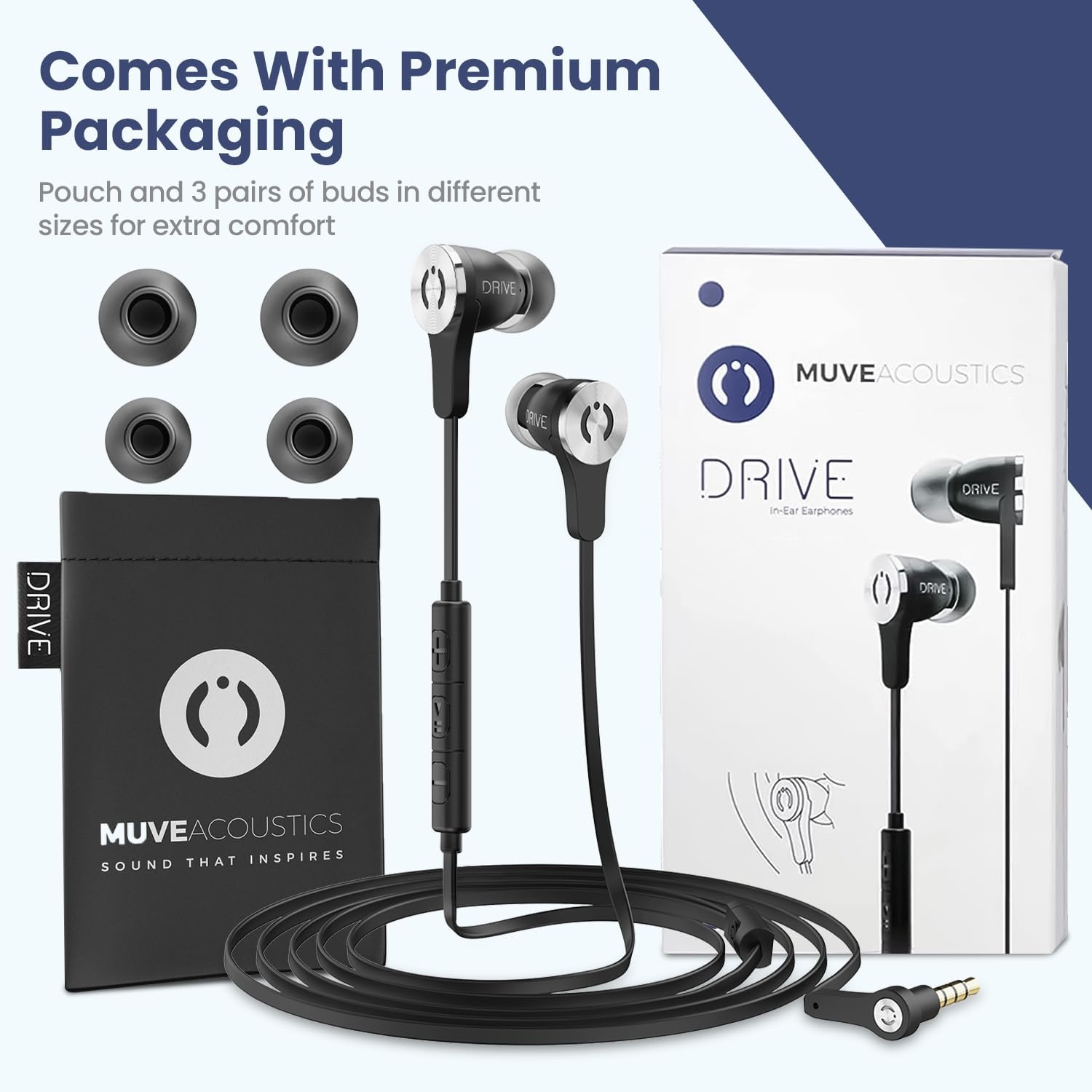
Image: The MuveAcoustics Drive Earbuds are shown with their premium packaging, including a protective pouch and three pairs of ear tips for customized comfort.
Setup
The MuveAcoustics Drive Wired Earbuds are designed for simple plug-and-play functionality.
- Select Ear Cushions: Choose the ear cushion size (S, M, or L) that provides the most comfortable and secure fit for your ears. A proper fit enhances sound quality and passive noise isolation.
- Connect to Device: Insert the 3.5mm audio jack into the headphone port of your compatible device (smartphone, tablet, laptop, gaming console, etc.).
- Adjust Volume: Begin playing audio on your device and adjust the volume using the inline remote control or your device's volume settings.

Image: The earbuds are compatible with a wide range of devices featuring a 3.5mm headphone jack, including phones, tablets, and gaming systems.
Operating Instructions
Your MuveAcoustics Drive Earbuds feature an inline remote control for easy management of audio playback and calls.
Inline Remote Control Functions:
| Action | Button Press |
|---|---|
| Answer/End Call | Click the main button once |
| Play/Pause Music | Click the main button once |
| Next Track | Click the main button twice |
| Previous Track | Click the main button three times |
| Increase Volume | Click '+' button once |
| Decrease Volume | Click '-' button once |
| Full Volume | Hold '+' button |
| Mute Volume | Hold '-' button |

Image: A visual guide to the inline remote control, detailing button presses for calls, track control, and volume adjustments.
Key Features:
- Powerful Bass: Enjoy rich and deep bass response for an immersive audio experience.
- Passive Noise Isolation: The ergonomic in-ear design and proper ear cushion fit help block out external distractions, allowing for clearer audio.
- High Definition Microphone: The built-in microphone with an internal sound-absorbing design ensures clear voice transmission during calls.

Image: An illustration highlighting the key features of the earbuds, such as noise reduction, microphone quality, and control functions.
Maintenance
Proper care will extend the life and performance of your earbuds.
- Cleaning: Gently wipe the earbuds and ear cushions with a soft, dry cloth. Do not use harsh chemicals or abrasive materials.
- Storage: When not in use, store the earbuds in the provided protective case to prevent tangling and damage.
- Cable Care: The flat cable design is tangle-free, but avoid excessive pulling or sharp bends to maintain its integrity.

Image: The durable, flat, tangle-free cable and robust 3.5mm plug are designed for longevity and ease of use.
Troubleshooting
If you encounter any issues with your MuveAcoustics Drive Earbuds, refer to the following common solutions:
- No Sound or Low Volume:
- Ensure the 3.5mm jack is fully inserted into your device.
- Check your device's volume settings and the inline remote's volume.
- Test with another audio device to rule out device-specific issues.
- Ensure ear cushions are properly seated on the earbuds and in your ears.
- Microphone Not Working:
- Confirm the 3.5mm jack is fully inserted.
- Check your device's microphone input settings.
- Ensure the microphone is not obstructed.
- Static or Intermittent Sound:
- Ensure the 3.5mm jack is clean and free of debris.
- Try rotating the jack slightly in the port.
- Test with another device to identify if the issue is with the earbuds or the source device.
Specifications
| Feature | Detail |
|---|---|
| Model Name | Drive |
| Model Number | MA-1000SB |
| Connectivity Technology | Wired (3.5mm Jack) |
| Noise Control | Sound Isolation (Passive) |
| Frequency Response | 20 KHz |
| Impedance | 16 Ohms |
| Microphone | Integrated HD Microphone |
| Cable Feature | Tangle Free Flat Cable |
| Control Type | Volume Control, Call Control, Track Control |
| Material | Acrylonitrile Butadiene Styrene (ABS), Thermoplastic Elastomer (TPE) |
| Item Weight | 43 Grams (1.52 ounces) |
| Product Dimensions | 0.47 x 0.94 x 0.87 inches |
| Included Components | Ear Cushions, Protective Case, User Manual |
Warranty and Support
MuveAcoustics products are manufactured with attention to quality and performance. For information regarding warranty coverage and customer support, please refer to the warranty card included in your product packaging or visit the official MuveAcoustics website.
For further assistance, please contact MuveAcoustics customer service.


