
1. Introduction
This manual provides essential information for the proper use, installation, and maintenance of your POWERPLUS POWACG6010-25 replacement blades. These blades are designed as spare parts for specific POWERPLUS grass trimmer models to ensure continued optimal performance.
It is crucial to read and understand all instructions before attempting to replace or handle the blades. Keep this manual for future reference.
2. Safety Information
Always prioritize safety when handling replacement parts for power tools. Failure to follow safety guidelines can result in injury or damage.
- Disconnect Power: Before performing any maintenance or blade replacement on your grass trimmer, always ensure the tool is switched off and disconnected from its power source (unplugged or battery removed).
- Wear Protective Gear: Always wear appropriate personal protective equipment (PPE), including heavy-duty gloves and eye protection, when handling blades. Blades are sharp and can cause cuts.
- Inspect Blades: Before installation, inspect each blade for any defects or damage. Do not use damaged blades.
- Proper Disposal: Dispose of old, worn, or damaged blades responsibly according to local regulations.
- Keep Away from Children: Store blades out of reach of children and pets.
3. Product Contents
The POWERPLUS POWACG6010-25 package includes the following items:
- 25 x POWERPLUS POWACG6010-25 Replacement Blades
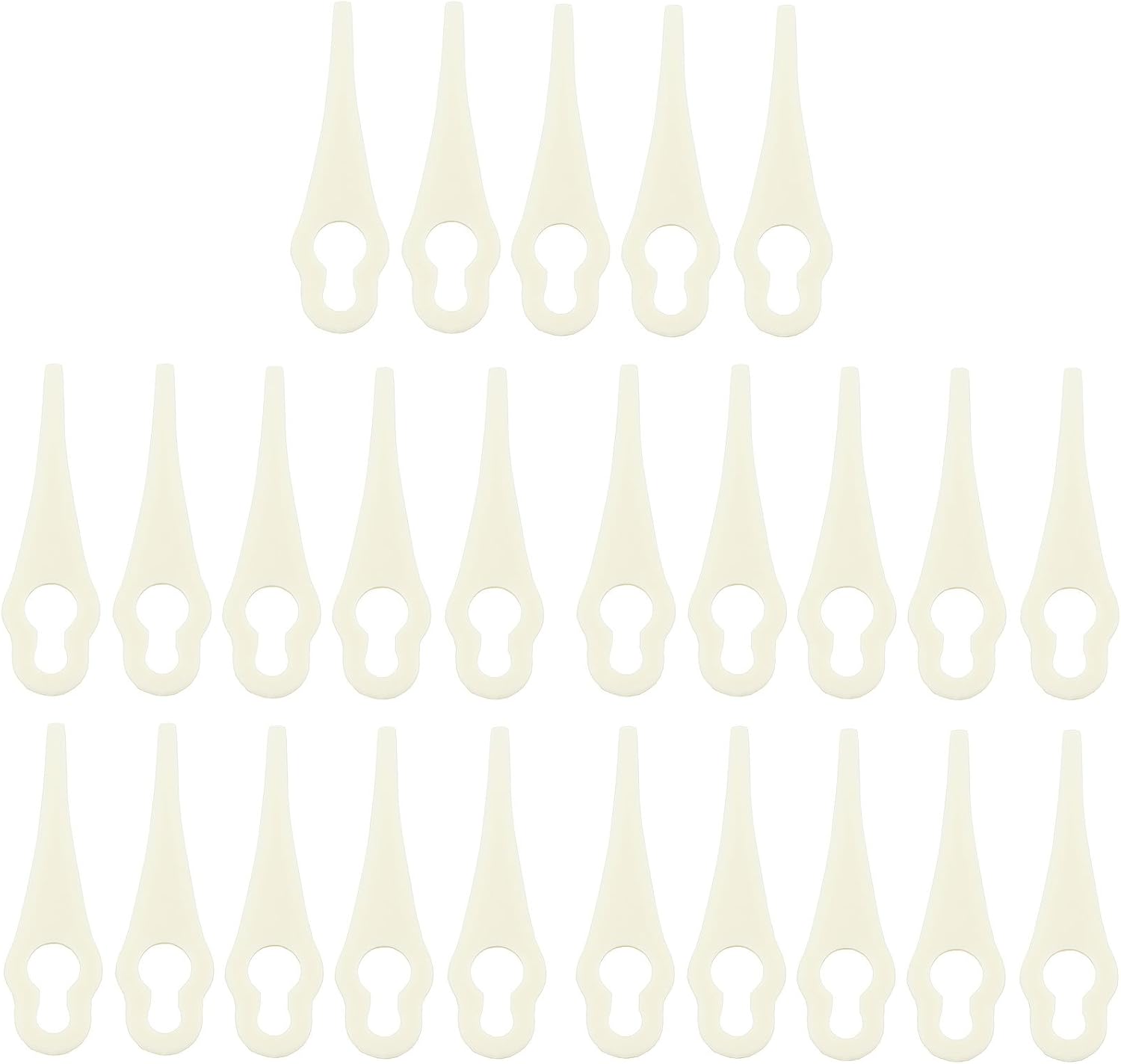
Figure 3.1: A full set of 25 POWERPLUS POWACG6010-25 replacement blades. These blades are designed for easy replacement on compatible grass trimmer models.

Figure 3.2: A detailed view of a single POWERPLUS POWACG6010-25 replacement blade, highlighting its design and attachment point.

Figure 3.3: The retail packaging for the POWERPLUS POWACG6010-25 replacement blades, showing the quantity and compatible models.
4. Compatibility
These replacement blades are specifically designed for the following POWERPLUS grass trimmer models:
- POWERPLUS POWXG3009
- POWERPLUS POWXG3010Li
- POWERPLUS POWXG3011Li
Ensure your grass trimmer model matches one of the listed compatible models before attempting to install these blades. Using incorrect blades may lead to poor performance or damage to your tool.
5. Installation (Blade Replacement)
Follow these steps to safely replace the blades on your compatible POWERPLUS grass trimmer:
- Prepare the Trimmer: Ensure the grass trimmer is switched off and completely disconnected from its power source (unplugged from mains or battery pack removed).
- Wear Protective Gloves: Put on heavy-duty work gloves to protect your hands from the sharp edges of the blades.
- Locate Blade Attachment Point: Identify where the current blade is attached to the trimmer head.
- Remove Old Blade: Carefully detach the old, worn, or broken blade from its mounting point. This usually involves sliding it off or unhooking it from a pin or slot. Refer to your grass trimmer's specific user manual for detailed instructions on blade removal if unsure.
- Install New Blade: Take a new POWERPLUS POWACG6010-25 replacement blade. Align the opening on the blade with the attachment mechanism on the trimmer head. Gently slide or hook the new blade into place until it is securely seated. Ensure it can pivot freely as designed.
- Verify Installation: Double-check that the new blade is firmly attached and cannot easily come loose.
- Dispose of Old Blades: Safely dispose of the old blade.

Figure 5.1: Illustration demonstrating the process of attaching a new blade to the grass trimmer head. The arrows indicate the sliding motion for secure installation.
6. Operating
These blades are replacement components for your grass trimmer. Once installed, the operation of the trimmer itself remains unchanged. Always refer to the original user manual of your POWERPLUS grass trimmer (POWXG3009, POWXG3010Li, or POWXG3011Li) for detailed operating instructions, safety guidelines, and best practices for trimming.
Regularly inspect the blades during operation for signs of wear or damage. Replace blades promptly when they become dull or damaged to maintain cutting efficiency and safety.
7. Maintenance
Proper maintenance of your replacement blades ensures their longevity and the continued efficiency of your grass trimmer.
- Cleaning: After each use, especially when replacing blades, clean any grass clippings, dirt, or debris from the trimmer head and the blade attachment area. This prevents buildup that could hinder blade movement or cause imbalance.
- Inspection: Before and after each use, inspect the installed blades for signs of wear, cracks, chips, or other damage. Replace any blade that shows significant wear or damage immediately.
- Storage: Store unused replacement blades in their original packaging or a secure container in a cool, dry place, away from direct sunlight and moisture. Keep them out of reach of children and pets.
8. Troubleshooting
This section addresses common issues related to the replacement blades.
| Problem | Possible Cause | Solution |
|---|---|---|
| Blade does not fit the trimmer. | Incorrect blade model for your trimmer. | Verify your trimmer model (POWXG3009, POWXG3010Li, or POWXG3011Li) against the compatible models listed in this manual. Ensure you have the correct POWACG6010-25 blades. |
| Blade breaks or wears out quickly. | Excessive impact with hard objects (stones, fences), or normal wear and tear. | Avoid hitting hard objects during trimming. Replace the blade with a new one. Ensure proper trimming technique as per your trimmer's manual. |
| Trimmer vibrates excessively after blade replacement. | Blade not installed correctly or debris caught in the trimmer head. | Disconnect power. Re-check blade installation to ensure it is securely and correctly seated. Clean any debris from the trimmer head. If vibration persists, consult your trimmer's manual or a qualified service technician. |
9. Specifications
| Attribute | Detail |
|---|---|
| Product Name | POWERPLUS POWACG6010-25 Replacement Blades |
| Model Number | POWACG6010-25 |
| Brand | POWER plus |
| Quantity | 25 pieces |
| Compatible Trimmer Models | POWXG3009, POWXG3010Li, POWXG3011Li |
| Material | Durable Plastic (PE-LD) |
| EAN/UPC | 5400338072079 |
10. Warranty and Support
As replacement wear parts, these blades typically do not come with a separate warranty. Any warranty coverage would generally apply to the grass trimmer itself, not consumable accessories like blades.
For support regarding your POWERPLUS grass trimmer or if you have questions about these replacement blades that are not covered in this manual, please refer to the original user manual of your grass trimmer or contact POWER plus customer service directly. Contact information can usually be found on the manufacturer's website or in the original product documentation.


