
Introduction
The Puro Sound Labs BT2200 headphones are designed to provide a safe and high-quality listening experience for children and teens. These headphones feature volume limiting technology, ensuring audio levels do not exceed 85 dB, as recommended by health organizations to protect young ears from potential damage. They also offer significant passive noise isolation to reduce background distractions, allowing for clearer audio at safer volumes. This manual provides instructions for setting up, operating, maintaining, and troubleshooting your BT2200 headphones.
What's in the Box
- Puro Sound Labs BT2200 Headphones
- USB Charging Cable
- Volume Limiting 3.5mm Auxiliary Audio Cable
- Carrying Case
- User Quick Start Guide
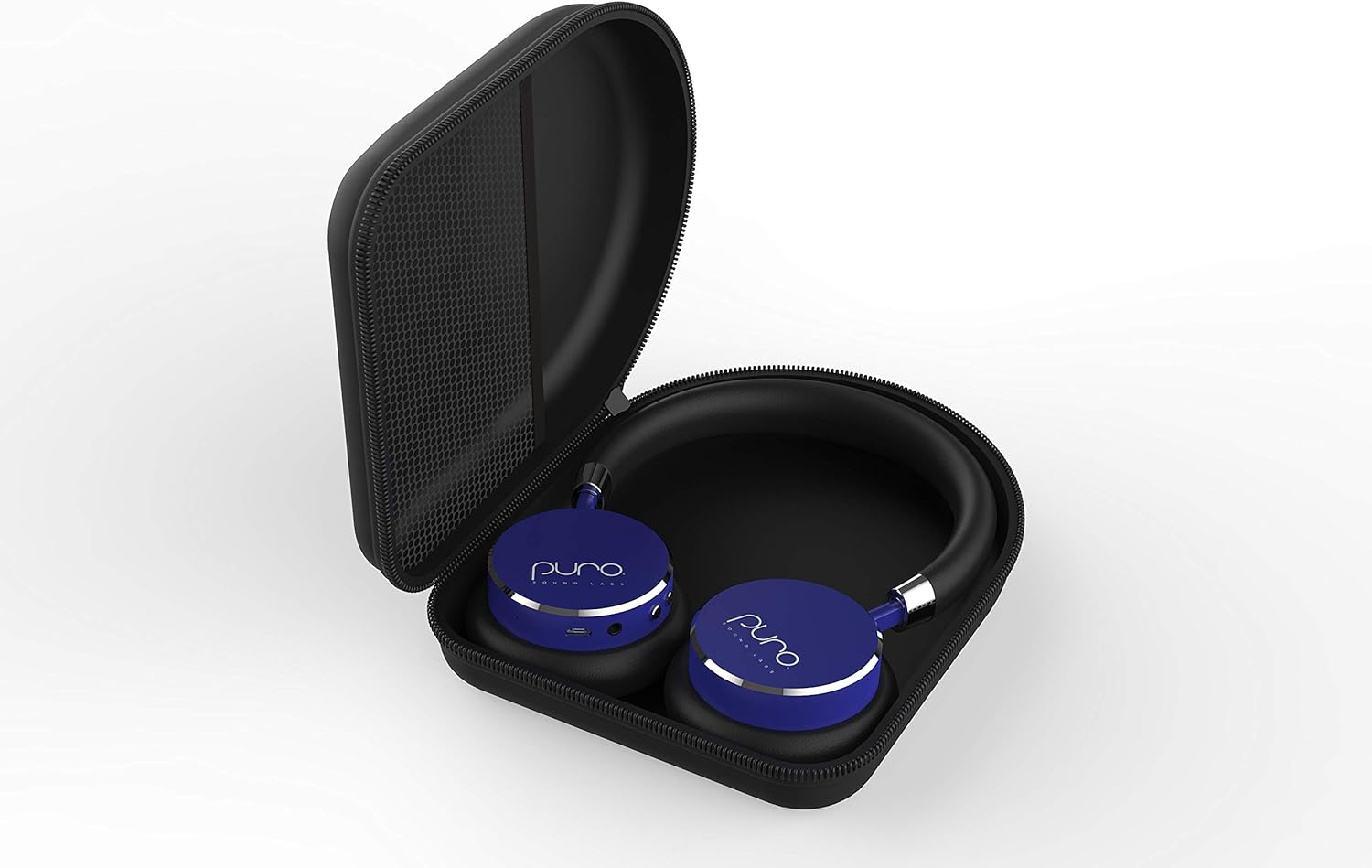
Image: The BT2200 headphones neatly stored within their included carrying case.
Product Overview
The BT2200 headphones are engineered with several features to enhance user experience and safety:
- Volume Limiting: Automatically limits sound to 85 dB to prevent hearing damage.
- Noise Isolation: Passive design blocks approximately 82% of ambient noise at 1 KHz.
- Battery Life: Up to 18 hours of music playback and 200 hours of standby time.
- Durable Construction: Features aluminum construction for enhanced durability.
- Comfort: Padded earcups and headband wrapped in soft vegan leather for extended wear.
- Portability: Foldable design for easy storage in the included carry case.
- Easy Controls: Large, accessible buttons for volume and power.

Image: A pair of blue Puro Sound Labs BT2200 headphones.

Image: Graphic illustrating the 'Healthy Ears' feature, highlighting the 85 dB volume limit for hearing protection.
Video: An official product video showcasing the features of the Puro Sound Labs BT2200 Volume-Limiting Kids' Headphones, including noise isolation, durable construction, and ease of use.
Setup
Charging the Headphones
Before initial use, fully charge your BT2200 headphones. Connect the provided USB charging cable to the charging port on the headphones and to a standard USB power source (e.g., computer, wall adapter). The indicator light will show charging status and turn off or change color when fully charged. A full charge provides up to 18 hours of listening time.
Bluetooth Pairing
- Ensure the headphones are charged and powered off.
- Press and hold the power button on the headphones until the indicator light flashes, indicating pairing mode.
- On your device (smartphone, tablet, etc.), navigate to the Bluetooth settings.
- Select "BT2200" from the list of available devices.
- Once connected, the indicator light on the headphones will stop flashing or change to a solid color.
The BT2200 headphones use Bluetooth V4.0 and offer a wireless range of up to 30 feet (approximately 9 meters).
Operating Instructions
Wireless Use (Bluetooth)
After successful pairing, turn on the headphones. They will automatically attempt to connect to the last paired device. Use the volume buttons (+/-) on the headphones to adjust the listening level. The volume will be limited to 85 dB for hearing protection.
Wired Use (3.5mm Auxiliary Cable)
If the headphone battery is depleted or for use with non-Bluetooth devices, connect the provided 3.5mm auxiliary audio cable. It is crucial to ensure the end of the cable with the volume limiter is plugged into the headphone jack. This ensures the 85 dB volume limiting feature remains active during wired use. Connect the other end to your audio source.
Controls
- Power Button: Press and hold to turn on/off. Short press for play/pause (when connected via Bluetooth).
- Volume Up (+): Increases volume.
- Volume Down (-): Decreases volume.
Maintenance
To ensure the longevity of your Puro Sound Labs BT2200 headphones:
- Store the headphones in the provided carrying case when not in use to protect them from dust and physical damage.
- Clean the earcups and headband with a soft, dry cloth. Avoid using harsh chemicals or abrasive materials.
- Keep the headphones away from extreme temperatures and moisture.
Troubleshooting
No Sound
- Ensure the headphones are powered on and charged.
- Check that the headphones are properly paired and connected to your device via Bluetooth.
- If using the wired connection, ensure the 3.5mm cable is securely plugged into both the headphones (limiter end) and the audio source.
- Verify the volume on both the headphones and the connected device is turned up.
Cannot Pair via Bluetooth
- Make sure the headphones are in pairing mode (flashing indicator light).
- Ensure Bluetooth is enabled on your device.
- Move the headphones closer to your device.
- Try turning off and on both the headphones and your device.
- If previously paired, try 'forgetting' the device in your Bluetooth settings and re-pairing.
Specifications
| Brand | Puro Sound Labs |
| Model Number | BT2200 |
| Ear Placement | On Ear |
| Noise Control | Sound Isolation (82% ambient noise reduction) |
| Connectivity Technology | Bluetooth V4.0, 3.5 mm Jack |
| Bluetooth Range | 30 Feet (approx. 9 meters) |
| Battery Average Life | 18 Hours (music playback) |
| Item Weight | 6 Ounces (approx. 170 grams) |
| Audio Driver Size | 40 Millimeters |
| Enclosure Material | Faux Leather |
Warranty and Support
Warranty Information
The Puro Sound Labs BT2200 headphones come with a 1-year limited warranty from the date of purchase. This warranty covers manufacturing defects. Additionally, Puro Sound Labs offers a 30-day money-back guarantee.
Customer Support
For technical assistance, warranty claims, or further inquiries, please visit the official Puro Sound Labs website or contact their customer support directly. Refer to the packaging or the quick start guide for specific contact details.