
1. Introduction
Thank you for choosing the Kooltech Universal Remote Control (Model CPM313). This remote is designed as a replacement for various Panasonic television models, offering a simple and effective solution for controlling your TV. Its ergonomic and lightweight design ensures comfortable use.
This manual provides essential information on how to set up, operate, maintain, and troubleshoot your new remote control.
2. Setup
2.1. Battery Installation
The Kooltech Universal Remote Control requires two AAA batteries (not included) for operation.
- Locate the battery compartment on the back of the remote control.
- Slide the battery compartment cover downwards or press the latch and lift to open.
- Insert two AAA batteries, ensuring the positive (+) and negative (-) terminals match the diagrams inside the compartment.
- Replace the battery compartment cover, ensuring it clicks securely into place.
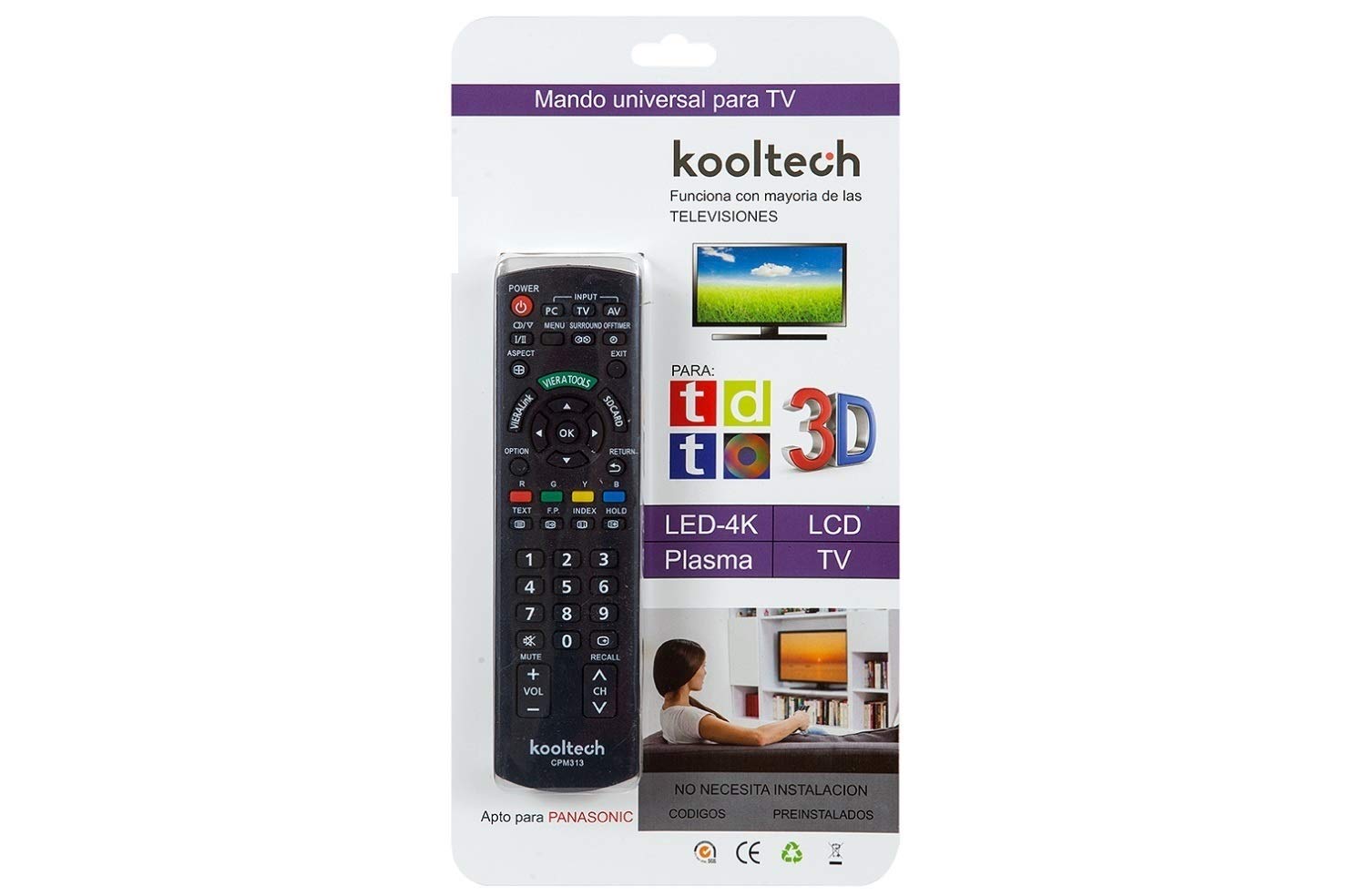
Image: The Kooltech Universal Remote Control, showing its design and the typical location of the battery compartment on the rear.
2.2. Initial Use
This universal remote control is pre-programmed for most Panasonic televisions. In most cases, no additional setup or pairing is required. Simply insert the batteries, point the remote at your Panasonic TV, and begin using it.
If the remote does not respond to your TV, ensure the batteries are correctly installed and have sufficient charge. Verify that there are no obstructions between the remote and the TV's infrared receiver.
3. Operation
The remote control features standard buttons for common television functions. Below is a general guide to the button layout and their functions:
- Power Button: Turns the TV on or off.
- Number Buttons (0-9): For direct channel selection.
- Channel Up/Down (CH+/CH-): Changes the TV channel sequentially.
- Volume Up/Down (VOL+/VOL-): Adjusts the sound volume.
- Mute Button: Silences the TV audio.
- Input/Source Button: Switches between different video input sources (HDMI, AV, etc.).
- Menu Button: Accesses the TV's main menu.
- Navigation Buttons (Up, Down, Left, Right, OK/Enter): Used to navigate through TV menus and confirm selections.
- Exit/Return Button: Exits menus or returns to the previous screen.
- Color Buttons (Red, Green, Yellow, Blue): Functionality varies by TV model and context within menus or smart TV applications.
Note: Specific button functions may vary slightly depending on your Panasonic TV model.
4. Maintenance
4.1. Cleaning
To clean your remote control, use a soft, dry cloth. For stubborn dirt, slightly dampen the cloth with water or a mild, non-abrasive cleaner. Avoid using harsh chemicals, solvents, or abrasive materials, as these can damage the remote's surface or internal components.
4.2. Battery Replacement
Replace batteries when the remote's response becomes sluggish or stops working. Always replace both batteries at the same time with new ones of the same type (AAA). Do not mix old and new batteries, or different types of batteries, as this can lead to leakage or damage.
Dispose of used batteries according to local regulations.
4.3. Storage
When not in use for extended periods, it is recommended to remove the batteries to prevent potential leakage and damage to the remote control.
5. Troubleshooting
- Remote not working:
- Check if the batteries are inserted correctly with the correct polarity (+/-).
- Replace old batteries with new AAA batteries.
- Ensure there are no obstructions between the remote and the TV's infrared sensor.
- Point the remote directly at the TV's sensor.
- Some buttons not responding:
- This remote is designed for general Panasonic TV functions. Some advanced or smart TV specific functions (e.g., "GUIDE" or "LAST VIEW" mentioned in reviews for older models) might not be supported by this universal remote.
- Clean the remote's surface and buttons to ensure no dirt is interfering with button presses.
- TV not responding to any commands:
- Confirm your TV is a Panasonic model. This remote is specifically designed for Panasonic TVs.
- Try restarting your TV by unplugging it from the power outlet for a few minutes, then plugging it back in.
6. Specifications
| Feature | Detail |
|---|---|
| Model Number | CPM313 |
| Brand | Kooltech |
| Compatible Devices | Panasonic Televisions |
| Connectivity Technology | Infrared (IR) |
| Number of Buttons | 100 |
| Maximum Range | 10 meters (approximately 33 feet) |
| Power Source | 2 x AAA Batteries (not included) |
| Product Dimensions | 23 x 5 x 3 cm (approximately 9.06 x 1.97 x 1.18 inches) |
| Product Weight | 160 g (approximately 5.64 ounces) |
| Special Feature | Lightweight, Ergonomic Design |
7. Warranty and Support
7.1. Warranty Information
Based on available product information, a specific product warranty is not explicitly stated or "not applicable". Please refer to the retailer's return policy or contact the seller directly for information regarding returns or defects within the applicable consumer protection period.
7.2. Customer Support
For further assistance or if you encounter issues not covered in this manual, please contact the seller or retailer from whom you purchased the Kooltech Universal Remote Control. Provide your product model number (CPM313) and details of the issue for efficient support.