
1. Introduction
This manual provides essential information for the proper setup, operation, and maintenance of your Audster FK-5400 54-Key Electronic Keyboard. Please read this manual thoroughly before using the instrument to ensure optimal performance and longevity.
2. Safety Instructions
- Power Supply: Use only the specified power adapter. Ensure the voltage matches your local power supply. Disconnect the power cord during lightning storms or when unused for extended periods.
- Water and Moisture: Do not expose the keyboard to water or excessive moisture. Avoid placing liquid-filled containers on or near the instrument.
- Ventilation: Do not block ventilation openings. Ensure adequate airflow around the instrument to prevent overheating.
- Placement: Place the keyboard on a stable, flat surface. Avoid extreme temperatures, direct sunlight, or heat sources.
- Cleaning: Clean only with a dry, soft cloth. Do not use abrasive cleaners or solvents.
- Servicing: Do not attempt to service the instrument yourself. Refer all servicing to qualified personnel.
3. Package Contents
Verify that all items are present in the package:
- Audster FK-5400 Electronic Keyboard
- Microphone
- Power Adapter (not explicitly listed but implied by 'Corded Electric')
- User Manual (this document)

4. Product Overview
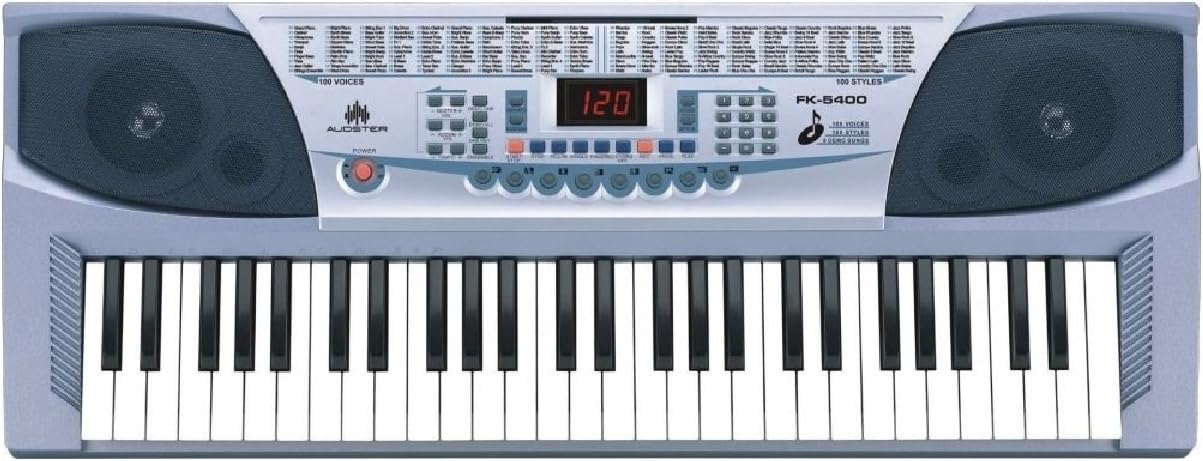
The Audster FK-5400 is a 54-key electronic keyboard designed for musical exploration. It features an LED display, integrated speakers, and a variety of functions to enhance your playing experience.
Key Features:
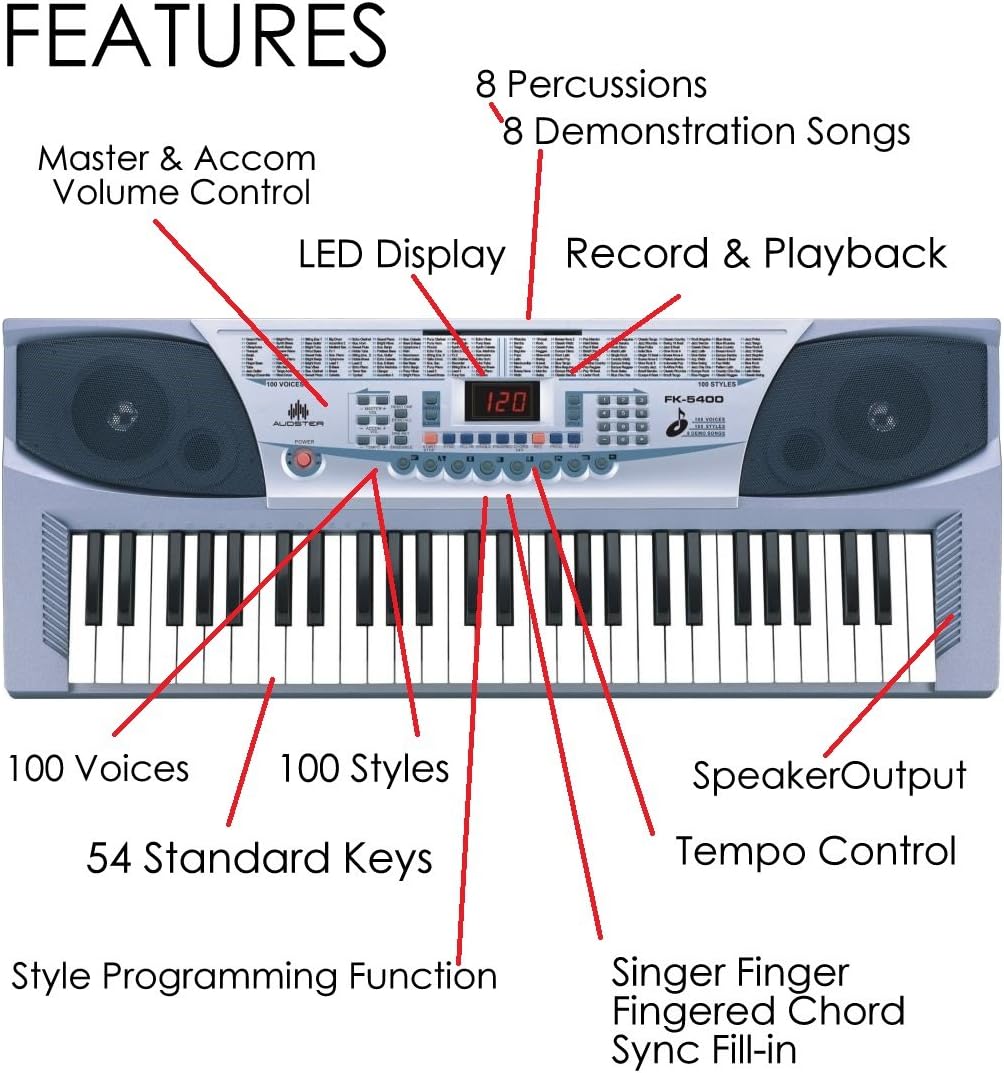
- 54 Standard Piano Keys
- LED Display
- 100 Voices (Tones)
- 100 Styles (Rhythms)
- 8 Percussion Sounds
- 8 Demonstration Songs
- Master & Accompaniment Volume Control
- Tempo Control
- Single Finger / Fingered Chord / Sync / Fill-in Functions
- Style Programming Function
- Record & Playback Function
- One Key / Ensemble / Vibrato / Sustain Effects
- Speaker Output
- Microphone Input and Included Microphone
5. Setup
5.1 Power Connection
- Locate the DC IN jack on the back or side of the keyboard.
- Connect the power adapter to the DC IN jack.
- Plug the power adapter into a standard electrical outlet.
5.2 Microphone Connection
The FK-5400 includes a microphone for vocal input.
- Locate the microphone input jack (typically a 3.5mm jack).
- Insert the microphone plug firmly into the jack.
5.3 Headphones Connection
For private practice, you can connect headphones.
- Locate the headphones output jack (3.5mm Jack).
- Plug your headphones into this jack. The internal speakers will typically mute automatically.
6. Operating Instructions
6.1 Power On/Off
Press the POWER button to turn the keyboard on or off. The LED display will illuminate when powered on.
6.2 Selecting Voices (Tones)
The keyboard features 100 different instrument voices.
- Use the VOICE selection buttons (e.g., number pad or dedicated up/down buttons) to browse and select a desired voice.
- The selected voice number will be shown on the LED display.
6.3 Selecting Styles (Rhythms)
Choose from 100 accompaniment styles.
- Press the STYLE selection buttons to choose a rhythm.
- Press the START/STOP button to begin or end the rhythm.
6.4 Percussion Sounds
Access 8 different percussion sounds.
- Dedicated PERCUSSION buttons allow direct access to individual drum sounds.
6.5 Demonstration Songs
The keyboard includes 8 pre-recorded demonstration songs.
- Press the DEMO button to play through the demonstration songs.
- Press it again to stop playback or cycle through songs.
6.6 Volume Control
Adjust the overall volume and accompaniment volume.
- Use the MASTER VOLUME controls to adjust the main output level.
- Use the ACCOMPANIMENT VOLUME controls to adjust the volume of the selected style.
6.7 Tempo Control
Adjust the speed of rhythms and demonstration songs.
- Use the TEMPO UP/DOWN buttons to increase or decrease the tempo.
6.8 Chord Functions
The keyboard supports various chord playing modes.
- Single Finger Chord: Play chords by pressing a single key in the chord recognition area.
- Fingered Chord: Play chords by pressing the full chord shape in the chord recognition area.
6.9 Rhythm Control Functions
Enhance your rhythm playback.
- Sync: Starts the accompaniment when you play a key or chord.
- Fill-in: Adds a short rhythmic variation to the current style.
6.10 Style Programming Function
Create and store your own rhythm patterns.
- Refer to the specific instructions on the control panel for entering and exiting programming mode, and for saving your custom styles.
6.11 Record & Playback
Record your performances and play them back.
- Press the RECORD button to start recording your playing.
- Press the PLAYBACK button to listen to your recorded performance.
6.12 Effects
Apply various effects to your sound.
- One Key: A learning function that allows you to play along with a song by pressing any key.
- Ensemble: Adds a richer, fuller sound to your playing.
- Vibrato: Creates a slight, rapid fluctuation in pitch for expressive playing.
- Sustain: Lengthens the decay of notes, similar to a piano's sustain pedal.
7. Maintenance
7.1 Cleaning
To maintain the appearance and functionality of your keyboard:
- Wipe the surface with a soft, dry cloth.
- For stubborn dirt, slightly dampen the cloth with water and a mild soap, then wipe dry immediately.
- Avoid using chemical cleaners, waxes, or solvents, as these can damage the finish.
7.2 Storage
When not in use for extended periods:
- Disconnect the power adapter.
- Store the keyboard in a clean, dry place away from direct sunlight and extreme temperatures.
- Consider covering the keyboard with a dust cover to protect it from dust and debris.
8. Troubleshooting
If you encounter issues with your Audster FK-5400, refer to the following common problems and solutions:
- No Power:
- Ensure the power adapter is securely connected to both the keyboard and a working electrical outlet.
- Check if the power button is pressed.
- No Sound:
- Verify that the Master Volume is turned up.
- If headphones are connected, disconnect them to enable the internal speakers.
- Ensure a voice is selected and not set to a silent patch.
- Rhythm Not Playing:
- Ensure a style is selected and the START/STOP button has been pressed.
- Check the Accompaniment Volume.
If the problem persists, please contact Audster customer support for assistance.
9. Specifications
| Feature | Specification |
|---|---|
| Model Name | FK-5400 |
| Number of Keys | 54 Standard Piano Keys |
| Display | LED Display |
| Voices | 100 |
| Styles | 100 |
| Percussions | 8 |
| Demonstration Songs | 8 |
| Connectivity Technology | Auxiliary |
| Connector Type | 3.5mm Jack (Headphones/Microphone) |
| Power Source | Corded Electric |
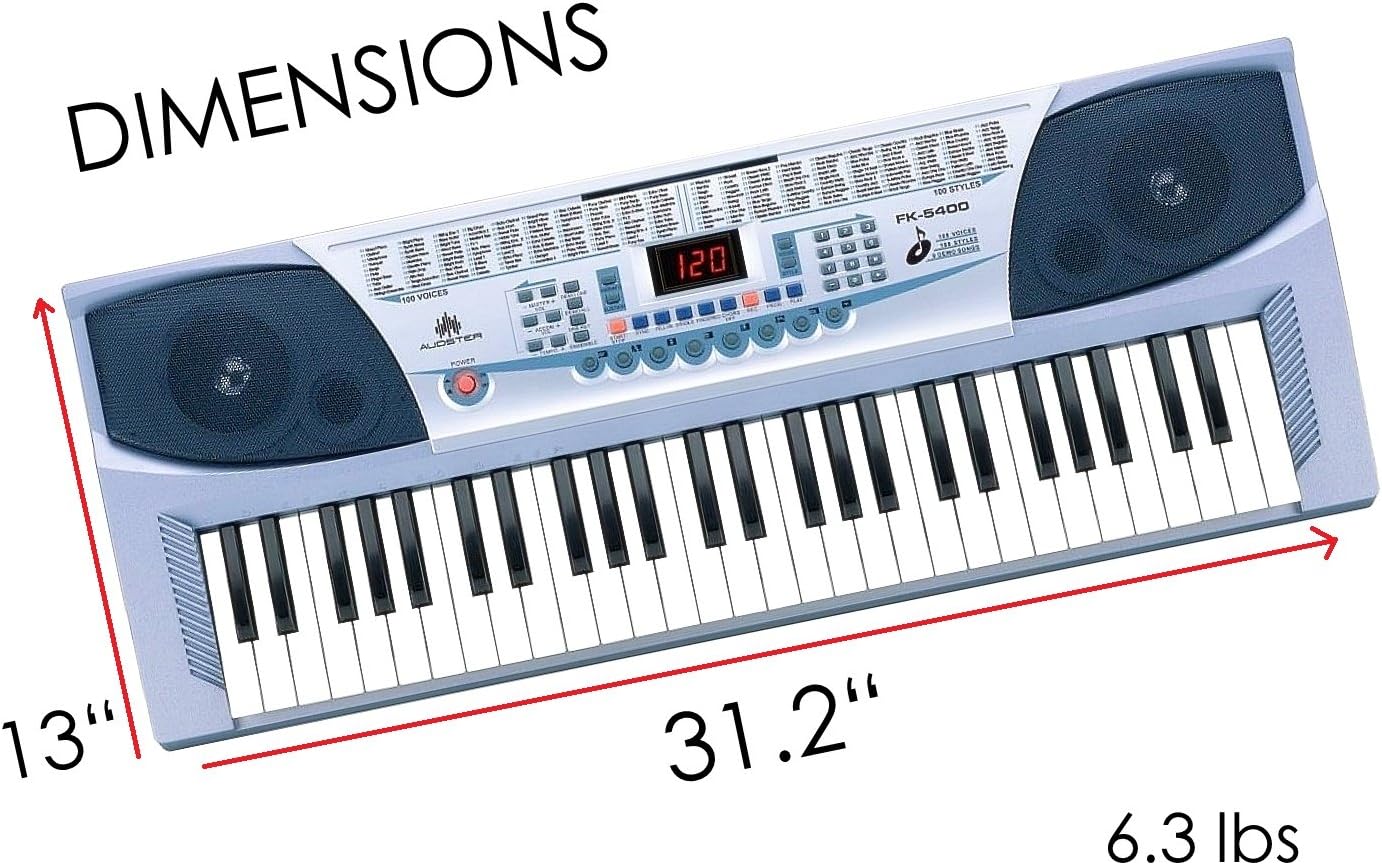
| Item Weight | 6.34 pounds |
| Package Dimensions | 31.25 x 13 x 4.5 inches |
| Manufacturer | Audster |
| UPC | 738676655322 |
10. Warranty and Support
For warranty information or technical support regarding your Audster FK-5400 Electronic Keyboard, please refer to the warranty card included with your product or visit the official Audster website. You may also contact customer service through the retailer where the product was purchased.