1. Introduction
The Deftun MSR X6(BT) is a versatile Bluetooth magnetic stripe card reader, writer, and encoder. It is designed for reading, writing, and erasing data on magnetic stripe cards, supporting various data formats. This manual provides comprehensive instructions for the proper setup, operation, and maintenance of your device.
2. Safety Guidelines
- Please ensure the device is fully charged before initial use.
- Use a standard phone adapter for charging to prevent damage.
- When swiping cards, ensure the magnetic strip is aligned with the direction of the magnetic head.
- Swipe the card evenly and smoothly for accurate data processing.
- Keep the device away from strong magnetic fields to avoid data corruption.
- Do not attempt to disassemble or modify the device, as this will void the warranty and may cause damage.
3. Package Contents
Please verify that all items listed below are included in your package:
- MSR X6(BT) Magnetic Card Reader Writer Encoder
- USB Cable
- Head Cleaning Card
- Software CD (or download link)

Image: All components included in the MSR X6(BT) product box.
4. Product Features & Overview
The MSR X6(BT) is a compact and portable device designed for efficient magnetic stripe card operations. It features both Bluetooth and USB interfaces for flexible connectivity with various devices.

Image: The MSR X6(BT) device in use, demonstrating its ergonomic design.
Key Features:
- Reads, writes, and erases up to 3 tracks of information.
- Supports ISO7811, AAMVA, and CA DMV standards.
- Dual connectivity: Bluetooth for mobile devices and USB for computers.
- Compatible with Windows, macOS, Linux, iOS, and Android operating systems.
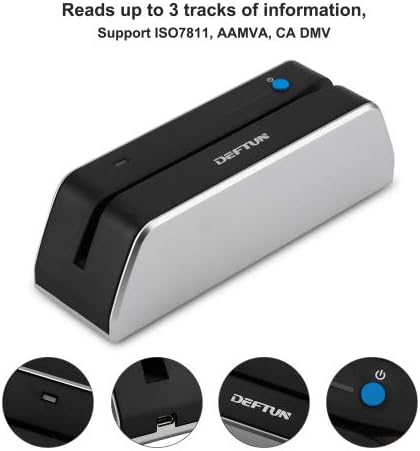
Image: The device indicating its capability to read up to 3 tracks of data.

Image: Illustration of the device's Bluetooth and USB connectivity options.
5. Setup & Connection
Initial Setup:
- Charge the Device: Before first use, fully charge the MSR X6(BT) using the provided USB cable and a compatible phone adapter.
- Download the App: Download the