
Product Overview
The Neewer NW870 is a versatile Li-ion battery-powered TTL flash designed for Canon and Nikon DSLR cameras. It features High-Speed Sync (HSS), master/slave capabilities, and a powerful guide number, making it suitable for various photographic needs. This manual provides detailed instructions for its setup, operation, and maintenance.
Package Contents
- 1 x NW870 Flash for Canon & Nikon
- 2 x Li-ion Battery (LE-26)
- 1 x Manual (this document)
- 1 x Protective Bag
- 1 x Mini Stand
- 1 x AC Charger for Li-ion Battery
- 1 x 20 Pieces Color Filter Set
- 1 x Hard Diffuser
- 1 x Soft Diffuser
Safety Information
Please read all safety instructions carefully before using the Neewer NW870 flash. Improper use can result in electric shock, fire, or damage to the product.
- Do not disassemble or modify the flash unit. High voltage components are present.
- Keep the flash unit dry. Do not expose to rain, moisture, or high humidity.
- Do not touch the flash tube immediately after firing, as it can be hot.
- Use only the specified Li-ion battery (LE-26) and AC charger provided by Neewer.
- Keep out of reach of children.
- Avoid direct eye exposure to the flash, especially at close range, as it can cause temporary vision impairment.
- Ensure the flash is securely mounted to the camera or stand to prevent accidental drops.
Setup
1. Battery Installation
The NW870 flash uses a rechargeable Li-ion battery (LE-26). Ensure the battery is fully charged before first use.
- Open the battery compartment cover on the side of the flash unit.
- Insert the LE-26 Li-ion battery, ensuring the contacts align correctly.
- Close the battery compartment cover securely.
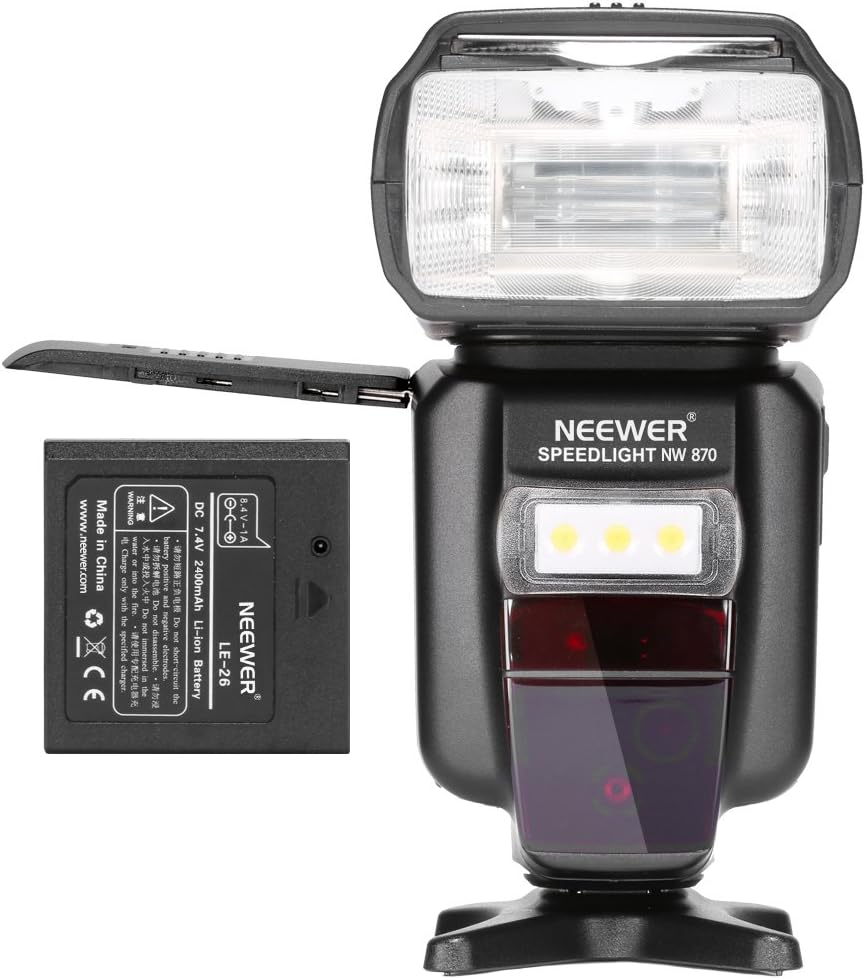
Image showing the side of the Neewer NW870 flash with the battery compartment open and a Li-ion battery partially inserted, demonstrating the correct orientation for installation.
2. Battery Charging
Use the included AC charger to charge the LE-26 Li-ion battery.
- Connect the AC charger to a power outlet.
- Place the LE-26 battery into the charging slot on the charger.
- The charging indicator light on the charger will show the charging status (e.g., red for charging, green for fully charged).
- Once fully charged, remove the battery from the charger.

The Neewer Li-ion battery charger with a battery inserted, connected to an AC power adapter, illustrating the charging process.
3. Mounting the Flash to a Camera
The NW870 flash can be mounted on the hot shoe of compatible Canon and Nikon DSLR cameras.
- Ensure both the camera and flash are powered off.
- Slide the flash's mounting foot into the camera's hot shoe.
- Tighten the locking ring or lever on the flash unit to secure it firmly to the hot shoe.
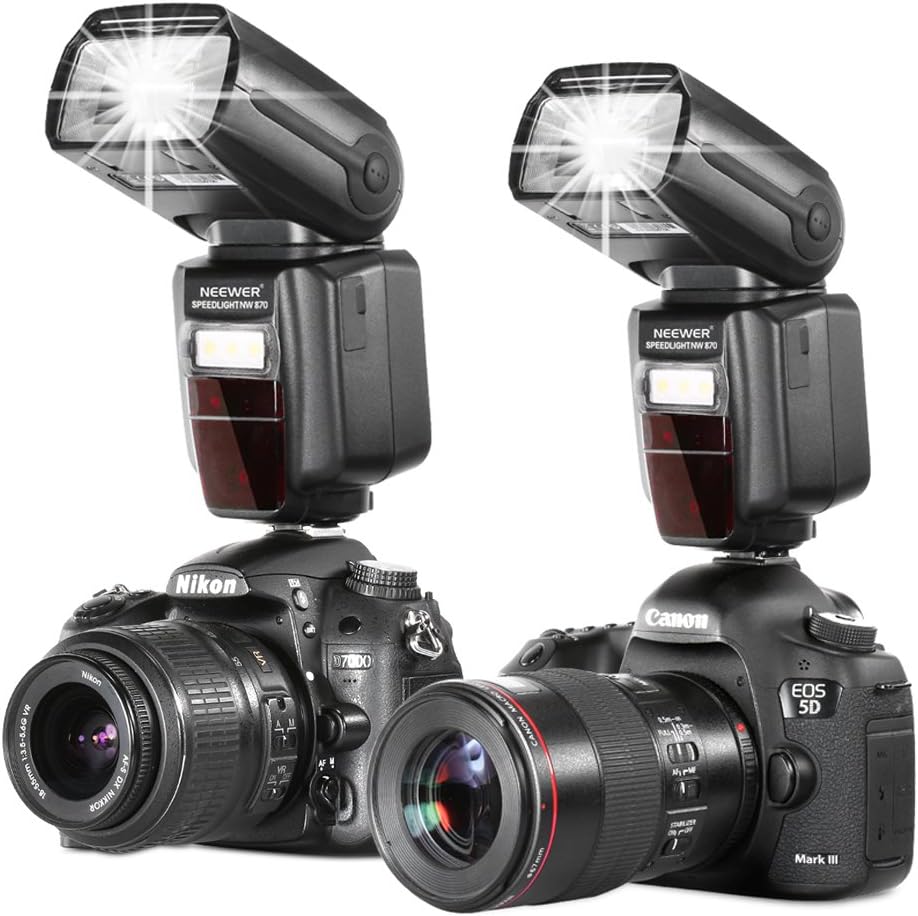
Two Neewer NW870 flash units, one mounted on a Nikon DSLR camera and the other on a Canon DSLR camera, demonstrating compatibility and mounting.
Operating Instructions
1. Controls and Display
The NW870 features an intuitive control panel and a backlit LCD screen for easy operation.

A detailed view of the Neewer NW870 flash, highlighting its control buttons, dial, and the LCD screen displaying flash settings.
- MODE Button: Cycles through flash modes (TTL, M, Multi, Master, Slave, S1, S2, FEB).
- +/- Buttons: Adjust flash output, exposure compensation, and other parameters.
- SET Button: Confirms selections.
- ZOOM Button: Adjusts flash coverage (18-180mm) manually or automatically.
- LED Button: Activates the LED AF Assist Beam.
- ON/OFF Switch: Powers the unit on or off.
2. Flash Modes
The NW870 supports various flash modes to suit different shooting scenarios.

Close-up views of the Neewer NW870 flash's LCD screen, showing examples of i-TTL, E-TTL, and Slave mode displays, indicating various settings like exposure compensation, channel, and zoom.
- TTL (Through-The-Lens): Automatic flash output based on camera's metering.
- M (Manual): Manually set flash output from 1/128 to 1/1 power.
- Multi (Stroboscopic): Fires a series of rapid flashes for multiple exposures in one frame.
- Master: Controls other slave flash units wirelessly.
- Slave (S1/S2): Triggered by another flash. S1 is optical slave, S2 ignores pre-flash.
- FEB (Flash Exposure Bracketing): Takes three photos with different flash exposures.
3. High-Speed Sync (HSS)
The NW870 supports High-Speed Sync up to 1/8000s, allowing you to use flash at shutter speeds faster than your camera's native sync speed. This is useful for overpowering ambient light or using wide apertures in bright conditions.
4. Wireless Triggering
The flash supports wireless triggering via light pulse or induction flash. It has 4 channels (1, 2, 3, 4) and 3 slave groups (A, B, C) for complex lighting setups. Wireless flash distance is 20-30m indoors and 10-15m outdoors.
5. Flash Head Rotation
The flash head can be rotated vertically from -7 to 90 degrees and horizontally from 0 to 180 degrees, allowing for bounce flash and flexible lighting angles.

An animated image or sequence showing the Neewer NW870 flash head rotating horizontally and vertically, demonstrating its flexibility for bounce flash.
6. Using Color Filters and Diffusers
The kit includes 20 color filters and hard/soft diffusers to modify the light quality.
- Color Filters: The 20-piece set includes 14 color effects, 5 color correction, and 1 diffusion filter. They attach quickly to the flash head using their tabbed design. Use them to add creative color to your lighting or correct color temperature.
- Soft Flash Diffuser: Spreads and softens the light, reducing harsh shadows and creating a more natural look. Simply slide it over the flash head.
- Hard Flash Diffuser: Reduces harsh shadows and eliminates red-eye effect, making the light more balanced. Attaches similarly to the soft diffuser.
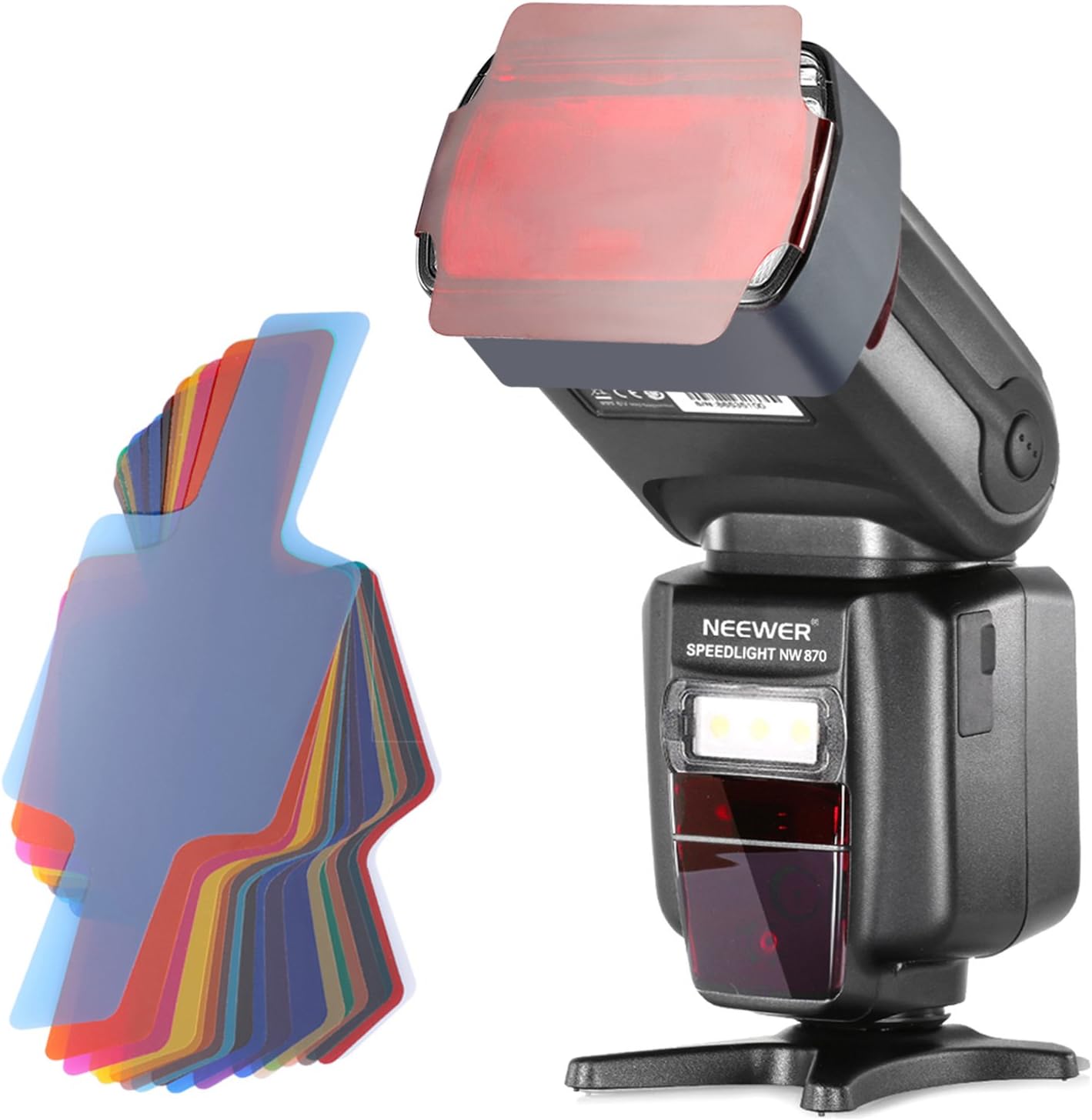
The Neewer NW870 flash with a red color filter attached to its head, alongside a stack of various color filters, demonstrating how they are used to modify light output.
Maintenance
- Cleaning: Use a soft, dry cloth to clean the flash unit. For stubborn dirt, a slightly damp cloth can be used, but ensure no moisture enters the unit. Do not use solvents or abrasive cleaners.
- Storage: When not in use for extended periods, remove the battery from the flash unit. Store the flash and accessories in a cool, dry place, away from direct sunlight and extreme temperatures. Use the provided protective bag for storage.
- Battery Care: Recharge the Li-ion battery regularly, even if not in use, to maintain its lifespan. Avoid fully discharging the battery frequently.
Troubleshooting
| Problem | Possible Cause | Solution |
|---|---|---|
| Flash does not fire. | Battery low or not installed correctly. Flash not powered on. Incorrect camera settings. | Charge/reinstall battery. Power on flash. Check camera's flash settings (e.g., external flash enabled). |
| Flash output is too weak/strong. | Incorrect flash mode or power setting. Distance to subject. | Adjust flash power in Manual mode. Check TTL exposure compensation. Move closer/further from subject. |
| Flash does not sync with high shutter speeds. | HSS (High-Speed Sync) not enabled. | Ensure HSS is enabled on both flash and camera (if applicable). |
| Wireless triggering not working. | Incorrect channel/group settings. Obstructions. | Verify master/slave settings, channels, and groups. Ensure clear line of sight for optical triggering. |
Specifications
| Feature | Specification |
|---|---|
| Guide No. | 58 (ISO 100, 180mm) |
| Flash Modes | TTL/M/Multi/Master/Slave/S1/S2/FEB |
| Flash Coverage | 18-180mm (Manual/Automatic zoom) |
| Recycle Time | 2.3s |
| High Speed Sync | Up to 1/8000s |
| Wireless Trigger | Light pulse, induction flash |
| Wireless Flash Distance | 20-30m Indoor, 10-15m Outdoor |
| Channels | 4 (1, 2, 3, 4) |
| Slave Groups | 3 (A, B, C) |
| Vertical Rotation | -7 to 90 degrees |
| Horizontal Rotation | 0 to 180 degrees |
| Color Temperature | 5500K |
| LED AF Assist Beam Color Temp. | 5500±200K (White) |
| LED AF Assist Beam Power | 3W |
| Flash Duration | 1/200-1/20000s |
| Flash Control | 1/128-1/1, step length 0.3EV, 22 fine-tuning stalls |
| Lighting Times | 500-5000 times |
| Battery Type | 7.4V 2400mAh Li-ion Battery (LE-26) |
| External Power Supply | 6-8V DC |
| Item Weight | 2.6 pounds |
| Package Dimensions | 11.26 x 10.47 x 3.7 inches |
Warranty and Support
For warranty information and technical support, please refer to the official Neewer website or contact their customer service directly. Keep your purchase receipt as proof of purchase for warranty claims.
For the most up-to-date support resources, visit: www.neewer.com