
1. Introduction
The Fugoo GO is a highly durable and portable wireless Bluetooth speaker designed for various environments. It is 100% waterproof, shock-proof, and dust-proof, making it suitable for outdoor and active use. The speaker features a robust audio system with two full-range drivers and two bass radiators, delivering 12 watts of full-range fidelity. Its versatile design allows for two listening orientations: a side orientation for direct sound or on its back for 360-degree sound dispersion. The Fugoo GO is engineered to provide clear and loud audio, up to 93 dB, ensuring your music is heard even in outdoor settings.
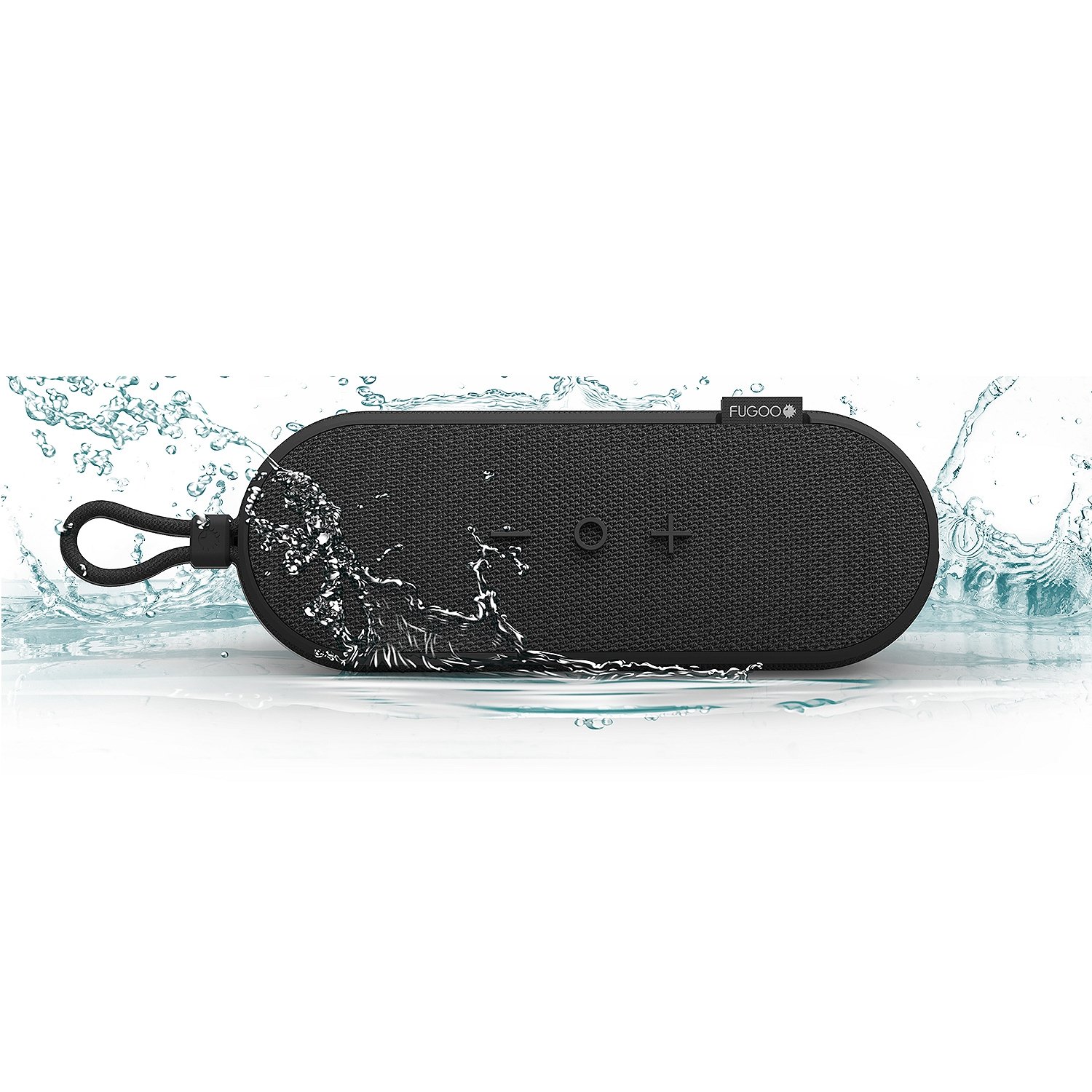
Figure 1: Fugoo GO Bluetooth Speaker, showcasing its compact and rugged design.
2. Product Overview
The Fugoo GO speaker is built for resilience and high-quality sound. Key features include:
- Waterproof Rating: Submersible up to 3 feet (1 meter) for 30 minutes.
- Durability: Shock-proof and dust-proof construction.
- Audio Output: 12 Watts with two full-range drivers and two bass radiators.
- Loudness: Up to 93 dB.
- Sound Dispersion: Can be positioned for direct sound or 360-degree sound.
- Mounting: Integrated mounting cord for versatile attachment to bikes, kayaks, or other objects.

Figure 2: The Fugoo GO speaker highlighting its robust waterproof, shock, mud, and snow-proof capabilities.
3. Setup
3.1 Charging the Speaker
Before initial use, fully charge your Fugoo GO speaker. The speaker is powered by a built-in Lithium-Ion battery.
- Locate the USB charging port on your Fugoo GO speaker.
- Connect the provided USB charging cable to the speaker's charging port.
- Connect the other end of the USB cable to a compatible USB power source (e.g., wall adapter, computer USB port).
- The charging indicator light will illuminate. Once fully charged (approximately 10 hours of playback time), the indicator light will change or turn off.
3.2 Bluetooth Pairing
To connect your Fugoo GO speaker to a Bluetooth-enabled device:
- Ensure the speaker is powered on and within close proximity to your device.
- Activate Bluetooth on your smartphone, tablet, or other audio device.
- On your device, search for available Bluetooth devices.
- Select "Fugoo GO" from the list of discovered devices.
- Once paired, the speaker will emit an audible confirmation, and the Bluetooth indicator light will remain solid.
3.3 Pairing Two Fugoo GO Speakers (Double/Stereo Mode)
For an enhanced audio experience, two Fugoo GO speakers can be paired together:
- Ensure both Fugoo GO speakers are powered on.
- On the first speaker, press and hold the Bluetooth button and the + (Volume Up) button simultaneously until you hear a pairing prompt.
- Immediately repeat this action on the second speaker.
- The speakers will connect to each other.
- To switch between Double (mono sound from both speakers) and Stereo (left/right channels) modes, press and hold the Bluetooth button and the - (Volume Down) button simultaneously on either speaker.
4. Operating Instructions
4.1 Power On/Off
- To power on, press and hold the Power button until the indicator light illuminates.
- To power off, press and hold the Power button until the indicator light turns off.
4.2 Volume Control
- Press the + button to increase volume.
- Press the - button to decrease volume.
4.3 Audio Playback
Once connected via Bluetooth, control music playback directly from your paired device. The speaker will play audio from your device.
4.4 Speaker Orientation
The Fugoo GO can be positioned in two ways to optimize sound for your environment:
- Side Orientation: Place the speaker on its side for louder, more direct sound projection.
- Back Orientation: Place the speaker on its back for 360-degree sound dispersion, ideal for filling a space with ambient audio.
5. Maintenance
To ensure the longevity and optimal performance of your Fugoo GO speaker, follow these maintenance guidelines:
- Cleaning: The Fugoo GO features a removable grill. If the speaker gets dirty, especially after outdoor use, you can carefully remove the grill for cleaning. Wash the grill with water and mild soap, then allow it to dry completely before reattaching.
- Drying: After exposure to water, ensure the speaker, especially the charging port area, is completely dry before charging to prevent damage.
- Storage: Store the speaker in a cool, dry place away from extreme temperatures.
- Battery Care: For best battery life, avoid fully discharging the battery frequently. Charge the speaker regularly, even if not in use for extended periods.

Figure 3: Illustration of the Fugoo GO speaker's durable and easy-to-clean design.
6. Troubleshooting
If you encounter issues with your Fugoo GO speaker, refer to the following common problems and solutions:
| Problem | Possible Cause | Solution |
|---|---|---|
| Speaker does not power on. | Battery is depleted. | Charge the speaker fully using the provided USB cable. |
| Cannot pair with Bluetooth device. | Bluetooth is off on device; speaker is out of range; speaker is already paired to another device. | Ensure Bluetooth is enabled on your device. Move device closer to speaker. Disconnect from other devices or restart speaker. |
| Sound distortion at high volume. | Volume too high for certain music genres (e.g., heavy bass). | Reduce the volume on the speaker or your connected device. |
| Short battery life. | Speaker used at high volumes; battery degradation over time. | Operating at 50% volume typically yields advertised battery life. Ensure full charge before use. |
| Speaker disconnects from device. | Device out of Bluetooth range; interference. | Move device closer to the speaker. Avoid obstacles between speaker and device. Reconnect Bluetooth. |
7. Specifications
| Feature | Detail |
|---|---|
| Model Number | FGO-FGOKK01 |
| Brand | Fugoo |
| Speaker Maximum Output Power | 12 Watts |
| Connectivity Technology | Bluetooth, USB |
| Audio Output Mode | Stereo |
| Mounting Type | Freestanding |
| Speaker Type | Outdoor |
| Additional Features | Portable |
| Controller Type | Battery Powered |
| Color | Black |
| Battery Average Life | 10 Hours (at 50% volume) |
| Is Waterproof | True |
| Water Resistance Level | Waterproof |
| Item Weight | 1.5 Pounds |
| Compatible Devices | Smartphone |
| Power Source | Battery Powered |
| Number of Batteries | 1 Lithium Ion battery required |
| UPC | 859065004900, 859065004931 |
8. Warranty and Support
For warranty information and customer support, please refer to the documentation included with your purchase or visit the official Fugoo website. Keep your proof of purchase for warranty claims.