
Midland MXT115
Midland MXT115 MicroMobile Two-Way Radio User Manual
Model: MXT115
Brand: Midland
Introduction
The Midland MXT115 MicroMobile Two-Way Radio is a powerful and compact GMRS communication device designed for reliable connectivity in various environments. This manual provides essential information for setting up, operating, and maintaining your radio to ensure optimal performance.
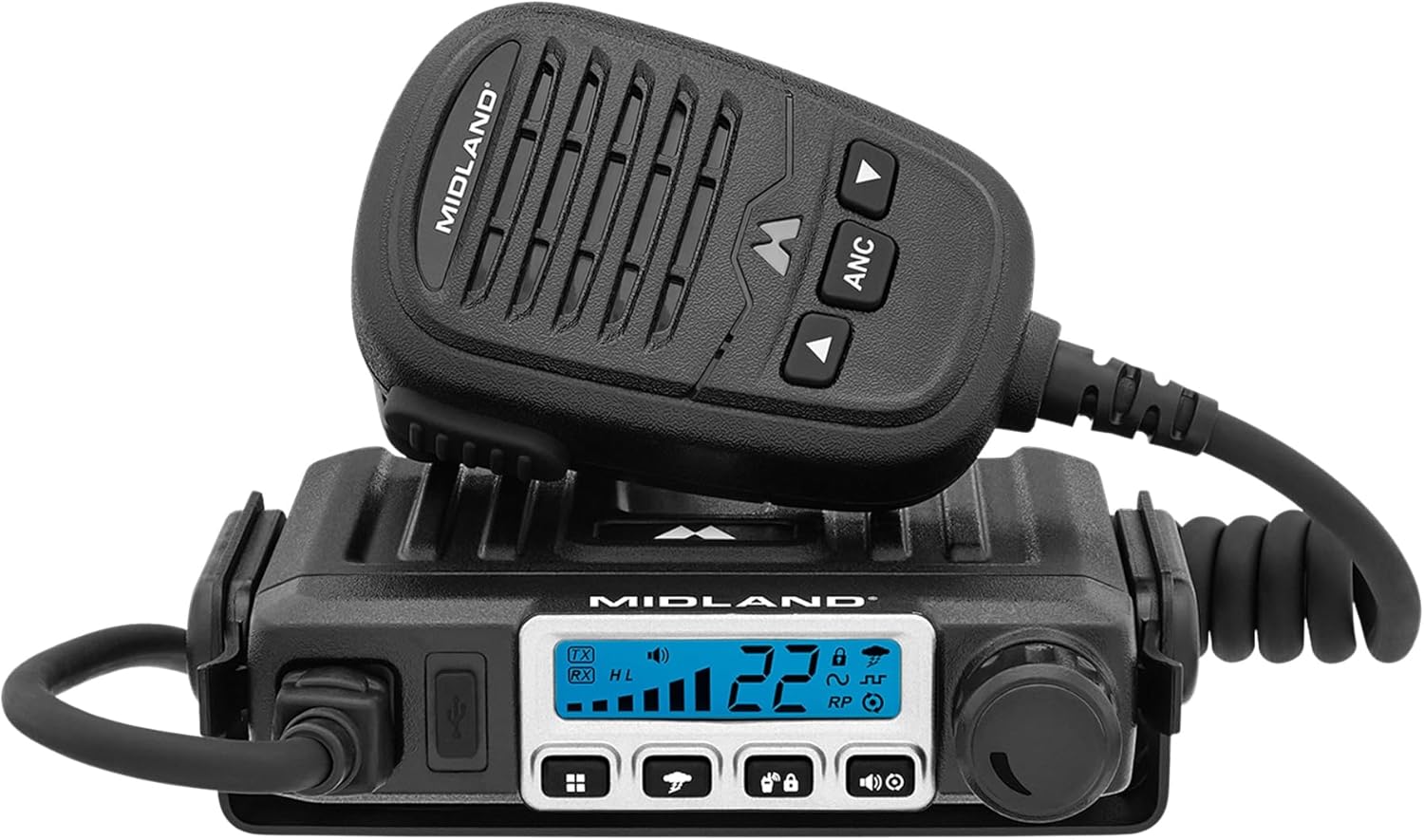
Figure 1: Midland MXT115 MicroMobile Two-Way Radio
What's in the Box
Verify that all components are present in your package:
- Radio
- Flip Frame Detachable Mount
- Microphone
- Mic Holder
- External Magnet Mount Antenna
- 12 Volt Power Cord with Car Adaptor
- Owners Manual
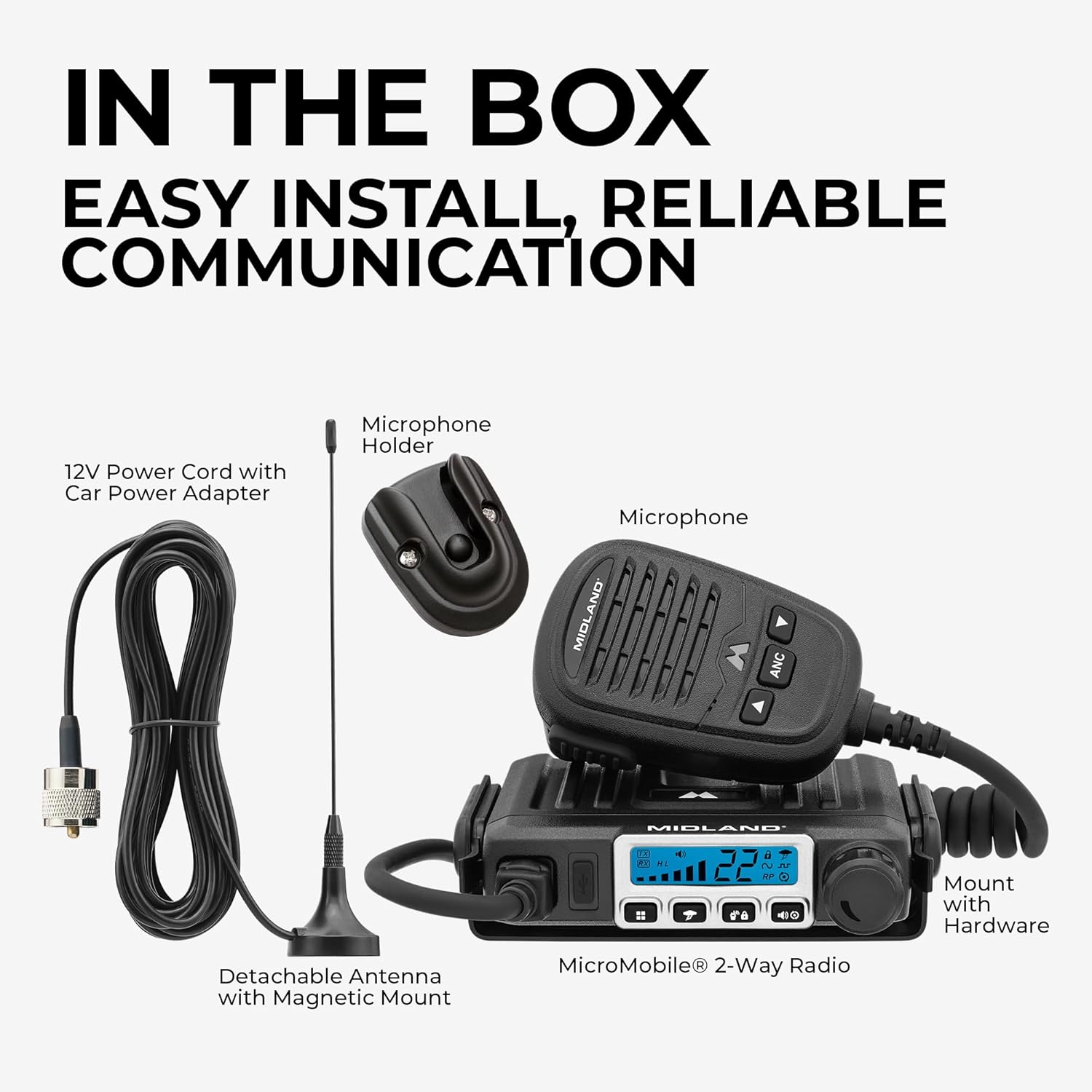
Figure 2: Included components in the MXT115 package
Setup
The MXT115 is designed for straightforward installation, often described as plug-and-play.
Mounting the Radio
Utilize the included Flip Frame Detachable Mount to secure the radio in your desired location. Ensure the mounting surface is stable and allows for proper ventilation around the unit.
Connecting the Antenna
Attach the External Magnet Mount Antenna to the radio. For optimal performance, place the antenna on a metal surface, such as a vehicle roof, that provides a clear line of sight to the sky.
Power Connection
Connect the 12 Volt Power Cord with Car Adaptor to your vehicle's 12V power outlet. Ensure a secure connection to prevent power interruptions.

Figure 3: Example of radio installation in a vehicle
Operating Instructions
Familiarize yourself with the radio's controls and features for effective communication.

Figure 4: MXT115 Radio Features Overview
Powering On/Off
Use the power button or knob to turn the radio on or off. The backlit display will illuminate upon activation.
Channel Selection
The MXT115 operates on GMRS frequencies and offers 15 high/low power channels. Use the channel selection controls on the microphone or radio to choose your desired channel. The radio also supports 8 repeater channels for extended communication range.
Channel Scan
Activate the channel scan feature to automatically search for active channels in your area, allowing you to quickly find ongoing conversations.
Privacy Codes (CTCSS/DCS)
The radio includes 142 CTCSS/DCS privacy codes. Selecting a privacy code helps filter out unwanted transmissions from other radios on the same channel, enhancing communication clarity and privacy. Use silent operation to turn off all tones.
NOAA Weather Scan + Alert
The NOAA Weather Scan feature automatically scans through 10 available weather (WX) band channels and locks onto the strongest signal to provide severe weather updates. The NOAA Weather Alert will sound an alarm if there is a risk of severe weather in your area. This feature also broadcasts AMBER alerts for missing children.
Keypad Lock
Utilize the keypad lock function to prevent accidental changes to settings during operation.
Monitor Mode
Engage monitor mode to listen to a channel without transmitting, useful for observing activity.
USB-C Charging Port
The integrated USB-C charging port allows for convenient charging of compatible devices (QC 3.0/2.0: 18W max, PD 3.0/2.0: 12V @ 1.5A, 9V @ 2A, 5V @ 3A).

Figure 5: Compact Design and Noise Canceling Microphone

Figure 6: Radio in use during outdoor activities
Maintenance
To ensure the longevity and optimal performance of your Midland MXT115 radio, follow these maintenance guidelines:
- Cleaning: Regularly wipe the radio and microphone with a soft, damp cloth. Avoid using harsh chemicals or abrasive cleaners, which can damage the unit's finish or internal components.
- Storage: When not in use for extended periods, store the radio in a cool, dry place away from direct sunlight and extreme temperatures.
- Connections: Periodically check all cable connections (power, antenna, microphone) to ensure they are secure and free from corrosion or damage.
- Antenna Care: Inspect the antenna for any bends, cracks, or damage. A damaged antenna can significantly reduce the radio's range and performance.
Troubleshooting
If you encounter issues with your Midland MXT115, consider the following basic troubleshooting steps:
- No Power: Ensure the 12V power cord is securely connected to both the radio and the vehicle's power outlet. Check the vehicle's fuse for the power outlet.
- No Transmission/Reception: Verify that the antenna is properly connected and positioned. Ensure you are on the correct channel and that the volume is adjusted appropriately. Check if the keypad lock is engaged.
- Poor Audio Quality: Confirm the microphone is securely plugged in. Ensure there are no obstructions to the microphone or speaker.
- Limited Range: Ensure the antenna is correctly installed and has a clear line of sight. Terrain, obstacles, and weather conditions can affect range.
If problems persist after attempting these steps, please contact Midland customer support for further assistance.
Specifications
| Feature | Detail |
|---|---|
| Item Weight | 2.25 pounds |
| Product Dimensions | 4 x 3.25 x 0.85 inches |
| Item Model Number | MXT115 |
| Batteries | 1 AA batteries required (for microphone, not main unit) |
| Display Type | LCD |
| Brand | Midland |
| Color | Black |
| Number of Channels | 22 (GMRS) |
| Special Feature | 8 repeater channels, Channel Scan, Compatible with all Midland FRS/GMRS radios, Full 15W Radio + External Magnetic Mount Antenna, USB-C Charging |
| Frequency Range | 462.5500 - 467.7250 MHz |
| Talking Range Maximum | 15 Mile (variable based on terrain/conditions) |
| Tuner Technology | UHF |
| Voltage | 12 Volts |
| Water Resistance Level | Not Water Resistant |
Warranty and Support
For warranty information or technical support, please contact Midland Radio directly. Refer to the official Midland website or the contact information provided in your product packaging for the most current support details.