
SVP Magnetic Car Mount
SVP Magnetic Car Mount User Manual
Universal Air Vent Cell Phone Holder
1. Introduction
Thank you for choosing the SVP Magnetic Car Mount. This universal air vent cell phone holder is designed to provide a secure and convenient way to view your smartphone while driving. Its strong magnetic connection and easy installation ensure your device remains stable on various road conditions. Please read this manual carefully before installation and use to ensure optimal performance and safety.
2. Package Contents
Verify that all components are present in your package:
- SVP Magnetic Car Mount (1 unit)
- Metallic Plate (1 unit, typically round or rectangular, with adhesive backing)
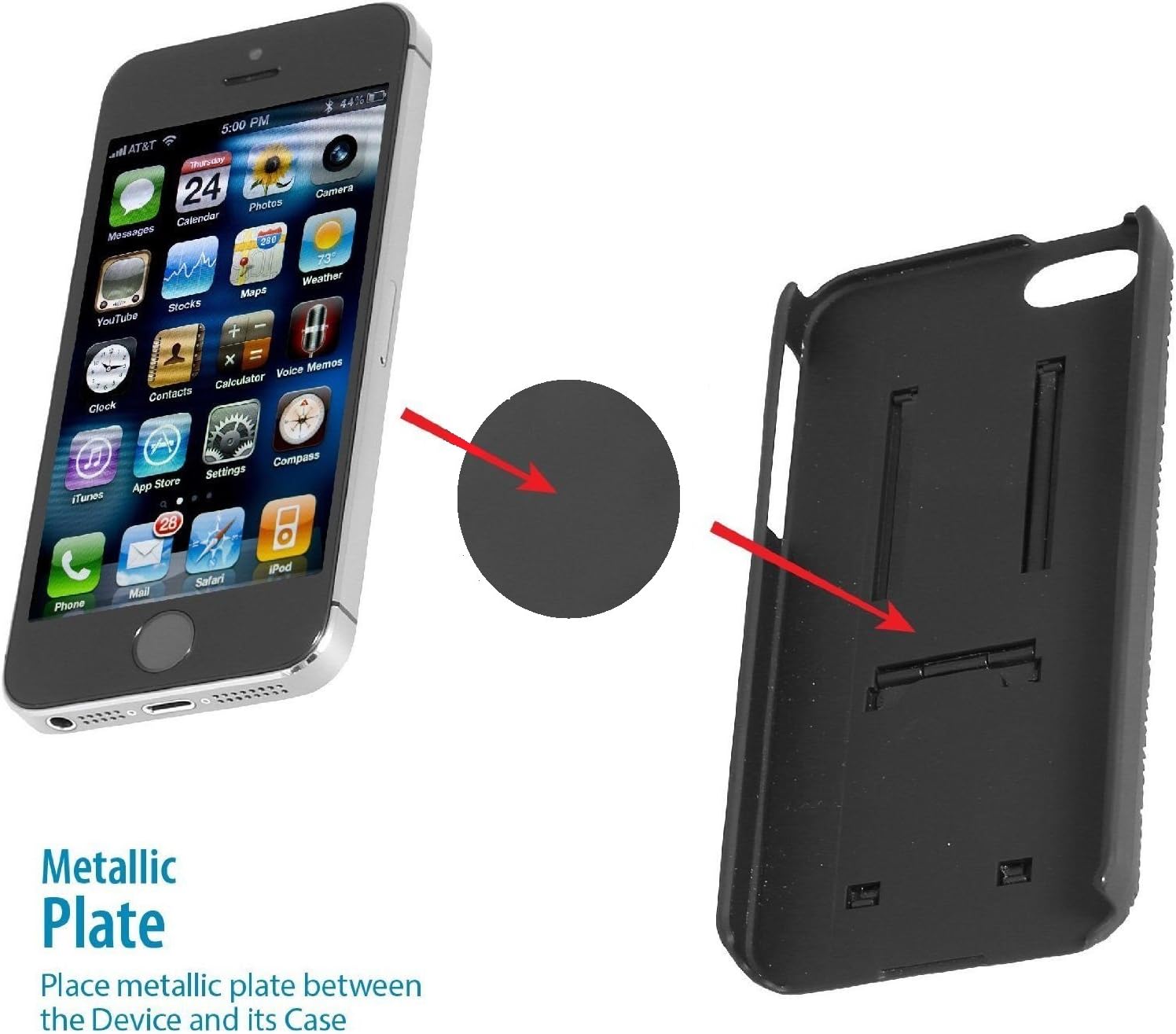
Figure 2.1: Metallic plate for smartphone attachment.
This image illustrates the metallic plate that adheres to your smartphone or its case, enabling magnetic attachment to the car mount.
3. Setup and Installation
Follow these steps to properly install your SVP Magnetic Car Mount:
3.1 Prepare Your Smartphone
- Clean the surface: Ensure the back of your smartphone or its case is clean and dry.
- Attach the metallic plate: Peel off the protective film from the adhesive side of the metallic plate. Carefully center and press the metallic plate onto the back of your smartphone or, preferably, inside your phone case. Apply firm pressure for 30 seconds to ensure a strong bond.
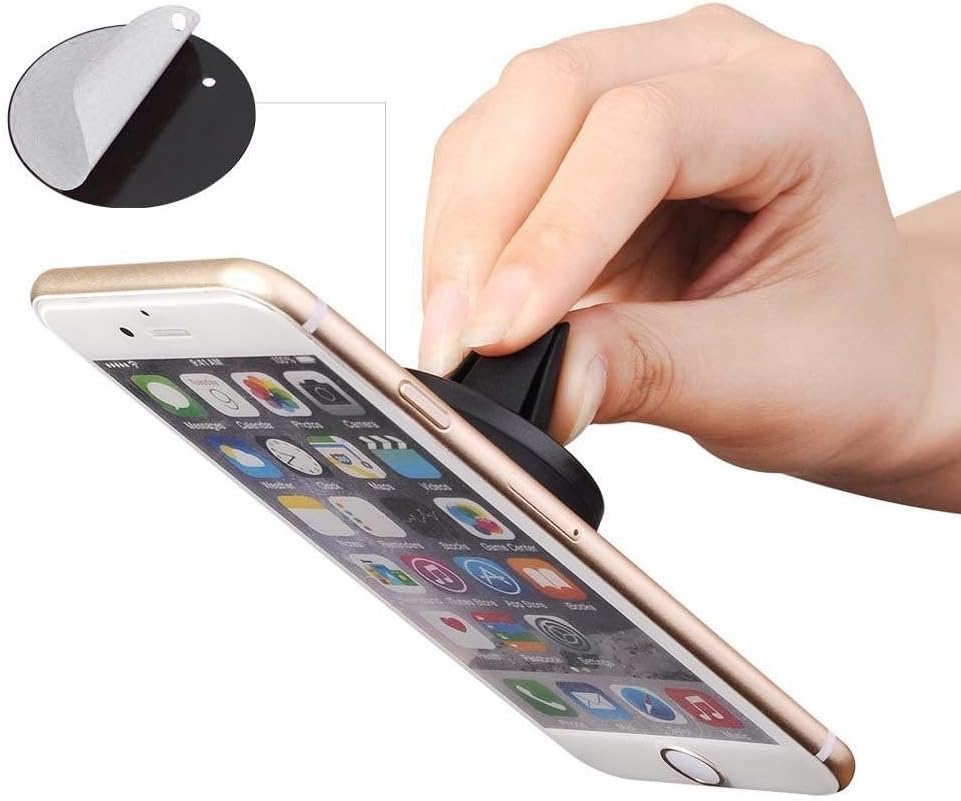
Figure 3.1: Applying the metallic plate to a smartphone.
This image demonstrates the process of attaching the metallic plate to the back of a smartphone, which is essential for the magnetic mount to function.
3.2 Install the Car Mount
- Select an air vent: Choose a suitable air vent in your vehicle that does not obstruct your view of the road or access to vehicle controls.
- Attach the mount: Gently push the rubberized prongs of the SVP Magnetic Car Mount into one of the air vent slats. Ensure the mount is securely seated and stable.

Figure 3.2: Car mount attached to an air vent.
This image shows the SVP Magnetic Car Mount securely inserted into a vehicle's air vent, ready for use.

Figure 3.3: Side view of the car mount installation.
A side perspective of the car mount demonstrates its low-profile attachment to the air vent, ensuring minimal obstruction.
4. Operating Instructions
Once the mount and metallic plate are installed, using your SVP Magnetic Car Mount is simple:
- Attach your smartphone: Gently bring your smartphone (with the metallic plate attached) close to the magnetic surface of the car mount. The strong magnets will automatically secure your phone in place.
- Adjust viewing angle: The mount allows for 360-degree rotation. You can rotate your smartphone to a horizontal (landscape) or vertical (portrait) orientation, or any angle in between, for optimal viewing.
- Remove your smartphone: To remove your phone, simply pull it away from the magnetic mount.
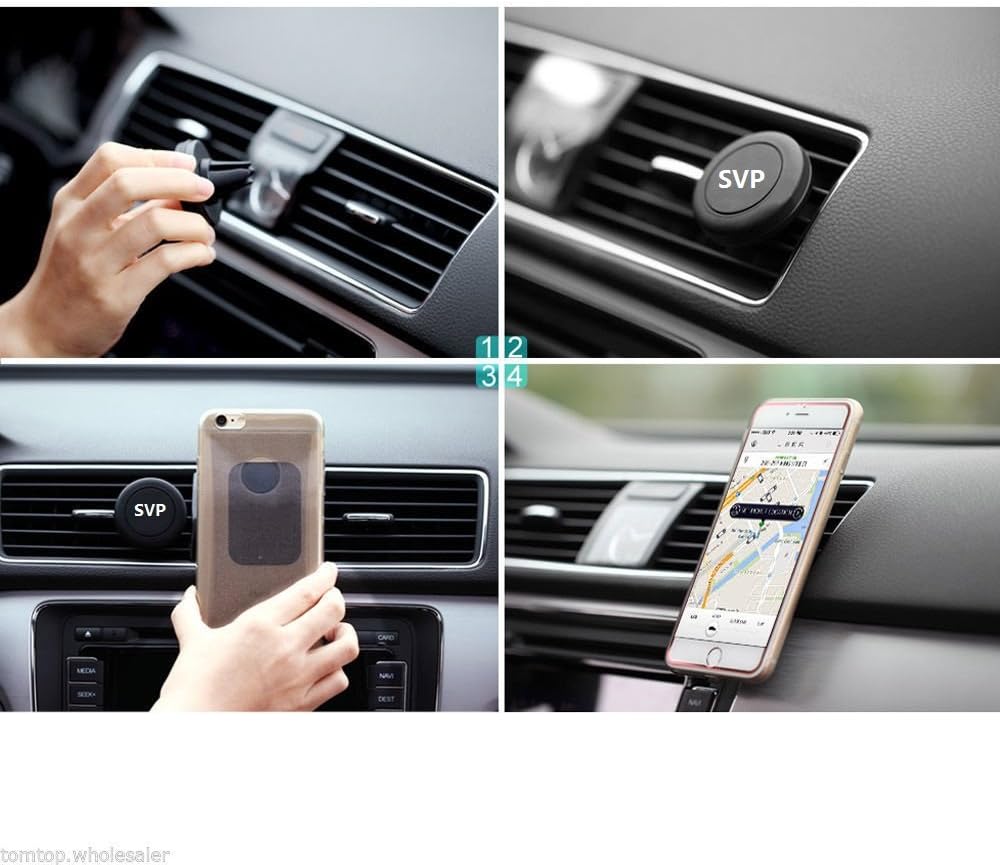
Figure 4.1: Step-by-step usage of the magnetic car mount.
This collage illustrates the full process from attaching the mount to the vent, securing the phone, and adjusting its position for navigation or media viewing.

Figure 4.2: Smartphone mounted in various orientations.
This image demonstrates the flexibility of the mount, allowing the smartphone to be positioned both horizontally and vertically for different applications.
5. Maintenance
To ensure the longevity and optimal performance of your SVP Magnetic Car Mount:
- Cleaning: Wipe the mount and metallic plate with a soft, dry cloth. Avoid using harsh chemicals or abrasive cleaners, as these can damage the surfaces or magnetic properties.
- Magnetic Surface: Keep the magnetic surface free from dust and debris to maintain a strong grip.
- Storage: When not in use for extended periods, store the mount in a cool, dry place away from direct sunlight.
6. Troubleshooting
If you encounter any issues with your SVP Magnetic Car Mount, refer to the following common solutions:
| Problem | Possible Cause | Solution |
|---|---|---|
| Smartphone does not hold securely. | Metallic plate not properly attached or positioned. | Ensure the metallic plate is firmly adhered to the center of your phone or case. If using a thick case, consider placing the plate on the outside of the case. |
| Mount feels loose in the air vent. | Mount not fully inserted or vent slats are too thin. | Push the mount firmly into the air vent until it is snug. Try a different vent slat if the current one is too loose. |
| Magnetic attraction seems weak. | Dust or debris on the magnetic surface or metallic plate. | Clean both the magnetic surface of the mount and the metallic plate with a soft, dry cloth. |
7. Specifications
| Feature | Detail |
|---|---|
| Product Name | SVP Magnetic Car Mount |
| Model Number | Magnetic Car Mount |
| Brand | SVP |
| Dimensions (Mount) | Approximately 5.1 x 5.1 x 3.8 cm (2 x 2 x 1.5 inches) |
| Weight | Approximately 34 g (1.2 oz) |
| Color | Black |
| Mounting Type | Air Vent |
| Special Features | Magnetic, 360-degree rotation |
| Compatible Devices | Smartphones (Android, iOS) |
| Compatible Vehicle Type | Car |

Figure 7.1: Product dimensions.
This diagram provides the key measurements for both the magnetic car mount and the metallic plate, indicating their height and width.
8. Warranty and Support
For warranty information or technical support, please refer to the product packaging or contact the manufacturer directly. Keep your purchase receipt for warranty claims.
Ask a question about this manual
Ask about setup, troubleshooting, compatibility, parts, safety, or missing instructions. Manuals+ will review the question and use this page’s manual context to help answer it.