
Introduction
This manual provides detailed instructions for the proper installation and maintenance of your Delaney Hardware 406107 Hand Rail Bracket. Designed for durability and aesthetic appeal, this antique nickel bracket ensures secure support for handrails. Please read all instructions carefully before beginning installation.
Package Contents
Verify that all components are present before proceeding with installation:
- 1 x Delaney Hardware 406107 Hand Rail Bracket (Antique Nickel)
- Mounting Hardware (screws, anchors - typically included)

Figure 1: Components of the Delaney Hardware 406107 Hand Rail Bracket. This image shows the main bracket piece and a separate mounting plate, indicating a two-part assembly for secure attachment.
Safety Information
- Always wear appropriate safety gear, including eye protection, during installation.
- Ensure the mounting surface is structurally sound and capable of supporting the handrail and anticipated loads.
- Use appropriate tools for drilling and fastening.
- Keep small parts away from children.
Installation Instructions
- Determine Placement: Mark the desired location for the handrail bracket on the wall, ensuring it aligns with local building codes for handrail height and spacing.
- Prepare Mounting Surface: Hold the bracket's wall plate against the marked location. Use a pencil to mark the positions for the mounting screws.
- Drill Pilot Holes: Using an appropriate drill bit for your wall material (wood, drywall with anchors, masonry), drill pilot holes at the marked locations.
- Attach Wall Plate: Secure the wall plate of the bracket to the wall using the provided mounting screws. Ensure it is firmly attached and level.
- Assemble Bracket: If the bracket comes in multiple pieces (as shown in Figure 1), assemble the main support arm to the wall plate.
- Secure Handrail: Place the handrail onto the bracket's saddle. Mark the screw holes on the underside of the handrail. Drill pilot holes into the handrail, then secure it to the bracket using appropriate screws.
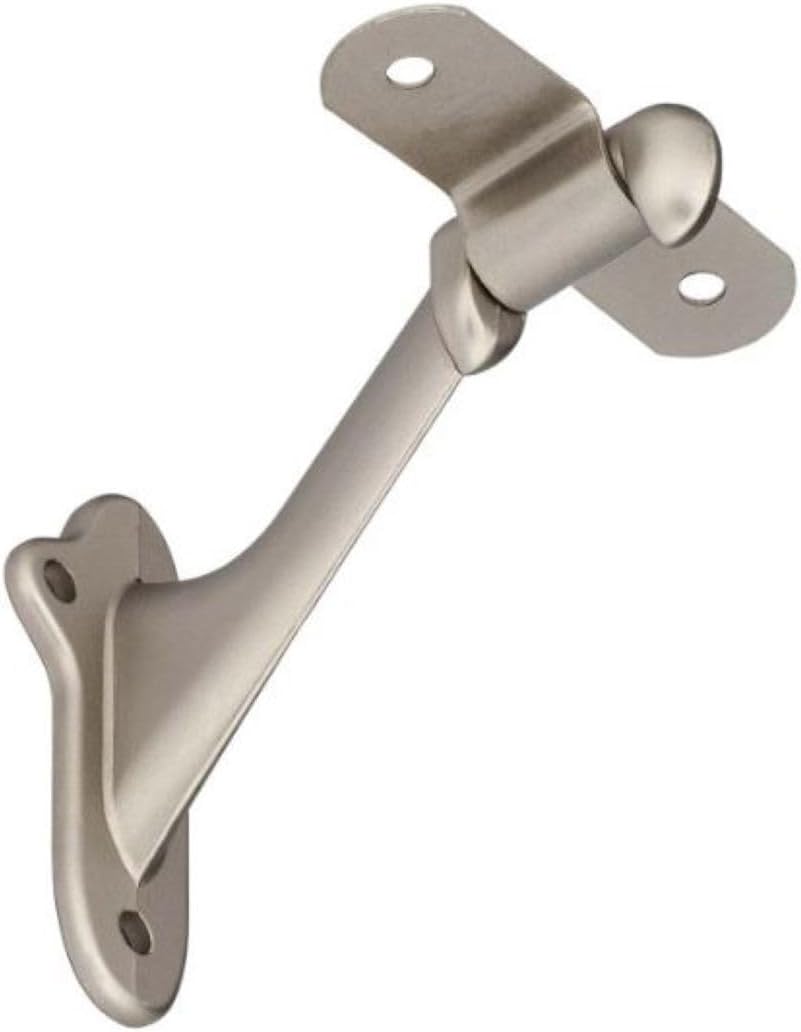
Figure 2: An assembled Delaney Hardware Hand Rail Bracket, ready for handrail attachment. This view highlights the secure wall mounting and the saddle designed to cradle the handrail.
Maintenance
To maintain the finish and functionality of your Delaney Hardware Hand Rail Bracket:
- Clean regularly with a soft, damp cloth.
- Avoid abrasive cleaners, harsh chemicals, or scouring pads, as these can damage the antique nickel finish.
- Periodically check all mounting screws for tightness and re-tighten if necessary to ensure continued safety and stability.
Specifications
| Feature | Detail |
|---|---|
| Brand | Delaney Hardware |
| Model Number | 406107 |
| Finish | Antique Nickel |
| Material | Nickel |
| Product Dimensions | 3 x 1.19 x 3 inches |
| Item Weight | 2.72 ounces |
| Included Components | Hand Rail bracket |
| Collection | Trim hardware |
| Origin | Imported from Taiwan |
Warranty and Support
Specific warranty information for the Delaney Hardware 406107 Hand Rail Bracket is not provided in this document. For warranty details, technical support, or further assistance, please contact Delaney Hardware directly or visit their official website.
You can also visit the Delaney Store on Amazon for more product information.