
1. Introduction
Thank you for choosing the iMuto SL200QC 20000mAh Quick Charge Power Bank. This manual provides essential information for the safe and efficient operation of your device. Please read it thoroughly before use and retain it for future reference.
2. Product Overview
The iMuto SL200QC is a high-capacity portable charger designed to provide fast and reliable power to your electronic devices. It features Qualcomm Quick Charge 3.0 technology and iM-Power auto-detection for optimized charging.
2.1 Package Contents
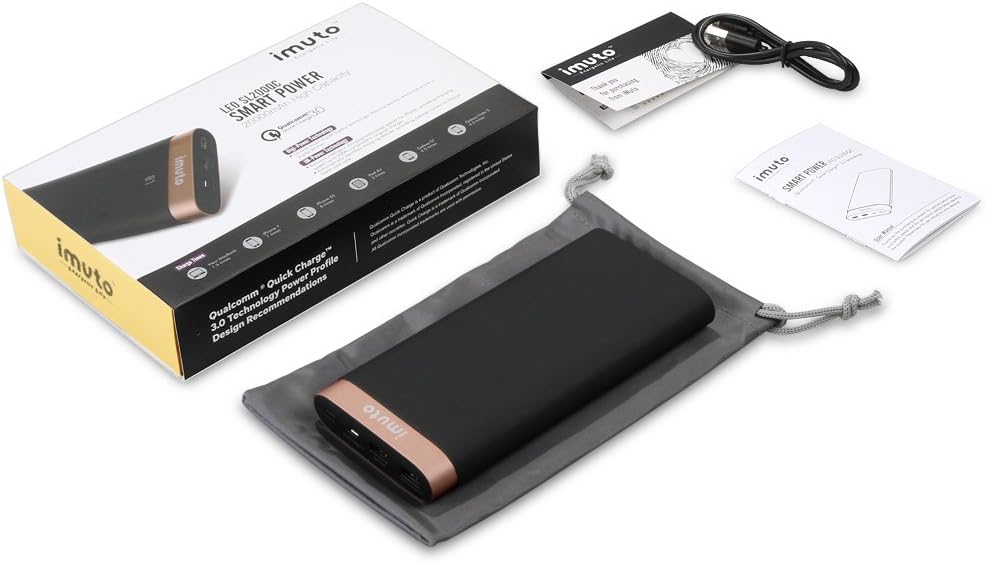
Image: The iMuto SL200QC Power Bank package contents, showing the power bank, a micro USB charging cable, a user manual, and a carrying pouch.
The package typically includes:
- iMuto SL200QC Power Bank
- Micro USB Charging Cable
- User Manual
- Carrying Pouch
2.2 Device Features

Image: The iMuto SL200QC Power Bank, highlighting its two USB output ports (USB1 with Quick Charge 3.0, USB2 with iM-Power Technology), a Micro USB input port, and the digital power display.
- Digi-Power Technology: A smart digital screen displays the remaining power level in percentage.
- Dual USB Output Ports:
- USB1: Qualcomm Quick Charge 3.0 (5-6V/3A, 6-9V/2A, 9-12V/1.5A) for compatible devices.
- USB2: iM-Power Technology (5V/1A-2.4A) for intelligent device detection and optimized charging.
- Micro USB Input: Supports Quick Charge 3.0 (5V-9V/2A, 9V-12V/1.5A) for rapid recharging of the power bank.
- High Capacity: 20000mAh Li-ion battery cells.
- Smart Safety Protection: Built-in safeguards against overcharge, overvoltage, overcurrent, and short circuits.
3. Setup
Before first use, it is recommended to fully charge your iMuto SL200QC Power Bank.
3.1 Initial Charging of the Power Bank
- Connect the provided Micro USB cable to the Micro USB input port on the power bank.
- Connect the other end of the Micro USB cable to a USB wall charger (a Quick Charge 3.0/2.0 compatible charger is recommended for fastest recharging).
- The digital display will show the charging progress. The power bank is fully charged when the display shows "100".

Image: The iMuto SL200QC Power Bank connected to a wall charger via its Micro USB input, illustrating the recharging process. A full charge takes approximately 7 hours with a QC3.0/QC2.0 charger.
A full recharge using a Quick Charge 3.0/2.0 compatible charger typically takes about 7 hours. Using a standard 5V/2A charger will take longer.
4. Operating Instructions
4.1 Checking Remaining Power
Press the power button once to activate the digital display. The screen will show the remaining battery percentage. The display will turn off automatically after a few seconds to conserve power.
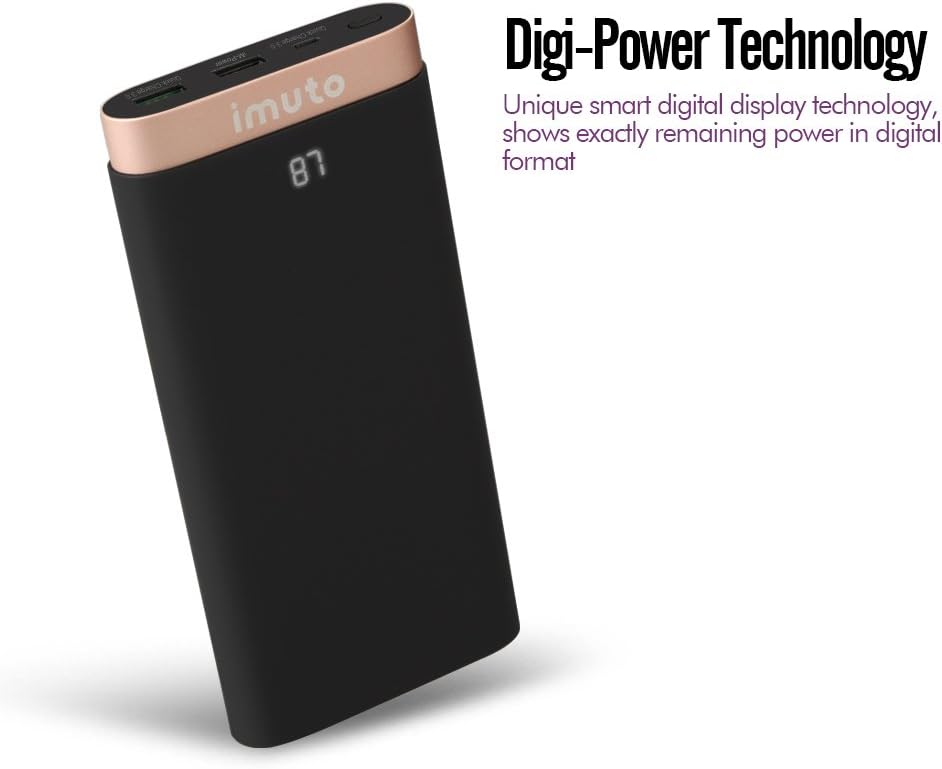
Image: The iMuto SL200QC Power Bank showing "87" on its digital display, indicating 87% remaining battery charge.
4.2 Charging Your Devices
The iMuto SL200QC can charge up to two devices simultaneously.

Image: The iMuto SL200QC Power Bank connected to a smartphone and a tablet, demonstrating its ability to charge two devices concurrently.
- Connect your device's charging cable to one of the USB output ports on the power bank.
- Connect the other end of the cable to your device.
- The power bank will automatically begin charging your device. The digital display will illuminate to show the remaining power.
- To stop charging, simply disconnect your device.
Note on Ports:
- USB1 (Quick Charge 3.0): Use this port for devices compatible with Quick Charge technology to achieve the fastest charging speeds.
- USB2 (iM-Power Technology): This port intelligently detects your device's charging requirements and delivers the optimal current up to 2.4A.
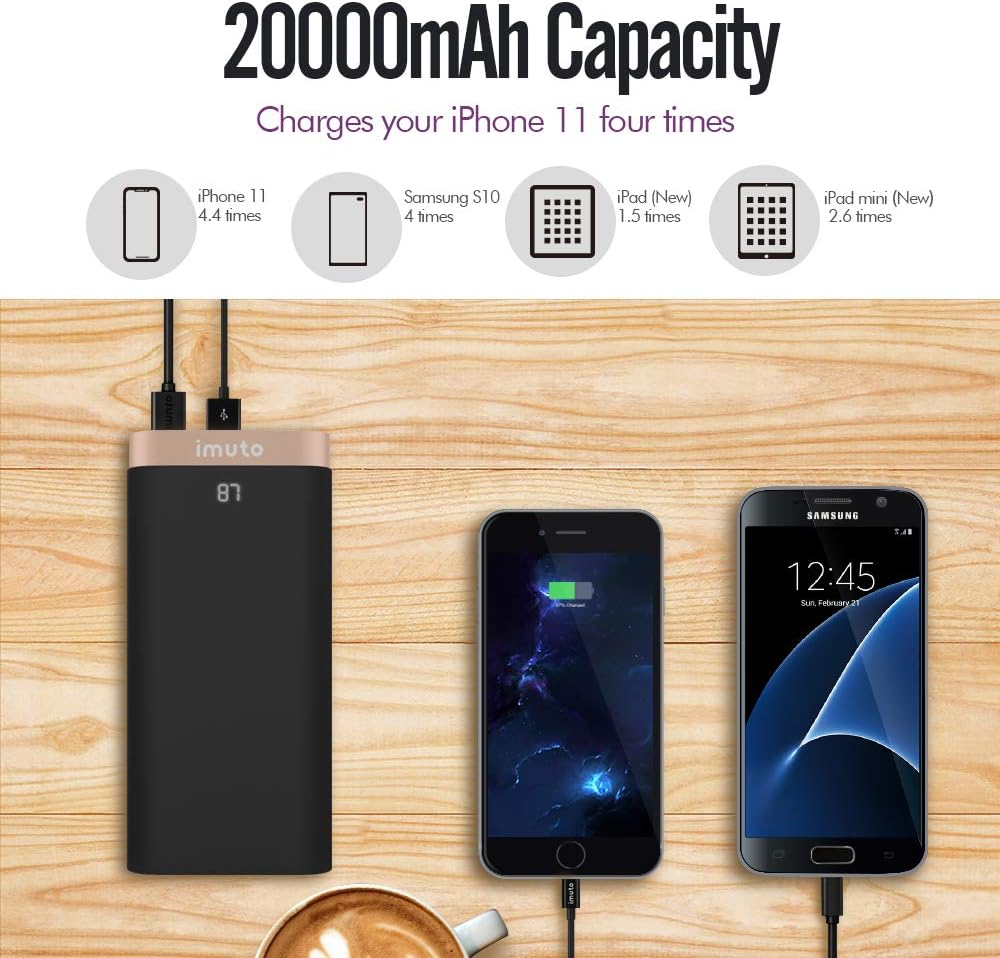
Image: The iMuto SL200QC Power Bank shown next to a smartphone and tablet being charged, with illustrations indicating its 20000mAh capacity can charge an iPhone 11 approximately 4.4 times, a Samsung S10 4 times, an iPad (New) 1.5 times, and an iPad mini (New) 2.6 times.
5. Maintenance
- Keep the power bank away from extreme temperatures, direct sunlight, and humid environments.
- Do not expose the power bank to water or other liquids.
- Clean the power bank with a dry, soft cloth. Do not use abrasive cleaners or solvents.
- Store the power bank in a cool, dry place when not in use. For prolonged storage, it is recommended to charge the power bank to about 50-75% every 3 months to maintain battery health.
- Avoid dropping or subjecting the power bank to strong impacts.
6. Troubleshooting
| Problem | Possible Cause | Solution |
|---|---|---|
| Power bank not charging devices. |
|
|
| Power bank not recharging. |
|
|
| Slow charging speed. |
|
|
| Digital display not working. |
|
|
7. Specifications
| Feature | Detail |
|---|---|
| Model | SL200QC |
| Battery Capacity | 20000mAh / 74Wh |
| Battery Type | Li-ion (8 cells) |
| Micro USB Input (QC 3.0) | 5V-9V/2A, 9V-12V/1.5A |
| USB1 Output (QC 3.0) | 5-6V/3A, 6-9V/2A, 9-12V/1.5A |
| USB2 Output (iM-Power) | 5V/1A-2.4A |
| Total Output Power | 25 Watts (Max) |
| Dimensions | 17.2 x 8.18 x 2.24 cm |
| Weight | 650 g |
| Compatible Devices | iPhone, iPad, Samsung Galaxy, Google Nexus/Pixel, Nintendo Switch, Xperia, LG, Lumia, and other USB-powered devices. |

Image: An exploded view of the iMuto SL200QC Power Bank, illustrating its internal components including A-class Li-ion battery cells, Digi-Power technology circuit board, multiple smart protection system, power button, and aviation aluminum alloy shell.
8. Warranty and Support
8.1 Warranty Information
The iMuto SL200QC Power Bank comes with an 18-month warranty from the date of purchase. This warranty covers manufacturing defects and ensures reliable performance under normal use. Please retain your proof of purchase for warranty claims.
The warranty does not cover damage caused by misuse, accidents, unauthorized modifications, or natural disasters.
8.2 Customer Support
For any questions, technical assistance, or warranty claims, please contact iMuto customer support. Refer to the contact information provided on the official iMuto website or your purchase documentation.