
Introduction
This manual provides comprehensive instructions for the safe and effective use of your OptiWand Portable Soft Contact Lens Removal & Insertion Tool. Designed for ease of use, this silicone device assists in the handling of soft contact lenses, offering a hygienic and precise method for both insertion and removal.

Image Description: A light blue OptiWand tool, cylindrical with finger grips and two distinct ends: one circular for insertion and one with a pincher design for removal. The brand name "OptiWand" is embossed on the side.
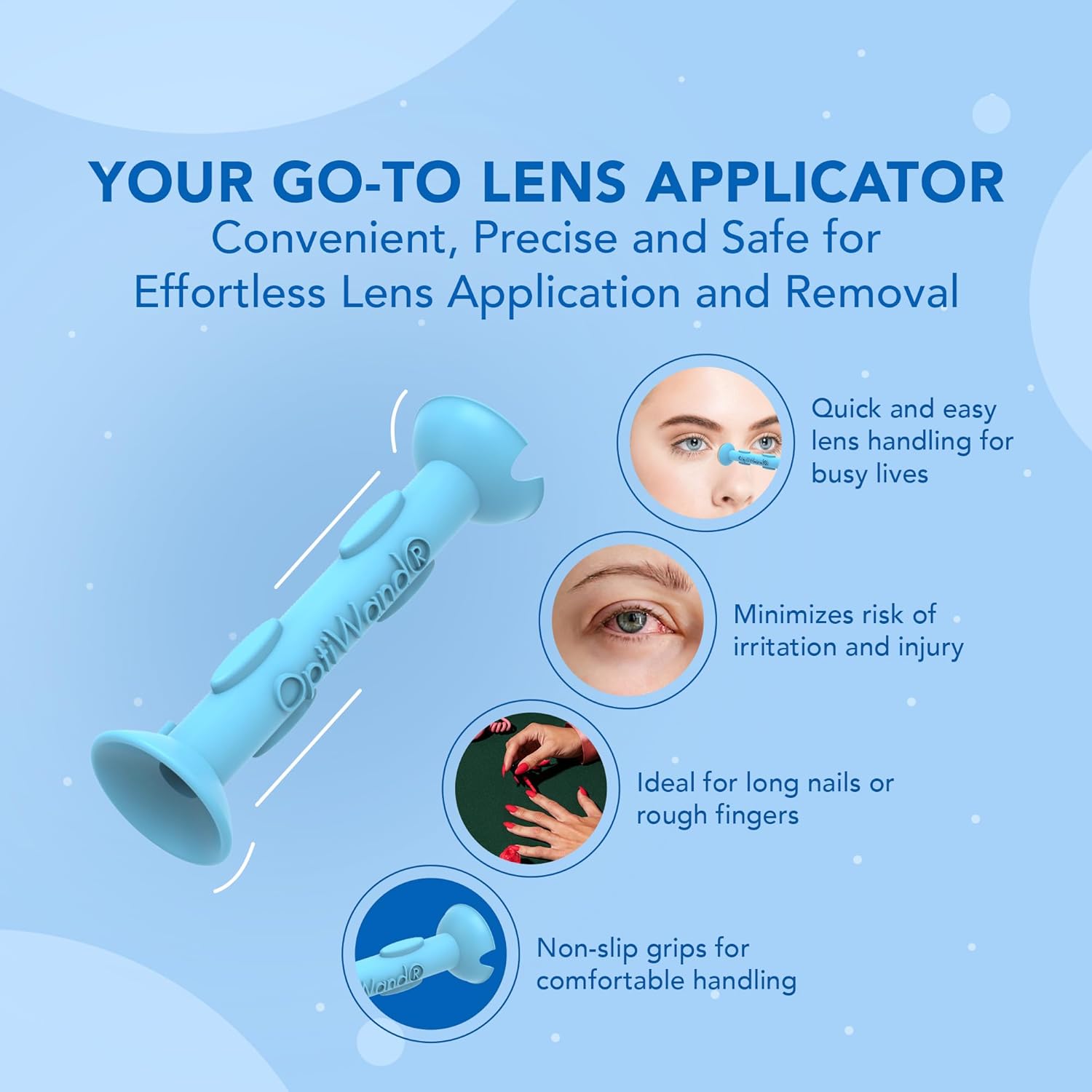
Image Description: An image highlighting the OptiWand's benefits: quick and easy lens handling, minimized risk of irritation, ideal for long nails or sensitive fingers, and non-slip grips for comfortable handling. The OptiWand tool is shown prominently.
Safety Information
Adhere to the following safety guidelines to ensure proper use and prevent eye injury or irritation:
- Always wash and dry your hands thoroughly before handling contact lenses or the OptiWand tool.
- Ensure the OptiWand tool is clean before each use.
- Do not use the tool if it appears damaged or contaminated.
- Avoid touching the tip of the tool to any surfaces other than your contact lens or eye.
- If you experience any discomfort, redness, or irritation, remove your contact lenses immediately and consult an eye care professional.
- The OptiWand is designed for soft contact lenses only. Do not attempt to use it with hard or rigid gas permeable lenses.
- Important: Soft contact lenses cannot be removed by suction. They must be gently pinched out with the pliable ends of the tool.
Setup
Before first use, and before each subsequent use, ensure the OptiWand tool is clean. Rinse it with contact lens solution or warm water and allow it to air dry, or gently pat dry with a lint-free cloth.
It is recommended to apply lubricating eye drops prior to using the tool for both insertion and removal to facilitate a smoother process and enhance comfort.
Operating Instructions
Inserting Soft Contact Lenses
- Prepare Your Eye: Apply eye drops to lubricate your eye.
- Open Eye: Open your eye as wide as possible, ensuring eyelashes are held out of the way.
- Position Lens: Place the soft contact lens onto the circular end of the OptiWand tool. Ensure the lens is correctly oriented (not inside out).
- Focus and Insert: Focus on the center hole of the tool. Gently bring the tool towards your eye and, with a slight twisting motion, touch the lens to your eye. The lens should transfer rapidly to prevent it from sticking to the wand.

Image Description: A four-panel image illustrating the steps for contact lens insertion. Panel 1 shows applying eye drops. Panel 2 shows opening the eye wide. Panel 3 shows focusing on the tool's center hole. Panel 4 shows using the circular end to insert the lens with a twist.
Removing Soft Contact Lenses
- Prepare Your Eye: Apply eye drops to lubricate your eye.
- Open Eye: Open your eye as wide as possible.
- Position Tool: Use either end of the OptiWand tool. Gently bring the tool towards the contact lens on your eye.
- Pinch and Remove: Gently pinch the soft lens with the pliable ends of the tool. Pinch high on the base of the lens to break the seal and lift it away from your eye. Remember, soft lenses cannot be suctioned.

Image Description: A four-panel image illustrating the steps for contact lens removal. Panel 1 shows applying eye drops. Panel 2 shows opening the eye wide. Panel 3 shows focusing on the tool's center hole. Panel 4 shows using either end to gently pinch the soft lens, emphasizing pinching high on the base.
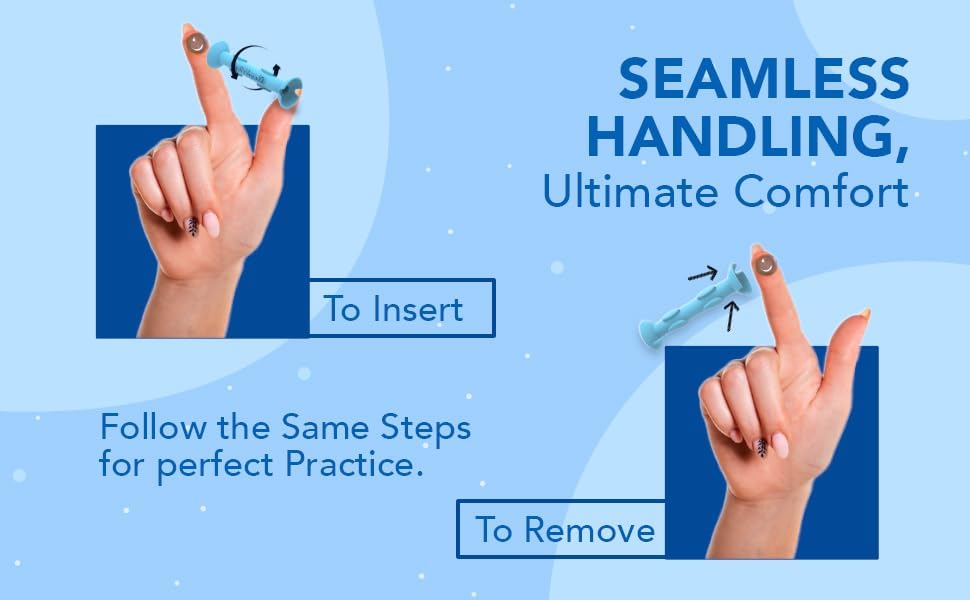
Image Description: An image demonstrating seamless handling for both insertion and removal. One hand holds the OptiWand to insert a lens, while another hand demonstrates using the tool to remove a lens, emphasizing the gentle action.
Maintenance
To maintain hygiene and prolong the life of your OptiWand tool:
- Clean the tool before and after each use with contact lens solution or warm, sterile water.
- Allow the tool to air dry completely or gently pat dry with a clean, lint-free cloth.
- Store the OptiWand in a clean, dry case or container to protect it from dust and contaminants.
- Do not use harsh chemicals or abrasive materials to clean the tool, as this may damage the silicone.
Troubleshooting
If you encounter difficulties while using your OptiWand tool, consider the following:
- Lens Sticking to Wand (Insertion): Ensure insertion is done rapidly. Applying extra lubricating eye drops to both your eye and the lens on the wand can facilitate transfer.
- Difficulty Pinching Lens (Removal): Soft contact lenses require a gentle pinch, not suction. Ensure you are pinching the lens high on its base to break the seal. Practice on a clean surface (like a finger with a lens) to get the feel of the pinch before attempting on your eye.
- Discomfort: Always apply eye drops before use. If discomfort persists, discontinue use and consult an eye care professional.
Specifications
| Feature | Detail |
|---|---|
| Product Dimensions | 1.75 x 0.63 x 0.63 inches |
| Weight | 0.32 ounces |
| Material | Premium Liquid Silicone Rubber |
| Model Number | 1 |
| Brand | OptiWand |
| ASIN | B01MRKUDLQ |
| UPC | 860000711524, 713807368487, 860000711500 |

Image Description: A light blue OptiWand tool shown vertically with measurement lines indicating a length of 1.75 inches and a width of 0.56 inches. Accompanying text lists features like Precision Grip, Gentle on Eyes, Perfect for All, Soft Material, Easy to Use, and Reusable.
Warranty and Support
For any questions, concerns, or support regarding your OptiWand tool, please refer to the manufacturer's official website or contact their customer service directly. Specific warranty information may be available on the product packaging or the manufacturer's website.
Manufacturer: Hot Optix
For additional information, you may visit the OptiWand Store on Amazon.


