
Introduction
The Teenage Engineering Pocket Operator PO-32 Tonic is a compact drum and percussion synthesizer and sequencer. It features a powerful sound engine and offers extensive sound design possibilities, including integration with the Microtonic VST for unlimited sound transfers. This manual provides essential information for setting up, operating, and maintaining your PO-32 Tonic.
Setup
Powering On
The PO-32 Tonic is powered by two AAA batteries (not included). Insert the batteries into the compartment on the back of the unit. The device is designed for low power consumption, offering approximately one month of battery life and two years of standby time.

Figure 1: Rear view of the PO-32 Tonic, illustrating the battery compartment and folding stand.
Audio Connection
Use the built-in speaker for immediate playback or connect headphones or external speakers via the 3.5 mm line out for studio-quality sound. This port also functions as a sync out for connecting to other Pocket Operators or compatible gear.

Figure 2: Close-up of the 3.5mm audio output/headphone sync out jack on the PO-32 Tonic.
Operating Instructions
Basic Controls
The PO-32 Tonic features 16 pads for sound triggering and step sequencing, two parameter knobs (A and B), and several function buttons (Sound, Pattern, BPM, Function/Accent, FX, Play, Write).
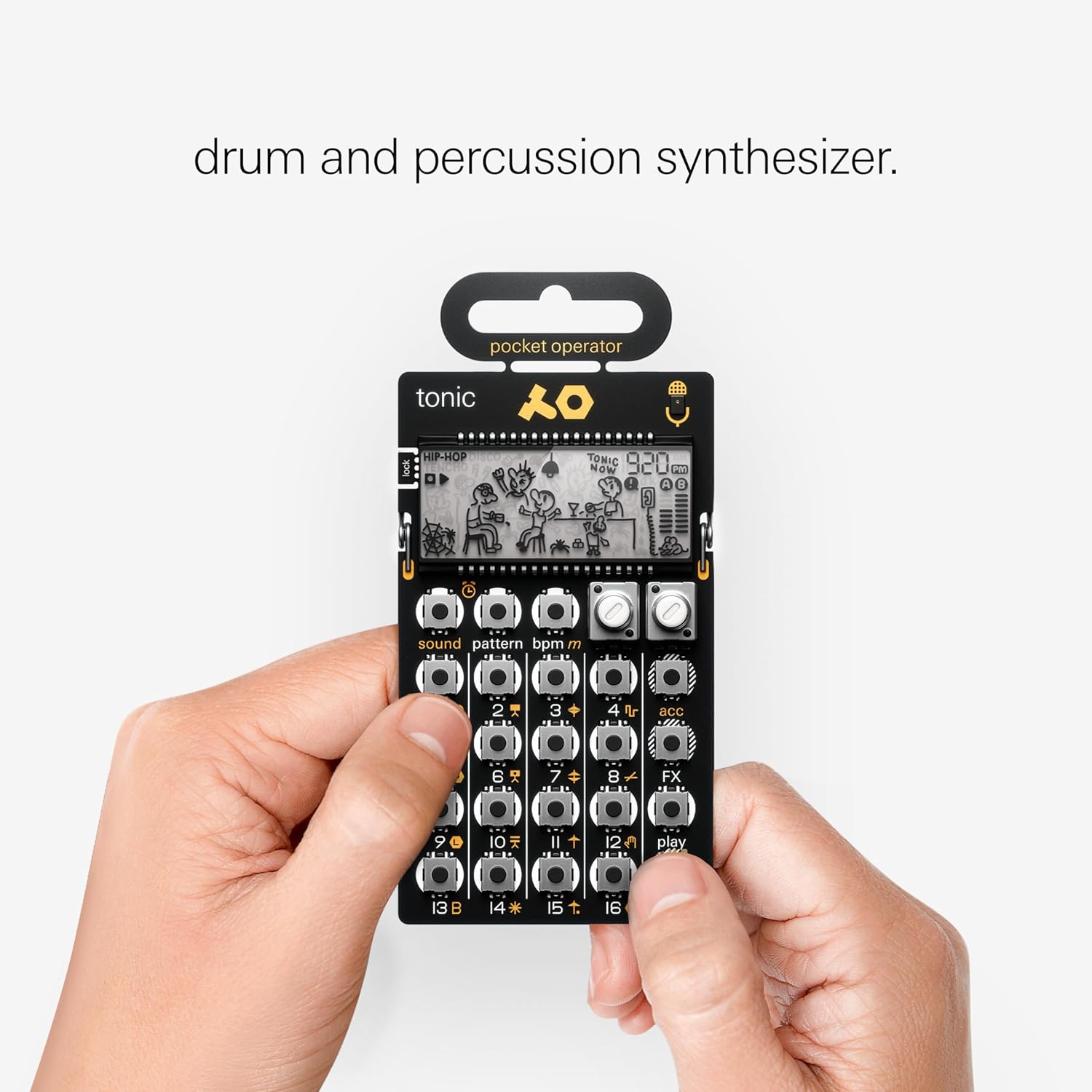
Figure 3: Front view of the PO-32 Tonic, showing the layout of pads, knobs, and display.
Sequencing and Live Play
- Sound Selection: Press the 'Sound' button and then one of the 16 pads to select a sound for editing or playback.
- Pattern Selection: Press the 'Pattern' button and then one of the 16 pads to select a pattern.
- Step Sequencing: In 'Write' mode (indicated by a small icon on the display), select a sound and then press the desired step pads (1-16) to program a beat.
- Real-time Recording: Hold down the 'Write' button and play sounds on the pads to record in real-time.
- Parameter Locks: While holding a step in 'Write' mode, adjust knobs A and B to apply parameter locks to individual steps.
- Punch-in Effects: Hold the 'FX' button and press one of the 16 pads to apply real-time effects. These can also be parameter-locked to steps.
- Pattern Chaining: Hold the 'Pattern' button and press multiple pattern pads in sequence to create a chain of up to 64 patterns.
Choke Groups
The 16 pads are arranged in vertical choke groups. This means that playing a sound in a group will cut off any previously playing sound within the same group. For example, in a hi-hat group, an open hi-hat sound will be choked by a closed hi-hat sound, mimicking real drum behavior.
Sound Transfer with Microtonic VST
The PO-32 Tonic is unique in its ability to transfer custom sounds from the Sonic Charge Microtonic VST (sold separately). This allows for unlimited sound possibilities beyond the 16 preset sounds.
Transfer Process
- Create or edit sounds within the Microtonic VST on your computer.
- Connect your computer's audio output to the PO-32 Tonic's 3.5 mm input (or use the built-in microphone).
- Initiate the data transfer from the Microtonic VST. The PO-32 Tonic will receive the sound data.

Figure 4: Illustration of sound transfer from a computer running Microtonic VST to the PO-32 Tonic.
Syncing Multiple Units
Pocket Operators can be synchronized with each other or with other compatible gear using a standard click track. This allows for creating complex arrangements with multiple units.
Setup for Two Units
- Connect the audio output of the master unit to the audio input of the slave unit using a 3.5mm audio cable.
- On the master unit, hold the rightmost button and press 'BPM' to set the sync mode to SY1.
- On the slave unit, hold the rightmost button and press 'BPM' to set the sync mode to SY4.
- Press 'Play' on the slave unit first, then press 'Play' on the master unit to start synchronized playback.

Figure 5: Two Pocket Operators connected for synchronization.
Specifications
| Feature | Detail |
|---|---|
| Model Number | PO-32 Tonic |
| Dimensions (L x W x H) | 7.01 x 3.46 x 0.2 inches |
| Item Weight | 2.24 ounces |
| Power Source | 2x AAA Batteries |
| Battery Life | Approx. 1 month (usage), 2 years (standby) |
| Connectivity | 3.5 mm Audio Out / Headphone Sync Out, Sync In / Audio In |
| Compatible Devices | Microtonic VST, other PO-30 series operators |
| Features | Sequencer, Parameter Locks, Step Multiplier, 16 Effects, Built-in Speaker, Clock and Alarm Clock Function |
What's in the Box
The PO-32 Tonic package includes:
- PO-32 Tonic Unit
- User Guide
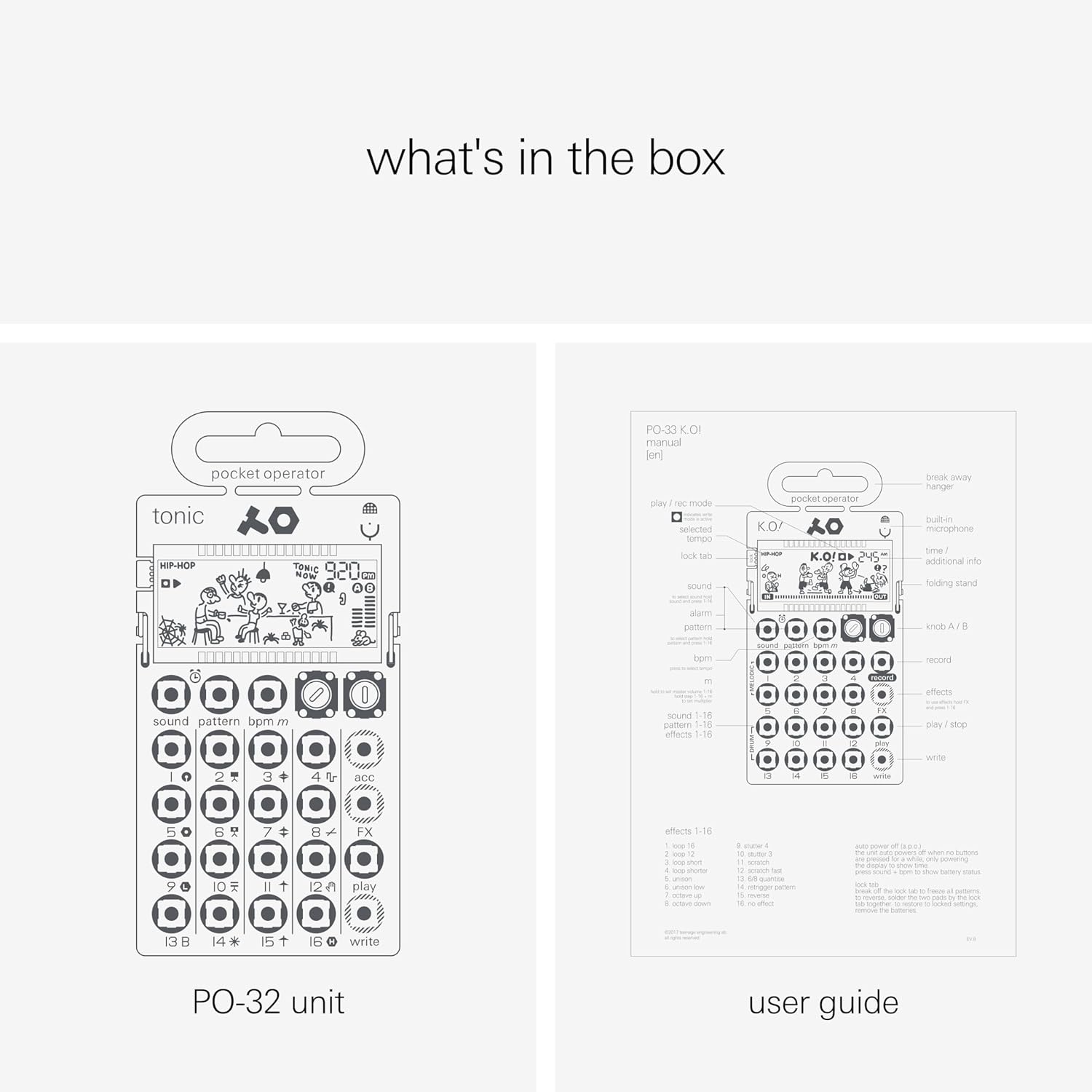
Figure 6: Contents of the PO-32 Tonic package.
Maintenance
To ensure the longevity of your PO-32 Tonic, keep it clean and dry. Avoid exposing it to extreme temperatures or moisture. Use a soft, dry cloth for cleaning. Handle with care as the exposed circuit board design can be delicate.
Troubleshooting
- No Power: Ensure fresh AAA batteries are correctly inserted.
- No Sound: Check volume levels. Ensure headphones/speakers are properly connected.
- Sync Issues: Verify sync modes (SY1 for master, SY4 for slave) and cable connections.
- Sound Transfer Failure: Ensure the audio cable is securely connected and the volume on the sending device (computer) is adequate.
Warranty and Support
For warranty information and technical support, please refer to the official Teenage Engineering website or contact their customer service. Keep your proof of purchase for warranty claims.


