
1. Introduction
This manual provides essential instructions for the safe and effective operation of your Makita DMR110 Cordless Construction Site Radio. Please read this manual thoroughly before use and retain it for future reference. The DMR110 is designed for robust use in various environments, offering DAB+, FM radio, and auxiliary input capabilities, powered by Makita Li-ion batteries or an AC adapter.
2. Safety Information
Always observe basic safety precautions to reduce the risk of fire, electric shock, and personal injury when using this product.
- Power Source: Use only Makita 7.2V-18V Li-ion batteries or the specified AC power adapter. Do not use other battery types or power sources.
- Water and Moisture: The radio features splash protection up to IP64. While resistant to splashes, do not immerse the unit in water or expose it to heavy rain. Ensure all covers for ports are securely closed when not in use.
- Ventilation: Do not block ventilation openings. Ensure adequate airflow around the unit.
- Cleaning: Disconnect the power source before cleaning. Use a soft, damp cloth. Do not use harsh chemicals or abrasive cleaners.
- Battery Handling: Follow all instructions for battery charging, use, and disposal provided with your Makita batteries. Do not short-circuit, disassemble, or expose batteries to extreme heat.
- Placement: Place the radio on a stable, level surface. Avoid placing it in direct sunlight or near heat sources.
3. Package Contents
Verify that all items are present in your package:
- Makita DMR110 Cordless Construction Site Radio
- AC Power Adapter (item SE00000265)
Note: Makita Li-ion batteries are sold separately and are not included with the radio.
4. Setup
4.1 Powering the Radio
The DMR110 can be powered by a Makita Li-ion battery or the included AC power adapter.
4.1.1 Using a Makita Li-ion Battery
- Ensure the battery is fully charged.
- Open the battery compartment cover located on the side of the radio.
- Slide a compatible Makita 7.2V-18V Li-ion battery into the compartment until it clicks into place.
- Close the battery compartment cover securely.
The radio is compatible with Makita 7.2V, 10.8V (slide-type), 14.4V, and 18V Li-ion batteries. It is not compatible with maktec or G-series batteries.
4.1.2 Using the AC Power Adapter
- Insert the DC plug of the AC power adapter into the DC IN socket on the radio.
- Plug the AC power adapter into a standard wall outlet.
Note: The AC adapter provides power to the radio but does not charge the installed battery.
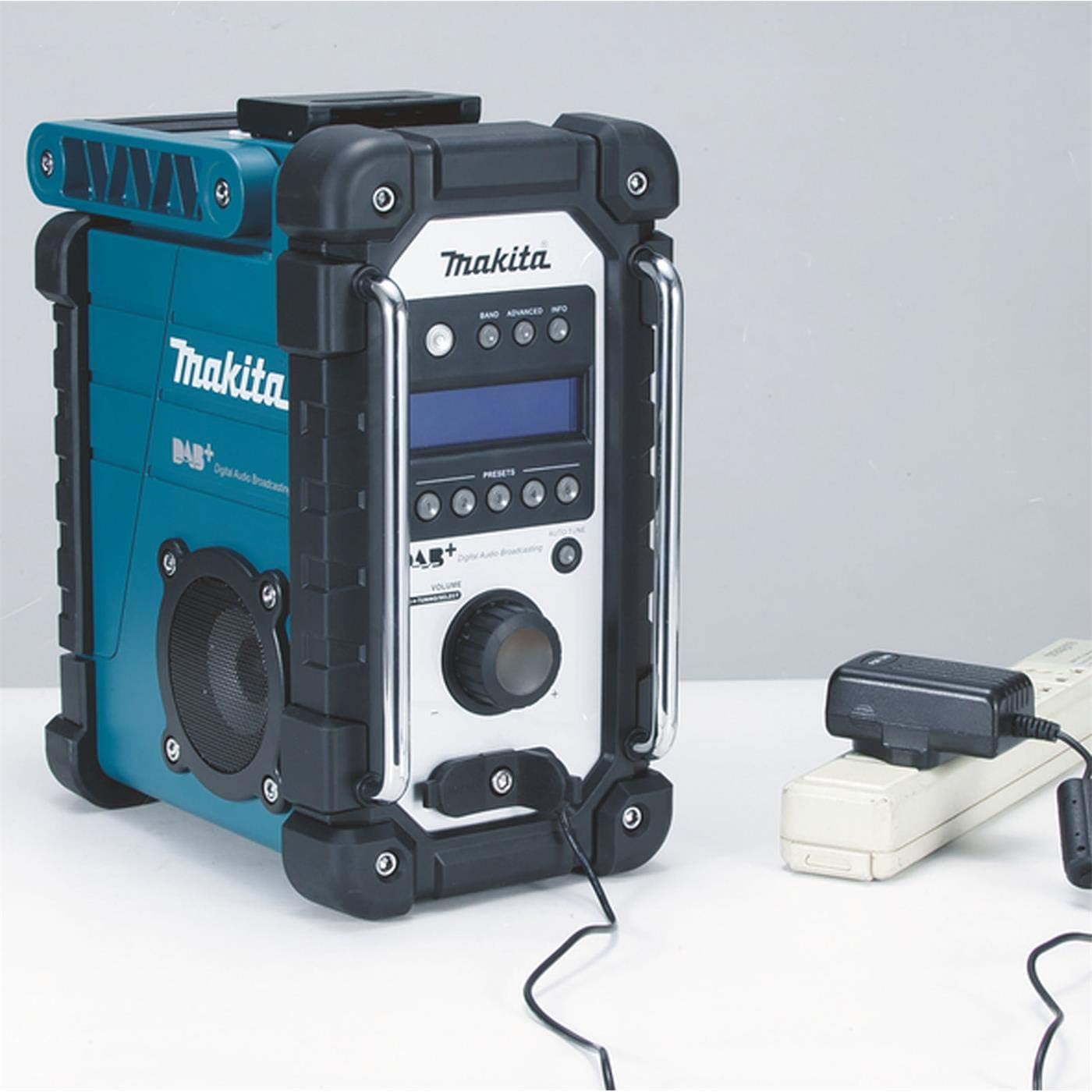
Image: The Makita DMR110 radio shown connected to its AC power adapter for continuous operation.
4.2 Antenna Setup
For optimal radio reception, extend the flexible rod antenna located on the top of the unit. Adjust its position for the best signal clarity.

Image: Front view of the Makita DMR110 radio, highlighting the display, controls, and the extended antenna.
5. Operating Instructions
5.1 Power On/Off
Press the POWER button to turn the radio on or off.
5.2 Mode Selection
Press the BAND button repeatedly to cycle through available modes: DAB+, FM, and AUX.
5.3 Volume Control
Rotate the VOLUME knob clockwise to increase volume and counter-clockwise to decrease it.
5.4 DAB+ Radio Operation
- Select DAB+ mode using the BAND button.
- The radio will automatically scan for available DAB+ stations upon first use or if no stations are stored.
- Use the TUNE/SELECT buttons (up/down arrows) to navigate through the list of available stations.
- Press the TUNE/SELECT knob to select a station.
5.4.1 Storing DAB+ Presets
- Tune to the desired DAB+ station.
- Press and hold one of the PRESET buttons (1-5) until the display confirms the station is saved.
- To recall a preset, briefly press the corresponding PRESET button.
5.5 FM Radio Operation
- Select FM mode using the BAND button.
- Auto Scan: Press and hold the TUNE/SELECT buttons (up/down arrows) to automatically scan for the next available station.
- Manual Tuning: Briefly press the TUNE/SELECT buttons (up/down arrows) to manually adjust the frequency in small increments.
5.5.1 Storing FM Presets
- Tune to the desired FM station.
- Press and hold one of the PRESET buttons (1-5) until the display confirms the station is saved.
- To recall a preset, briefly press the corresponding PRESET button.
5.6 Auxiliary Input (AUX)
The radio features two 3.5mm Line-In inputs for connecting external audio devices.
- Select AUX mode using the BAND button. The display will show "AUX IN 1" or "AUX IN 2".
- Connect your external audio device (e.g., smartphone, MP3 player) to either the AUX IN 1 or AUX IN 2 jack using a 3.5mm audio cable.
- Play audio from your connected device. Adjust the volume on both the radio and your external device for optimal sound.

Image: The Makita DMR110 radio demonstrating an external audio device, such as a smartphone, connected via the auxiliary input.
5.7 USB Port for Software Upgrade
The radio includes a mini USB port for future software upgrades. Refer to the Makita website or service center for information on available updates and procedures.
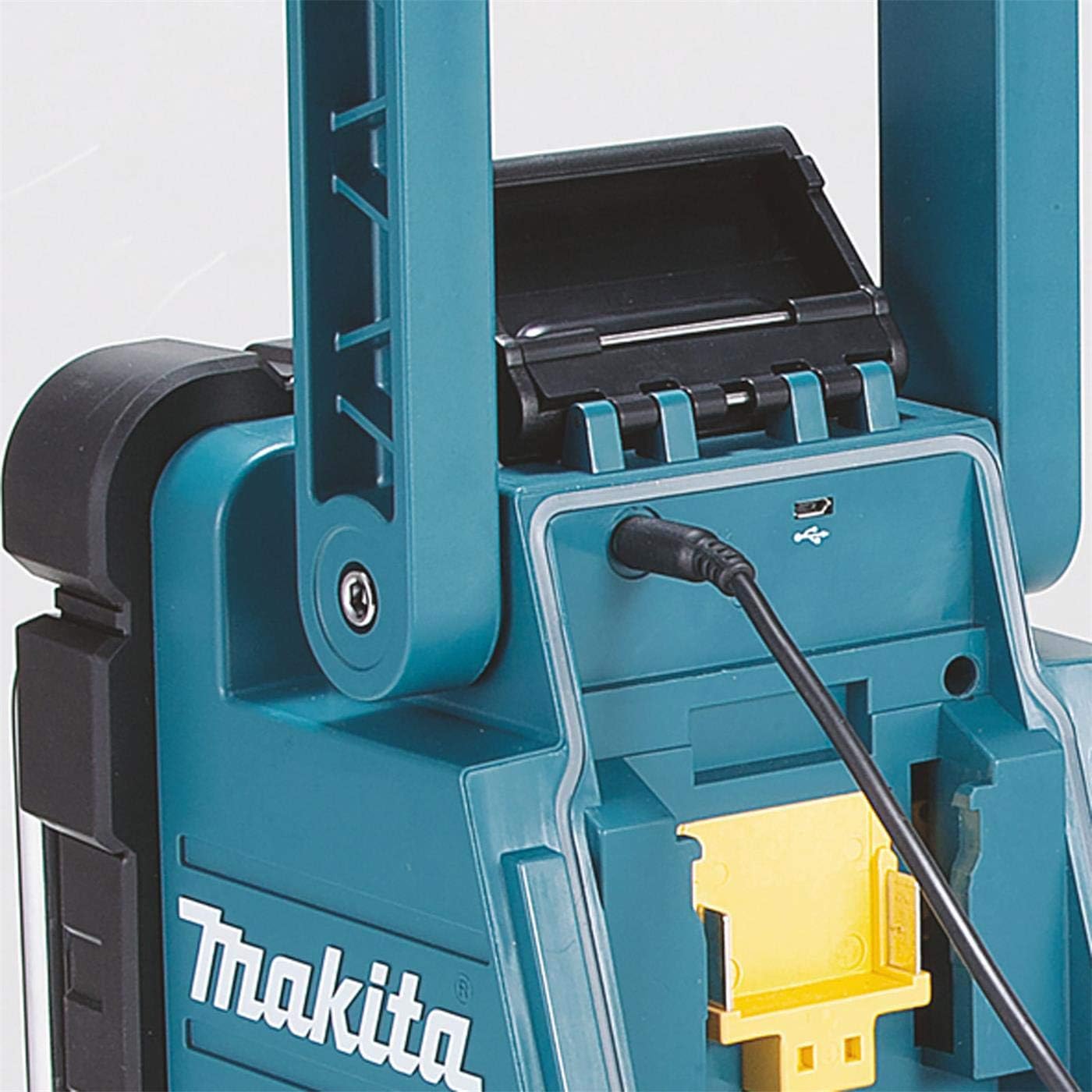
Image: A detailed view of the mini USB port on the Makita DMR110 radio, used for software updates.
6. Maintenance
6.1 Cleaning
Wipe the radio with a soft, damp cloth. Do not use solvents, alcohol, or abrasive cleaners. Ensure the battery compartment and port covers are closed during cleaning.
6.2 Battery Care
Remove the battery from the radio if it will not be used for an extended period. Store batteries in a cool, dry place, away from direct sunlight and extreme temperatures.
6.3 Storage
When storing the radio, ensure it is clean and dry. Store it in a location protected from dust, moisture, and extreme temperatures.
7. Troubleshooting
| Problem | Possible Cause | Solution |
|---|---|---|
| Radio does not power on. | Battery is depleted or not inserted correctly. AC adapter is not connected or faulty. | Charge or replace the battery. Ensure the battery is securely inserted. Check AC adapter connection and power outlet. |
| Poor radio reception (DAB+/FM). | Antenna not extended or positioned incorrectly. Weak signal in the area. Interference from other electronic devices. | Fully extend and adjust the antenna. Try moving the radio to a different location. Move away from other electronic devices. |
| No sound from AUX input. | Audio cable not connected properly. Volume on external device or radio is too low. Incorrect mode selected. | Ensure the 3.5mm audio cable is fully inserted into both the radio and the external device. Increase volume on both devices. Verify AUX mode is selected. |
| Display is blank or frozen. | Temporary software glitch. | Remove the battery and/or disconnect the AC adapter for a few minutes, then reconnect and power on. |
8. Specifications
| Feature | Specification |
|---|---|
| Model Number | DMR110 |
| Power Source | Makita Li-ion Batteries (7.2V - 18V) or AC Power Adapter |
| FM Frequency Band | 87.5 - 108 MHz |
| DAB+ Frequency Band | 174.927 - 239.200 MHz |
| Connectivity | DAB+, FM, 2x 3.5mm Auxiliary Input |
| Special Features | Splash protection (IP64), Digital display, USB for software upgrade |
| Product Dimensions (L x W x H) | 28 x 16.3 x 30.2 cm (11 x 6.4 x 11.9 inches) |
| Weight (including battery, EPTA) | 4.1 - 4.6 kg (9.0 - 10.1 lbs) |
| Material | Plastic |

Image: The Makita DMR110 radio with its key dimensions (length, width, height) clearly indicated.
9. Warranty and Support
For warranty information, service, or technical support, please refer to the warranty card included with your product or visit the official Makita website. You can also contact Makita customer service directly for assistance.


