
Introduction
The Oliso TG1600 Smart Iron is designed for efficient and safe ironing, featuring patented iTouch Technology. This technology automatically lifts the iron off the ironing board when you release the handle, preventing scorching and accidental burns. With 1800 watts of power, a durable stainless steel soleplate, and versatile steam options, this iron is suitable for various fabrics and tasks, including sewing and quilting.
Important Safety Instructions
When using your iron, basic safety precautions should always be followed to reduce the risk of fire, electric shock, or injury to persons.
- Always unplug the iron from the electrical outlet when filling with water, emptying, or when not in use.
- Do not operate the iron with a damaged cord or if the iron has been dropped or damaged. Contact customer support for service.
- To avoid the risk of electric shock, do not immerse the iron in water or other liquids.
- Never direct steam at people or pets.
- Allow the iron to cool completely before storing.
- Keep the iron out of reach of children.
Product Overview
Familiarize yourself with the key components and features of your Oliso TG1600 Smart Iron.

iTouch Technology: The iron automatically lifts when you release the handle and lowers when you touch it, preventing scorching.

Pro-Press Stainless Steel Soleplate: Provides durability, scratch resistance, and smooth gliding.

1 1/2 Inch Detailer Tip: Designed for precise ironing in tight spaces like pleats, pockets, and cuffs.

360° Pivot Cord: A 12-foot cord with a 360-degree pivot for full range of motion and tangle-free use.
Setup
- Unpack the Iron: Carefully remove the iron and all packaging materials. Retain the manual for future reference.
- Fill the Water Tank: Ensure the iron is unplugged. Open the side-fill cap and pour distilled or demineralized water into the 12.7 oz. tank. Do not overfill. Close the cap securely.
- Plug In: Plug the iron into a standard electrical outlet. The power indicator light will illuminate.
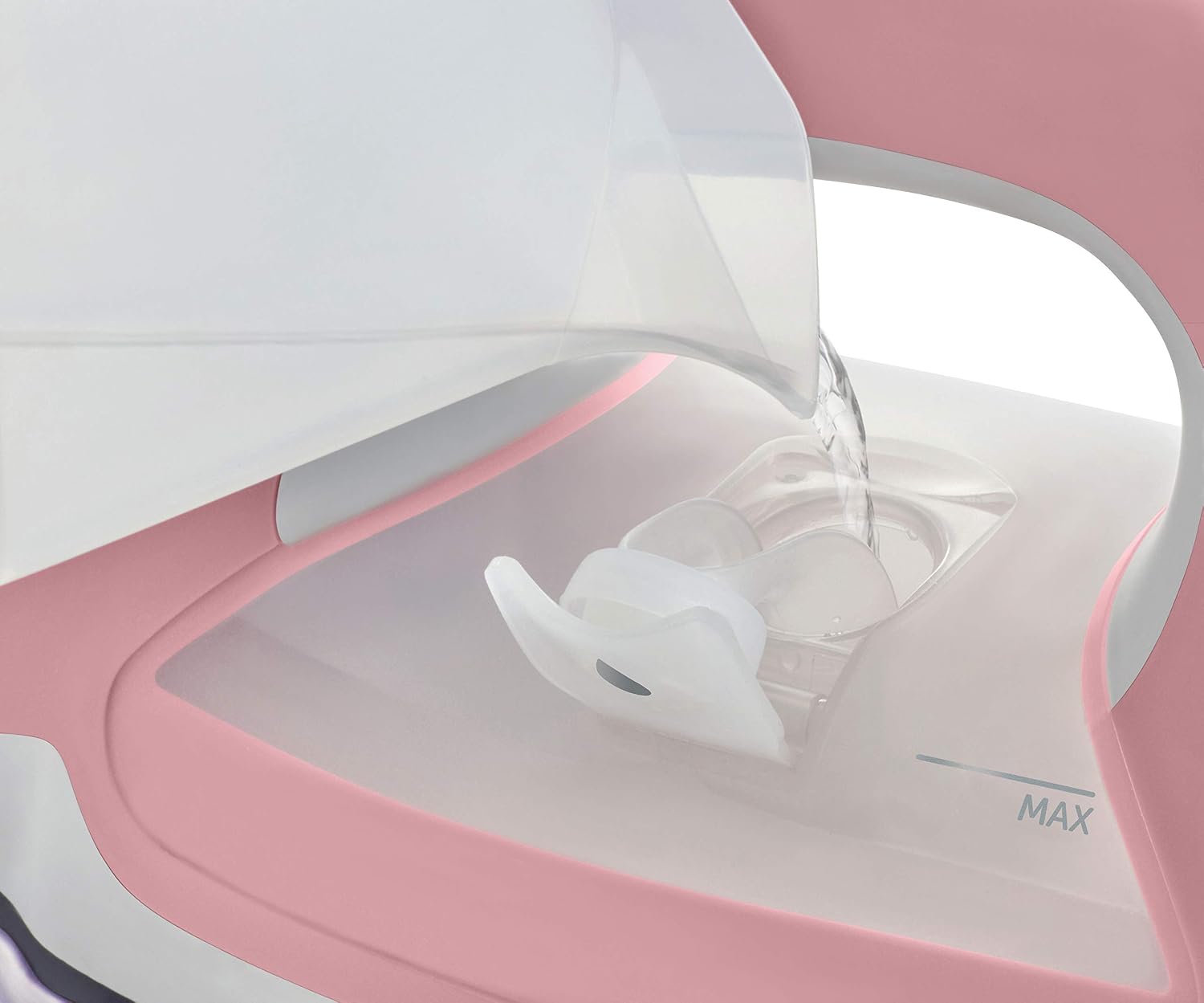
Fill the water tank with distilled water for optimal performance.
Operating Instructions
- Set Temperature: Rotate the temperature dial to the desired fabric setting (e.g., synthetic, silk, wool, cotton, linen). The iron will heat up rapidly.
- Activate iTouch Technology: Simply place your hand on the handle, and the iron will lower onto the fabric. When you release the handle, the scorchguards will lift the iron automatically.
- Steam Functions (TriplePlay XtremeSteam):
- Continuous Steam: Slide the steam lever to the desired steam level (low, medium, high).
- Horizontal Burst: Press the steam burst button for an extra shot of steam while ironing horizontally.
- Vertical Burst: Hold the iron upright and press the steam burst button to steam hanging garments.
- Water Spray: Press the spray button to mist the fabric with water, aiding in wrinkle removal.
- Auto Shut-Off: The iron will automatically turn off after 30 minutes if left standing vertically, or after 30 seconds if left horizontally on its soleplate.

Adjust the temperature dial according to fabric type.

Utilize the steam burst function for stubborn wrinkles.

The water spray function helps to dampen fabrics for easier ironing.
Official Product Video: iTouch Technology Demonstration
This video demonstrates the Oliso TG1600 Smart Iron's iTouch Technology in action, showing how the iron automatically lifts and lowers.
Maintenance
- Empty Water Tank: After each use, unplug the iron and allow it to cool. Empty any remaining water from the tank to prevent mineral buildup.
- Clean Soleplate: If the soleplate becomes stained, clean it with a damp cloth and a non-abrasive cleaner designed for iron soleplates. Do not use harsh scouring pads or metallic cleaners.
- Storage: Store the iron upright on its heel rest in a safe, dry place.
Troubleshooting
| Problem | Possible Cause | Solution |
|---|---|---|
| Iron not heating | Not plugged in; Auto shut-off activated; Faulty outlet. | Ensure iron is securely plugged in. Check if the auto shut-off has engaged (re-engage by moving the iron). Test the outlet with another appliance. |
| Water leaking/spitting | Water tank overfilled; Temperature too low for steam; Mineral buildup. | Do not overfill the water tank. Ensure the iron is at the correct temperature setting for steam. Perform a self-cleaning cycle if available, or descale the iron. |
| iTouch Technology not engaging | Sensor obstructed; Iron not powered on. | Ensure the handle sensor is clear. Verify the iron is plugged in and powered on. |
| Steam not working | Water tank empty; Temperature too low; Steam vents clogged. | Refill the water tank. Set the iron to a higher temperature suitable for steam. Clean steam vents if clogged. |
Specifications
- Model: TG1600
- Power: 1800 Watts
- Soleplate Material: Pro-Press Stainless Steel
- Water Tank Capacity: 12.7 oz.
- Cord Length: 12 feet with 360° pivot
- Auto Shut-Off: 30 minutes (vertical), 30 seconds (horizontal)
- Special Features: iTouch Technology, TriplePlay XtremeSteam, 1 1/2 Inch Detailer Tip
- Dimensions: Approximately 1 x 1 x 1 inches (Product dimensions provided in data are likely placeholder, actual dimensions may vary)
- Item Weight: 4 pounds
Warranty and Support
The Oliso TG1600 Smart Iron comes with a 3-year limited warranty from the date of purchase. This warranty covers defects in material and workmanship under normal household use. For warranty claims, technical support, or service inquiries, please contact Oliso customer support directly. Keep your proof of purchase for warranty validation.
For further assistance, visit the official Oliso website or contact their customer service department.
