
1. Introduction
This manual provides essential information for the installation, operation, maintenance, and troubleshooting of your GROHE 48197000 Electronic Control Unit. This unit is designed for use with the GROHE Blue Mono 31301000 system, providing precise control over water temperature.
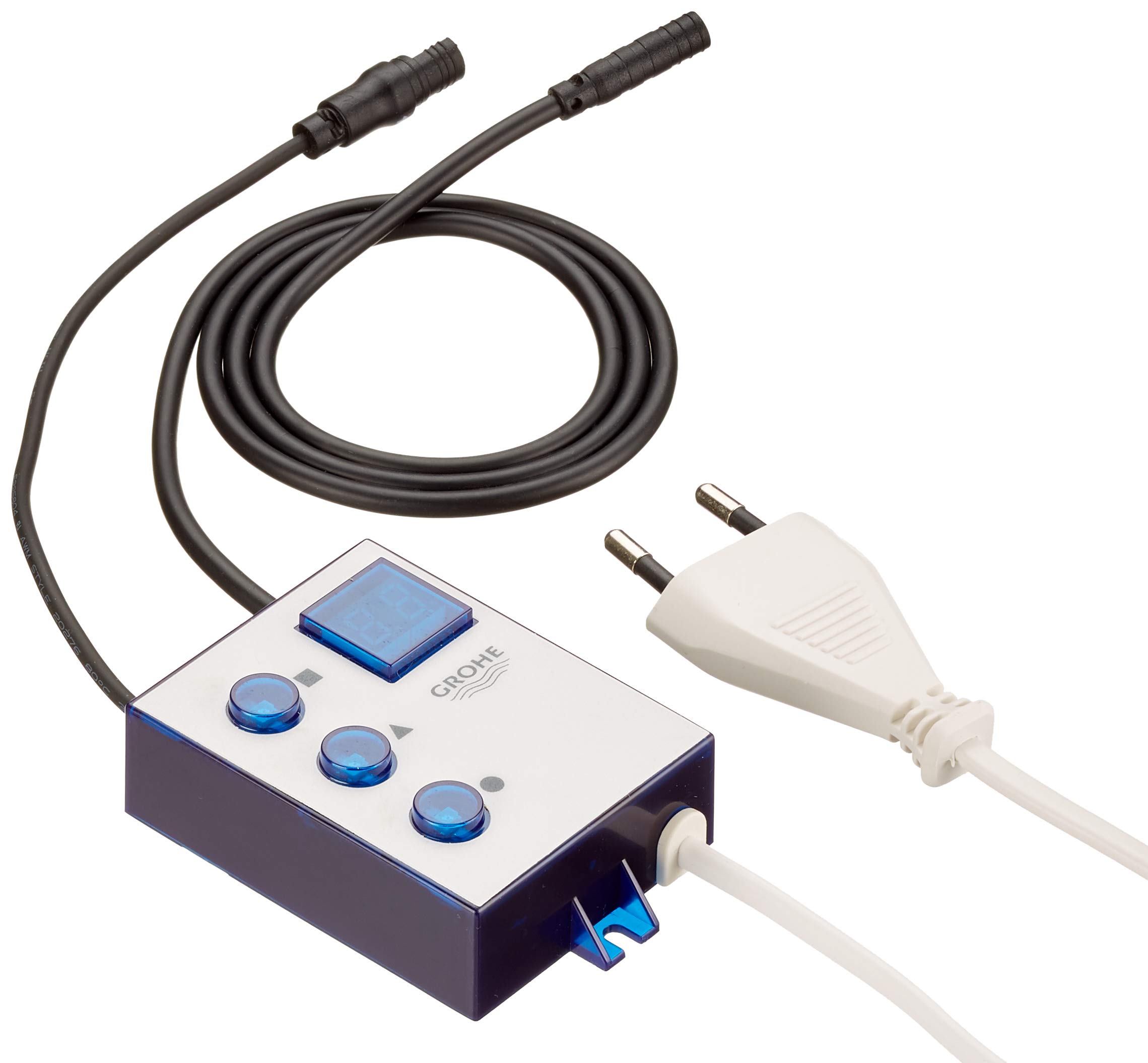
Image of the GROHE 48197000 electronic control unit, featuring its compact design and connection points.
2. Safety Information
Please read all safety instructions carefully before installation and operation. Failure to follow these instructions may result in electric shock, fire, or property damage.
- Ensure the main power supply is disconnected before any installation or maintenance work.
- Installation should be performed by a qualified professional in accordance with local regulations.
- Do not expose the control unit to direct water spray or extreme temperatures.
- Use only original GROHE spare parts and accessories.
3. Package Contents
Verify that all components are present and undamaged before proceeding with installation:
- GROHE 48197000 Electronic Control Unit
- Power plug
- Two connection cables
- Instruction Manual (this document)
4. Setup and Installation
The GROHE 48197000 control unit is designed for integration with the GROHE Blue Mono 31301000 system. Follow these general steps for installation:
- Preparation: Ensure the installation area is clean, dry, and has adequate space for the unit and its connections. Confirm that the main water supply and electrical power are turned off.
- Mounting: Securely mount the control unit in a suitable location, typically under the sink or within a cabinet, ensuring it is easily accessible for future maintenance. Refer to the specific mounting instructions provided with your GROHE Blue Mono 31301000 system for optimal placement.
- Electrical Connections: Connect the power plug and the two provided cables to the designated ports on the control unit. Ensure all connections are firm and secure.
- System Integration: Connect the control unit to the GROHE Blue Mono 31301000 system according to the system's specific wiring diagram. This unit acts as the central interface for temperature regulation.
- Initial Power-Up: Once all connections are made and verified, restore the main power supply. The unit's LCD or LED display should illuminate, indicating it is powered on.
5. Operating Instructions
The GROHE 48197000 control unit features three buttons for temperature adjustment and an LCD/LED display for feedback.
- Temperature Adjustment: Use the three dedicated buttons to increase, decrease, or set a specific temperature for the water dispensed by your GROHE Blue Mono system. Consult the GROHE Blue Mono 31301000 manual for detailed temperature range and preset options.
- Display Feedback: The LCD or LED display will show the current temperature setting or other relevant system status indicators.
- Energy Saving: This unit incorporates features designed for energy efficiency. For optimal energy savings, ensure the system is not left running unnecessarily.

Icon representing GROHE Water Saving technology, highlighting energy efficiency.
6. Maintenance
Regular maintenance ensures the longevity and optimal performance of your control unit.
- Cleaning: Wipe the exterior of the control unit with a soft, damp cloth. Do not use abrasive cleaners, solvents, or harsh chemicals, as these can damage the finish and electronic components.
- Connection Check: Periodically inspect all cable connections to ensure they are secure and free from corrosion or damage.
- GROHE Longlife Shine: The unit's finish is designed for durability and easy cleaning, maintaining its appearance over time.

Icon representing GROHE Longlife Shine technology, indicating durable and easy-to-clean surfaces.
7. Troubleshooting
If you encounter issues with your GROHE 48197000 control unit, refer to the following common problems and solutions:
| Problem | Possible Cause | Solution |
|---|---|---|
| Unit does not power on. | No power supply; loose cable connection. | Check main power supply. Ensure power plug and cables are securely connected. |
| Temperature adjustment not working. | Incorrect system integration; faulty unit. | Verify connections to the GROHE Blue Mono system. If problem persists, contact customer support. |
| Display is blank or shows error. | Power issue; internal fault. | Cycle power to the unit. If error persists, note any error codes and contact customer support. |
If troubleshooting steps do not resolve the issue, please contact GROHE customer support.
8. Specifications
| Feature | Detail |
|---|---|
| Model Number | 48197000 |
| Product Type | Electronic Control Unit |
| Compatible System | GROHE Blue Mono 31301000 |
| Color | Black |
| Material | Metal |
| Display Type | LCD or LED |
| Weight | 280 g |
| Included Components | Control unit, power plug, two cables |
| Country of Origin | Germany |
9. Warranty Information
This GROHE product is covered by a manufacturer's warranty. For specific details regarding the warranty period and terms, please refer to the documentation included with your purchase or visit the official GROHE website. The product is generally subject to a return policy of 14 days for refund/replacement when purchased from Amazon.
10. Customer Support
For technical assistance, spare parts, or further information, please contact GROHE customer support. You can find contact details on the official GROHE website or through your local distributor.
GROHE Official Website: www.grohe.com


