
Introduction
The Elation Fuze Wash Z120 is a versatile 120-watt RGBW LED wash fixture designed for professional lighting applications. It features a single-source RGBW LED with advanced color mixing capabilities, ensuring flicker-free performance suitable for various environments including concert venues, studios, and theatrical stages. Key functionalities include a motorized zoom range of 7 to 55 degrees, multiple dimming curves, strobing, panning, and tilting. This manual provides essential information for the safe and effective setup, operation, and maintenance of your Fuze Wash Z120 fixture.
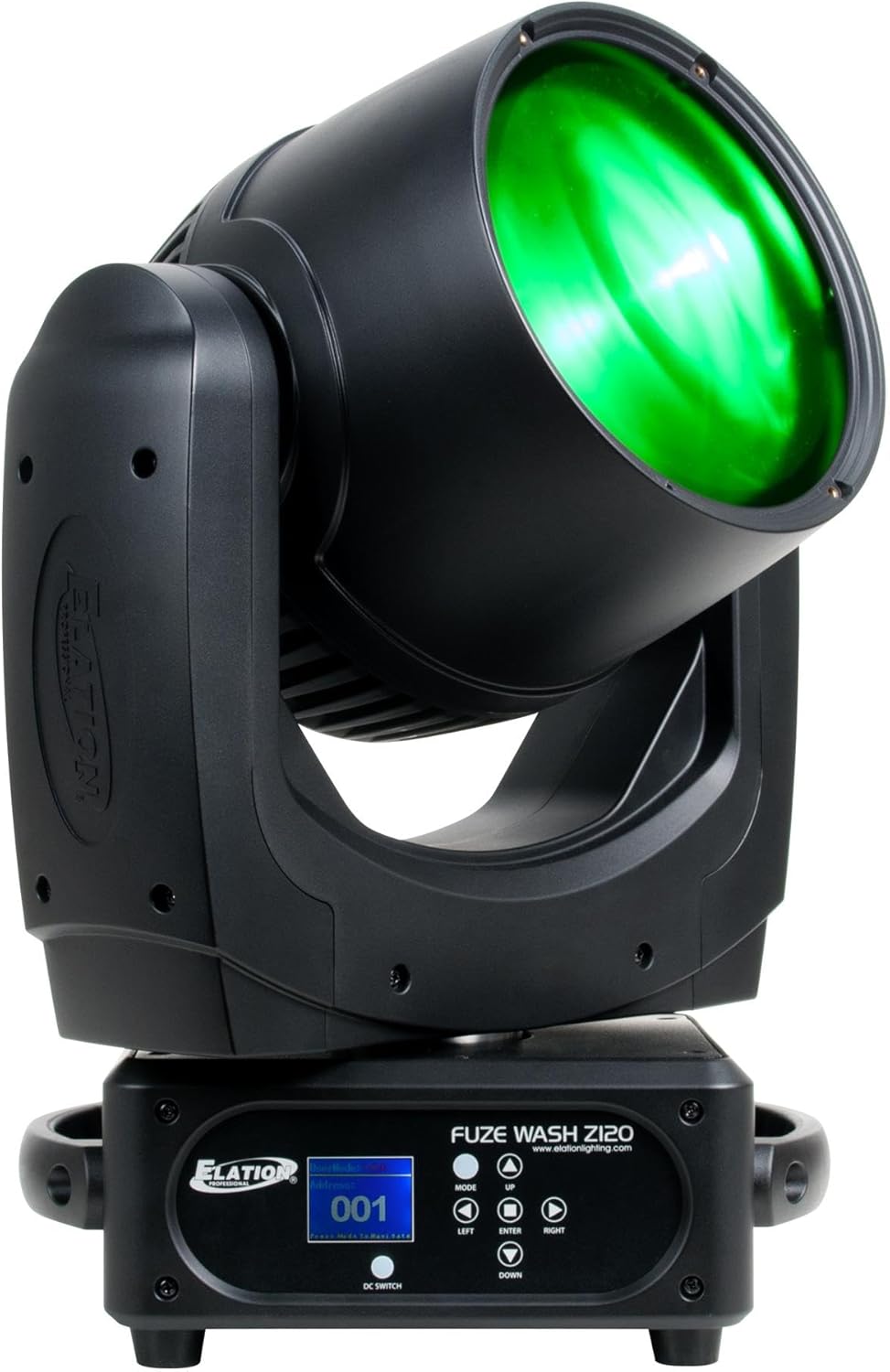
Figure 1: Elation Fuze Wash Z120 RGBW LED Wash Fixture. This image displays the black fixture with its head angled upwards, emitting a green light. The base features a control panel with an LCD screen and navigation buttons.
Safety Information
Always observe the following safety precautions to prevent injury and damage to the fixture:
- Ensure the fixture is properly grounded to avoid electrical shock.
- Disconnect power before performing any service or maintenance.
- Do not operate the fixture if the power cord is damaged.
- Avoid direct eye exposure to the light source.
- Ensure adequate ventilation around the fixture to prevent overheating.
- Mount the fixture securely using appropriate hardware and safety cables.
- Do not attempt to repair the fixture yourself; refer all servicing to qualified personnel.
Setup
Unpacking
Carefully remove the fixture from its packaging. Inspect for any signs of damage during transit. Retain all packaging materials for future transport or storage.
Mounting
The Fuze Wash Z120 can be mounted in various orientations, including floor mount. Always ensure the mounting surface or structure can support the weight of the fixture. Use appropriate clamps and safety cables for overhead installations.
- For floor mounting, ensure the fixture is placed on a stable, level surface.
- When suspending, use certified clamps and safety cables.
- Maintain proper clearance around the fixture for ventilation.
Power Connection
Connect the provided power cable to the fixture's power input and then to a suitable power outlet. The fixture operates on corded electric power. Verify that the voltage matches the fixture's requirements.
DMX Connection
The Fuze Wash Z120 supports DMX and RDM for external control. Connect a DMX cable from your DMX controller to the fixture's DMX input. For multiple fixtures, daisy-chain them using DMX output to the next fixture's DMX input.
- Use 3-pin or 5-pin DMX cables as appropriate for your setup.
- Terminate the last fixture in a DMX chain with a DMX terminator.
Operating Instructions
Control Panel Overview
The fixture features an onboard LCD menu and control buttons for direct configuration. The control panel is located on the base of the unit.
Figure 2: Close-up of the Elation Fuze Wash Z120 control panel. The panel includes an LCD screen displaying "001" and menu options, along with buttons labeled MODE, UP, LEFT, ENTER, RIGHT, DOWN, and DC SWITCH. The Elation logo is visible on the left.
- MODE: Cycles through main menu options.
- UP/DOWN: Navigates through menu items or adjusts values.
- LEFT/RIGHT: Navigates through menu items or adjusts values.
- ENTER: Confirms selections or enters sub-menus.
- DC SWITCH: Functionality related to direct current switching (refer to full manual for specific use).
Basic Operation
Upon powering on, the fixture will initialize. Use the MODE button to access the main menu. Navigate with UP/DOWN/LEFT/RIGHT and confirm with ENTER to set DMX address, operating modes, and other parameters.
DMX Control
To control the fixture via DMX, set the DMX start address using the onboard menu. Refer to the DMX channel chart (typically found in the full product manual) for specific channel assignments for functions like RGBW color mixing, dimming, strobe, pan, tilt, and zoom.
Features and Effects
- RGBW Color Mixing: Achieve a wide spectrum of colors by adjusting the Red, Green, Blue, and White LED intensities.
- Motorized Zoom: Adjust the beam angle from a narrow 7 degrees to a wide 55 degrees for versatile coverage.
- Dimming: Smooth electronic dimming from 0-100% with various dimming curve options.
- Strobe: Adjustable strobe rate for dynamic effects.
- Pan and Tilt: Precise control over horizontal (pan) and vertical (tilt) movement for accurate positioning.
Maintenance
Regular maintenance ensures optimal performance and extends the lifespan of your fixture.
- Cleaning: Periodically clean the exterior casing and optical lenses with a soft, lint-free cloth. Do not use abrasive cleaners.
- Fan Maintenance: Ensure the cooling fan vents are clear of dust and debris to maintain efficient cooling. The fixture is fan-cooled.
- Cable Inspection: Regularly inspect power and DMX cables for any signs of wear or damage.
- General Care: Store the fixture in a dry, dust-free environment when not in use.
Troubleshooting
This section addresses common issues you might encounter. For problems not listed here, contact customer support.
| Problem | Possible Cause | Solution |
|---|---|---|
| No Power | Power cable disconnected; no power from outlet; faulty fuse. | Check power connections; test outlet; replace fuse if necessary. |
| No DMX Control | Incorrect DMX address; faulty DMX cable; missing terminator; DMX controller issue. | Verify DMX address; check DMX cable continuity; ensure terminator is used; test with another DMX controller. |
| Fixture Overheating | Blocked ventilation; operating in high ambient temperature. | Clear all vents; ensure adequate airflow; operate within specified temperature range. |
| Incorrect Color Output | DMX channel values incorrect; internal calibration issue. | Check DMX channel values; perform a factory reset or calibration if available in the menu. |
Technical Specifications
| Feature | Detail |
|---|---|
| Model Number | FUZ024 |
| Light Source | 120W RGBW LED |
| Light Source Type | Light Emitting Diode |
| Brightness | 10640 lux |
| Zoom Range | 7° to 55° Motorized |
| Color Mixing | RGBW |
| Dimming | 0-100% Electronic, various curves |
| Strobe Effects | Yes |
| Cooling | Fan Cooled |
| Control Protocols | DMX, RDM |
| Mounting Type | Floor Mount (and other suitable rigging) |
| Power Source | Corded Electric |
| Color | Black |
| Item Weight | 1 pound (approx. 0.45 kg) |
| Product Dimensions | 1 x 1 x 1 inches (approx. 2.54 x 2.54 x 2.54 cm) - Note: These dimensions appear to be placeholder values and may not reflect the actual size of a moving head fixture. |
| UPC | 837874019728 |
| Manufacturer | Elation |
Warranty and Support
Elation Professional products are designed for reliability and performance. For specific warranty terms and conditions, please refer to the warranty card included with your product or visit the official Elation Professional website.
For technical support, service, or parts inquiries, please contact Elation Professional directly. You can find contact information and additional resources on their official website:


